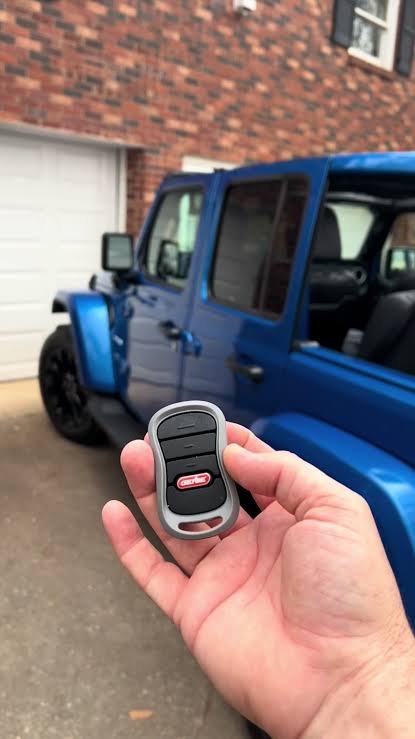
Struggling to sync your garage door with your 2016 Jeep Cherokee? You’re not alone. Many drivers face confusion when trying to how to program 2016 Jeep Cherokee garage door opener, especially if they’ve recently purchased the vehicle or changed garage doors. This comprehensive guide will walk you through the entire process, ensuring you can open your garage seamlessly from your vehicle’s built-in HomeLink system.
The 2016 Jeep Cherokee comes equipped with the HomeLink universal transceiver, a convenient feature that allows you to control up to three different garage doors, gate operators, or home lighting systems directly from your rearview mirror. While the technology is straightforward, the programming process can seem intimidating for first-time users. Don’t worry—we’ll break it down into simple, manageable steps.
Understanding Your 2016 Jeep Cherokee’s HomeLink System
Before diving into the programming process, it’s essential to understand what you’re working with. The HomeLink system in your 2016 Jeep Cherokee is a universal remote control integrated into your vehicle’s rearview mirror assembly. According to Wikipedia’s entry on HomeLink, this technology has been licensed by Gentex Corporation and installed in millions of vehicles worldwide since its introduction in 1992.
Key Features of Your HomeLink System:
- Three programmable buttons located on the rearview mirror
- Universal compatibility with most garage door openers manufactured after 1982
- Rolling code technology support for enhanced security
- Memory retention even when the vehicle battery is disconnected
The system works by transmitting radio frequency signals that mimic your original garage door remote. When properly programmed, pressing one of the HomeLink buttons sends the same signal as your handheld remote, triggering your garage door to open or close.
What You’ll Need Before Starting
Successful programming requires proper preparation. Gather these items before beginning:
- Your original garage door remote (essential for most programming methods)
- A ladder or step stool (to reach your garage door opener motor unit safely)
- Clear access to your garage door opener’s “Learn” or “Smart” button
- Patience and time (the process typically takes 10-20 minutes)
Important Safety Note: Always ensure your garage door area is clear of people, pets, and obstacles before testing. Never attempt to climb on unstable surfaces to reach your garage door opener unit.
Step-by-Step Programming Guide
Method 1: Standard Programming (With Original Remote)
This is the most common and reliable method for programming your 2016 Jeep Cherokee’s HomeLink system.
Step 1: Clear Existing Programming First, ensure the HomeLink buttons are cleared of any previous programming:
- Press and hold the two outer HomeLink buttons simultaneously
- Continue holding for approximately 20 seconds
- Release when the indicator light begins flashing rapidly
- All three buttons are now reset and ready for new programming
Step 2: Position Your Vehicle Park your Jeep Cherokee outside your garage, ensuring:
- The vehicle is within 10-15 feet of the garage door opener
- The engine is running (or ignition is in the “ON” position)
- All doors and windows are closed to prevent interference
Step 3: Begin Programming
- Hold your original garage door remote 1-3 inches away from the HomeLink buttons on your rearview mirror
- Choose which HomeLink button you want to program (Button 1, 2, or 3)
- Simultaneously press and hold both the chosen HomeLink button AND the button on your original remote
- Continue holding both buttons until the HomeLink indicator light changes from slow blinking to rapid blinking (this may take 20-30 seconds)
- Release both buttons once rapid blinking occurs
Step 4: Test the Programming
- Press and hold the newly programmed HomeLink button
- Observe whether your garage door responds
- If successful, the door should begin moving
- If unsuccessful, repeat Steps 3-4, ensuring proper button alignment
Method 2: Programming Without Original Remote (Rolling Code Systems)
If you’ve lost your original remote or have a newer rolling code system, follow this alternative method:
Step 1: Locate the Learn Button Find the “Learn,” “Smart,” or “Program” button on your garage door opener motor unit. This is typically:
- Located on the back or side of the motor housing
- Colored yellow, purple, orange, or red
- Accompanied by an LED indicator light
Step 2: Initiate Learning Mode
- Press and release the Learn button on your garage door opener
- The LED indicator will illuminate or blink, indicating learning mode is active
- You typically have 30 seconds to complete the next step
Step 3: Program from Your Vehicle
- Within 30 seconds, return to your Jeep Cherokee
- Press and hold the desired HomeLink button for 2-3 seconds
- Release, then press and hold again for another 2-3 seconds
- Repeat this press-release-hold cycle up to three times
- Watch for the garage door to respond or the opener’s LED to flash
Step 4: Verify and Save Test the button multiple times to ensure consistent operation. If the door responds reliably, programming is complete.
Troubleshooting Common Issues
Even with careful following of instructions, you might encounter problems. Here are solutions to frequent issues:
| Problem | Possible Cause | Solution |
|---|---|---|
| No response from garage door | Weak remote batteries | Replace batteries in original remote |
| Intermittent operation | Signal interference | Reprogram with vehicle closer to opener |
| Light blinks but door doesn’t move | Incorrect button timing | Ensure simultaneous pressing of both buttons |
| Programming won’t save | Memory full or error | Clear all buttons and start fresh |
| Rolling code incompatibility | Older opener system | Check opener manual for compatibility |
Expert Tips for Success:
- Timing is crucial: The synchronization between pressing HomeLink and remote buttons must be precise
- Distance matters: Start with your vehicle 10 feet from the garage, then adjust if needed
- Battery check: Weak batteries in either the vehicle or remote can cause failures
- Multiple attempts: Don’t give up after one try—programming often requires 2-3 attempts
People Also Ask: Common Questions About Jeep Cherokee HomeLink
How many garage doors can I program to my 2016 Jeep Cherokee?
Your 2016 Jeep Cherokee’s HomeLink system can store up to three different devices. This means you can program three separate garage doors, or a combination of garage doors, gate operators, and home lighting systems. Each button operates independently, allowing you to control multiple entry points conveniently.
Why won’t my HomeLink program successfully?
Several factors can prevent successful programming:
- Dead batteries in your original remote control
- Interference from other electronic devices or vehicles
- Incompatible garage door opener (systems older than 1982 may not work)
- Incorrect procedure being followed for your specific opener type
- Signal range issues requiring repositioning of your vehicle
If problems persist, consult your garage door opener’s manual or contact the manufacturer for specific compatibility information.
Can I program HomeLink without the original remote?
Yes, but the process differs depending on your garage door opener type. For rolling code systems (most modern openers), you can program directly using the Learn button on the opener unit itself. However, having the original remote makes the process significantly easier and more reliable. If you’ve lost all remotes, consider purchasing a universal replacement remote compatible with your opener brand.
How do I know if my garage door opener uses rolling codes?
Most garage door openers manufactured after 1996 use rolling code technology for enhanced security. Signs your opener uses rolling codes include:
- A “Learn,” “Smart,” or “Program” button on the motor unit
- Manufacturing date of 1996 or later
- Brand names like Chamberlain, LiftMaster, Genie, or Craftsman (post-1996 models)
Check your opener’s manual or look for a label on the motor housing indicating the manufacturing date and code type.
Is HomeLink programming permanent?
Yes, once programmed, the HomeLink system retains the memory even if your vehicle’s battery is disconnected. The programming will remain intact until you deliberately clear it using the reset procedure (holding the two outer buttons for 20 seconds). This means you won’t need to reprogram after routine maintenance or battery replacement.
What should I do if my garage door reverses after programming?
If your garage door begins to close but then reverses direction, this indicates a safety sensor issue, not a HomeLink programming problem. Check that:
- The safety sensors near the floor are properly aligned
- Nothing is blocking the sensor beams
- The sensors’ LED lights are solid (not blinking)
This is a separate issue from HomeLink programming and requires addressing the garage door’s safety system.
Maximizing Your HomeLink Experience
Once successfully programmed, here are tips to get the most from your system:
Regular Maintenance:
- Test all three buttons monthly to ensure continued operation
- Replace your original remote’s batteries annually as preventive maintenance
- Keep your vehicle’s battery healthy, as extreme discharge can occasionally affect memory
Security Considerations:
- If you sell your vehicle, clear all HomeLink programming before transfer
- Consider reprogramming if you suspect unauthorized access
- Use different buttons for different family members’ garage doors if applicable
Convenience Features:
- Program frequently used gates or lighting systems to remaining buttons
- Label buttons mentally or with small tape markers if managing multiple devices
- Share programming knowledge with family members who also drive the vehicle
Conclusion
Learning how to program 2016 Jeep Cherokee garage door opener doesn’t have to be complicated. With the right approach, proper preparation, and patience, you can have your HomeLink system operational in under 30 minutes. The convenience of opening your garage directly from your vehicle’s rearview mirror transforms daily routines, especially during inclement weather or when carrying groceries.
Remember that success often requires multiple attempts, so don’t discourage if the first try isn’t perfect. Follow the step-by-step instructions carefully, ensure your equipment is in good working order, and don’t hesitate to consult your garage door opener’s manual for brand-specific guidance.
Did this guide help you successfully program your HomeLink system? Share your experience in the comments below, or share this article with fellow Jeep owners who might benefit from these instructions. Your success story could help someone else overcome their programming challenges!
For additional support, visit your local Jeep dealership or consult the official Jeep owner’s manual for model-specific troubleshooting. Happy driving—and even happier garage access!
Leave a Reply