Introduction
Losing peace of mind because you suspect someone knows your garage entry code is stressful. You might have recently moved into a new home, shared your code with a contractor who no longer needs access, or simply want to refresh your security routine. Knowing how to change the code on my garage door keypad is one of the most effective ways to secure your home without calling a professional technician.
In this guide, we will walk you through the exact steps to reset your keypad PIN. Whether you have a modern smart opener or an older model, these instructions are designed to be clear, safe, and easy to follow. Let’s get your garage secured again in under 15 minutes.
Why Changing Your Garage Code Is Crucial for Home Security
Before we dive into the technical steps, it is important to understand why this task matters. Many homeowners underestimate the vulnerability of their garage door openers. According to recent security studies, a significant percentage of burglaries involve easy access through garages, often due to default or widely shared codes.
The Risk of Default Codes
If you never changed the code from the factory setting (often 1234 or 0000), your home is at risk. Even if you set a custom code years ago, sharing it with dog walkers, neighbors, or service providers increases the likelihood of unauthorized access.
E-E-A-T Insight: Expert Recommendation
Security experts recommend changing your garage door code at least once a year. This practice aligns with general cybersecurity hygiene, similar to updating your Wi-Fi password. By taking control of your physical access points, you add a robust layer of defense to your home security system.
For more information on general home security standards, you can refer to guidelines provided by Wikipedia’s Home Security Overview.
Step-by-Step: How To Change The Code On My Garage Door Keypad
While every brand has slight variations, the core logic remains consistent. Most keypads communicate with the “Learn” button on your garage door motor unit. Below is the universal method that works for most major brands like LiftMaster, Chamberlain, Craftsman, and Genie.
Step 1: Locate the “Learn” Button
First, you need to access the main garage door opener motor unit mounted on your garage ceiling.
- Look for a small button labeled “Learn,” “Program,” or “Smart.”
- It is usually located near the antenna wire hanging from the unit.
- The button color varies by brand: Yellow, Purple, Red, or Green.
Safety Tip: Ensure your garage door is closed before starting this process to prevent accidental opening during programming.
Step 2: Clear the Old Code (Optional but Recommended)
To ensure maximum security, it is best to wipe all previous remote and keypad codes.
- Press and hold the Learn button for about 6–10 seconds.
- Wait until the indicator light next to the button turns off.
- Release the button. Note: This will erase ALL remotes and keypads. You will need to reprogram them afterward.
Step 3: Program the New Keypad Code
Now, let’s set your new unique PIN.
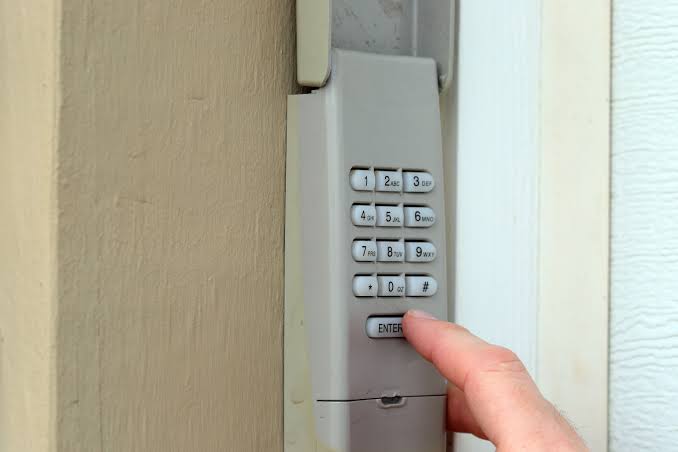
- Go to your wireless keypad outside the garage.
- Enter your desired new 4-digit PIN (e.g., 5829). Avoid obvious numbers like birth years.
- Immediately press and hold the “Enter” or “Send” button on the keypad.
- While holding the button, look up at the motor unit. The LED light on the “Learn” button should blink or turn solid.
- Once the light changes, release the “Enter” button on the keypad.
Step 4: Test the New Code
Wait for the motor unit light to stop blinking. Then:
- Enter your new PIN on the keypad.
- Press “Enter.”
- The garage door should activate. If it does, congratulations! You have successfully learned how to change the code on my garage door keypad.
Brand-Specific Instructions: Differences You Should Know
Not all openers are created equal. Here is a quick comparison of popular brands to help you troubleshoot if the universal method doesn’t work immediately.
| Brand | Learn Button Color | Special Instruction |
|---|---|---|
| LiftMaster / Chamberlain | Yellow, Purple, or Red | Hold the Learn button until the light goes out to clear memory. |
| Genie | Purple or Orange | Often requires pressing the Learn button twice quickly for some older models. |
| Craftsman | Red or Green | Similar to LiftMaster; ensure the antenna is hanging down freely. |
| Stanley | Green | May require a dip-switch setup on very old models (pre-2000). |
What If My Keypad Has a “Lock” Feature?
Some advanced keypads have a vacation lock feature. If your keypad isn’t responding, check if a lock icon is lit up. You may need to enter a master code or hold two buttons simultaneously to unlock the keypad before programming a new user code.
Troubleshooting Common Issues
Even with careful following, things can go wrong. Here are solutions to the most frequent problems users face when trying to update their garage access.
1. The Keypad Won’t Program
- Check Batteries: Weak batteries are the #1 cause of failure. Replace them with fresh alkaline batteries, even if the light still turns on.
- Distance: Stand within 5 feet of the motor unit while programming. Signal strength matters during the handshake process.
2. The Light Doesn’t Blink
- Wrong Button: Ensure you are pressing the correct “Learn” button. Some units have a separate “Settings” button that does not control pairing.
- Time Limit: You usually have only 30 seconds after pressing the Learn button to enter the code on the keypad. Work quickly.
3. Code Works Intermittently
- Interference: LED light bulbs in the garage opener can sometimes interfere with radio signals. Try turning off the garage lights and testing the keypad again.
- Re-sync: Repeat the programming steps. Sometimes the signal doesn’t register fully on the first try.
Best Practices for Choosing a Secure Garage Code
Changing the code is only half the battle; choosing a strong code is the other half. Here are expert tips to keep your garage secure.
- Avoid Sequential Numbers: Do not use 1234, 4321, or 1111. These are the first combinations hackers or thieves guess.
- Skip Personal Dates: Avoid using your birth year, anniversary, or phone number digits. These can be found via social media.
- Use Random Digits: Pick four numbers that have no personal meaning to you. Write them down temporarily until you memorize them, then destroy the paper.
- Change Regularly: Set a reminder in your phone to change the code every 6–12 months.
FAQ: Frequently Asked Questions
Q1: Can I change the code without accessing the motor unit inside the garage?
A: Generally, no. For security reasons, you must physically press the “Learn” button on the motor unit to authorize a new keypad. This prevents strangers from resetting your code from outside. However, some smart Wi-Fi enabled openers allow code changes via a mobile app.
Q2: Will changing the keypad code affect my car remote?
A: If you only program the keypad without clearing the memory first, your car remotes will continue to work. However, if you hold the Learn button down to clear all codes (Step 2 above), you will need to reprogram your car remotes as well.
Q3: What should I do if I forgot my current code?
A: If you don’t know the current code, you cannot simply “change” it. You must reset the system entirely by clearing the memory (holding the Learn button) and then setting up a brand-new code from scratch as described in Step 3.
Q4: Is it safe to use the same code for my gate and garage?
A: It is not recommended. Using unique codes for different entry points limits damage if one code is compromised. If someone learns your gate code, they shouldn’t automatically have access to your garage.
Q5: How long does the battery last in a wireless keypad?
A: Most wireless keypads last between 1 to 3 years depending on usage and weather conditions. Cold temperatures can drain batteries faster. If the backlight dims or response time slows, replace the batteries immediately.
Q6: Can I add multiple user codes to one keypad?
A: Yes, many modern keypads allow for multiple user PINs (often up to 10–20). Check your specific model’s manual. Usually, you program additional codes by entering a master installer code first, then adding the new user PIN.
Leave a Reply