Introduction
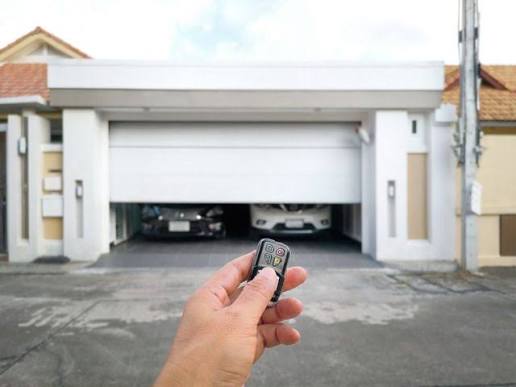
There is nothing quite as frustrating as standing in your driveway, rain pouring down, trying to get your car into the garage, only to realize the door refuses to stay closed. You press the button, it starts to go down, but the moment you let go, it stops or reverses. If you are experiencing a situation where your garage door closes only when you hold button in, you are not alone. This is one of the most common issues homeowners face, and while it feels like a major mechanical failure, it is often a simple safety feature triggering incorrectly.
In this guide, we will walk you through exactly why this happens, how to diagnose the root cause, and the step-by-step solutions to fix it. We prioritize safety and efficiency, ensuring you can get your garage door working smoothly again without unnecessary expense.
Understanding the “Hold-to-Close” Mechanism
Before we dive into repairs, it is crucial to understand why your garage door behaves this way. Modern garage door openers, manufactured by brands like LiftMaster, Chamberlain, and Genie, are equipped with mandatory safety features regulated by federal law in the United States.
The primary culprit behind the “hold-to-close” behavior is usually the safety reversal system. This system includes photo-eye sensors and force settings. If the opener detects an obstruction, misalignment, or excessive resistance, it will refuse to close automatically to prevent injury or damage. Holding the button bypasses these sensors temporarily, allowing the door to close under manual supervision.
The Role of Federal Safety Standards
Since 1993, all residential garage door openers sold in the US must have an automatic reverse mechanism. According to the Consumer Product Safety Commission, these standards were implemented after thousands of injuries were reported involving children and pets. When your door requires you to hold the button, it is essentially saying, “I am not sure it is safe to close automatically, so I need you to watch me.”
Top 5 Reasons Your Garage Door Won’t Close Automatically
If your garage door closes only when you hold button in, it is likely due to one of the following five issues. We have ordered them from most common to least common to help you troubleshoot efficiently.
1. Misaligned Safety Sensors (Photo-Eyes)
This is the number one cause of this issue. Located near the bottom of your garage door tracks, these small devices emit an invisible beam across the doorway. If the beam is broken or interrupted, the door will not close.
Signs of Misalignment:
- One sensor light is blinking (usually amber or red).
- The other sensor light is solid (usually green).
- There is visible dirt or spiderwebs on the lens.
How to Fix It:
- Check the LED lights on both sensors. Both should be solid (usually green). If one is blinking, they are misaligned.
- Loosen the wing nut or bracket holding the sensor.
- Adjust the sensor until the blinking light turns solid.
- Tighten the bracket carefully without moving the sensor.
2. Obstructed Sensor Beam
Even if the sensors are perfectly aligned, something might be blocking the beam. This doesn’t have to be a large object; even a thin layer of dust, a cobweb, or a leaf can interrupt the infrared signal.
Quick Check: Wipe the lenses of both sensors with a soft, dry cloth. Ensure there are no boxes, bicycles, or trash cans partially blocking the path between the two sensors.
3. Incorrect Force Settings
Garage door openers have “force settings” that determine how much power the motor uses to close the door. If these settings are too low, the motor interprets normal friction as an obstruction and reverses the door.
Symptoms:
- The door starts to close but reverses immediately upon touching the floor.
- The door struggles to move even when manually operated.
Adjustment Guide:
- Locate the force adjustment screws on your opener unit (refer to your manual, as locations vary by brand).
- Turn the “Close Force” screw slightly clockwise (usually a quarter-turn at a time).
- Test the door. Warning: Do not set the force too high, as this can cause injury if the door hits an object.
4. Damaged or Worn-Out Rollers and Tracks
If your garage door is old, the rollers may be worn out, or the tracks may be bent. This creates excessive friction, causing the motor to work harder than necessary. The opener detects this increased load as an obstruction.
Visual Inspection:
- Look for dents or bends in the metal tracks.
- Check if the rollers are cracked or chipped.
- Listen for grinding noises when the door operates.
5. Faulty Wall Control Panel
Sometimes, the issue isn’t with the door itself but with the wall button. If the wires connecting the wall control to the opener are shorted or damaged, it can send erratic signals.
Test: Try using the remote control instead of the wall button. If the remote works fine but the wall button requires holding, the issue is likely with the wall control unit or its wiring.
Step-by-Step Troubleshooting Guide
Follow these steps in order to diagnose and fix your problem. Always prioritize safety and disconnect power when working on electrical components.
Step 1: Inspect the Safety Sensors
- Locate the two sensors on either side of the garage door, about 6 inches off the ground.
- Check the LED indicators.
- Solid Green/Solid Green: Aligned correctly.
- Blinking Amber/Solid Green: Misaligned.
- No Light: Power issue or broken wire.
- Clean the lenses with a microfiber cloth.
- Realign if necessary by adjusting the brackets until both lights are solid.
Step 2: Check for Obstructions
- Walk the path of the door. Remove any items that might block the sensor beam.
- Inspect the tracks for debris, such as leaves, twigs, or hardened grease.
Step 3: Test the Force Settings
- Find the force adjustment knobs on the back or side of the opener motor unit.
- Mark the current position with a marker so you can return to it if needed.
- Increase the close force slightly (clockwise).
- Test the door using the remote. If it closes fully without holding the button, you have solved the issue.
Step 4: Lubricate Moving Parts
Friction can mimic an obstruction. Use a silicone-based lubricant (not WD-40, which attracts dust) on:
- Roller bearings
- Hinges
- Springs (lightly)
- Track edges
Step 5: Reset the Opener
If none of the above works, try resetting the opener to factory settings. Consult your manual for the specific reset procedure, as it varies by brand. This can clear any electronic glitches causing the malfunction.
Comparison: DIY Fix vs. Professional Repair
| Feature | DIY Fix | Professional Repair |
|---|---|---|
| Cost | $0 – $20 (for lubricant/cleaning supplies) | $150 – $300+ |
| Time | 30 – 60 minutes | 1 – 2 hours (plus scheduling wait) |
| Skill Level | Beginner to Intermediate | Expert |
| Safety Risk | Low (if power is disconnected) | None (handled by pro) |
| Best For | Sensor alignment, cleaning, minor adjustments | Broken springs, motor replacement, track realignment |
FAQ Section
Q1: Is it safe to keep holding the button to close the door?
A: While it is technically possible, it is not recommended for long-term use. Holding the button bypasses the safety sensors, meaning the door will not stop if it hits a person, pet, or object. This poses a significant safety risk and should only be used as a temporary measure until the issue is resolved.
Q2: Why does my garage door close with the remote but not the wall button?
A: This usually indicates a problem with the wall control panel or its wiring. The remote sends a wireless signal directly to the opener, while the wall button uses wired connections. Check for loose wires behind the wall button or consider replacing the unit if it is old.
Q3: Can weather affect my garage door sensors?
A: Yes. Extreme sunlight can sometimes interfere with infrared sensors, causing them to blink. Additionally, heavy rain or snow can obscure the lenses. If the issue occurs only during certain times of day or weather conditions, try shading the sensors or cleaning them more frequently.
Q4: What if the sensors are aligned but the door still won’t close?
A: If the sensors are aligned (solid lights) but the door still requires holding the button, the issue is likely with the force settings or the travel limits. Adjust the close force slightly higher, or check if the “down limit” is set too far, causing the door to think it has hit an obstruction when it reaches the floor.
Q5: How often should I maintain my garage door to prevent this issue?
A: It is recommended to perform a basic inspection and lubrication every 6 months. Check sensor alignment, clean lenses, and lubricate moving parts. An annual professional tune-up can also catch wear and tear before it becomes a major problem.
Conclusion
Dealing with a garage door that closes only when you hold the button in is a common but solvable problem. In most cases, the issue stems from misaligned safety sensors, obstructed beams, or incorrect force settings. By following the troubleshooting steps outlined above, you can often resolve the issue yourself within an hour, saving both time and money.
Remember, your garage door’s safety features are there to protect your family and property. Never ignore these warnings or bypass them permanently. If you have tried all the DIY steps and the problem persists, it may be time to call a certified technician to inspect the motor and internal components.
Did this guide help you fix your garage door? Share this article with your neighbors on Facebook or Twitter to help them avoid the same frustration!
Leave a Reply