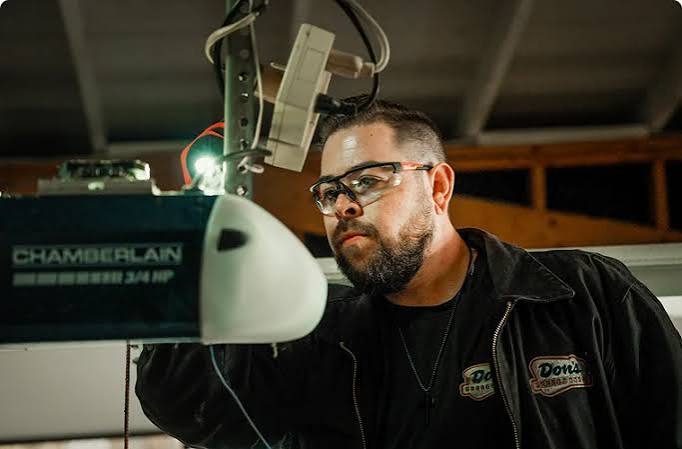
Has your garage door suddenly risen in the middle of the night, startling you awake? You are not alone. Many homeowners face the unsettling issue where their Chamberlain garage door opener keeps opening on its own, creating security risks and sleepless nights. This guide provides clear, actionable solutions to diagnose and fix this common problem safely.
Why Does My Chamberlain Garage Door Open Randomly?
Before diving into repairs, it is crucial to understand why this happens. Random activation is rarely a ghost; it is usually a signal interference, a sensor misalignment, or a programming glitch. According to industry standards, garage door openers operate on specific radio frequencies that can sometimes clash with nearby devices.
Understanding the root cause helps you apply the right fix. Below are the most common culprits:
- Radio Frequency Interference: Nearby devices using similar frequencies.
- Stuck Remote Buttons: Physical debris or worn-out buttons.
- Sensor Misalignment: Safety eyes detecting false obstacles.
- Wi-Fi Glitches: Smart home connectivity issues.
Check for Radio Frequency Interference
One of the most frequent reasons a Chamberlain garage door opener keeps opening on its own is signal interference. Most Chamberlain models operate on the 315 MHz or 390 MHz frequency bands. If a neighbor’s remote, a baby monitor, or even a ham radio operates on a similar band, it can accidentally trigger your door.
How to Identify Interference
- Observe Patterns: Does the door open at specific times? This might correlate with a neighbor’s routine.
- Test with Power Off: Unplug the opener for 10 minutes. If it stops, the issue is likely external signals rather than an internal electrical fault.
- Change the Code: Reprogramming your remote resets the rolling code sequence, effectively blocking old or interfering signals.
Pro Tip: If you live in a dense apartment complex or suburban area, interference is more common. Consider upgrading to a newer model with encrypted Security+ 2.0 technology, which is less susceptible to cross-talk.
Inspect Your Remote Controls and Wall Buttons
A physically stuck button is a simple yet often overlooked cause. Over time, dirt, grease, or wear can cause the button on your wall console or handheld remote to remain partially depressed. This sends a continuous “open” signal to the motor unit.
Step-by-Step Inspection
- Remove Batteries: Take the batteries out of all remotes. If the door stops opening randomly, one of the remotes is the culprit.
- Clean the Contacts: Use a cotton swab dipped in isopropyl alcohol to clean around the buttons.
- Check the Wall Console: Ensure the wall button is not pinned behind furniture or damaged by moisture.
If removing the batteries stops the issue, replace the remote or repair the sticky button. Never ignore a stuck button, as it can drain batteries and cause erratic behavior.
Align and Clean the Safety Sensors
Your garage door is equipped with safety sensors (photo-eyes) near the floor on both sides of the door. These prevent the door from closing if an object is detected. However, if they are misaligned or dirty, they can send confused signals to the opener, causing it to reverse or open unexpectedly.
Quick Sensor Fix
- Check the Lights: Both sensors should have a steady LED light. If one is blinking or off, it is misaligned.
- Clean the Lenses: Wipe them with a soft, dry cloth to remove dust or spiderwebs.
- Realign the Brackets: Loosen the wing nuts and adjust the sensors until both LEDs shine steadily.
For more technical details on how photo-electric sensors work, you can refer to this Wikipedia article on garage door openers.
Update or Reset Your Wi-Fi Connectivity
Modern Chamberlain openers often connect to the myQ app for smart home integration. While convenient, Wi-Fi glitches can cause phantom activations. A weak signal or a router reboot can sometimes send a false “open” command.
Troubleshooting Smart Features
- Restart the Router: Power cycle your home Wi-Fi router to clear temporary glitches.
- Update the myQ App: Ensure you are running the latest version of the app.
- Disable Temporary: Turn off smart features in the app for 24 hours. If the random openings stop, the issue is digital, not mechanical.
| Feature | Benefit | Potential Issue |
|---|---|---|
| myQ App Control | Remote access from anywhere | Wi-Fi latency or false triggers |
| Security+ 2.0 | Encrypted rolling codes | Requires compatible remotes |
| Battery Backup | Works during power outages | May need periodic testing |
Reprogram the Opener and Remotes
If interference and physical checks fail, a full reset may be necessary. This clears the opener’s memory and re-establishes a clean connection with your remotes.
How to Reset Your Chamberlain Opener
- Locate the Learn Button: Usually found on the back or side of the motor unit. It is often yellow, purple, or red.
- Press and Hold: Hold the Learn button for 6–10 seconds until the indicator light turns off. This erases all paired devices.
- Reprogram Remotes: Press the Learn button once (light will blink), then press the button on your remote within 30 seconds.
- Test the Door: Ensure the door responds correctly to each remote.
This process ensures that any old codes or corrupted signals are removed from the system.
When to Call a Professional Technician
While many issues can be resolved with DIY steps, some problems require professional expertise. If your Chamberlain garage door opener keeps opening on its own after trying the above fixes, it may indicate a failing logic board or a deeper electrical issue.
Call a technician if:
- The motor unit makes unusual grinding noises.
- The door moves unevenly or jerks during operation.
- You smell burning plastic or see scorch marks on the unit.
- The issue persists after a full reset and sensor alignment.
Ignoring these signs can lead to complete opener failure or safety hazards. Always prioritize safety over cost-saving when dealing with heavy mechanical doors.
FAQ Section
Q1: Can a low battery in my remote cause the door to open randomly?
A: Generally, no. Low batteries usually result in the remote not working. However, a dying battery can sometimes send erratic, weak signals that the opener misinterprets. Replacing batteries is a quick and easy first step.
Q2: Is it dangerous if my garage door opens on its own?
A: Yes, it poses a significant security risk. An open garage provides easy access to your home and belongings. It also creates a safety hazard for children or pets who might wander into the garage. Address the issue immediately.
Q3: How often should I reprogram my Chamberlain opener?
A: You do not need to reprogram it regularly. Only reprogram if you suspect interference, lose a remote, or experience random activations. Annual maintenance checks are recommended, but full resets are only needed when problems arise.
Q4: Can weather affect my garage door opener’s performance?
A: Extreme temperatures can impact battery performance in remotes and cause metal tracks to expand or contract. While weather rarely causes random opening, it can contribute to sensor misalignment or sluggish movement. Ensure your garage is well-insulated if possible.
Q5: What is the difference between Security+ and Security+ 2.0?
A: Security+ uses rolling codes to prevent code grabbing. Security+ 2.0 adds an extra layer of encryption and operates on a different frequency band, making it much harder for hackers or neighbors to interfere with your signal. Newer Chamberlain models use Security+ 2.0.
Conclusion
Dealing with a Chamberlain garage door opener keeps opening on its own can be frustrating, but it is almost always solvable. By checking for interference, cleaning sensors, and resetting your system, you can restore peace of mind and security to your home. Remember, regular maintenance prevents most issues before they start.
If you found this guide helpful, please share it with friends or neighbors who might be facing similar garage door mysteries. Stay safe, and keep your garage secure!
Leave a Reply