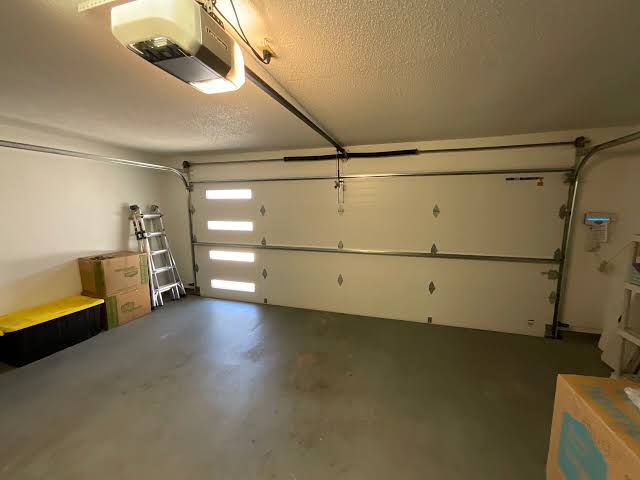
Have you ever pressed the button to close your garage door, only to watch it descend halfway and then immediately reverse back up? It is a frustrating experience that disrupts your daily routine and raises immediate safety concerns. If your Liftmaster garage door opener goes down then back up, you are not alone; this is one of the most common issues homeowners face with automatic garage systems.
This behavior is usually a safety feature triggered by an obstruction or a misalignment, but it can also indicate a mechanical fault. In this guide, we will walk you through the exact steps to diagnose and fix this problem, ensuring your garage operates smoothly and safely again.
Why Does My Liftmaster Reverse Immediately?
Before diving into repairs, it is crucial to understand why this happens. Modern garage door openers, including Liftmaster models, are equipped with sophisticated safety mechanisms mandated by federal regulations. These systems are designed to prevent injury or damage by reversing the door if it encounters resistance.
According to the U.S. Consumer Product Safety Commission, garage door entrapment incidents have decreased significantly since the mandatory implementation of auto-reverse features in the early 1990s. However, these sensors can become overly sensitive or misaligned over time, causing “phantom” reversals where no actual obstacle exists.
The primary culprits typically fall into three categories:
- Obstructed Safety Eyes: The infrared beams at the bottom of the door tracks are blocked or dirty.
- Misaligned Tracks: The physical path of the door is uneven, causing friction.
- Incorrect Force Settings: The opener’s sensitivity is set too high, interpreting normal weight as an obstruction.
Check and Clean the Safety Sensors
The most frequent cause of a Liftmaster opener going down and then back up is an issue with the photo-eye sensors. These small devices are located near the floor on both sides of the garage door opening. They emit an invisible infrared beam; if this beam is interrupted, the door assumes there is an object (like a child or pet) in the way and reverses.
Step-by-Step Sensor Inspection
- Check the Indicator Lights: Look at the sensors. One should have a steady green light (sending unit), and the other should have a steady amber or red light (receiving unit). If the receiving light is blinking or off, the beam is broken.
- Clean the Lenses: Use a soft, dry cloth to wipe away dust, spiderwebs, or dirt from the sensor lenses. Even a thin layer of grime can block the infrared signal.
- Verify Alignment: Ensure both sensors are pointing directly at each other. They should be at the same height and angle. If one has been bumped out of place, gently adjust it until the indicator light turns solid.
- Remove Obstructions: Check for any objects between the sensors, such as boxes, bikes, or even tall grass growing in the driveway that might sway into the beam path.
Pro Tip: If the lights are solid but the door still reverses, try blocking the beam with your hand while closing the door. If the door reverses when you block it, the sensors are working correctly, and the issue lies elsewhere.
Inspect the Door Tracks and Rollers
If your sensors are clean and aligned, the next step is to examine the physical movement of the door. A Liftmaster garage door opener goes down then back up if it detects excessive friction or binding in the tracks. The motor interprets this resistance as an obstruction.
Common Track Issues
- Debris in the Track: Small stones, leaves, or hardened grease can obstruct the rollers. Use a vacuum cleaner or a damp cloth to clear the tracks thoroughly.
- Bent Tracks: Inspect the metal tracks for dents or bends. Even a minor deformation can cause the rollers to jump or bind. If you find a bent section, do not attempt to hammer it back yourself unless you are experienced; call a professional to avoid damaging the structural integrity.
- Loose Hardware: Check the bolts and brackets holding the tracks to the wall and ceiling. Vibrations from daily use can loosen these over time, causing misalignment. Tighten any loose screws with a socket wrench.
Roller Maintenance
Inspect the rollers on the door sections. If they are cracked, chipped, or worn out, they will not roll smoothly. Nylon rollers are quieter than steel but may wear out faster. If you notice significant wear, consider replacing them with heavy-duty nylon rollers for smoother operation.
Adjust the Force and Travel Limits
Liftmaster openers allow you to adjust the “force” settings, which determine how much power the motor uses to open and close the door. If the close force is set too low, the motor may not have enough strength to push the door all the way down, especially if there is slight weather stripping resistance. Conversely, if it is set too high, it may be unsafe.
How to Adjust Force Settings
Most Liftmaster models have two adjustment screws or buttons on the motor unit labeled “Open Force” and “Close Force.”
- Locate the Adjustment Controls: Refer to your specific model’s manual, as locations vary. On newer Wi-Fi enabled models, this may be done via the MyQ app.
- Test the Current Setting: Close the door. If it reverses before hitting the floor, increase the “Close Force” slightly. Turn the screw clockwise in small increments (e.g., 1/8 turn).
- Perform the Safety Test: After adjusting, place a 2×4 piece of wood flat on the floor under the center of the door. Close the door. It should reverse immediately upon contacting the wood. If it does not reverse, the force is too high and poses a safety risk. Decrease the setting until it reverses reliably.
| Setting | Too Low | Correct | Too High |
|---|---|---|---|
| Close Force | Door reverses prematurely | Door closes fully, reverses on obstruction | Door crushes objects, dangerous |
| Open Force | Door stops halfway up | Door opens fully smoothly | Motor strains, gear wear |
Examine the Remote Control and Wall Button
Sometimes, the issue is not with the door itself but with the signal being sent. A stuck button on your wall console or a weak battery in your remote can send erratic signals.
- Wall Console: Check if the button is physically stuck or depressed. Dirt or sticky residue can cause the contact to remain closed, sending a continuous “reverse” signal. Clean the button with a mild electronics cleaner.
- Remote Batteries: Replace the batteries in your remote control. Weak batteries can cause intermittent signals that confuse the opener’s logic board.
- Interference: LED light bulbs in the garage can sometimes emit electromagnetic interference that disrupts the radio frequency of the remote. Try switching to incandescent bulbs temporarily to see if the problem resolves.
When to Call a Professional
While many issues can be resolved with DIY troubleshooting, some situations require professional expertise. If you have checked the sensors, tracks, and force settings, and your Liftmaster garage door opener goes down then back up persists, it may be a sign of a failing logic board or a broken spring.
Warning: Garage door springs are under extreme tension. Attempting to repair or replace them without proper tools and training can result in severe injury. Always hire a certified technician for spring-related issues.
Additionally, if your opener is more than 10–15 years old, it may be nearing the end of its lifespan. Newer models offer enhanced security features, quieter operation, and smartphone integration via MyQ technology.
FAQ Section
1. Why does my Liftmaster door reverse only when it’s hot outside?
Heat can cause metal tracks to expand, leading to tighter fits and increased friction. This added resistance can trigger the safety reverse mechanism. Lubricating the tracks and rollers with a silicone-based lubricant can help mitigate this issue.
2. Can a power surge cause my garage door to reverse?
Yes, power surges can reset or damage the logic board of your opener. If the problem started after a storm or power outage, try unplugging the opener for 30 seconds and plugging it back in to reset the system. If the issue persists, the logic board may need replacement.
3. How often should I maintain my garage door opener?
It is recommended to perform a basic inspection every six months. This includes checking sensor alignment, lubricating moving parts, and testing the auto-reverse feature. Annual professional maintenance is also advisable for complex mechanical components.
4. What does it mean if the Liftmaster light blinks 10 times?
On many Liftmaster models, a blinking light indicates a diagnostic code. For example, 10 blinks often signify a wiring issue or a problem with the safety eyes. Consult your model’s manual for the specific error code chart, as codes vary by series.
5. Is it safe to bypass the safety sensors?
No, it is never safe to bypass the safety sensors. They are critical for preventing entrapment and injury. Bypassing them violates safety standards and voids your warranty. Always troubleshoot and fix the sensor issue instead.
Conclusion
Dealing with a Liftmaster garage door opener goes down then back up can be annoying, but it is usually a solvable problem. By systematically checking your safety sensors, cleaning your tracks, and adjusting your force settings, you can restore your garage door’s functionality. Remember, safety is paramount—always test the auto-reverse feature after making any adjustments.
If you found this guide helpful, please share it with friends or neighbors who might be facing similar garage door woes. A well-maintained garage door ensures peace of mind and convenience for your entire household.
Leave a Reply