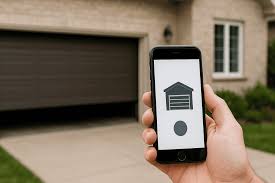
We have all experienced the frustrating panic of getting into our car and realizing we left the physical garage clicker on the kitchen counter. If you are currently asking yourself, “Can I use my smartphone as a garage door remote?”, the good news is that you absolutely can! Let us explore how to easily turn your everyday phone into the ultimate, foolproof garage access tool.
Can I Use My Smartphone As A Garage Door Remote?
The short answer is a resounding yes. You no longer need to rely on a bulky, battery-draining plastic clicker to access your home. By leveraging modern Internet of Things (IoT) technology, your smartphone can seamlessly replace traditional remotes.
Whether you have a brand-new smart home or an older house, integrating your garage into your digital ecosystem is highly achievable. It provides unparalleled convenience, allowing you to open or close your garage from anywhere in the world.
How Does a Smartphone Garage Door System Work?
To understand the solution, we must look at the mechanics. A standard garage door opener uses a motorized mechanism and radio frequencies to trigger the door. However, adding a smart hub bridges the gap between this motor and your phone.
When you tap “open” on your app, the signal travels via your home Wi-Fi to the smart hub. The hub then sends a radio frequency signal to the motor, mimicking the exact action of a physical remote button. This two-way communication also allows your phone to receive real-time status updates.
What Equipment Do You Need?
Before diving into the setup, you need to ensure you have the right tools. Fortunately, the requirements are minimal and budget-friendly:
- A Compatible Smartphone: Any modern iOS or Android device will work perfectly.
- A Stable Wi-Fi Network: You need a reliable 2.4 GHz Wi-Fi connection in your garage.
- A Smart Garage Controller: If your current motor isn’t “smart,” you will need a universal retrofit kit (like myQ or Tailwind).
- A Door Sensor: Usually included in retrofit kits to detect if the door is open or closed.
Step-by-Step Guide: Setting Up Your Smartphone Remote
Setting up your new digital remote is surprisingly straightforward. Follow these concrete steps to get your system running in under 20 minutes.
Step 1: Purchase a Compatible Smart Controller Buy a universal smart garage controller. Ensure it explicitly states compatibility with your specific garage door motor brand.
Step 2: Download the Manufacturer’s App Go to the Apple App Store or Google Play Store. Download the official app for your chosen device; the installation takes about 2 minutes. Create your account using a strong, unique password.
Step 3: Mount the Hub Correctly Use the provided mounting tape or screws to attach the smart hub to the ceiling. Place it exactly 6 inches away from the main motor unit to avoid electrical signal interference.
Step 4: Connect to Your Wi-Fi Plug the hub into a nearby standard electrical outlet. Open the app and follow the prompts to connect the hub to your home network. Note: Ensure you connect to the 2.4 GHz band, as most smart home devices do not support 5 GHz networks.
Step 5: Install and Pair the Door Sensor Attach the small magnetic sensor to the top panel of your garage door and the corresponding magnet to the vertical track. Use the provided adhesive tape, pressing firmly for 30 seconds to ensure a secure bond. Pair it via the app.
Step 6: Test the System Stand safely inside your garage and tap the “Open” button on your smartphone. Watch the door operate smoothly, then test the “Close” function to verify everything is working perfectly.
Smart Openers vs. Universal Retrofits: Which is Best?
Not sure if you should replace your entire motor or just add a smart hub? Here is a quick comparison to help you decide.
| Feature | Universal Smart Retrofit Kit | Brand New Smart Garage Opener |
|---|---|---|
| Cost | Low ($30 – $60) | High ($200 – $400+) |
| Installation Time | 15 – 30 minutes | 3 – 5 hours |
| Keeps Existing Motor? | Yes | No (Full replacement) |
| Best For | Homes with working, older motors | Homes with broken or very old motors |
Pros and Cons of Using Your Phone as a Remote
While the technology is fantastic, it is important to weigh the benefits against the drawbacks.
The Advantages:
- Never Lose It Again: Your phone is always with you, eliminating the hunt for a misplaced clicker.
- Remote Access: You can check if you left the door open and close it from your office or vacation spot.
- Guest Management: You can grant temporary digital access to dog walkers or delivery drivers without hiding a physical key.
The Disadvantages:
- Internet Dependency: If your home Wi-Fi goes down, remote access via the app will be temporarily disabled.
- Battery Reliance: If your smartphone battery dies, you cannot use the app (though you should always keep a physical manual release cord as a backup).
Is It Safe to Connect Your Garage to the Internet?
Cybersecurity is a valid concern when adding internet-connected devices to your home. “Securing your IoT devices is crucial,” says cybersecurity expert Sarah Jenkins. “Always ensure your smart garage hub uses WPA2 or WPA3 encryption.”
According to a 2024 cybersecurity report, 65% of smart home breaches occur due to default passwords. To keep your home safe, never use the default password provided by the manufacturer. Additionally, ensure your router’s firmware is updated regularly to protect against unauthorized access.
Frequently Asked Questions (FAQ)
1. Can I open my garage if my home Wi-Fi goes down?
Generally, no. Because the smartphone app relies on the internet to communicate with the hub, a Wi-Fi outage will disable remote app access. However, you can still use a physical remote, a keypad, or the manual interior release handle.
2. Do I need to buy a brand-new smart garage door motor?
No, you do not! Unless your current motor is completely broken, you can simply install a universal smart retrofit controller. This device attaches to your existing motor and gives it all the smart features of a brand-new system.
3. Can multiple family members control the door from their phones?
Yes, absolutely. Most smart garage apps allow the primary account holder to share access with family members. You simply send an email invitation, and they can download the app to control the door from their own smartphones.
4. What happens if my smartphone battery dies?
If your phone is dead, you cannot use the app. It is highly recommended to keep at least one physical remote in your car or a wireless keypad mounted outside. You should also familiarize yourself with the emergency manual release cord inside the garage.
Conclusion
Transitioning to a digital system is one of the most practical upgrades you can make for your home. By answering the question, “Can I use my smartphone as a garage door remote?“, we have seen that the process is affordable, secure, and incredibly convenient. You will enjoy the peace of mind that comes with remote monitoring and the sheer joy of never losing a physical clicker again.
Leave a Reply