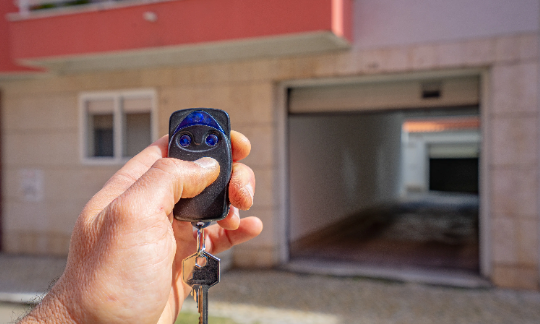
Have you ever stood in your driveway, frantically pressing buttons on a spare garage door remote, only to watch your garage door remain stubbornly shut? It is a frustrating scenario that many homeowners face, leading to the urgent question: can I program a garage door remote with another remote? The short answer is usually no, but understanding why—and knowing the correct alternative methods—can save you time, money, and significant stress.
Most modern garage door openers do not allow direct remote-to-remote cloning due to advanced security encryption. However, this does not mean you are stuck. In this guide, we will demystify the programming process, explain the technology behind your opener, and provide clear, step-by-step instructions to get your new remote working seamlessly.
Why You Cannot Simply Clone One Remote to Another
To understand why you cannot just “copy” one remote to another like a digital file, we need to look at how garage door openers communicate. In the early days of garage door technology, systems used fixed codes. If you had two remotes with the same fixed code, they would both work. However, this was a major security flaw, as anyone with a simple scanner could intercept the code and open your garage.
Today, most reputable manufacturers use rolling code technology. This means that every time you press the button on your remote, the code changes. The opener and the remote stay synchronized by following a complex algorithm. Because of this dynamic nature, a second remote cannot simply “listen” to the first remote and copy its signal. The codes are encrypted and unique to the specific pairing between that remote and the opener unit.
According to industry standards, this encryption is vital for home security. Attempting to bypass this by using unauthorized cloning devices can sometimes void warranties or compromise the safety features of your garage door system. For a deeper understanding of how radio frequency identification and secure communication protocols work, you can refer to general technical resources on Wikipedia.
Identifying Your Garage Door Opener Type
Before attempting any programming, you must identify the type of opener you have. The method for adding a new remote depends entirely on the brand and age of your unit. Here are the three most common categories:
1. Learn Button Openers (Modern Standard)
Most openers manufactured after 1993 feature a “Learn” or “Smart” button on the motor unit. This button is usually located on the back or side of the hanging motor box. It may be colored yellow, red, purple, or green. This is the standard method for programming new remotes.
2. DIP Switch Openers (Older Models)
If your opener is older (pre-1993), it likely uses DIP switches. These are tiny physical switches inside both the remote and the motor unit. To program a new remote, you must manually match the switch positions exactly.
3. Smart/Openers with Wi-Fi
Newer models from brands like Chamberlain, LiftMaster, and Genie offer Wi-Fi connectivity. These often require an app for initial setup, though they still typically use a physical Learn button for adding additional remotes.
| Opener Type | Programming Method | Security Level | Ease of Use |
|---|---|---|---|
| Learn Button | Press button on motor, then remote | High (Rolling Code) | Easy |
| DIP Switch | Match physical switches | Low (Fixed Code) | Moderate |
| Wi-Fi/Smart | App + Learn Button | Very High | Easy/Moderate |
Step-by-Step Guide: How to Program a New Remote
Since the majority of homes in the US have modern openers with a Learn button, we will focus on this method. This process is universal for most major brands, including LiftMaster, Chamberlain, Craftsman, and Genie.
Important Safety Note: Ensure the garage door area is clear of people and objects before testing.
Step 1: Locate the Learn Button
Climb a sturdy ladder to access the motor unit mounted on your garage ceiling. Look for a small button labeled “Learn,” “Smart,” or “Program.” It is often accompanied by a small LED light. Note the color of the button, as this can sometimes indicate specific programming modes.
Step 2: Clear Old Codes (Optional but Recommended)
If you are replacing a lost remote or suspect security issues, it is wise to clear all previously programmed remotes. Press and hold the Learn button for about 6–10 seconds until the indicator light turns off. Release the button. Warning: This will erase all existing remotes and keypads, so you will need to reprogram them all.
Step 3: Initiate Programming Mode
Press and release the Learn button quickly. The indicator light should turn on or start blinking. You typically have 30 seconds to complete the next step. If the light turns off before you finish, you will need to start over.
Step 4: Sync the New Remote
Within the 30-second window, take your new remote and press and hold the button you wish to use. Keep holding it until the motor unit’s light blinks or you hear a click. This indicates the opener has received the new code.
Step 5: Test the Connection
Press the remote button again. The garage door should activate. If it does not, repeat the process, ensuring you are within range and the batteries in the remote are fresh.
Troubleshooting Common Programming Issues
Even with clear instructions, things can go wrong. Here are the most common reasons why a remote fails to program and how to fix them.
- Dead Batteries: This is the most frequent culprit. Even if the remote’s LED lights up, the signal may be too weak to reach the opener. Replace the batteries with high-quality alkaline ones.
- Interference: LED light bulbs in your garage opener can emit frequency interference that blocks remote signals. If you recently switched to LED bulbs, try temporarily removing them to see if programming works.
- Locked Opener: Some smart openers have a “lock” feature that disables remote controls for security. Check your wall console or app to ensure the lock mode is not active.
- Wrong Frequency: Ensure the new remote operates on the same frequency as your opener (commonly 315 MHz or 390 MHz). This information is usually printed on the back of the old remote or the motor unit.
Frequently Asked Questions (FAQ)
Can I program a universal garage door remote without the original?
Yes, you can. You do not need the original remote to program a new one. As long as you have access to the motor unit’s Learn button, you can pair any compatible universal remote. The original remote is only necessary if you are trying to clone a fixed-code system, which is rare in modern homes.
Why won’t my new remote work even after programming?
If the programming steps were followed correctly but the door does not move, check the batteries first. Next, verify that the remote is compatible with your opener’s frequency and brand. Finally, inspect the safety sensors near the floor; if they are misaligned or blocked, the door will not close, though it should still open.
Is it safe to buy a used garage door remote?
It is generally not recommended. Used remotes may have worn-out components, and more importantly, you cannot guarantee that the previous owner did not keep a copy. For security reasons, always purchase new remotes from authorized dealers or reputable retailers.
Can I program a remote if I don’t have a ladder?
If you cannot reach the motor unit, you cannot program a standard rolling-code remote. However, some newer smart openers allow limited programming via a mobile app if you have already set up Wi-Fi connectivity. Otherwise, you may need to contact a professional technician.
How many remotes can I program to one opener?
Most modern garage door openers can store between 8 to 15 remote codes. Check your specific model’s manual for the exact limit. If you reach the limit, you will need to clear old codes before adding new ones.
Conclusion
So, can I program a garage door remote with another remote? While direct cloning is not possible for modern secure systems, the solution is straightforward. By using the Learn button on your motor unit, you can easily sync new remotes in under a minute. Understanding the technology behind your garage door not only helps you troubleshoot issues but also ensures your home remains secure.
Don’t let a malfunctioning remote disrupt your day. With the right knowledge and a fresh set of batteries, you can regain control of your garage door effortlessly. If you found this guide helpful, please share it with friends or neighbors who might be struggling with their own garage door mysteries. Stay safe, and keep your garage secure
Leave a Reply