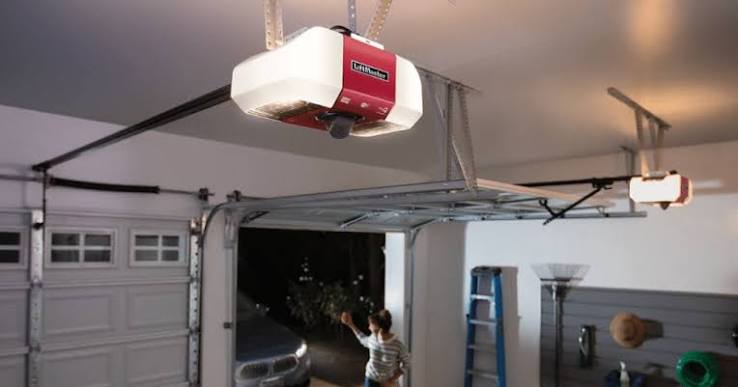
Introduction
Imagine pulling into your driveway after a long, exhausting trip, only to find your garage door refuses to budge. It is a frustrating situation that many homeowners face, whether due to a power outage, a dead remote battery, or a mechanical glitch. If you are wondering how do you open a LiftMaster garage door opener when the standard methods fail, you are in the right place. This guide will walk you through every method to regain access to your garage, from using the emergency release cord to troubleshooting the motor unit itself.
Understanding Your LiftMaster System
Before we dive into the steps, it is crucial to understand that “opening” a garage door opener can mean two things: operating the door mechanism or physically opening the motor unit’s cover for maintenance. According to industry data, the average lifespan of a garage door opener is 10 to 15 years. If your unit is older than that, frequent issues might indicate it is time for a replacement rather than a repair.
For more technical details on the history and mechanics of these systems, you can refer to the Garage Door Opener entry on Wikipedia.
H2: How Do You Open A LiftMaster Garage Door Opener Manually?
The most common reason users search for this topic is a power outage or a broken motor. In these scenarios, you need to disengage the motor to lift the door by hand. This is done using the emergency release cord.
Step-by-Step Guide to Manual Operation
- Ensure the Door is Closed: If possible, make sure the garage door is in the fully closed position before pulling the release. If the door is stuck halfway up, it may be heavy and dangerous to handle alone.
- Locate the Emergency Release Cord: Look for a red handle hanging from a rope attached to the trolley (the part that moves along the rail). This is usually hanging down from the center of the rail.
- Pull the Cord Firmly: Pull the red cord straight down toward the floor (away from the motor). You should hear a distinct “click” sound. This sound indicates that the release lever has moved into the “disengaged” position.
- Note: Once disengaged, the trolley is no longer connected to the chain or belt drive.
- Lift the Door Manually: Grip the handle at the bottom of the garage door. Lift it smoothly and steadily.
- Safety Warning: Garage doors are heavy. If the door feels unusually heavy (over 20-30 lbs of lift pressure), your torsion springs might be broken. Do not force it, as this can cause injury. Call a professional immediately.
- Lock the Door (Optional): If you are leaving the house and the motor is disconnected, the door can be lifted from the outside by intruders. You must manually slide the lock bar (if your door has one) or use a C-clamp on the track below the bottom roller to secure it.
Re-Engaging the Opener
To return to automatic operation, simply pull the red release cord toward the motor (back in the direction it came from) until it clicks back into place. Alternatively, simply operating the remote usually snaps the trolley back onto the drive mechanism automatically on modern LiftMaster models.
H2: How to Open the LiftMaster Unit Cover (For Maintenance)
Sometimes, the query “how do you open a LiftMaster garage door opener” refers to accessing the internal components, such as changing the light bulb or adjusting the logic board.
Tools Needed:
- A sturdy stepladder.
- A flat-head screwdriver or a 1/4-inch hex driver (depending on the model).
Instructions:
- Safety First: Turn off the power to the opener at the circuit breaker or unplug the unit.
- Locate the Cover Screws: Most LiftMaster units have a plastic cover on the top or front. Look for screws along the perimeter.
- Common Models (e.g., 8500W, 8160): often have screws on the top or sides that require a hex driver.
- Older Models: May simply snap off or have screws on the back.
- Remove the Cover: Gently lift the plastic shell. Be careful not to snap the plastic tabs if it is a snap-fit model.
- Access Components: You will now see the light sockets and the logic board.
- Changing the Bulb: Use a rough-service bulb (40-watt usually). Do not use LED bulbs unless they are specifically rated for garage door openers, as standard LEDs can interfere with the radio frequency of your remote.
- Reassembly: Snap or screw the cover back on securely to prevent dust and insects from damaging the electronics.
H2: Troubleshooting: Why Won’t My Door Open?
If you are trying to open the door using the remote or wall button and it is not working, check these common culprits before resorting to the manual release.
1. The Safety Sensors (The “Blinking Light” Issue)
LiftMaster openers have two small “eyes” near the floor on either side of the door.
- The Symptom: The main light on the motor unit flashes 10 times, and the door refuses to close or open.
- The Fix: Check if the LED lights on the sensors are solid. If one is blinking, the “eyes” are misaligned. Gently adjust the bracket until the light stays solid. Also, wipe the lenses with a soft cloth to remove spiderwebs or dirt.
2. The Lock Button
Check your wall control panel. Is the “Lock” button illuminated?
- The Fix: Press and hold the Lock button for 2 seconds to disable it. If the lock mode is active, all remotes are disabled for security.
3. The “Learn” Button Reset
If remotes have stopped working entirely, the logic board may need a reset.
- Locate the Learn Button: On the back or side of the motor, find a colored button (Yellow, Purple, Orange, or Red).
- The Fix: Press and hold the Learn button for 6-10 seconds until the LED next to it goes out. This clears all memory. You will then need to reprogram your remotes.
Comparison: Remote vs. Manual Operation
| Feature | Remote/Automatic Operation | Manual Operation (Emergency Release) |
|---|---|---|
| Convenience | High (Stay in the car) | Low (Must exit vehicle) |
| Power Requirement | Requires Electricity | No Power Needed |
| Security | High (Auto-lock features) | Low (Must manually lock door) |
| Best Used For | Daily use | Power outages, Motor failure |
| Risk Level | Low | Moderate (Heavy lifting) |
FAQ Section
1. How do I reset my LiftMaster garage door opener?
To reset the opener, locate the Learn button on the motor unit. Press and hold it down until the indicator LED turns off (usually about 6-10 seconds). This erases all programmed remotes and keypads. You will then need to reprogram your devices by pressing the Learn button briefly and then pressing the button on your remote.
2. Why is my LiftMaster garage door opener humming but not moving?
If the motor hums but the chain/belt doesn’t move, the internal gear and sprocket assembly is likely stripped. This is a common wear-and-tear issue in older units. You will need to replace the gear kit or the entire opener if it is under warranty.
3. Can I open my LiftMaster garage door with my phone?
Yes, if you have a LiftMaster myQ-enabled opener. You can download the myQ app, create an account, and connect the hub to your Wi-Fi. This allows you to open, close, and monitor your garage door from anywhere using your smartphone.
4. What does the red cord on my garage door do?
The red cord is the emergency release handle. It disconnects the door from the automatic opener carriage, allowing you to lift the door manually. This is essential during power outages or if the motor malfunctions.
5. How often should I service my LiftMaster opener?
It is recommended to perform a visual inspection and maintenance check once a year. This includes lubricating the chain or screw drive, tightening hardware, and testing the auto-reverse safety feature by placing a 2×4 board on the ground under the door.
Conclusion
Knowing how do you open a LiftMaster garage door opener is an essential skill for every homeowner. Whether you are dealing with a simple power outage requiring the manual release cord or troubleshooting a misaligned sensor, these steps ensure you are never locked out of your own home. Regular maintenance, such as checking the safety sensors and keeping the track clean, can prevent most of these issues from occurring in the first place.
Leave a Reply