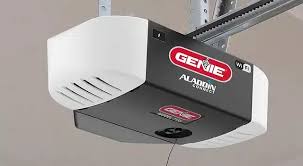
Have you ever stood in your driveway, pressing the remote button repeatedly, only to watch your garage door remain stubbornly closed? It is a frustrating experience that disrupts your daily routine and leaves you feeling helpless. If you are asking yourself, “Why is my Genie garage door opener not working,” you are not alone. This guide will walk you through practical, step-by-step solutions to get your system back on track quickly and safely.
Check the Power Source First
Before diving into complex mechanical issues, always start with the basics. A surprising number of garage door failures are simply due to power interruptions.
Is the Unit Plugged In?
It may sound obvious, but vibration from the door’s movement can sometimes loosen the power cord. Ensure the opener is firmly plugged into a working outlet. Try plugging a lamp or phone charger into the same outlet to verify it has power.
Check Your Circuit Breaker
If the outlet is dead, check your home’s circuit breaker panel. Look for any tripped breakers labeled “Garage” or “Opener.” Reset them if necessary. If the breaker trips again immediately, you may have a short circuit in the wiring, which requires a professional electrician.
Pro Tip: According to the International Association of Certified Home Inspectors, electrical issues account for nearly 15% of all garage door service calls. Always rule out power problems first to save time and money.
Inspect the Remote Control and Keypad
If the wall switch works but the remote does not, the issue likely lies with the handheld device or its signal transmission.
Replace the Batteries
Weak batteries are the most common culprit. Even if the remote’s LED light turns on, the signal may be too weak to reach the opener. Replace the batteries with fresh, high-quality alkaline ones. Avoid mixing old and new batteries.
Reprogram the Remote
Sometimes, the remote loses its synchronization with the opener. To reprogram:
- Locate the “Learn” button on the motor unit (usually colored purple, red, or green).
- Press and release the Learn button. The indicator light will blink.
- Within 30 seconds, press and hold the button on your remote until the opener’s lights flash or you hear a click.
- Test the remote.
Check for Signal Interference
LED light bulbs, especially those not designed for garage use, can emit frequency interference that blocks remote signals. Try turning off nearby LED lights or replacing them with incandescent bulbs temporarily to see if performance improves.
Examine the Safety Sensors
Modern Genie openers are equipped with safety sensors near the floor on both sides of the door. These prevent the door from closing if an object or person is in the way. If these sensors are misaligned or dirty, the door will refuse to close or may reverse immediately after starting.
Clean the Sensor Lenses
Dust, spider webs, or dirt can block the infrared beam. Gently wipe the lenses with a soft, dry cloth. Avoid using chemical cleaners that might leave a residue.
Align the Sensors
Look at the indicator lights on each sensor. Typically, one should have a steady green light (power), and the other should have a steady amber or red light (beam received). If the light is blinking or off:
- Loosen the wing nut on the sensor bracket.
- Adjust the sensor until the indicator light becomes steady.
- Tighten the wing nut carefully without moving the sensor.
| Sensor Status | Indicator Light | Likely Issue |
|---|---|---|
| Normal Operation | Steady Green & Steady Amber | No issue |
| Misaligned | Blinking Amber/Red | Adjust sensor angle |
| Obstructed | Off or Flickering | Clean lens or remove obstacle |
| No Power | Both Lights Off | Check wiring or power source |
Evaluate the Door Balance and Mechanical Components
If the opener motor runs but the door does not move, or if it struggles and makes grinding noises, the problem may be mechanical rather than electrical.
Test the Door Balance
A poorly balanced door puts excessive strain on the opener. To test:
- Disconnect the opener by pulling the red emergency release cord.
- Manually lift the door halfway.
- Let go. If the door stays in place, it is balanced. If it falls or rises, the springs are improperly tensioned.
Warning: Never attempt to adjust torsion springs yourself. They are under extreme tension and can cause severe injury. Call a certified technician for spring repairs.
Lubricate Moving Parts
Friction can cause the opener to overheat or fail. Apply a silicone-based lubricant to:
- Roller stems
- Hinges
- Track joints
- Springs (lightly)
Avoid using WD-40 as it attracts dust and dries out quickly. Silicone or lithium-based grease is recommended for long-term performance.
Review the Limit Settings
If your door opens or closes partially and then stops, the travel limit settings may need adjustment. These settings tell the opener how far to move the door up and down.
Adjusting the Limits
- Locate the limit adjustment screws on the motor unit (often marked with arrows for “Up” and “Down”).
- Use a small screwdriver to turn the screw slightly. Clockwise usually increases travel; counter-clockwise decreases it.
- Make small adjustments (quarter-turns) and test the door after each change.
- Ensure the door closes fully and seals against the ground without forcing itself down.
When to Call a Professional
While many issues can be resolved with DIY troubleshooting, some situations require expert assistance. Consider calling a certified Genie dealer if:
- The motor hums but does not move the door (possible gear failure).
- You notice broken cables or snapped springs.
- The opener frequently reverses despite clear sensors.
- You smell burning or see smoke from the motor unit.
According to industry data, attempting complex mechanical repairs without proper training can void your warranty and pose significant safety risks. Investing in professional service ensures longevity and safe operation.
FAQ Section
Why does my Genie garage door opener click but not move?
A clicking sound usually indicates that the motor is receiving power but cannot engage the drive mechanism. This often points to worn-out gears inside the motor unit. Over time, plastic gears can strip, requiring replacement of the gear assembly or the entire opener.
How do I reset my Genie garage door opener?
To reset your Genie opener, locate the “Learn” button on the motor head. Press and hold it for about 10 seconds until the indicator light turns off. This clears all programmed remotes and keypads. You will need to reprogram all your devices afterward.
Why does my garage door reverse before hitting the floor?
This is typically a sensitivity or limit setting issue. First, check if the safety sensors are aligned and clean. If they are fine, adjust the “down” limit screw slightly to allow the door to travel further. Also, ensure there are no obstructions in the track.
Can I use any remote with my Genie opener?
Not all remotes are compatible. Genie uses different frequencies and coding technologies (such as Intellicode). Check your opener’s model number and purchase a remote specifically listed as compatible. Universal remotes may work but often require specific programming steps.
How long do Genie garage door openers last?
With regular maintenance, a Genie garage door opener typically lasts between 10 to 15 years. Factors such as usage frequency, climate conditions, and proper lubrication significantly impact lifespan. Regular annual inspections can help extend this period.
Conclusion
Dealing with a malfunctioning garage door is stressful, but understanding why is my Genie garage door opener not working empowers you to take action. From checking simple power connections to aligning safety sensors, most issues can be resolved with patience and the right approach. Remember to prioritize safety, especially when dealing with springs and heavy doors.
If you found this guide helpful, please share it with friends or family who might be facing similar garage door woes. A quick share on social media could save someone from a cold morning stuck outside! Stay safe, and keep your garage running smoothly.
Leave a Reply