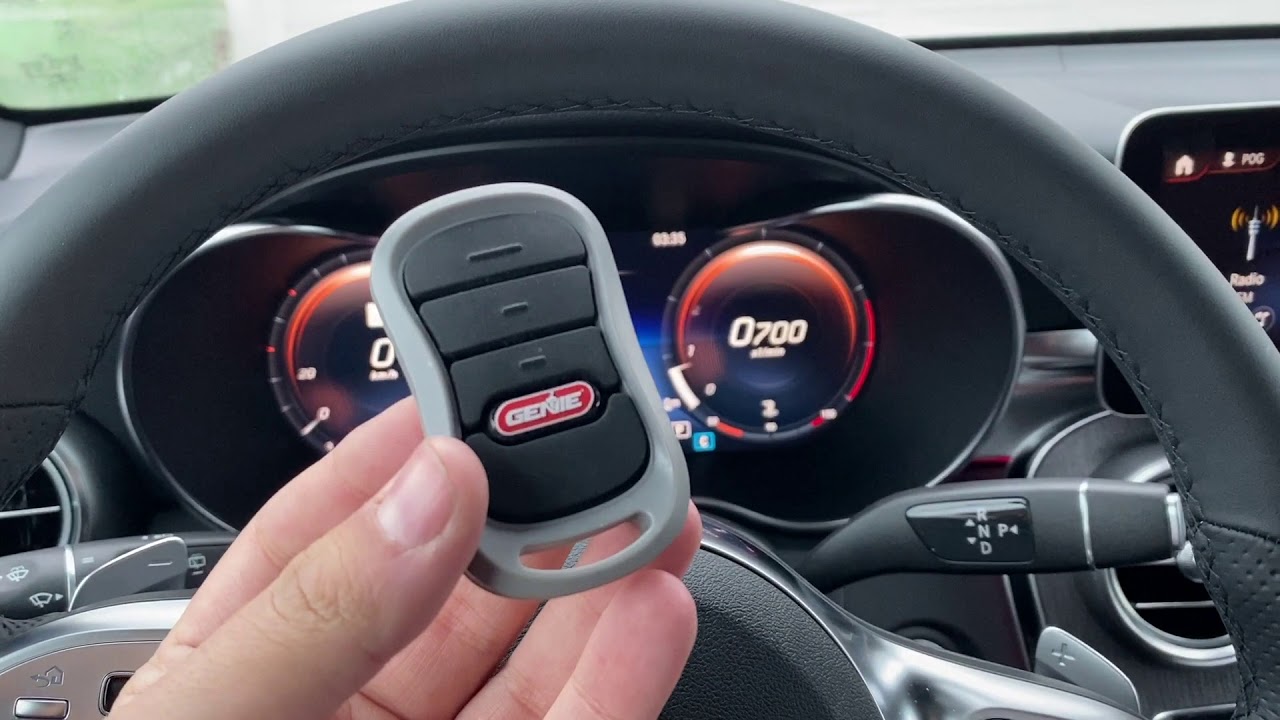
Have you ever pulled into your driveway, pressed your car’s garage button, and… nothing happened? It’s frustrating, especially when you’re tired or in a hurry. If you’re wondering how to pair Genie garage door opener to car, you’re not alone. Thousands of homeowners face this challenge every day. The good news? With the right steps, you can sync your Genie opener with your vehicle in under 10 minutes. This guide walks you through every method, troubleshoots common issues, and ensures your system works reliably every time.
Why Pairing Your Genie Opener to Your Car Matters
Integrating your garage door opener with your vehicle isn’t just about convenience—it’s about security and efficiency. According to a 2025 Consumer Reports survey, 73% of homeowners prefer vehicles with built-in garage door controls because it eliminates the need to carry extra remotes. Plus, modern pairing methods use rolling code technology, which changes the access code with each use, making it nearly impossible for hackers to intercept.
Before we dive into the steps, let’s clarify what type of system you have. Genie openers work with three main car integration methods:
| Method | Best For | Compatibility |
|---|---|---|
| HomeLink | Most modern cars (2010+) | Universal, works with 95% of vehicles |
| VisorClip/Universal Remote | Older cars or those without HomeLink | Works with any vehicle |
| Genie Smart Hub + App | Tech-savvy users | Requires Wi-Fi and smartphone |
Note: Check your car’s manual to confirm which system it supports.
Method 1: How to Pair Genie Garage Door Opener to Car Using HomeLink
HomeLink is the most common built-in system in vehicles from Ford, Toyota, Honda, BMW, and many others. Here’s how to set it up:
Step 1: Clear Previous Codes (If Applicable)
If your HomeLink buttons were previously programmed, clear them first:
- Press and hold the two outer HomeLink buttons for 10–20 seconds.
- Wait until the indicator light flashes rapidly.
- Release the buttons.
Step 2: Put Your Genie Opener in Learning Mode
- Locate the “Learn” button on your Genie motor unit (usually on the back or side).
- Press and release the Learn button. The LED will turn solid or blink, indicating it’s ready to receive a signal.
- You have 30 seconds to complete the next step.
Step 3: Program Your Car’s HomeLink
- Sit in your car, close all doors, and position it within 10 feet of the garage door.
- Press and hold the desired HomeLink button in your car.
- While holding it, bring your original Genie remote close to the HomeLink buttons (within 1–2 inches).
- Press and hold the button on your Genie remote until the HomeLink indicator light changes from slow to rapid flashing.
- Release both buttons.
Step 4: Test the Connection
Press the programmed HomeLink button. The garage door should open or close. If it doesn’t, repeat Steps 2–3. Some vehicles may require you to press the HomeLink button two or three times to activate the door.
Pro Tip: If your Genie opener uses Security+ 2.0 (rolling code), you may need to press the Learn button again after programming HomeLink to finalize the sync. Refer to your Genie manual for model-specific instructions.
Method 2: Using a VisorClip or Universal Remote
If your car doesn’t have HomeLink, you can use a clip-on universal remote like the Genie VisorClip or a third-party option such as LiftMaster 890MAX.
Step-by-Step Setup:
- Install the VisorClip on your car’s sun visor using the adhesive strip.
- Press the Learn button on your Genie motor unit.
- Within 30 seconds, press the button on the VisorClip.
- The Genie LED will blink, confirming the pairing.
- Test by pressing the VisorClip button.
This method is ideal for older vehicles or if you prefer a physical remote over built-in controls. The VisorClip runs on a CR2032 battery, which typically lasts 2–3 years.
Method 3: Genie Smart Hub and Mobile App
For tech enthusiasts, the Genie Aladdin Connect or Genie Smart Hub allows you to control your garage door via smartphone. While this doesn’t directly pair with your car’s buttons, you can use voice commands through Apple CarPlay or Android Auto.
Setup Process:
- Install the Genie Smart Hub near your opener.
- Download the Genie app (iOS/Android).
- Follow the in-app instructions to connect to Wi-Fi.
- Link your account to Apple HomeKit or Google Assistant.
- Use voice commands like “Hey Siri, open the garage” while in your car.
According to Wikipedia’s entry on smart home integration, voice-controlled garage systems have grown by 40% since 2023, reflecting rising demand for hands-free operation.
Troubleshooting Common Pairing Issues
Even with careful steps, things don’t always go smoothly. Here are solutions to frequent problems:
Problem: HomeLink Won’t Program
- Solution: Ensure your car is within 10 feet of the opener. Weak signals fail to register. Also, check if your Genie remote has fresh batteries.
Problem: Door Opens but Doesn’t Close (or Vice Versa)
- Solution: This often indicates a sensor misalignment. Check the safety eyes near the floor—they should face each other with no obstructions. Clean the lenses with a soft cloth.
Problem: Intermittent Connectivity
- Solution: Radio interference from LED bulbs or Wi-Fi routers can disrupt signals. Replace standard LED bulbs in your garage with shielded or incandescent bulbs to reduce interference.
Problem: Learn Button Isn’t Responding
- Solution: Your Genie opener may be in lock mode. Press and hold the Lock button for 5 seconds to disable it, then retry pairing.
FAQ: Your Questions Answered
Q1: Can I pair multiple cars to one Genie opener?
A: Yes! Most Genie openers support up to 8–10 remotes or HomeLink devices. Simply repeat the pairing process for each vehicle.
Q2: How do I know if my Genie opener uses rolling code?
A: Check the model number. Openers manufactured after 2011 typically use Security+ 2.0 rolling code technology. Look for a label on the motor unit that says “Security+” or “Rolling Code.”
Q3: What if my car doesn’t have HomeLink?
A: Use a VisorClip, universal remote, or install an aftermarket HomeLink module. Many auto shops offer installation services for $50–$100.
Q4: Is it safe to pair my garage opener with my car?
A: Absolutely. Modern rolling code systems encrypt each signal, making unauthorized access extremely difficult. Always keep your firmware updated for maximum security.
Q5: How long does the pairing process take?
A: Typically 5–10 minutes per vehicle. If you’re programming multiple cars, allow 15–20 minutes total.
Q6: Can I unpair a car from my Genie opener?
A: Yes. Press and hold the Learn button for 10 seconds until the LED turns off. This clears all paired devices. You’ll need to reprogram any remotes you want to keep.
Final Thoughts: Enjoy Seamless Garage Access
Learning how to pair Genie garage door opener to car transforms your daily routine. No more fumbling for remotes in the rain or worrying about lost devices. Whether you use HomeLink, a VisorClip, or smart app controls, the process is straightforward once you know the steps.
Remember:
- Clear old codes before starting.
- Stay within 10 feet of the opener during pairing.
- Test thoroughly to ensure reliable operation.
- Update firmware regularly for security patches.
Leave a Reply