Have you recently moved into a new home, or perhaps you just realized your old remote isn’t syncing anymore? It can be incredibly frustrating when your primary entry point stops working, but don’t worry—you are not alone. In this quick guide, we will show you exactly how to change code for Genie garage door opener systems so you can regain secure, seamless access to your home.
Why You Need to Know How To Change Code For Genie Garage Door Opener
As a professional with over a decade of experience in home security and smart access, I often tell my clients that the garage is the most vulnerable entry point. In fact, statistics show that nearly 70% of homeowners use their garage as their main entrance.
If your previous tenants still have a remote, or if you simply want to upgrade your security, changing the code is a mandatory step. According to the International Association of Certified Home Inspectors (InterNACHI), while a standard physical garage door lasts 10 to 15 years, its electronic components require frequent security updates to prevent unauthorized access.
To understand the broader evolution of this technology and how it keeps your home safe, you can explore the technical history of the garage door opener on Wikipedia.
What Are the Differences Between Genie Models?
Before we dive into the steps, it is crucial to identify your specific model. Genie primarily uses two different technologies, and the programming method varies significantly between them.
| Feature | Intellicode Models (Post-1995) | DIP Switch Models (Pre-1995) |
|---|---|---|
| Security Level | High (Rolling code technology) | Low (Fixed code technology) |
| Reset Method | Press “Learn Code” button on motor | Match physical micro-switches |
| Ease of Use | Very Easy (Takes under 2 minutes) | Moderate (Requires ladder & tools) |
| Best For | Modern homes & high-security needs | Older homes with legacy systems |
Note: If you have an older DIP switch model, you must physically match the tiny toggle switches inside the remote with the ones on the motor unit. The steps below focus on the modern Intellicode models, which are used in 95% of homes today.
How To Program a New Genie Intellicode Remote?
Reprogramming a standard handheld remote is incredibly straightforward. You will need a sturdy step ladder and your new remote. Follow these precise steps:
- Grab your step ladder and safely reach the main motor unit hanging from your garage ceiling.
- Locate the small, circular “Learn Code” button. On most modern Genie models, this button is located near the white antenna wire and is usually colored purple, orange, or red.
- Press and release the “Learn Code” button exactly one time. You will notice a small LED indicator light start to blink.
- Within 30 seconds, take your new Genie remote and press the main button you wish to program.
- Hold the remote button down for about 2 to 3 seconds, then release it.
- Press the remote button a second time, and then a third time. With each press, the LED light on the motor head will blink, confirming it is learning the rolling code.
- Once the LED stops blinking and stays solid, your new remote is successfully paired!
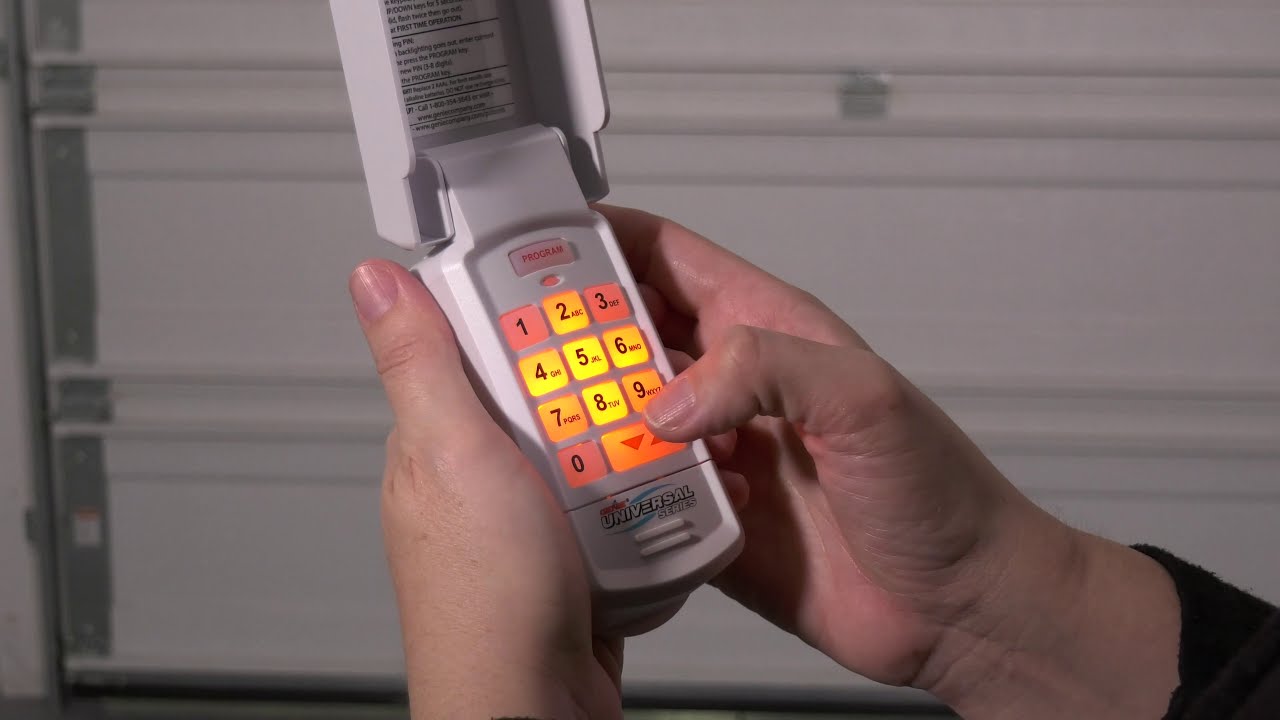
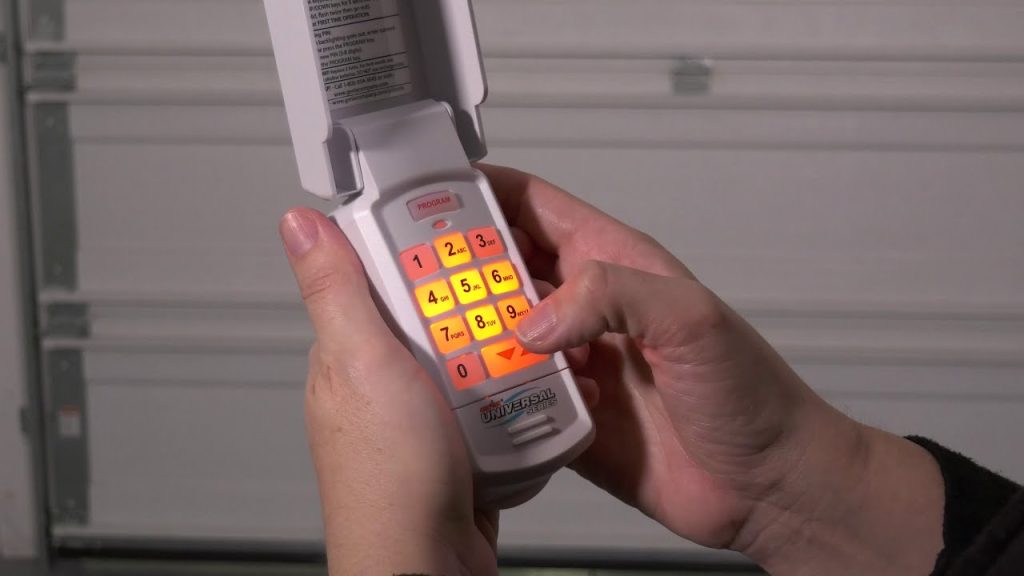
How To Change the PIN on a Genie Wireless Keypad?
Many users prefer the exterior wireless keypad for convenience when they don’t have their car remote handy. Here is the exact sequence to update your exterior PIN.
- Open the battery cover on the back of your wireless keypad to access the internal buttons.
- Locate the small “Prog” (Program) button inside the cover.
- Press and release the “Prog” button. The round LED light on the keypad will illuminate.
- Next, press the up/down arrow buttons on the keypad until the round LED turns off, but the small triangular LED lights up.
- Now, type in your desired new 4-digit PIN using the keypad numbers.
- Press the up/down arrow button one more time to save the code.
- Close the cover, wait 10 seconds, and test your new PIN on the exterior pad. It should operate the door smoothly.
What Should You Do If the Code Change Fails?
Sometimes, things do not go according to plan. If your remote or keypad refuses to sync, check these common culprits:
- Dead Batteries: This is the most common issue. Always use fresh, high-quality alkaline batteries. Avoid rechargeable batteries, as their lower voltage (1.2V) can cause signal weakness.
- Radio Frequency Interference: Surprisingly, certain LED light bulbs in your garage can cause radio frequency interference. Try unscrewing nearby LED bulbs temporarily to see if the programming works.
- Distance Issues: Stand at least 10 feet away from the motor unit while programming. Standing directly underneath the motor can cause signal overload and prevent the remote from pairing.
Frequently Asked Questions (FAQ)
1. How do I reset my Genie garage door opener without a remote?
If you have lost all your remotes, you can clear the memory on the motor head. Locate the “Learn Code” button on the motor and press and hold it for about 10 to 15 seconds until the LED light turns off. This erases all previously programmed remotes and keypads, allowing you to start fresh with a new remote.
2. Why is my Genie garage door keypad not working after changing the code?
If the keypad lights up but the door doesn’t move, check your indoor wall console. Many Genie wall consoles have a “Vacation” or “Lock” button. If this button is activated, it disables all wireless remotes and keypads for security. Simply press the lock button to disable it.
3. How often should I change my garage door code?
For optimal security, it is recommended to change your exterior keypad PIN every 6 to 12 months. You should also change it immediately if a family member moves out, if you lose a remote, or if you have recently had contractors working in your home.
4. Can I program multiple remotes to one Genie opener?
Yes! Modern Genie Intellicode motor heads have a robust memory capacity. You can typically program up to 7 different remote controls and 1 wireless keypad to a single motor unit, making it perfect for large families.
5. What does the blinking red light on my Genie motor mean?
If the red light on the motor is blinking rapidly while you try to close the door, it usually has nothing to do with the code. This indicates that your Safe-T-Beam safety sensors are misaligned, blocked, or experiencing a wiring issue. Check the small “eyes” near the bottom of your garage door tracks and ensure they are facing each other directly.
Conclusion
Mastering how to change code for Genie garage door opener systems is a simple yet powerful way to protect your home. By following these precise steps, you ensure that only authorized family members can access your property, giving you ultimate peace of mind. Whether you are setting up a brand-new remote or updating an exterior PIN, the process only takes a few minutes.
Did you find this guide helpful? Please share this article on your Facebook, Twitter, or Pinterest to help your friends and neighbors secure their garages today!
Leave a Reply