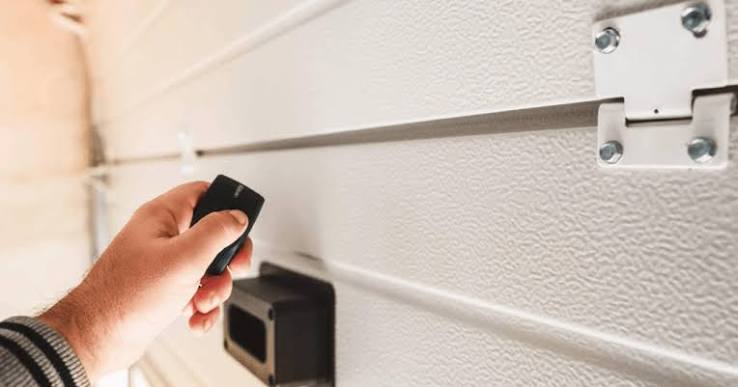
Have you ever stood in the rain, pressing your garage door remote button repeatedly, only to watch it sit stubbornly closed? It is a frustrating experience that disrupts your daily routine and raises immediate safety concerns. If you are asking yourself, “Why is my garage door opener remote not working,” you are not alone. This is one of the most common household maintenance issues, but fortunately, it is often easy to fix with a little know-how.
In this guide, we will walk you through the most likely causes and provide step-by-step solutions to get your garage door responding to your commands again.
Check the Batteries: The Most Common Culprit
Before diving into complex technical diagnostics, always start with the simplest explanation. In over 80% of cases where a garage door remote fails, the issue is simply dead or weak batteries.
Garage door remotes use small amounts of power to send radio frequency (RF) signals to the opener unit. Over time, even high-quality batteries lose their charge.
How to Test and Replace Batteries
- Open the Battery Compartment: Look for a small slide or screw on the back or side of your remote.
- Inspect the Batteries: Check for corrosion (white or green powder) on the contacts. If present, clean them with a cotton swab dipped in rubbing alcohol.
- Replace with Fresh Batteries: Use the exact type specified in your manual (usually CR2032 or AA). Ensure the positive (+) and negative (-) sides are aligned correctly.
- Test Immediately: Stand within 10 feet of the garage door and press the button.
Pro Tip: If you have a multimeter, you can test the old batteries. A healthy 1.5V battery should read close to 1.5 volts. Anything below 1.2V is likely too weak to transmit a strong signal.
Reprogramming Your Remote Control
If fresh batteries do not solve the problem, the remote may have lost its synchronization with the garage door opener. This can happen due to power outages, interference, or accidental button presses.
Reprogramming resets the connection between the handheld remote and the main motor unit.
Step-by-Step Reprogramming Guide
While models vary by manufacturer (Chamberlain, LiftMaster, Genie, etc.), the general process is similar:
- Locate the “Learn” Button: This is usually found on the back or side of the garage door opener motor unit hanging from the ceiling. It is often colored yellow, purple, or red.
- Press the Learn Button: Press and release it. An indicator light will typically turn on or blink, signaling that the unit is in programming mode. You usually have 30 seconds to complete the next step.
- Press the Remote Button: Within those 30 seconds, press and hold the button on your remote that you wish to program. Hold it until the opener’s lights flash or you hear a click.
- Test the Connection: Press the remote button again to see if the door operates.
If this does not work, consult your specific model’s manual, as some newer smart openers require app-based syncing rather than physical button presses.
Inspect for Signal Interference
Garage door openers operate on specific radio frequencies, typically 315 MHz or 390 MHz. These signals can be disrupted by other electronic devices emitting similar frequencies.
Common Sources of Interference
- LED Light Bulbs: Certain cheap LED bulbs emit electromagnetic interference (EMI) that can block remote signals. Try turning off the garage lights and testing the remote. If it works, replace the bulbs with high-quality, EMI-shielded LEDs.
- Wireless Doorbells and Baby Monitors: Devices operating on similar frequencies can cause conflict.
- Nearby Radio Towers: If you live near a broadcast tower, signal congestion might be an issue.
To diagnose this, try operating the remote from different distances and angles. If it works only when you are very close to the door, interference is likely the cause.
Examine the Remote Control for Physical Damage
Drop accidents, moisture exposure, and general wear and tear can damage the internal components of your remote.
What to Look For
- Cracked Casing: This may allow moisture to enter and corrode the circuit board.
- Sticky Buttons: Dirt and grime can prevent the button from making proper contact with the circuit board. Clean buttons with compressed air or a small amount of electronics cleaner.
- Water Damage: If the remote was left in the rain, remove the batteries immediately and let it dry for 24–48 hours before testing.
If the circuit board is visibly corroded or broken, it is often more cost-effective to purchase a universal replacement remote than to attempt a repair.
Verify the Garage Door Opener Unit Status
Sometimes the issue is not with the remote, but with the garage door opener itself. If the opener is malfunctioning, no remote will work.
Checklist for the Opener Unit
- Power Supply: Ensure the opener is plugged in and the circuit breaker has not tripped.
- Lock Mode: Many openers have a “lock” feature that disables remote controls for security. Check if a lock icon is lit on the wall console or motor unit.
- Sensor Alignment: While misaligned safety sensors usually prevent the door from closing, they can sometimes cause erratic behavior. Ensure the sensors near the floor are aligned and their lenses are clean.
For more detailed technical specifications on how garage door openers function, you can refer to this Wikipedia article on garage door openers.
When to Call a Professional
While many remote issues are DIY-friendly, some situations require expert assistance.
| Scenario | Recommended Action |
|---|---|
| Remote works intermittently | Check for interference or loose wiring in the opener. |
| Remote never worked after setup | Reprogram following the manual exactly; consider a replacement. |
| Opener makes noise but door doesn’t move | Likely a mechanical issue (springs, cables); call a pro. |
| Multiple remotes fail simultaneously | Issue is with the opener unit, not the remotes. |
If you suspect electrical issues within the motor unit or if the door springs are damaged, do not attempt repairs yourself. Garage door springs are under high tension and can cause serious injury if handled incorrectly.
FAQ Section
1. Why does my garage door remote work only when I am very close to the door?
This is typically a sign of weak batteries or signal interference. Replace the batteries first. If the issue persists, check for LED light bulb interference or nearby electronic devices blocking the signal.
2. Can I use any universal remote for my garage door?
Most universal remotes are compatible with major brands like LiftMaster, Chamberlain, and Genie. However, you must ensure the remote supports the same frequency and security code type (fixed or rolling code) as your opener. Check the packaging for compatibility lists.
3. How often should I replace my garage door remote batteries?
On average, batteries last 1–2 years depending on usage. If you notice the range decreasing or the button requiring multiple presses, it is time to replace them.
4. Why did my remote stop working after a power outage?
Power outages can reset the opener’s memory or cause it to lose synchronization with remotes. You will likely need to reprogram your remote using the “Learn” button on the motor unit.
5. Is it safe to bypass the safety sensors to make the remote work?
No. Never bypass safety sensors. They are critical for preventing the door from closing on people, pets, or objects. If the sensors are causing issues, clean and realign them instead.
6. Can a smartphone app replace my physical remote?
Yes, many modern garage door openers offer Wi-Fi connectivity and smartphone apps. These can serve as a backup if your physical remote fails, provided your home internet is working.
Conclusion
Dealing with a unresponsive garage door remote is inconvenient, but it is rarely a catastrophic problem. By systematically checking the batteries, reprogramming the device, and eliminating interference, you can resolve most issues without calling a technician.
Remember, regular maintenance—such as cleaning sensor lenses and testing battery life—can prevent these problems from arising in the future. If you found this guide helpful, please share it with friends or family who might be struggling with their own garage door woes. A quick share on social media could save someone from standing in the rain!
Stay safe, and keep your garage door running smoothly
Leave a Reply