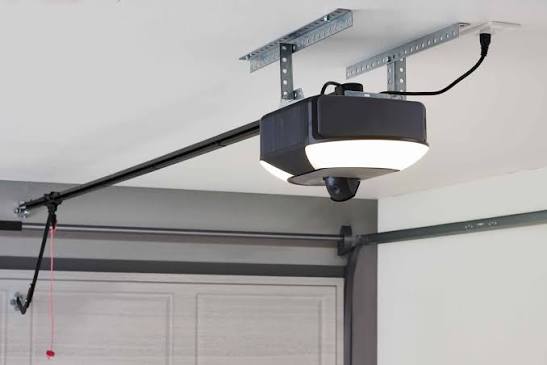
Is that persistent beep-beep-beep driving you crazy? You’re not alone. Thousands of homeowners search daily for answers to “Why is my garage door opener beeping every 30 seconds,” wondering if it’s a minor glitch or a sign of impending failure. This rhythmic chirping isn’t just annoying—it’s your opener’s way of communicating a specific issue. Let’s decode the message and silence the noise for good.
Understanding the Beep: What Your Garage Door Is Trying to Tell You
Modern garage door openers are sophisticated devices equipped with diagnostic systems. When they beep at regular intervals—especially every 30 seconds—it’s rarely random. Manufacturers design these alerts to notify you of status changes, safety issues, or maintenance needs before they become costly repairs.
According to industry standards, most major brands like LiftMaster, Chamberlain, and Genie use audible alerts as part of their user feedback system. Ignoring these signals can lead to complete system failure or, worse, safety hazards.
Common Causes Behind the 30-Second Beep
Before diving into solutions, let’s identify the most frequent culprits:
- Low Battery Backup: Many modern openers have battery backups for power outages. A dying battery triggers periodic warnings.
- Sensor Misalignment: Safety eyes that aren’t properly aligned can cause intermittent beeping.
- Lock Mode Activated: Some units beep to remind you the door is locked and won’t operate remotely.
- Wi-Fi Connectivity Issues: Smart openers may alert you when they lose internet connection.
- Maintenance Reminders: Certain models beep after a set number of cycles to prompt lubrication or inspection.
Step-by-Step Troubleshooting Guide
Let’s walk through practical solutions, starting with the easiest fixes.
1. Check the Battery Backup Status
If your opener has a battery backup unit (common in models manufactured after 2015), this is the most likely cause.
Steps to resolve:
- Locate the battery compartment (usually on the motor unit).
- Check the indicator light: Green means good, yellow/orange means low, red means replace.
- If the battery is older than 3–5 years, consider replacement regardless of the indicator.
- Use only manufacturer-recommended batteries (typically 12V sealed lead-acid or lithium-ion).
Pro Tip: Mark your calendar when you replace the battery. Most last 3–5 years depending on usage and temperature fluctuations.
2. Inspect and Realign Safety Sensors
The photo-eye sensors near the floor ensure nothing blocks the door’s path. Misalignment causes intermittent beeping as the system detects inconsistent signals.
How to fix sensor issues:
- Look for solid LED lights on both sensors (usually green). Blinking or off lights indicate problems.
- Clean the lenses with a soft cloth—dust and spider webs are common culprits.
- Ensure both sensors face each other directly. Even a slight angle can disrupt the beam.
- Tighten any loose brackets holding the sensors in place.
For detailed technical specifications on sensor alignment, refer to Wikipedia’s article on garage door openers, which covers standard safety requirements across manufacturers.
3. Verify Lock Mode Isn’t Active
Many openers feature a lock function that disables remote operation for security. When engaged, some models beep periodically as a reminder.
To disable lock mode:
- Locate the lock button on your wall console or remote.
- Press and hold for 3–5 seconds until you hear a confirmation beep or see a light change.
- Test the remote to ensure normal operation resumes.
4. Reset Wi-Fi Connectivity (Smart Openers Only)
If you have a Wi-Fi-enabled opener (like MyQ-enabled models), connectivity drops can trigger alerts.
Reconnection steps:
- Open your garage door app on your smartphone.
- Check the device status—look for “offline” or “connection lost” messages.
- Restart your router and wait 2 minutes.
- Follow the app’s reconnection wizard, usually found under settings > device management.
- Ensure your garage has adequate Wi-Fi signal strength (minimum -70 dBm recommended).
5. Perform Routine Maintenance
Sometimes the beep is simply a maintenance reminder. Regular upkeep prevents most issues.
Essential maintenance checklist:
| Task | Frequency | Tools Needed |
|---|---|---|
| Lubricate chains/screws | Every 6 months | Silicone-based lubricant |
| Tighten hardware | Annually | Socket wrench set |
| Test balance | Twice yearly | None (manual test) |
| Inspect rollers | Annually | Flashlight |
| Clean tracks | Quarterly | Rag, mild cleaner |
When to Call a Professional
While many beeping issues are DIY-friendly, certain situations require expert attention:
- Persistent beeping after troubleshooting: If you’ve tried all steps above and the noise continues, internal circuitry may be failing.
- Unusual smells or sparks: Immediately disconnect power and call a technician.
- Door operates erratically: Jerky movement combined with beeping suggests motor or spring issues.
- Warranty considerations: If your opener is under warranty, DIY repairs might void coverage. Check your manual first.
Cost expectation: Professional diagnostics typically range from $75–$150, with repairs averaging $150–$400 depending on parts needed.
Comparing Major Brands’ Beep Patterns
Different manufacturers use distinct alert systems. Here’s a quick reference:
| Brand | 30-Second Beep Meaning | Solution Priority |
|---|---|---|
| LiftMaster/Chamberlain | Low battery or lock mode | Check battery first |
| Genie | Sensor issue or maintenance due | Inspect sensors |
| Craftsman | Wi-Fi disconnect or error code | Reset connectivity |
| Ryobi | Battery low (cordless models) | Charge or replace battery |
Note: Always consult your specific model’s manual for accurate interpretations.
Preventing Future Beeping Issues
Prevention is always cheaper than repair. Implement these habits:
- Schedule seasonal inspections: Spring and fall are ideal times to check your system.
- Replace batteries proactively: Don’t wait for the beep—replace every 3–4 years.
- Keep sensors clean: Wipe them monthly during routine garage cleaning.
- Update firmware: For smart openers, enable automatic updates in your app settings.
- Monitor usage patterns: Excessive daily cycles (more than 10–15) accelerate wear.
FAQ Section
Q: Can I just mute the beeping sound?
A: While some models allow volume adjustment or muting through dip switches or app settings, this isn’t recommended. The beep serves as an important diagnostic tool. Addressing the root cause is safer than silencing the warning.
Q: How long does a garage door opener battery last?
A: Most backup batteries last 3–5 years under normal conditions. Extreme temperatures (below 0°F or above 100°F) can reduce lifespan to 2–3 years. Lithium-ion options tend to last longer than traditional lead-acid batteries.
Q: Is it dangerous if I ignore the beeping?
A: It depends on the cause. Ignoring sensor issues can compromise safety features, potentially allowing the door to close on objects or people. Battery failures mean your door won’t work during power outages. While not immediately dangerous in all cases, prompt attention is wise.
Q: Why does my opener beep only at night?
A: This often relates to temperature changes affecting battery performance or sensor alignment. Cold nights can reduce battery efficiency, triggering low-power warnings. Check your battery first, then inspect sensors for condensation or frost buildup.
Q: Will resetting my garage door opener stop the beeping?
A: A reset might temporarily silence the beep, but it won’t fix underlying issues. Think of it as clearing a check-engine light without repairing the engine. Use resets only after addressing the probable cause (battery, sensors, etc.).
Q: Can weather affect my garage door opener’s beeping?
A: Absolutely. Temperature extremes impact battery chemistry, causing voltage drops that trigger low-battery alerts. Humidity can fog sensor lenses, while cold can contract metal components, slightly misaligning sensors. Climate-controlled garages experience fewer weather-related issues.
Conclusion
That annoying beep every 30 seconds is your garage door opener’s cry for help—not a mystery meant to frustrate you. By systematically checking the battery, sensors, lock mode, and connectivity, you can resolve most issues within 30 minutes. Remember, regular maintenance prevents 80% of common problems, saving you time, money, and sanity.
Don’t let the beeping continue another day. Share this guide with neighbors who might be suffering in silence, or pin it for future reference. Your quiet garage—and your peace of mind—will thank you!
Have you successfully silenced your beeping opener? Share your experience in the comments or on social media using #GarageDoorFix. Let’s help more homeowners reclaim their quiet!
Leave a Reply