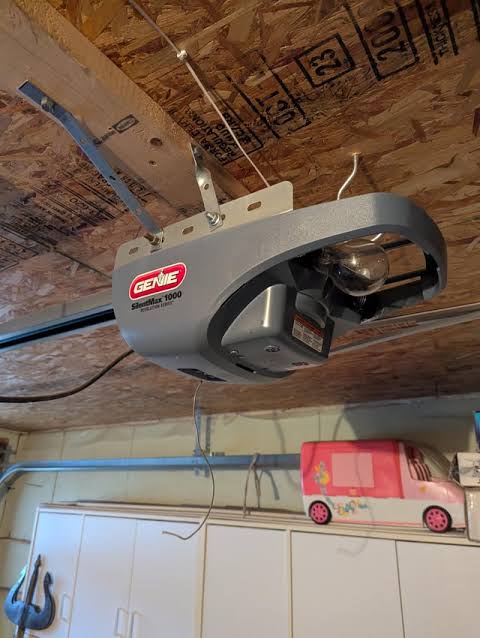
Introduction
There is nothing quite as frustrating as rushing to leave for work or returning home late at night, only to find your garage door stubbornly refusing to open. You press the button, hear a click (or silence), and realize you are stuck. If you are asking yourself, “Why does my Genie garage door opener not work?” you are not alone. This is one of the most common household maintenance issues in the United States.
The good news is that most Genie opener failures are not caused by a broken motor, but by simple issues like dead batteries, misaligned sensors, or locked controls. In this guide, we will walk you through step-by-step troubleshooting methods to diagnose and fix the problem safely, saving you the cost of a professional service call.
Check the Power Source and Wall Console
Before diving into complex mechanical repairs, we must rule out the simplest culprit: power. A garage door opener is an electrical appliance, and if it isn’t receiving electricity, it cannot function.
Is the Unit Plugged In?
It sounds obvious, but vibration from the door’s movement can sometimes loosen the power cord from the outlet. Check the back of the motor unit to ensure the plug is secure. If you have a GFCI (Ground Fault Circuit Interrupter) outlet in your garage, check if the “Reset” button has popped out. Press it to restore power.
Inspect the Wall Console
If the remote doesn’t work, try using the wall-mounted control panel inside the garage.
- If the wall console works: The issue is likely with your remote or the radio frequency reception.
- If the wall console does NOT work: The issue is likely with the power source, the motor unit itself, or the wiring connecting the wall console to the motor.
Pro Tip: If your Genie model has a battery backup system, ensure the backup battery is charged. A depleted backup battery can sometimes cause error codes even when main power is present.
Diagnose Remote Control Issues
If the wall console operates the door but your handheld remote does not, the problem lies in the communication between the remote and the receiver. Here is how to troubleshoot it.
1. Replace the Batteries
The most common reason for remote failure is weak batteries. Even if the LED light on the remote blinks, the signal strength might be too low to reach the motor.
- Use fresh AAA or CR2032 batteries (check your specific model).
- Ensure the battery contacts are clean and free of corrosion.
2. Reprogram the Remote
Over time, or after a power outage, the remote may lose its synchronization with the opener. You will need to reprogram it.
- Locate the “Learn” or “Program” button on the motor head (usually near the hanging antenna wire). It is often red, purple, or orange.
- Press and release the Learn button. The indicator light will blink or turn solid.
- Within 30 seconds, press and hold the button on your remote until the lights on the motor unit flash or you hear two clicks.
- Test the remote.
3. Check for Interference
LED light bulbs in your garage or nearby devices can sometimes interfere with the radio frequency of Genie openers. If you recently changed to LED bulbs, try switching back to incandescent bulbs temporarily to see if performance improves.
Inspect Safety Sensors and Alignment
Modern Genie garage door openers are equipped with safety eyes (photo-eyes) near the floor on both sides of the door. These prevent the door from closing if an object, person, or pet is in the way. If these sensors are misaligned or blocked, the door will refuse to close, or it may reverse immediately after touching the floor.
Signs of Sensor Problems
- The door opens but won’t close.
- The LED lights on the sensors are blinking instead of solid.
- One sensor light is off completely.
How to Fix Sensor Alignment
- Clean the Lenses: Wipe the small plastic lenses on both sensors with a soft, dry cloth. Dust and spiderwebs are common blockers.
- Check the Lights: Typically, one sensor has a green light (power) and the other has an amber/orange light (alignment). Both should be solid, not blinking.
- Realign the Brackets: If the lights are blinking, the sensors are not facing each other directly. Loosen the wing nuts on the sensor brackets and adjust them until both lights turn solid. Tighten the nuts carefully without shifting the angle.
- Check for Sunlight Interference: Direct sunlight hitting the receiving sensor can blind it. If this happens in the afternoon, consider installing a shade or hood over the sensor.
For more technical details on how photo-electric sensors function in automatic doors, you can refer to this Wikipedia overview on garage door operators.
Examine Mechanical Components and Limits
If the motor runs but the door doesn’t move, or if it moves partially and stops, the issue is likely mechanical or related to the travel limits.
Check the Emergency Release Cord
Ensure the red emergency release cord (hanging from the trolley) is fully engaged. If it was pulled recently, the door may be disconnected from the opener carriage. Pull the cord toward the door to re-engage the trolley, then try operating the opener.
Adjust Travel Limits
Genie openers have limit settings that tell the motor how far to go up and down. If these are set incorrectly, the door may stop prematurely.
- Locate the limit adjustment screws or dials on the motor unit (refer to your specific model’s manual).
- Make small adjustments (quarter-turns) and test the door.
- Caution: Do not force the door beyond its natural stopping points, as this can damage the springs.
Lubricate Moving Parts
A noisy or struggling motor may simply be fighting friction. Apply a silicone-based lubricant or white lithium grease to:
- The roller stems.
- The hinges.
- The screw drive or chain (avoid WD-40 as it attracts dust).
| Component | Recommended Maintenance | Frequency |
|---|---|---|
| Rollers & Hinges | Silicone Spray | Every 6 Months |
| Chain/Screw Drive | White Lithium Grease | Every 6 Months |
| Springs | Do Not Lubricate | N/A (Professional Only) |
| Sensors | Clean with Dry Cloth | Monthly |
When to Call a Professional
While DIY troubleshooting solves 80% of issues, some problems require professional expertise due to safety risks.
- Broken Springs: Torsion springs are under extreme tension. Attempting to repair them yourself can result in severe injury. If you see a gap in the spring or hear a loud bang, call a pro.
- Damaged Cables: Frayed or snapped cables are dangerous and require specialized tools to replace.
- Motor Burnout: If the motor hums but doesn’t move, and the capacitor looks bulged or burnt, the motor unit may need replacement.
FAQ Section
Q1: Why does my Genie garage door opener beep continuously?
A: Continuous beeping usually indicates an issue with the battery backup system. It means the backup battery is low, disconnected, or needs replacement. Check the battery compartment and replace the battery if necessary. If the beeping persists after replacement, consult your manual for reset procedures.
Q2: My Genie remote works intermittently. What should I do?
A: Intermittent operation is often caused by weak batteries or radio frequency interference. First, replace the batteries. If that fails, check if you have new LED bulbs in the garage or nearby electronics that might be causing interference. Reprogramming the remote can also refresh the signal connection.
Q3: The door opens but reverses immediately when trying to close. Why?
A: This is almost always a safety sensor issue. The opener thinks something is blocking the path. Check that the sensor lights are solid (not blinking) and that nothing is obstructing the beam. Also, ensure the tracks are clean and the door isn’t binding, which can trigger the force sensitivity setting.
Q4: How do I reset my Genie garage door opener?
A: To clear all programmed remotes and keypads, locate the “Learn” button on the motor. Press and hold it for approximately 10–15 seconds until the indicator light turns off. This erases all codes. You will then need to reprogram all your remotes and keypads from scratch.
Q5: Can weather affect my Genie garage door opener?
A: Yes. Extreme cold can stiffen lubricants and make the door heavier to lift, straining the motor. Humidity and heat can affect electronic components and battery life in remotes. Regular maintenance, such as lubricating moving parts and checking weather stripping, helps mitigate these effects.
Conclusion
Dealing with a malfunctioning garage door is stressful, but understanding why does my Genie garage door opener not work empowers you to take action. In most cases, the solution is as simple as changing a battery, realigning a sensor, or lubricating a track. By following the steps outlined above, you can restore functionality quickly and safely.
Remember, regular maintenance is key to preventing future breakdowns. Take a few minutes every six months to inspect your system, and your Genie opener will serve you reliably for years to come.
Did this guide help you fix your garage door? Share this article with friends or family who might be struggling with their own openers, and let us know in the comments which tip worked for you!
Leave a Reply