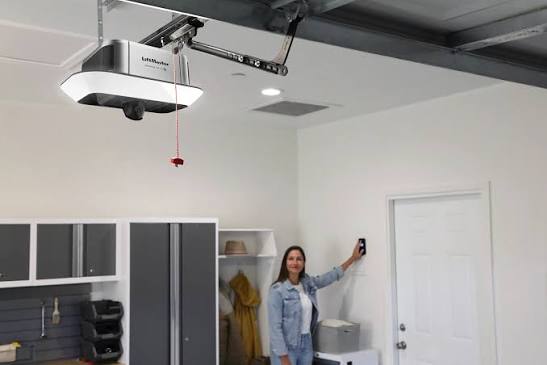
Have you ever woken up in the middle of the night to find your garage door wide open, leaving your home vulnerable and your mind racing with questions? You are not alone; this unsettling phenomenon is more common than you might think, and understanding what would cause my garage door to open by itself is the first step toward securing your home and restoring your peace of mind. In this guide, we will break down the technical glitches, environmental factors, and human errors that lead to “phantom openings,” providing you with actionable solutions to fix the issue permanently.
Is It a Glitch or a Security Breach? Understanding the Basics
Before diving into specific repairs, it is crucial to understand how modern garage door openers work. Most systems operate on radio frequencies (typically 315 MHz or 390 MHz) that send signals from your remote or wall console to the motor unit. When these signals are interrupted, duplicated, or misinterpreted by the receiver, the door may activate without your command.
According to industry standards, a properly functioning garage door should only respond to authorized signals. However, interference, worn-out components, or programming errors can disrupt this delicate communication chain. Identifying whether the issue is mechanical, electronic, or external is key to finding the right solution.
1. Radio Frequency Interference From Neighbors
One of the most frequent culprits behind random garage door activations is Radio Frequency (RF) interference. If you live in a densely populated area, such as an apartment complex or a suburban neighborhood with closely spaced houses, your neighbor’s garage door remote might be operating on the same frequency as yours.
How It Happens
Older garage door openers used fixed codes, meaning every time you pressed the button, the same signal was sent. If a neighbor had a similar brand and model, their remote could accidentally trigger your door. While modern openers use “rolling codes” that change with every use, older units or cheap universal remotes can still clash.
The Fix
- Check Your Opener’s Age: If your unit is more than 15 years old, it likely uses fixed codes. Consider upgrading to a modern opener with rolling code technology.
- Reprogram Your Remotes: Clear all existing codes from your opener’s memory and reprogram each remote individually. This ensures your system only recognizes your specific devices.
- Change the Frequency: Some advanced openers allow you to switch frequencies. Consult your manual to see if this option is available.
2. Stuck or Shorted Wall Control Buttons
The wall-mounted control panel inside your garage is a common source of phantom openings. Over time, these buttons can become stuck due to dirt, humidity, or mechanical wear. Even a slight pressure on the button can complete the circuit and trigger the door.
Signs of a Stuck Button
- The LED light on the wall console remains illuminated continuously.
- The door activates immediately after you touch the panel lightly.
- Visible debris or stickiness around the button surface.
Step-by-Step Fix
- Disconnect Power: Unplug the garage door opener or turn off the circuit breaker to ensure safety.
- Inspect the Panel: Remove the cover of the wall control unit. Look for dust, spider webs, or corrosion on the contacts.
- Clean the Contacts: Use a soft brush and compressed air to clean the internal components. If there is corrosion, gently wipe it with a cotton swab dipped in isopropyl alcohol.
- Test the Button: Press the button firmly a few times to ensure it springs back correctly. If it feels mushy or sticks, replace the entire wall control unit.
3. Faulty Remote Controls and Keychains
Your handheld remote or car visor clip may be damaged, causing it to send signals unintentionally. A cracked casing, worn-out battery, or stuck button can result in continuous or intermittent signal transmission.
Common Remote Issues
- Stuck Buttons: Dirt or debris can lodge under the rubber button, keeping it pressed against the circuit board.
- Low Battery: Weak batteries can cause erratic behavior, including false signals.
- Physical Damage: Dropping the remote can damage internal components, leading to short circuits.
Solution
Replace the batteries in all your remotes annually. If a remote has been dropped or exposed to water, consider replacing it entirely. Always store remotes in a protective case to prevent accidental presses.
4. Misaligned or Dirty Safety Sensors
Modern garage doors are equipped with safety sensors near the floor on both sides of the door. These sensors emit an invisible beam that detects obstacles. If the beam is broken, the door should stop or reverse. However, misaligned or dirty sensors can sometimes cause the opener to behave erratically, including opening unexpectedly.
Why Sensors Cause Random Opening
While sensors primarily prevent closing, some older models may interpret sensor faults as a command to open the door fully to clear any perceived obstruction. Additionally, sunlight shining directly into the sensor lens can overwhelm the receiver, causing false readings.
How to Align Sensors
- Check the Lights: Both sensors should have a steady LED light (usually green). If one is blinking or off, they are misaligned.
- Clean the Lenses: Wipe the sensor lenses with a soft, dry cloth to remove dust, cobwebs, or dirt.
- Adjust the Brackets: Loosen the wing nuts on the sensor brackets and gently adjust the angle until both LEDs shine steadily. Tighten the nuts securely.
5. Power Surges and Electrical Issues
Garage door openers are sensitive electronic devices. Power surges from storms, faulty wiring, or grid fluctuations can reset the opener’s logic board, causing it to open the door as part of a default safety protocol.
Protecting Your Opener
- Install a Surge Protector: Plug your garage door opener into a high-quality surge protector to shield it from voltage spikes.
- Check Home Wiring: If you experience frequent power flickers, consult an electrician to inspect your home’s electrical system.
- Battery Backup: Consider installing a battery backup unit for your opener. This ensures consistent power delivery and prevents resets during outages.
6. Hacked or Cloned Signals
In rare cases, your garage door may be opened by someone using a signal cloning device. Thieves can capture the code from your remote when you use it outside your car and replicate it to open your door later.
Enhancing Security
- Use Rolling Code Technology: Ensure your opener uses rolling codes, which change with every use, making cloning nearly impossible.
- Keep Remotes Hidden: Avoid leaving remotes visible in your car. Use a visor clip that conceals the device.
- Monitor Activity: Install a smart garage door controller that sends alerts to your phone whenever the door opens. This allows you to detect unauthorized access immediately.
For more information on radio frequency security standards, you can refer to Wikipedia’s article on Radio-frequency identification, which explains how signal encryption works in modern devices.
7. Mechanical Wear and Tear
Finally, physical issues with the door itself can mimic electronic problems. Loose springs, worn gears, or a misaligned track can cause the door to slip or move unexpectedly, giving the impression that it opened on its own.
Maintenance Checklist
- Lubricate Moving Parts: Apply silicone-based lubricant to rollers, hinges, and springs every six months.
- Tighten Hardware: Check all bolts and brackets for tightness. Vibration from daily use can loosen them over time.
- Inspect Cables: Look for fraying or wear on the lifting cables. Replace them immediately if damaged.
Comparison: Fixed Code vs. Rolling Code Openers
| Feature | Fixed Code Openers | Rolling Code Openers |
|---|---|---|
| Security Level | Low (easily cloned) | High (changes every use) |
| Interference Risk | High (clashes with neighbors) | Low (unique signal each time) |
| Age | Pre-1990s models | Modern standard |
| Recommendation | Replace immediately | Keep and maintain |
FAQ Section
Q1: Can weather conditions cause my garage door to open by itself?
Yes, extreme temperatures can affect the electronics in your opener or cause metal components to expand and contract, leading to misalignment. Additionally, lightning strikes nearby can induce power surges that trigger the door.
Q2: How do I know if my neighbor is opening my garage door?
If the door opens at irregular intervals and you have ruled out mechanical and electronic issues, it may be interference. Try changing your opener’s frequency or reprogramming your remotes. If the problem persists, consider installing a smart monitor to log access times.
Q3: Is it dangerous if my garage door opens randomly?
Yes, it poses a significant security risk by allowing unauthorized access to your home and garage. It can also be a safety hazard if the door closes unexpectedly while someone is underneath it. Address the issue immediately.
Q4: Should I call a professional or fix it myself?
Simple issues like cleaning sensors, replacing batteries, or reprogramming remotes can be done DIY. However, if you suspect electrical wiring problems, spring issues, or complex logic board failures, hire a certified garage door technician to avoid injury or further damage.
Q5: How often should I maintain my garage door opener?
Perform a basic inspection every six months, including lubricating moving parts and testing safety sensors. A professional tune-up is recommended once a year to ensure all components are functioning correctly.
Conclusion
Discovering what would cause my garage door to open by itself can be frustrating, but with systematic troubleshooting, you can identify and resolve the issue. Whether it’s RF interference, a stuck button, or a need for upgraded security, taking proactive steps will protect your home and give you peace of mind.
Don’t let phantom openings compromise your safety. Start by checking your remotes and sensors today, and consider upgrading to a modern, secure system if your current opener is outdated. If you found this guide helpful, please share it with friends and family who might be experiencing similar issues!
Leave a Reply