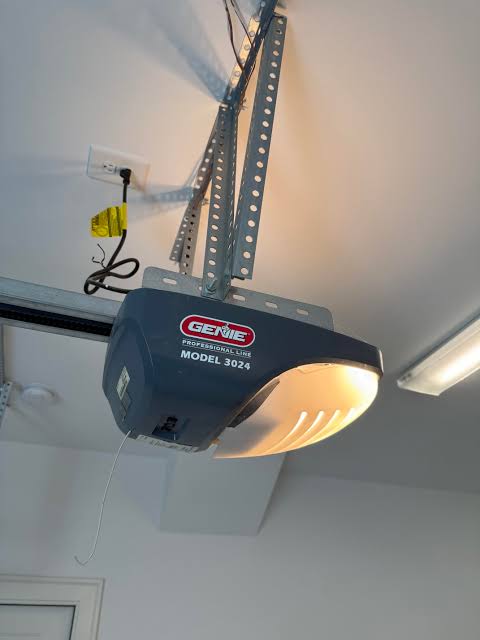
Have you ever pressed the remote, watched your garage door rise just a few inches, and then heard it grind to a halt? It is a frustrating scenario that leaves your car stuck inside and your day off schedule. If you are dealing with a Liftmaster garage door only opens a foot then stops, you are not alone, and the good news is that the solution is often simpler than you think.
In this guide, we will walk you through the most common causes for this specific issue. We will cover everything from misaligned safety eyes to incorrect travel limits, ensuring you have the knowledge to get your door moving smoothly again. Whether you are a seasoned DIYer or a complete beginner, these steps are designed to be safe, clear, and effective.
Why Does My Liftmaster Stop After Opening One Foot?
When a Liftmaster opener halts shortly after initiating the opening cycle, it is typically triggering a safety feature or encountering a mechanical resistance. Modern garage door openers are sophisticated devices equipped with sensors and monitors designed to prevent injury and damage.
The primary reason for this behavior is usually one of three things:
- Obstructed Safety Eyes: The infrared beam between the sensors is blocked or misaligned.
- Incorrect Travel Limits: The “Up” limit setting is configured too low.
- Mechanical Binding: The door tracks or rollers are sticking, causing the motor to detect excessive force.
According to general engineering principles regarding automated entry systems, safety protocols prioritize stopping motion over completing the cycle if any anomaly is detected. You can read more about the history and standardization of these safety mechanisms on Wikipedia’s page regarding Garage Door Openers.
Understanding why it stops is the first step to fixing it. Let’s dive into the specific diagnostics.
Are the Safety Sensors Misaligned or Blocked?
The most common culprit for a door that starts to open and then immediately reverses or stops is the safety reversal system. These are the small units located near the floor on either side of your garage door.
How to Check the Sensors
Look at the LED lights on both sensor units.
- Solid Green (Sending Eye): This indicates power is reaching the unit.
- Solid Amber/Red (Receiving Eye): This indicates the beam is successfully received.
- Blinking Light: This indicates misalignment or an obstruction.
If the light on the receiving eye is blinking or off, the motor thinks something is in the way. Even though the door only opened a foot, the system may have detected a momentary break in the beam as the door began to move.
Quick Fix Steps
- Clean the Lenses: Wipe the small plastic lenses with a soft, dry cloth. Dust, spiderwebs, or dirt can block the infrared signal.
- Check Alignment: Ensure both sensors are pointing directly at each other. They should be at the same height. If one has been bumped by a lawnmower or a bike, gently adjust it back into place.
- Inspect Wiring: Check the wires running from the sensors to the motor head. Look for any cuts, staples piercing the wire, or loose connections at the back of the motor unit.
Pro Tip: If the sun is shining directly into the receiving sensor, it can sometimes overwhelm the infrared receiver. Try shading the sensor with your hand to see if the door operates correctly. If it does, you may need to install a sunshade or adjust the angle slightly.
Is the Up-Travel Limit Set Incorrectly?
If your sensors are working perfectly (solid lights) but the door still stops at exactly one foot every time, the issue is likely the Up-Travel Limit. This setting tells the motor how far to rotate before stopping. If this setting is too low, the door will never reach the fully open position.
Liftmaster openers use either mechanical screws or electronic buttons to set these limits, depending on the age and model of your unit.
For Models with Mechanical Screws (Older Units)
- Locate the limit screws on the side or back of the motor housing. They are usually labeled “Up” and “Down.”
- Identify the “Up” limit screw.
- Using a flathead screwdriver, turn the screw in small increments (usually clockwise increases the travel distance, but check your specific manual).
- Test the door after each adjustment.
For Models with Electronic Buttons (Newer Units like 8500W, 87504, etc.)
- Locate the programming buttons on the motor head. Look for arrows or buttons labeled “Up” and “Down.”
- Press and hold the “Up” arrow button until the door reaches the desired fully open position.
- Release the button. The motor may flash or beep to confirm the new limit is set.
- Run a test cycle.
| Feature | Mechanical Limits | Electronic Limits |
|---|---|---|
| Adjustment Method | Screwdriver | Push Buttons |
| Precision | Moderate | High |
| Common Issue | Screws vibrate loose | Accidental reprogramming |
| Fix Difficulty | Easy | Very Easy |
Could Mechanical Resistance Be the Cause?
Modern Liftmaster openers have a Force Setting. If the door encounters too much resistance while opening, the motor assumes it is hitting an obstacle (like a car or a person) and stops to prevent damage.
If your garage door tracks are dirty, bent, or lacking lubrication, the friction increases. The motor works harder, hits the force threshold, and cuts power.
Step-by-Step Mechanical Inspection
- Disconnect the Opener: Pull the red emergency release cord to disengage the door from the motor. This allows you to move the door manually.
- Lift the Door Manually: Try to lift the door. It should move smoothly with moderate effort.
- If it is very heavy or sticks, the problem is with the springs or tracks, not the opener.
- If it moves smoothly, the issue is likely with the opener’s force settings.
- Inspect the Tracks: Look for dents, gaps, or debris inside the metal tracks. Clean them with a damp cloth.
- Lubricate: Apply a silicone-based lubricant or lithium grease to the rollers, hinges, and springs. Avoid WD-40 as it attracts dust and dries out quickly.
Warning: Garage door springs are under extreme tension. Never attempt to repair or adjust torsion springs yourself. If the door is too heavy to lift manually, call a professional technician immediately.
How to Adjust the Force Settings Safely
If the door moves smoothly manually but still stops when connected to the opener, you may need to adjust the open force sensitivity.
- Locate the force adjustment dials on the motor unit. They are often labeled “Open Force” and “Close Force.”
- Start with the factory default setting (usually indicated by an arrow or a midpoint mark).
- If the door stops prematurely, increase the “Open Force” slightly. Turn the dial in small increments (e.g., 1/8th of a turn).
- Test the door.
- Crucial Safety Check: After increasing the force, you must test the reversal system. Place a 2×4 piece of wood flat on the ground under the center of the door. Close the door. It must reverse immediately upon touching the wood. If it does not reverse, the force is too high and is dangerous. Decrease the force until it reverses properly.
FAQ Section
Q: Why does my Liftmaster door open a foot and then go back down?
A: This is usually a safety reversal trigger. Check your safety sensors first; if the beam is interrupted, the door will reverse. If sensors are fine, check for mechanical binding in the tracks or adjust the close-force sensitivity.
Q: Can a weak battery in the remote cause the door to stop halfway?
A: Generally, no. A weak remote might fail to send the initial signal, but once the motor starts, it operates independently of the remote. However, if you are using a wireless keypad or external sensor with low batteries, it could send erratic signals. Replace batteries as a basic troubleshooting step.
Q: My Liftmaster light blinks 10 times and the door stops. What does this mean?
A: On many Liftmaster models, 10 flashes indicate a problem with the safety reversal system (the sensors). Verify that the sensor wires are not cut and that the lenses are aligned. If the problem persists, the sensor board inside the motor unit may be faulty.
Q: Is it dangerous to bypass the sensors to make the door work?
A: Yes, it is extremely dangerous. The sensors are there to prevent the door from closing on people, pets, or vehicles. Bypassing them violates safety standards and creates a severe liability risk. Always fix the underlying sensor issue rather than bypassing it.
Q: How often should I maintain my garage door opener?
A: It is recommended to perform a visual inspection and lubrication of moving parts every six months. Test the safety reversal system monthly by using the 2×4 wood test mentioned earlier.
Conclusion
Dealing with a Liftmaster garage door only opens a foot then stops can be stressful, but it is rarely a catastrophic failure. In most cases, the issue stems from simple maintenance oversights like misaligned sensors, dirty tracks, or slight adjustments needed in the travel limits.
By following the steps outlined above—checking your safety eyes, inspecting for mechanical binding, and adjusting your travel and force limits—you can often resolve the issue without calling a professional. Remember, safety is paramount. Always test your reversal system after making any adjustments to ensure your garage remains a safe environment for your family.
If you found this guide helpful, please share it with your neighbors or on social media. Someone else might be stuck in their garage right now needing this exact advice!
Leave a Reply