Introduction
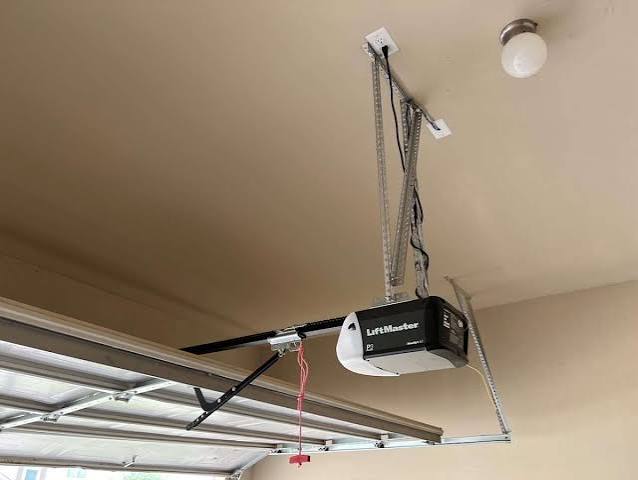
There is nothing quite as unsettling as hearing your garage door motor whir to life in the middle of the night when no one is home. If you are dealing with a Liftmaster garage door keeps opening and closing by itself, you are likely feeling a mix of frustration and genuine concern for your home’s security. This phenomenon, often called “ghosting,” is more common than you might think, but it is rarely a sign that your opener is possessed.
In most cases, this erratic behavior stems from simple electrical interference, misaligned safety sensors, or outdated remote controls. In this guide, we will walk you through step-by-step troubleshooting methods used by professional technicians to stop the cycle and restore peace of mind to your household.
Why Is My Liftmaster Acting Like a Ghost?
Before diving into repairs, it is crucial to understand why this happens. Modern garage door openers are sophisticated computers on wheels. They rely on radio frequencies, optical sensors, and complex circuit boards to operate. When any of these components receive conflicting signals, the default safety protocol often triggers the door to reverse or cycle unexpectedly.
According to industry standards, safety reversals are mandatory features. However, when they trigger without an obstruction, it indicates a fault in the signal chain. Understanding the root cause helps prevent unnecessary part replacements.
1. Check and Realign the Safety Sensors
The most common culprit behind a garage door that won’t stay closed—or cycles repeatedly—is the safety eye sensors. These small devices, located near the floor on either side of the door track, emit an invisible beam. If this beam is broken or interrupted, the door will immediately reverse.
How to Diagnose Sensor Issues
- Check the LED Lights: Look at the small lights on the sensors. One should be solid green (power), and the other should be solid amber or red (beam received). If the receiving light is blinking or off, the alignment is off.
- Clean the Lenses: Dust, spider webs, or mud can block the infrared beam. Wipe them gently with a soft, dry cloth.
- Verify Alignment: The sensors must face each other directly. Even a millimeter shift can break the connection. Loosen the wing nuts, adjust the bracket until both lights are solid, and retighten.
Pro Tip: Sunlight can sometimes interfere with infrared sensors in the late afternoon. If the problem only happens at specific times of day, consider installing a shade or hood over the sensors.
2. Inspect Remote Controls and Keypads
A stuck button on a remote control or a wall-mounted keypad can send continuous signals to the opener. This is particularly common with older remotes where the rubber buttons wear down and lose their elasticity, causing them to remain partially depressed.
Steps to Test Remotes
- Remove the batteries from all remote controls and keypads.
- Observe the garage door for 24 hours.
- If the ghosting stops, reinsert batteries one by one to identify the faulty device.
- Replace any remote that shows signs of physical damage or sticky buttons.
If you have a wireless keypad outside your garage, check for moisture intrusion. Rain or humidity can cause short circuits that mimic button presses.
3. Reset the Logic Board
Sometimes, the brain of your Liftmaster opener—the logic board—gets confused due to power surges or static electricity. A hard reset can clear temporary glitches in the memory.
How to Perform a Hard Reset
- Unplug the garage door opener from the power outlet.
- Locate the backup battery (if equipped) and disconnect it.
- Wait for at least 60 seconds. This ensures all capacitors discharge completely.
- Reconnect the power and plug the unit back in.
- Test the door using the wall control button.
This simple step resolves approximately 30% of unexplained electronic glitches in residential openers.
4. Examine the Wall Control Panel Wiring
The wired wall control panel connects directly to the motor head via a two-strand bell wire. If this wire is pinched, frayed, or touching metal staples, it can create a short circuit that mimics a button press.
What to look for:
- Inspect the wire along the entire path from the motor to the wall button.
- Ensure the wire is not stapled too tightly against the drywall or studs.
- Check the terminals on the back of the wall button for corrosion or loose connections.
If you find damaged wiring, replace the section with new 22-gauge stranded wire. Avoid using solid core wire, as it is prone to breaking under vibration.
5. Address Radio Frequency Interference (RFI)
Garage door openers operate on specific radio frequencies (usually 315 MHz or 390 MHz for older models, and Security+ 2.0 for newer ones). Nearby devices can sometimes broadcast on similar frequencies, causing accidental activation.
Common Sources of Interference
| Device | Potential Impact | Solution |
|---|---|---|
| LED Light Bulbs | Cheap LEDs can emit RFI | Replace with high-quality, shielded bulbs |
| Neighbor’s Opener | Same frequency code | Reprogram your remote codes |
| Baby Monitors | Signal overlap | Move monitor away from the motor unit |
| Ham Radios | Strong signal interference | Install a ferrite choke on the antenna |
For more detailed information on how radio spectrum allocation works, you can refer to the Federal Communications Commission guidelines or general technical overviews on Wikipedia.
6. Update or Reprogram Rolling Codes
If you have a newer Liftmaster model with Security+ 2.0 technology, it uses rolling codes for enhanced security. Occasionally, the sync between the remote and the opener can drift, causing the opener to reject valid signals or accept stray ones.
How to Reprogram Your Remotes
- Press the Learn button on the motor head (usually yellow, purple, or orange).
- The indicator light will turn on or blink.
- Within 30 seconds, press and hold the button on your remote.
- Release when the motor lights flash or you hear a click.
- Repeat for all remotes and keypads.
Reprogramming ensures that your opener only responds to your specific devices, filtering out random noise from the airwaves.
7. Check for Physical Obstructions and Track Issues
While less likely to cause “ghost” opening, physical resistance can cause the door to reverse immediately after closing, creating a cycle of opening and closing. The force settings on your opener may be too sensitive.
Adjustment Guidelines
- Force Settings: Locate the force adjustment screws on the motor unit. Turn them slightly clockwise to increase sensitivity. Note: Do not exceed the manufacturer’s recommended limits, as this is a safety hazard.
- Track Lubrication: Apply a silicone-based lubricant to the rollers and tracks. Avoid WD-40, as it attracts dust and gums up over time.
- Balance Test: Disconnect the opener by pulling the release cord. Manually lift the door halfway. If it doesn’t stay in place, your springs are unbalanced and need professional adjustment.
FAQ Section
Q: Can a dying battery in my car cause the garage door to open?
A: Generally, no. However, if your car key fob shares the same frequency as your garage remote (rare but possible in some integrated systems), a malfunctioning fob could send stray signals. It is more likely that a stuck button in your car’s built-in garage door transmitter is the cause.
Q: Why does my Liftmaster door open only at night?
A: This is often due to temperature changes affecting the metal tracks, causing slight binding that triggers the safety reverse. Alternatively, nighttime cooling can cause contraction in the wiring, leading to intermittent shorts. Check your track alignment and lubrication first.
Q: Is it dangerous if my garage door keeps reversing?
A: Yes. If the door reverses because it senses an obstruction that isn’t there, it may fail to reverse when a real obstruction (like a pet or child) is present. Always treat sensor issues as urgent safety repairs.
Q: How do I know if my logic board is fried?
A: If the unit has no lights, makes no sound, and does not respond to any controls after a hard reset and checking the power outlet, the logic board or transformer may be failed. Look for burn marks or a burnt smell near the motor housing.
Q: Should I replace the whole opener or just fix the sensor?
A: If your opener is less than 10 years old, repairing the sensors or replacing the logic board is cost-effective. If it is older than 15 years, consider upgrading to a newer model with better security features and quieter operation.
Conclusion
Dealing with a Liftmaster garage door keeps opening and closing by itself can be stressful, but it is almost always a solvable mechanical or electronic issue. By systematically checking your safety sensors, inspecting remote controls, resetting the logic board, and eliminating radio frequency interference, you can stop the ghosting behavior effectively.
Remember, regular maintenance is key to preventing these issues. Lubricate your tracks annually and test your safety sensors monthly. If you have tried all the steps above and the problem persists, it may be time to consult a certified Liftmaster technician to inspect the internal circuitry.
Did this guide help you fix your garage door? Share this article with your neighbors on Facebook or Twitter to help them solve their ghosting garage door mysteries too!
Leave a Reply