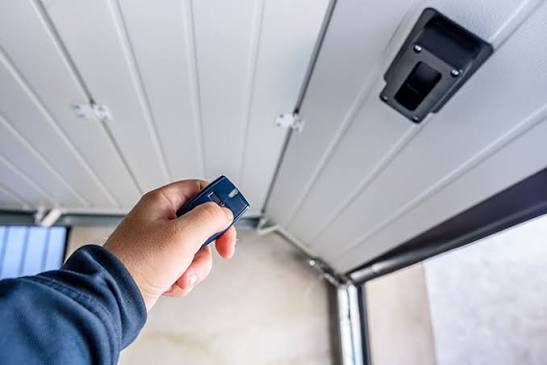
Losing your garage door remote is one of those small inconveniences that can instantly turn into a major stressor. You are standing in your driveway, rain pouring down, or perhaps you are just late for work, and that little black clicker is nowhere to be found. If you are asking yourself, “I lost my garage door opener what do I do,” take a deep breath. You are not locked out forever, and your home is not necessarily vulnerable.
In this comprehensive guide, we will walk you through the immediate steps to secure your home, how to regain access using alternative methods, and the precise process for programming a new remote. Whether you have a modern smart opener or an older model, these solutions are designed to get your door moving again safely and efficiently.
Immediate Steps: Secure Your Home First
Before you worry about buying a new remote, your primary concern should be security. A lost remote is essentially a key to your home. If it fell out of your car in a public parking lot, someone could potentially use it to enter your garage.
1. Clear the Memory of Your Opener
Most modern garage door openers allow you to “clear” or “reset” the memory of all previously programmed remotes. This renders the lost remote useless, even if someone finds it.
- Locate the “Learn” Button: This is usually found on the motor unit hanging from your garage ceiling. It is often colored yellow, purple, orange, or red.
- Press and Hold: Press and hold the learn button for about 6–10 seconds until the indicator light turns off or blinks rapidly. This varies by brand (Chamberlain, LiftMaster, Genie, etc.), so check your manual if possible.
- Result: All remotes and keypads are now erased from the system. The lost remote will no longer work.
2. Lock the Manual Release
If you cannot immediately reset the electronic memory, ensure the manual release cord (usually red) is engaged in the “locked” position if your model allows it. This prevents the door from being opened manually from the outside unless the lock is disengaged.
Pro Tip: According to safety standards outlined by industry experts, always prioritize disabling the lost device before purchasing a replacement to prevent unauthorized access. For more on general garage door safety mechanisms, you can refer to Wikipedia’s overview of garage door openers.
How to Open Your Garage Without the Remote
Now that you have secured the system, you need to get inside. Here are three reliable methods to open your garage door when the remote is missing.
Method 1: The Wall-Mounted Control Panel
Every garage has a wired control panel mounted on the interior wall. This is the most straightforward way to open the door.
- Enter your garage through the side door or house entry.
- Press the large button on the wall panel.
- If the door opens, you have power and motor function. You can now proceed to reprogram new remotes.
Method 2: The Keypad Entry (If Installed)
If you have an external wireless keypad installed near the garage door:
- Enter your unique PIN code.
- Press the “Enter” or arrow button.
- This bypasses the need for a handheld remote entirely.
Method 3: The Manual Release Cord
If the power is out or the motor is malfunctioning, you can operate the door manually.
- Locate the red emergency release cord hanging from the trolley on the rail.
- Pull the cord down firmly. This disconnects the door from the motor.
- Lift the door manually. Warning: Garage doors are heavy. Use proper lifting techniques and keep hands clear of the hinges.
- To reconnect, simply pull the cord toward the motor unit until it clicks back into place.
Step-by-Step: Programming a New Garage Door Remote
Once you have cleared the old codes and regained access, it is time to program a new remote. You can buy universal remotes at any hardware store, but ensure they are compatible with your opener’s frequency (usually 315 MHz or 390 MHz).
Step 1: Prepare the New Remote
Insert fresh batteries into your new remote. Weak batteries are the number one cause of programming failure. Ensure the battery contacts are clean and properly aligned.
Step 2: Access the Motor Unit
You will need a sturdy ladder to reach the motor unit attached to the ceiling. Ensure the ladder is stable and placed on level ground. Safety first—never stand on the garage door itself.
Step 3: Initiate Programming Mode
- Locate the “Learn” or “Smart” button on the motor unit.
- Press and release the button quickly. Do not hold it down.
- An LED light will illuminate or blink, indicating the unit is in programming mode. You typically have 30 seconds to complete the next step.
Step 4: Sync the Remote
- Within 30 seconds, press and hold the button on your new remote that you wish to use.
- Hold it for 2–3 seconds.
- Watch the motor unit’s LED. It should blink or turn off, confirming the code has been accepted.
- Test the remote by pressing the button again. The door should activate.
| Brand | Learn Button Color | Typical Frequency | Notes |
|---|---|---|---|
| LiftMaster | Yellow/Purple | 315/390 MHz | Security+ 2.0 requires specific rolling code remotes. |
| Chamberlain | Yellow/Purple | 315/390 MHz | Similar to LiftMaster; often interchangeable. |
| Genie | Red/Purple | 390 MHz | Intellicode models require syncing via the antenna wire. |
| Craftsman | Orange/Red | 315 MHz | Older models may use DIP switches instead of a learn button. |
Troubleshooting Common Issues
Even with careful following of instructions, things can go wrong. Here is how to handle common hiccups.
The Remote Won’t Program
- Check Batteries: Replace them even if they are new.
- Distance: Stand closer to the motor unit (within 5 feet) while programming.
- Interference: LED light bulbs in the garage can sometimes interfere with radio signals. Try turning off nearby lights during programming.
The Door Reverses Immediately
If the door starts to close and then goes back up, the safety sensors are misaligned.
- Check the two small sensors near the floor on either side of the door.
- Ensure the LED lights on both sensors are solid (not blinking).
- Clean the lenses with a soft cloth.
- Adjust the brackets until the beams align perfectly.
The Remote Works Intermittently
This is often a sign of signal interference or a dying battery. If changing the battery doesn’t help, try reprogramming the remote. If the issue persists, the remote’s internal circuitry may be damaged.
FAQ: Frequently Asked Questions
1. Can I use my smartphone as a garage door opener?
Yes, if your opener is Wi-Fi enabled or if you install a smart garage hub (like MyQ or Tailwind). These devices connect to your home network and allow you to open and close the door via an app. This is an excellent backup if you lose your physical remote.
2. Is it safe to buy a used garage door remote?
It is generally not recommended. Used remotes may still be linked to the previous owner’s system, or they may have worn-out buttons. More importantly, buying new ensures you get the latest security encryption, such as rolling code technology, which prevents hackers from copying your signal.
3. How much does a new garage door remote cost?
Universal remotes typically cost between $15 and $30. Brand-specific remotes (OEM) can range from $30 to $50. Smart hubs or Wi-Fi modules are more expensive, usually ranging from $30 to $100, but they offer greater convenience and security features.
4. What if I lost the only remote and don’t have a keypad?
If you have no other way to enter the garage, you will need to call a professional garage door technician. They can manually open the door and help you program a new remote. Do not attempt to force the door open, as this can damage the tracks and springs.
5. How do I prevent losing my remote in the future?
Consider attaching a Bluetooth tracker (like Tile or AirTag) to your remote. Additionally, keep a spare remote in a secure location inside your house, not in your car. Using a keypad for daily entry can also reduce reliance on handheld remotes.
Conclusion
Losing your garage door opener is frustrating, but it is a manageable problem. By acting quickly to clear your opener’s memory, you protect your home from unauthorized access. Using the wall panel or manual release ensures you aren’t stranded, and programming a new remote is a simple DIY task that takes less than 10 minutes.
Remember, security is paramount. Always prioritize disabling the lost device before replacing it. With the right knowledge and a few basic tools, you can restore full functionality to your garage door system without calling a technician.
Did this guide help you solve your problem? Share this article with friends and family on social media so they know exactly what to do if they ever lose their garage door opener. Stay safe and secure!I lost my garage door opener what do I do? Don’t panic. Follow this expert guide to regain access, reprogram remotes, and secure your home today.
Leave a Reply