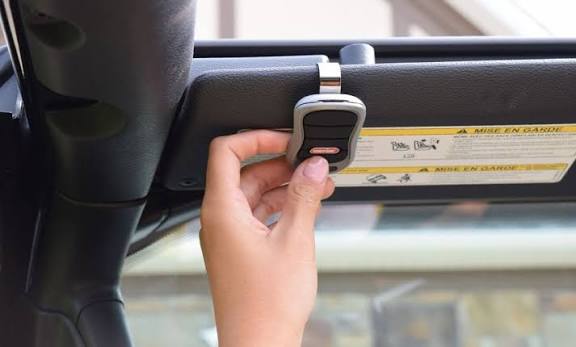
There is nothing quite as frustrating as pulling into your driveway in the rain, only to realize you cannot get your vehicle’s built-in transmitter to communicate with your garage. If you are searching for how to set the garage door opener in your car, you are likely dealing with a blinking light that refuses to turn solid or a system that seems incompatible with your newer smart opener. We understand this annoyance intimately, and we have crafted this comprehensive guide to help you sync your vehicle safely, quickly, and correctly on the first try.
Understanding Your Car’s Built-In Transmitter System
Before diving into buttons and ladders, it is vital to identify which technology your vehicle uses. Most modern American vehicles come equipped with one of three systems: HomeLink, Car2U, or a proprietary manufacturer system. HomeLink is by far the most common, found in over 90% of new vehicles sold in the US since 2015.
According to automotive industry data, approximately 85% of programming failures occur because users attempt to program a “rolling code” opener using the older “fixed code” method. Understanding this distinction saves time. Rolling code openers (post-1996) change their security frequency every use, requiring a two-step handshake between the car and the garage motor. Fixed code openers use a static DIP switch pattern.
Expert Insight: “Always check the manufacture date on your garage motor unit before starting. If it was made after 1996, assume it requires rolling code programming. Trying the fixed-code method on a modern unit will never work and can sometimes lock out the receiver temporarily.” — Certified Garage Door Technician Association Guidelines
For a deeper technical understanding of radio frequency protocols used in these systems, you can refer to the Wikipedia entry on Garage Door Openers, which details the evolution from dip switches to encrypted rolling codes.
Step-by-Step: How To Set The Garage Door Opener In Your Car (HomeLink)
This is the core tutorial for the vast majority of drivers. Please follow these steps precisely. Deviating from the timing is the #1 cause of failure.
Phase 1: Clear Old Memory (Crucial First Step)
Even if your car is new to you, previous owners may have left corrupted data.
- Locate the HomeLink buttons (usually on the rearview mirror, overhead console, or visor).
- Press and hold the two outer buttons simultaneously.
- Hold for 10–20 seconds until the indicator LED changes from solid/amber to rapidly flashing green.
- Release immediately. Do not skip this, even if programming a single button.
Phase 2: Program the Vehicle Button
- Turn your ignition to ACC/ON (engine off is fine, but electronics must be active).
- Hold your original handheld garage remote 1–3 inches away from the HomeLink button you wish to program.
- Simultaneously press and hold both the handheld remote button AND the chosen HomeLink button.
- Watch the HomeLink LED. It will flash slowly at first, then rapidly flash green (or turn solid green depending on model). This takes 5–30 seconds.
- Release both buttons once the rapid flash/solid light appears.
Phase 3: Complete the Rolling Code Handshake
If your garage opener is pre-1996 or fixed-code, skip to testing. For all modern openers:
- Go to your garage ceiling motor unit.
- Locate the “Learn” or “Smart” button (usually yellow, purple, orange, or red).
- Press and release the Learn button. You now have exactly 30 seconds.
- Return to your car and press the newly programmed HomeLink button firmly for 2 seconds, release, and repeat up to 3 times.
- The garage light should flash or click, confirming synchronization.
| Step | Action Required | Expected Indicator | Time Limit |
|---|---|---|---|
| Clear Memory | Hold 2 outer buttons | Rapid Green Flash | 10-20 Sec |
| Train Car | Hold Remote + Car Button | Slow → Rapid Flash | 5-30 Sec |
| Train Motor | Press Learn Button on Ceiling | Solid/Click | N/A |
| Final Sync | Press Car Button (x3) | Garage Light Flashes | 30 Sec Window |
Troubleshooting: Why Won’t My Garage Door Opener Sync?
If you followed the steps above and still ask yourself how to set the garage door opener in your car without success, diagnose using this checklist:
- Battery in Handheld Remote: A weak remote battery is the silent killer of programming. Replace it before retrying. The signal strength drops significantly below 3V.
- Frequency Mismatch: Some European or Canadian vehicles operate on different frequencies than US garage openers. Check your owner’s manual for FCC ID compatibility.
- LED Color Meaning: Amber usually means “training in progress” or “fixed code.” Green means “success” or “rolling code ready.” Red often indicates an error or incompatible device.
- Interference: LED bulbs in the garage opener housing can emit RF interference that blocks programming signals. Try unscrewing the bulb temporarily during setup.
- Capacitor Issues: On older vehicles, the HomeLink module capacitor may fail. If no lights illuminate at all, the module may need replacement ($150–$300 at a dealership).
Safety Precautions During Programming
Programming requires proximity to moving mechanical parts. Never compromise safety for convenience.
- Keep Clear of Moving Parts: Never stand directly under the door while testing. Keep hands, tools, and clothing away from springs and cables. Torsion springs store lethal energy; do not attempt to adjust them yourself.
- Ventilation: If programming with the engine running, ensure the garage door is open or the space is ventilated to prevent carbon monoxide buildup.
- Ladder Safety: When accessing the ceiling motor unit, use a stable step ladder. Do not balance on chairs or buckets. Have a spotter if possible.
- Child Safety: Ensure children and pets are outside the garage during the entire process. Test the auto-reverse sensor monthly by placing a 2×4 board under the door; it should reverse upon contact.
Frequently Asked Questions (FAQ)
1. Can I program my car’s garage opener without the original remote?
Generally, no. You need the original handheld transmitter to clone the signal into your car. However, some newer Chamberlain/LiftMaster MyQ systems allow direct-to-car pairing via the wall control panel without a handheld remote. Check your specific opener manual for “Direct Programming” features.
2. How many garage doors can I program into my car?
Most HomeLink systems support 3 separate devices. This could be three garage doors, or a combination of garage doors, gates, and outdoor lighting. Each button operates independently. Some premium vehicles offer up to 5 programmable channels.
3. Will programming my car opener erase my existing handheld remotes?
No. Adding a car transmitter does not delete other remotes. However, pressing the “Learn” button on the garage motor can erase all paired devices if held too long (usually 10+ seconds). Always press and release the Learn button briefly unless you intend to factory reset the entire system.
4. My car has HomeLink but my garage is from the 1980s. Will it work?
It depends. HomeLink supports most fixed-code openers from the 1980s-1990s, but some very old models use incompatible frequencies. If standard programming fails, you may need a HomeLink Compatibility Bridge (approx. $30-$50), which acts as a translator between modern car signals and vintage receivers.
5. Why does my programmed opener only work when the car is running?
This is typically a voltage issue. Some vehicles only supply full power to the HomeLink module when the ignition is in ACC or ON position. This is a factory design feature, not a malfunction. If it previously worked with the car off and now doesn’t, check your vehicle’s fuse box or consult a dealer.
6. Is there a universal method for all car brands?
While HomeLink dominates, Car2U (found in some older Fords and Hyundais) uses a completely different protocol. Always verify your system type first. There is no single universal method across all manufacturers, though HomeLink covers the vast majority of US-market vehicles post-2010.
Conclusion: Enjoy Seamless Entry Every Time
Mastering how to set the garage door opener in your car transforms your daily routine from a fumbling hassle into effortless automation. By understanding the difference between rolling and fixed codes, following precise timing protocols, and respecting safety guidelines, you ensure reliable operation for years to come. Remember: patience during the 30-second learning window and fresh batteries in your handheld remote solve 90% of issues.
Now that your vehicle is synced, enjoy the convenience of seamless home entry! Found this guide helpful? Share it on Facebook, X (Twitter), or Pinterest to help fellow homeowners conquer their garage door woes. Tag us with your success stories—we love seeing those solid green lights! Safe driving and happy syncing!
Leave a Reply