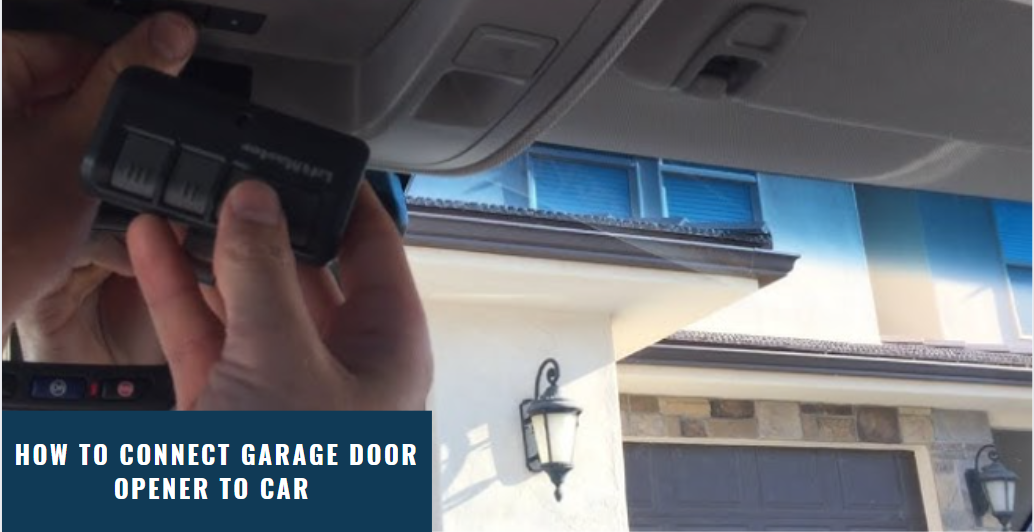
Have you ever pulled into your driveway only to realize you can’t get your garage door to open from inside your vehicle? It’s a frustrating experience that millions of American drivers face every day. If you’re wondering how to set the garage door opener in my car, you’re not alone—and the good news is that it’s usually simpler than you think.
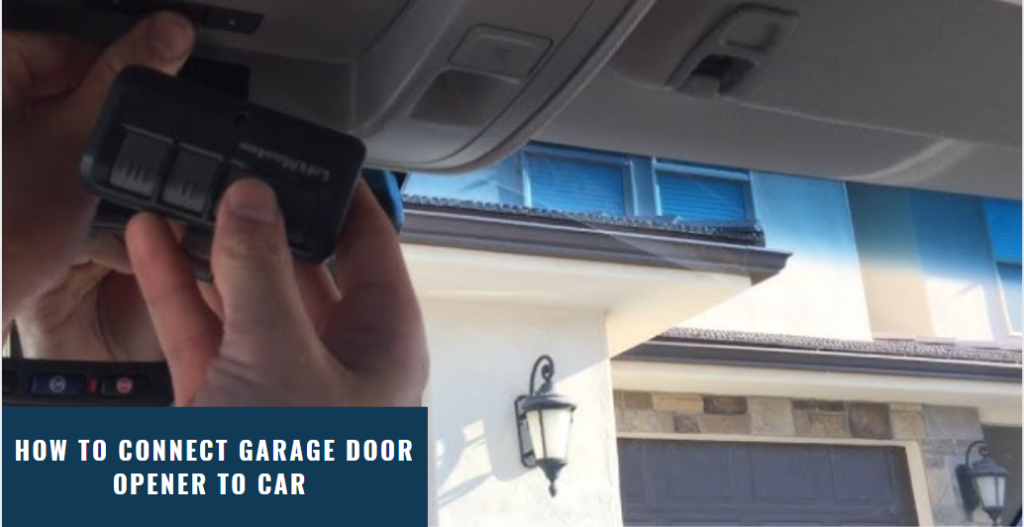
Modern vehicles come equipped with built-in garage door opener systems like HomeLink or Car2U, designed to eliminate the need for separate remotes cluttering your visor or console. However, the programming process isn’t always intuitive, and many car owners struggle to get their systems working correctly on the first try. This comprehensive guide will walk you through everything you need to know to successfully program your garage door opener to your vehicle, regardless of your car make or model.
Understanding Your Car’s Built-In Garage Door System
Before diving into the programming steps, it’s essential to identify which type of integrated garage door opener system your vehicle uses. The two most common systems in the US market are HomeLink and Car2U, though some manufacturers have developed their own proprietary systems.
HomeLink is the industry leader, found in over 60 million vehicles worldwide. According to HomeLink’s official data, their system is compatible with 99% of garage door openers manufactured since 1993. You’ll typically find HomeLink buttons on your rearview mirror, sun visor, or overhead console.
Car2U is another popular system, primarily used by Honda, Acura, and some Chrysler vehicles. While less common than HomeLink, Car2U offers similar functionality with a slightly different programming approach.
To determine which system your vehicle has, check your owner’s manual or look for branding near the buttons. Most HomeLink systems feature three round or rectangular buttons, while Car2U systems often have a distinct logo printed nearby.
If you’re unsure about your specific system, visiting Wikipedia’s page on garage door openers can provide additional context about how these wireless communication systems work and their evolution over the decades.
Step-by-Step Guide: Programming HomeLink Systems
HomeLink remains the most widely used integrated garage door opener system in American vehicles. Here’s a detailed walkthrough to program your HomeLink system successfully:
Step 1: Prepare Your Equipment
- Locate your original garage door remote control
- Ensure your vehicle is parked outside the garage with the engine running
- Have a ladder ready if your garage door opener motor unit is mounted high
Step 2: Clear Existing Codes (If Necessary)
If you’re reprogramming or replacing an old code:
- Press and hold the two outer HomeLink buttons simultaneously
- Continue holding for 10–20 seconds until the indicator light flashes rapidly
- Release both buttons when the light changes pattern
Step 3: Program the HomeLink Button
- Choose which HomeLink button you want to program (1, 2, or 3)
- Hold your original garage remote 1–3 inches away from the HomeLink buttons
- Press and hold both the HomeLink button AND the remote button simultaneously
- Keep holding until the HomeLink indicator light changes from slow blinking to rapid flashing (this may take 20–30 seconds)
- Release both buttons
Step 4: Test the Connection
Press the programmed HomeLink button and observe whether your garage door responds. If nothing happens, proceed to the next section about rolling code systems.
Handling Rolling Code Garage Door Openers
Most garage door openers manufactured after 1996 use rolling code technology for enhanced security. This means the code changes each time you use the remote, preventing code-grabbing theft attempts. If your opener uses rolling codes, you’ll need an additional step called “syncing” at the garage door motor unit.
Identifying Rolling Code Systems
Look for these indicators:
- A “Learn” or “Smart” button on your garage door opener motor
- Manufacturing date of 1996 or later
- Brand names like Chamberlain, LiftMaster, Genie, or Craftsman with modern models
Syncing Process for Rolling Codes
- After completing the HomeLink programming steps above, locate your garage door opener motor unit
- Find the “Learn” button (usually yellow, purple, orange, or red)
- Press and release the Learn button—the indicator light will illuminate or blink
- Within 30 seconds, return to your vehicle and press the programmed HomeLink button three times in succession
- Wait for the garage door to respond; you should see the door move or hear the motor activate
Important: You must complete this step within 30 seconds of pressing the Learn button, or the process will time out and require restarting.
Programming Car2U and Other Systems
If your vehicle uses Car2U or a manufacturer-specific system, the process differs slightly:
Car2U Programming Steps
- Turn your ignition to the “ON” position without starting the engine
- Press and hold the two outer Car2U buttons until the indicator light begins flashing (approximately 10 seconds)
- Release both buttons
- Hold your garage remote 1–3 inches from the Car2U receiver
- Press and hold your desired Car2U button while simultaneously pressing the garage remote button
- Continue holding until the indicator light flashes rapidly
- Complete the syncing process at the garage motor unit if you have a rolling code system
Manufacturer-Specific Systems
Some luxury brands like BMW, Mercedes-Benz, and Audi use proprietary systems. Consult your vehicle’s owner’s manual for brand-specific instructions, as these systems often require dealership assistance or specialized programming tools.
Troubleshooting Common Programming Issues
Even with careful following of instructions, problems can arise. Here are solutions to the most frequent issues:
| Problem | Possible Cause | Solution |
|---|---|---|
| No response from garage door | Weak remote battery | Replace remote battery with fresh CR2032 or equivalent |
| Light doesn’t flash during programming | Incorrect distance between devices | Move remote closer (1–2 inches) or further (up to 6 inches) |
| Door operates intermittently | Signal interference | Reprogram away from other electronic devices; check for LED bulb interference |
| Can’t find Learn button | Older fixed-code system | Skip the syncing step; direct programming should work |
| System won’t clear previous codes | Holding buttons incorrectly | Try holding all three buttons simultaneously for 20+ seconds |
Expert Tip: LED Bulb Interference
Recent studies have shown that certain LED light bulbs in garage door opener units can interfere with wireless signals. If you’re experiencing persistent connectivity issues, try temporarily replacing LED bulbs with incandescent ones during programming, then switch back once successfully paired.
Safety Considerations and Best Practices
When programming your garage door opener, keep these safety guidelines in mind:
- Never stand directly under a moving garage door during testing
- Ensure no people, pets, or objects are in the door’s path before activating
- Test the auto-reverse safety feature monthly by placing a 2×4 board on the ground where the door closes
- Keep your original remote as a backup in case the integrated system fails
- Update your programming if you move homes or sell your vehicle
According to the Consumer Product Safety Commission, garage door-related accidents cause approximately 20,000 emergency room visits annually in the United States. Proper programming and regular maintenance significantly reduce these risks.
Frequently Asked Questions
Q: How long does it take to program a garage door opener to my car?
A: The entire process typically takes 5–15 minutes, depending on your system type and whether you encounter any issues. HomeLink systems usually program faster than Car2U systems.
Q: Can I program multiple garage doors to one vehicle?
A: Yes! Most integrated systems have three separate buttons, allowing you to program up to three different garage doors or gates. Simply repeat the programming process for each button.
Q: What if I don’t have my original garage door remote?
A: Without the original remote, programming becomes more challenging. You may need to contact your garage door opener manufacturer for alternative programming methods or purchase a universal remote compatible with your system.
Q: Will programming my car’s garage opener void my warranty?
A: No, programming your integrated garage door opener system is a standard feature supported by your vehicle manufacturer and will not affect your warranty coverage.
Q: How do I know if my programming was successful?
A: Successful programming is confirmed when pressing the programmed button consistently opens and closes your garage door from inside your vehicle. Test it multiple times from different distances to ensure reliability.
Q: Can I reprogram the buttons if I get a new garage door opener?
A: Absolutely. Simply clear the existing codes using the method described earlier, then follow the programming steps again with your new opener’s remote.
Conclusion
Learning how to set the garage door opener in my car doesn’t have to be a frustrating experience. With the right knowledge and patience, you can successfully integrate your garage door with your vehicle’s built-in system in just minutes. Whether you’re using HomeLink, Car2U, or another system, following these step-by-step instructions will help you achieve reliable, convenient access to your garage.
Remember to keep your original remote as a backup, test your system regularly, and don’t hesitate to consult your vehicle’s owner’s manual for model-specific guidance. Once programmed correctly, you’ll enjoy the convenience of leaving those bulky remotes behind forever.
Found this guide helpful? Share it with friends and family who might be struggling with their garage door opener setup! Follow us on social media for more automotive tips and tricks.
Leave a Reply