Introduction
There is nothing quite as frustrating as pulling into your driveway after a long day, only to realize you cannot remember where you placed your handheld garage remote or that the batteries have died yet again. If you are struggling with this daily annoyance, learning how to set garage door opener in Lexus RX 350 using the integrated HomeLink system can transform your arrival experience into something seamless and secure. This comprehensive guide will walk you through the programming process with empathy and precision, ensuring you can sync your vehicle’s universal transmitter without needing a mechanic or dealership visit.
Understanding Your Lexus RX 350 HomeLink System
Before diving into the programming steps, it is vital to understand what you are actually working with. The Lexus RX 350 comes equipped with the HomeLink Universal Transceiver, typically located on the overhead console near the rearview mirror or integrated directly into the mirror assembly itself.
This system is not merely a button; it is a sophisticated radio frequency (RF) bridge designed to communicate with various home automation devices. According to technical documentation referenced on Wikipedia, HomeLink supports both fixed-code and rolling-code security systems, making it compatible with the vast majority of garage door openers manufactured after 1996.
Why Use HomeLink Over a Standard Remote?
Many owners ask why they should bother programming the car when they already have a clicker. Here is a quick comparison to illustrate the value:
| Feature | Handheld Remote | Lexus RX 350 HomeLink |
|---|---|---|
| Convenience | Must locate device in bag/pocket | Always accessible in vehicle |
| Battery Life | Requires replacement every 1-2 years | Powered by vehicle electrical system |
| Security | Can be lost or stolen easily | Integrated and hidden from view |
| Multi-Device | Usually controls one door only | Can program up to 3 distinct channels |
| Resale Value | N/A | Adds perceived tech value to SUV |
Understanding these benefits reinforces why mastering how to set garage door opener in Lexus RX 350 is a worthwhile investment of ten minutes.
Pre-Programming Checklist: Safety and Preparation
Safety and preparation are the foundations of successful programming. Skipping these steps is the most common reason users fail to sync their devices.
- Clear the Area: Ensure no people, pets, or objects are in the path of the garage door. The door will move during testing.
- Identify Your Opener Type: Locate the “Learn” or “Smart” button on your actual garage motor unit. It is usually yellow, orange, red, or purple. Knowing its color helps identify if you have a Security+ 2.0 or standard rolling code system.
- Fresh Batteries: Even though HomeLink is powered by the car, your existing handheld remote must have fresh batteries to transmit a strong signal during the cloning process.
- Ignition Status: For most Lexus RX 350 model years, the ignition must be in the ON position (engine running or accessory mode) for programming to work.
- Reset Previous Codes: If you bought the vehicle used, always clear old codes first to prevent interference.
Expert Tip: Never attempt to program the HomeLink while the garage door is obstructed or if the safety sensors are misaligned. This can cause the motor to overheat or the programming sequence to time out prematurely.
Step-by-Step: How To Set Garage Door Opener In Lexus Rx 350
Follow these precise instructions to program your Lexus RX 350 HomeLink buttons. This method applies to most model years from 2010 through 2024.
Step 1: Clear Existing HomeLink Memory
If this is your first time programming or you are unsure of previous settings, start fresh.
- Press and hold the two outer HomeLink buttons simultaneously.
- Hold for approximately 10 seconds until the indicator light flashes rapidly.
- Release both buttons. The system is now erased and ready for new programming.
Step 2: Position Your Vehicle Correctly
Park your Lexus RX 350 outside the garage, facing the door. Maintain a distance of at least 5 to 10 feet. Being too close can sometimes interfere with the RF handshake during the initial training phase. Keep the engine running to ensure stable voltage.
Step 3: Train the HomeLink Button
This is the core action for understanding how to set garage door opener in Lexus RX 350.
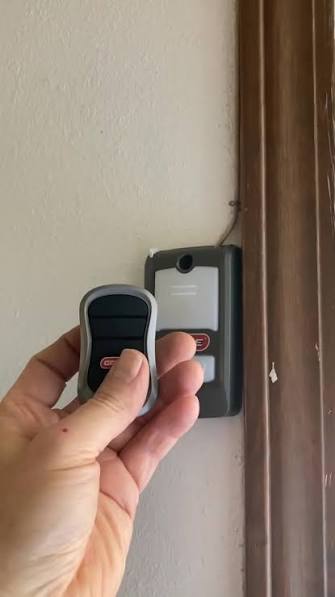
- Hold your original handheld remote 1 to 3 inches away from the HomeLink buttons on your overhead console.
- Simultaneously press and hold the desired HomeLink button AND the button on your handheld remote.
- Watch the HomeLink indicator light. It will flash slowly at first, then transition to a rapid flash (or solid light, depending on year).
- Once the light changes state, release both buttons. This indicates the frequency has been successfully cloned.
Step 4: Test the Cloned Signal
Press the newly programmed HomeLink button firmly.
- If the door activates: Congratulations! You have a fixed-code opener, and the process is complete.
- If the light flashes but the door does not move: You likely have a rolling-code opener. Proceed immediately to Step 5.
Step 5: Sync Rolling Code Openers (Crucial Step)
Most modern garage doors use rolling codes for security. The car has learned the frequency, but the garage motor needs to accept the car as a valid transmitter.
- Go to your garage door motor unit inside the ceiling.
- Press and release the “Learn” or “Smart” button. An LED will typically illuminate or blink, indicating a 30-second programming window.
- Return to your Lexus RX 350 within those 30 seconds.
- Press and hold the programmed HomeLink button for 2 seconds, then release. Repeat this press-hold-release cycle up to three times.
- On the third press, the garage door should activate, confirming the rolling code handshake is complete.
Troubleshooting Common Programming Failures
Even with perfect execution, technology can be finicky. Here are solutions to frequent issues encountered when figuring out how to set garage door opener in Lexus RX 350:
- Light Flashes But Door Won’t Move After Step 5: You may have exceeded the 30-second learn window. Simply press the Learn button on the motor again and repeat Step 5 immediately.
- HomeLink Light Never Changes Flash Pattern: Your handheld remote battery is likely weak, or you are holding it too far away. Replace the battery and try holding the remote at different angles (top, bottom, side) relative to the HomeLink buttons.
- Door Opens Partially Then Reverses: This is rarely a HomeLink issue. Check your garage door safety sensors for alignment or obstructions. HomeLink simply triggers the command; the door’s safety logic handles reversal.
- Incompatible Opener: Some very old (pre-1996) or proprietary European openers may not work with North American HomeLink units. In this case, a HomeLink Compatibility Bridge (sold separately) acts as an intermediary translator.
Frequently Asked Questions (FAQ)
1. Can I program my Lexus RX 350 HomeLink without an original remote?
Generally, no. The HomeLink system requires cloning an existing signal. However, if your garage motor has a direct “Program Car” feature (rare in newer models), you might bypass the remote. Otherwise, purchase a compatible replacement remote first, program it to the door, and then use it to train the Lexus.
2. Does programming HomeLink erase my existing garage remotes?
No. Adding your Lexus RX 350 to the system simply adds another authorized transmitter. All your existing keypads, wall consoles, and handheld remotes will continue to function normally unless you manually reset the garage motor’s memory entirely.
3. How many devices can I store in my Lexus RX 350 HomeLink?
The system supports up to three distinct channels. You can program three separate garage doors, or a combination of two garage doors and one gate/lighting system. Each button operates independently.
4. Will HomeLink work with smart garage openers like MyQ or Tailwind?
Yes, but indirectly. HomeLink communicates via RF, not Wi-Fi. As long as your smart opener still has a traditional RF receiver and Learn button, it works perfectly. The smart features (app control) operate on a separate network and do not interfere with HomeLink functionality.
5. Why did my programmed HomeLink stop working suddenly?
First, check if someone accidentally cleared the HomeLink memory. Second, verify your garage door opener hasn’t been reset or had its batteries changed (for wireless keypads that share circuits). Finally, ensure your Lexus battery is healthy; low vehicle voltage can occasionally cause HomeLink transmission failures.
6. Is there a difference between older and newer Lexus RX 350 HomeLink systems?
Yes. Models pre-2016 often require the ignition to be fully ON. Newer models (2017+) with updated electronics may allow programming in ACC mode and sometimes feature enhanced compatibility with Security+ 2.0 yellow learn buttons. Always consult your specific owner’s manual for model-year nuances.
Conclusion
Mastering how to set garage door opener in Lexus RX 350 is more than just a convenience upgrade; it is about reclaiming peace of mind and streamlining your daily routine. By following this structured approach—from clearing old memory to executing the critical rolling-code handshake—you eliminate the clutter of extra remotes and enjoy the sophisticated integration your luxury SUV was designed to offer. Remember, patience during the 30-second learn window and proper remote positioning are the keys to success.
Now that your HomeLink is synced, you deserve to share this victory! Share this guide on Facebook, X (Twitter), or Pinterest to help fellow Lexus owners ditch their clunky remotes forever. Have a unique programming challenge we didn’t cover? Drop a comment below—we’d love to help you solve it!
Leave a Reply