Introduction
There are few things more frustrating than pulling into your driveway in the rain, only to realize you cannot remember where you placed your garage remote. If you own this iconic SUV, learning how to set garage door opener in Jeep Grand Cherokee models is a game-changer for daily convenience and security. This built-in system eliminates clutter and ensures you never have to fumble for a plastic clicker again.
In this comprehensive guide, we will walk you through the exact programming process, troubleshoot common issues, and ensure your vehicle communicates perfectly with your home automation system. Whether you have a newer model with advanced Uconnect features or an older version, these instructions are designed to get you synced up quickly and safely.
Understanding the HomeLink System in Your Jeep
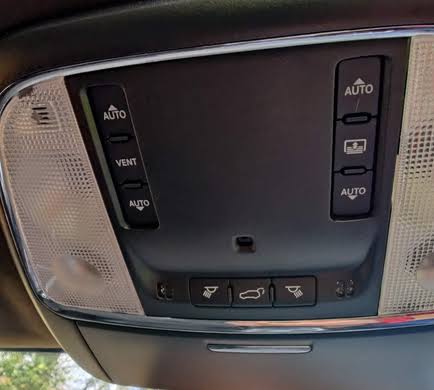
Before diving into the buttons, it is crucial to understand what you are actually programming. Most Jeep Grand Cherokee vehicles come equipped with HomeLink, a universal transceiver system integrated directly into the overhead console, rearview mirror, or center stack depending on the trim level and year.
Unlike standard remotes that use fixed codes, HomeLink uses rolling code technology for enhanced security. According to Wikipedia, rolling code systems generate a new transmission code every time the button is pressed, preventing thieves from capturing and replaying your signal to open your garage. This distinction is vital because programming a rolling-code opener requires an extra synchronization step at the garage motor unit itself, which many beginners miss.
HomeLink vs. Traditional Remotes: A Quick Comparison
| Feature | HomeLink (Jeep Integrated) | Traditional Plastic Remote |
|---|---|---|
| Convenience | Always in the vehicle; no batteries needed | Easy to lose; requires battery replacement |
| Security | Rolling code encryption standard | Varies; older models may use fixed codes |
| Range | Optimized via vehicle antenna | Limited by small internal antenna |
| Resale Value | Adds perceived tech value to SUV | No impact on vehicle value |
| Setup Time | 5–10 minutes initial setup | Instant (pre-programmed) |
Step-by-Step: How to Program HomeLink in Jeep Grand Cherokee
Follow these precise steps to program your system. Ensure your vehicle is parked outside the garage with the ignition in the “ON/RUN” position (engine running is recommended to prevent battery drain during extended programming).
Step 1: Clear Previous Codes (If Buying Used)
If this is not a brand-new vehicle, always clear old memory first to avoid interference.
- Press and hold the two outer HomeLink buttons simultaneously.
- Hold for approximately 10–20 seconds until the indicator light flashes rapidly.
- Release both buttons. The system is now factory reset and ready for new programming.
Step 2: Position Your Original Remote
For optimal signal transfer, specific positioning matters significantly.
- Hold your original handheld garage door remote 1–3 inches away from the HomeLink buttons.
- Angle the remote slightly; sometimes pointing it at a 45-degree angle yields better reception than pointing directly at the faceplate.
- Keep the original remote’s battery fresh; a weak battery is the #1 cause of programming failure.
Step 3: Simultaneous Button Press
This is the core pairing action.
- Press and hold the desired HomeLink button you wish to program.
- At the exact same time, press and hold the button on your original handheld remote.
- Continue holding both buttons firmly. Do not release prematurely.
- Watch the HomeLink indicator light. It will flash slowly at first, then transition to a rapid, solid flash. This rapid flash confirms successful code capture.
- Release both buttons once the rapid flashing begins. This typically takes 10–30 seconds.
Step 4: Test the Connection
Press the newly programmed HomeLink button once.
- If the garage door activates: Congratulations! You have successfully learned how to set garage door opener in Jeep Grand Cherokee.
- If nothing happens but the light flashes rapidly: You likely have a rolling-code opener and must complete Step 5.
- If the light flashes slowly or not at all: Repeat Steps 2 and 3, adjusting the distance between the remote and the HomeLink module.
Step 5: Synchronize Rolling Code Openers (Critical Step)
Approximately 85% of modern garage door openers manufactured after 1996 use rolling codes. If Step 4 resulted in a rapid flash but no door movement, follow this:
- Locate the “Learn” or “Smart” button on your actual garage door motor unit (usually on the back or side panel near the hanging antenna wire).
- Press and release the Learn button. The LED on the motor will illuminate or blink, indicating a 30-second programming window.
- Return to your Jeep immediately. Press and hold the programmed HomeLink button for 2 seconds, then release.
- Repeat the press-hold-release cycle up to 3 times within the 30-second window.
- The garage door should activate, confirming final synchronization.
Troubleshooting Common Programming Failures
Even with perfect technique, variables can interfere. Here are expert-backed solutions for persistent issues.
Issue: Indicator Light Never Flashes Rapidly
- Battery Check: Replace the battery in your original handheld remote before attempting again. Even if it still opens the door, its signal strength may be insufficient for programming transfer.
- Frequency Mismatch: Verify your opener operates on a compatible frequency. Most HomeLink systems support 288–390 MHz. Check your opener’s manual or manufacturer label.
- LED Interference: Some newer openers with LED lighting emit RF interference. Temporarily turn off garage lights or unscrew LED bulbs during programming.
Issue: Door Opens Partially Then Reverses
This is rarely a HomeLink issue and usually indicates misaligned safety sensors or incorrect travel limits on the opener itself. Consult your garage door opener’s manual for sensor realignment procedures before reprogramming HomeLink.
Issue: Works Intermittently
- Antenna Position: Ensure the garage motor’s antenna wire hangs vertically and is not coiled or touching metal surfaces.
- Vehicle Aftermarket Modifications: Tinted windshields with metallic content or aftermarket dash cameras can block RF signals. Test programming with windows down to isolate this variable.
- Reprogram from Scratch: Clear all HomeLink memory and restart from Step 1. Partial code captures cause intermittent failures.
Important Safety Precautions During Setup
Programming involves moving mechanical parts. Never compromise safety for speed.
- Always park outside the garage. Programming inside risks accidental activation while you are positioned near the door mechanism.
- Keep hands and tools clear of rollers, springs, and tracks during testing. Garage door springs store extreme tension and can cause severe injury.
- Verify safety reversal sensors are functional after programming. Place a 2×4 board on the floor under the door path; the door should reverse upon contact. If it does not, do not use HomeLink until repaired.
- Do not program while driving. Distraction-related accidents during setup attempts are entirely preventable. Always remain stationary with the parking brake engaged.
Frequently Asked Questions (FAQ)
Can I program my Jeep Grand Cherokee HomeLink without the original remote?
Generally, no. The original handheld remote is required to transfer the encrypted code to the HomeLink module. However, some newer Chamberlain/LiftMaster openers allow direct programming via the motor’s Learn button without a remote. Consult your specific opener’s manual for “HomeLink Direct” compatibility. If your remote is lost, purchasing a compatible replacement remote is the most reliable solution.
How many devices can I program in my Jeep Grand Cherokee?
Most HomeLink systems in the Grand Cherokee support three separate channels, allowing you to program up to three different devices. Common configurations include two garage doors plus a gate operator, or one garage door plus exterior lighting and a security system. Each channel operates independently and can be reprogrammed individually without affecting others.
Why does my HomeLink work for my garage but not my community gate?
Community gates often use fixed-code systems or proprietary frequencies outside HomeLink’s standard range. Additionally, some HOA-managed gates require dealer-specific programming or access cards rather than RF transmitters. Contact your property management to confirm whether the gate system is HomeLink-compatible and request their specific programming protocol.
Will disconnecting my Jeep battery erase HomeLink settings?
No. HomeLink memory is stored in non-volatile memory and persists through battery disconnection, jump starts, and even module replacement. You will only need to reprogram if you manually perform the factory reset procedure outlined in Step 1 or if the HomeLink module itself is replaced due to hardware failure.
Is HomeLink compatible with smart garage openers like MyQ or Tailwind?
Yes, but indirectly. Smart openers still utilize traditional RF motors for physical operation, so HomeLink programs normally to the motor unit. The smart functionality (app control, notifications) operates on a separate WiFi/Z-Wave layer and does not interfere with HomeLink. In fact, using both provides redundancy: HomeLink for seamless in-vehicle access and the app for remote monitoring when away from home.
What if my Jeep Grand Cherokee has the newer Uconnect system instead of overhead buttons?
Newer Grand Cherokee models (2022+) integrate HomeLink controls within the Uconnect touchscreen interface. The programming logic remains identical, but button presses occur on-screen rather than physically. Navigate to Settings > HomeLink on your Uconnect display and follow the same timing sequences described above. The touchscreen provides visual feedback that can actually make troubleshooting easier than traditional indicator lights.
Conclusion
Mastering how to set garage door opener in Jeep Grand Cherokee transforms your daily routine from minor frustration to effortless automation. By following the precise positioning, timing, and rolling-code synchronization steps outlined above, you can achieve reliable performance that matches or exceeds your original remote. Remember that patience during the initial setup pays dividends in years of seamless operation.
The integration of HomeLink represents one of the most practical yet underutilized features in modern SUVs. Once programmed, you gain not just convenience but also enhanced security through rolling-code encryption and reduced dependency on easily lost plastic remotes.
Found this guide helpful? Share it with fellow Jeep owners on Facebook, Reddit’s r/JeepGrandCherokee community, or your favorite automotive forum. Helping another driver eliminate garage door frustration is the best kind of trail camaraderie. Safe travels and happy syncing!
Leave a Reply