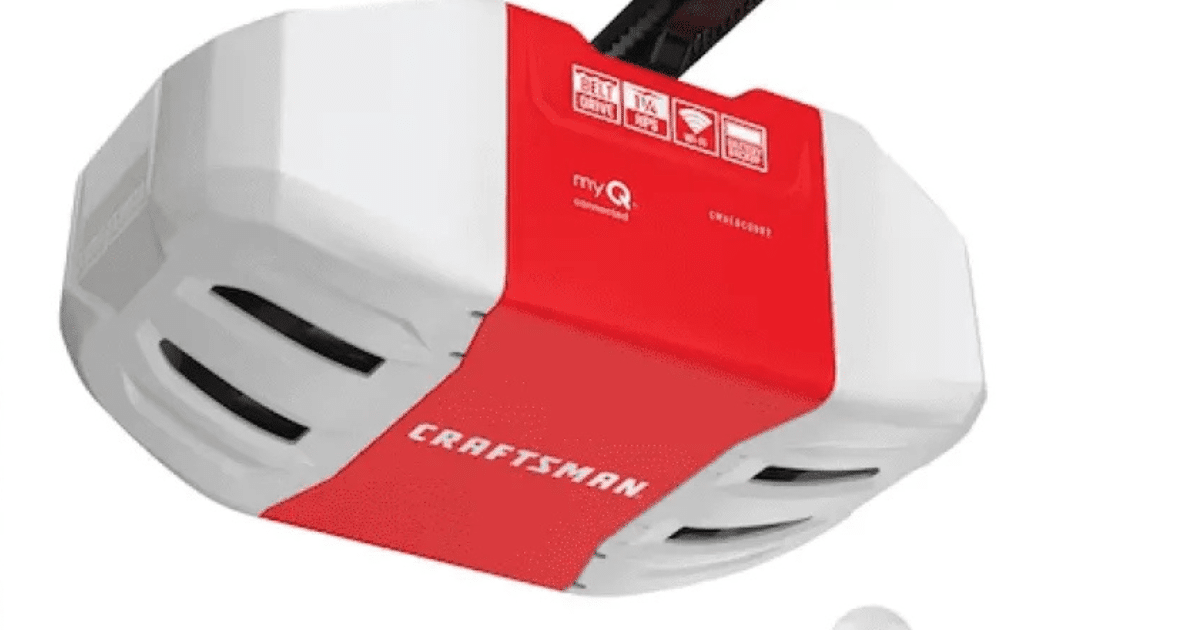
Have you ever stood in your driveway, remote in hand, only to watch your garage door refuse to budge? It is a frustrating experience that disrupts your daily routine and raises immediate security concerns. If you are dealing with connectivity issues or strange behavior from your unit, learning how to reset Craftsman garage door opener 1/2 HP is the most effective first step to restoring functionality.
Whether you have just moved into a new home, lost a remote, or suspect unauthorized access, resetting the system clears old codes and establishes a fresh, secure connection. This guide will walk you through the process with precision, ensuring you get your garage back up and running safely and efficiently.
Why You Need to Reset Your Craftsman Opener
Before diving into the technical steps, it is crucial to understand why a reset is necessary. A factory reset or a logic board reset serves several critical functions for homeowners.
First, it enhances security. If you recently bought a home, the previous owners might still have working remotes. Resetting the opener ensures that only your devices can open the door. Second, it resolves glitchy behavior. Over time, electronic interference or power surges can cause the opener’s memory to corrupt, leading to unresponsive remotes or keypads.
According to general maintenance standards, resetting the logic board is akin to rebooting a computer. It clears temporary errors and allows the system to start fresh. For more detailed technical specifications on garage door safety standards, you can refer to Wikipedia’s entry on Garage Door Openers, which outlines the evolution of security protocols in residential units.
Identifying Your Craftsman 1/2 HP Model
Craftsman has produced various 1/2 HP models over the years. While the reset process is similar, the location of the “Learn” button may vary. Identifying your specific type helps ensure you follow the correct procedure.
| Model Type | Learn Button Color | Location |
|---|---|---|
| Older Models (Pre-2011) | Purple, Red, or Orange | Back panel, near antenna wire |
| Newer Models (Security+ 2.0) | Yellow or Green | Back panel, under light cover |
| Smart-enabled Models | Yellow | Near the WiFi module |
Note: If you cannot find the learn button, consult your specific user manual, as some very old models may require a dip-switch adjustment instead of a digital reset.
Step-by-Step: How to Reset Craftsman Garage Door Opener 1/2 HP
This section details the exact process to clear the memory of your opener. Please follow these steps carefully to avoid locking yourself out of the system.
Step 1: Ensure Safety and Accessibility
Before touching any wires or buttons, ensure the garage door is fully closed. This prevents accidental activation during the reset process. Clear the area around the motor unit so you have easy access to the back panel where the controls are located.
Step 2: Locate the Learn Button
Look at the back or side of the motor housing. You will see a small button, usually labeled “Learn,” “Smart,” or “Program.” It is often accompanied by an LED indicator light.
- Action: Identify the color of the button. This determines the timing for the next step.
Step 3: Clear the Memory
To perform a full reset:
- Press and hold the Learn button.
- Keep holding it until the indicator light turns off. This typically takes about 6 to 10 seconds.
- Once the light goes out, release the button.
Expert Tip: When the light turns off, all previously programmed remotes, keypads, and car homelink systems are erased. The opener is now in a “blank slate” state.
Step 4: Reboot the System
Unplug the garage door opener from the power outlet. Wait for 30 seconds. This ensures that any residual electricity in the capacitors is discharged, fully clearing the logic board. Plug the unit back in. You should hear a click, and the lights may flash, indicating the system is ready for new programming.
Reprogramming Your Remotes and Keypads
Now that you have successfully learned how to reset Craftsman garage door opener 1/2 HP, you must re-sync your devices. Without this step, your remotes will not work.
Programming a Standard Remote
- Press the Learn button on the motor unit once. The LED will light up or blink.
- Within 30 seconds, press and hold the button on your handheld remote that you wish to use.
- Hold it until the motor unit’s lights blink or you hear two clicks.
- Test the remote by pressing the button again. The door should activate.
Programming a Wireless Keypad
- Enter a new 4-digit PIN on the keypad.
- Press and hold the Enter button.
- While holding Enter, press the Learn button on the motor unit.
- Release both buttons. The motor light should blink to confirm acceptance.
- Test the PIN by entering it and pressing Enter.
Troubleshooting Common Reset Issues
Even with careful execution, you might encounter hurdles. Here are solutions to common problems.
- The Light Won’t Turn Off: If the LED stays on despite holding the button, try unplugging the unit, waiting 1 minute, and plugging it back in. Then, try the hold-and-release method again.
- Remote Not Syncing: Ensure you are within range (usually 10–15 feet) of the motor unit during programming. Replace the battery in the remote if it is weak.
- Door Reverses Immediately: This is not a reset issue but a safety sensor problem. Check the alignment of the photo-eye sensors near the floor. They must face each other directly without obstruction.
Maintenance Tips to Prevent Future Glitches
Resetting is a fix, but prevention is better. To keep your 1/2 HP Craftsman opener running smoothly:
- Lubricate Moving Parts: Use a silicone-based lubricant on the chain or screw drive every six months. Avoid WD-40 as it attracts dust.
- Check Power Supply: Ensure the outlet is grounded and not shared with high-power appliances that could cause voltage drops.
- Inspect Batteries: Replace remote batteries annually. Weak signals can cause the opener to behave erratically.
FAQ Section
1. Will resetting my Craftsman opener delete my WiFi settings?
Yes, if you have a smart-enabled Craftsman opener, a full factory reset via the Learn button will disconnect it from your WiFi network. You will need to reconnect it to your app after reprogramming your remotes.
2. How long does the reset process take?
The actual memory clearing takes less than 10 seconds. However, the entire process, including unplugging the unit and reprogramming one remote, typically takes about 5–10 minutes.
3. Can I reset the opener without a ladder?
If your opener is mounted high, you may need a ladder to reach the Learn button. However, some newer models allow partial resets via wall-mounted control panels. Check your manual for “lock” features, though a full memory clear usually requires accessing the motor unit.
4. Why is my garage door opener flashing after a reset?
Flashing lights usually indicate the unit is in “programming mode” or has detected an error. If it continues to flash after you have finished programming, check the safety sensors for obstructions or misalignment.
5. Is it safe to reset the opener myself?
Yes, resetting the logic board is a safe, user-friendly task. Just ensure the door is closed before starting to prevent accidental movement. Always keep hands clear of moving parts like chains and springs.
6. What if I don’t have the original remote?
You can purchase universal remotes compatible with Craftsman 1/2 HP models. After resetting the opener, you can program these universal remotes using the same Learn button method described above.
Conclusion
Knowing how to reset Craftsman garage door opener 1/2 HP is an essential skill for every homeowner. It not only solves immediate connectivity issues but also significantly boosts your home’s security by invalidating old access codes. By following the simple steps of locating the Learn button, clearing the memory, and reprogramming your devices, you can ensure smooth and reliable operation.
Don’t let a glitchy garage door disrupt your day. Take control of your home’s access points with confidence. If you found this guide helpful, please share it with friends or family who might be struggling with their garage openers. Stay safe, and keep your garage secure!
Leave a Reply