If you’re searching for How To Reset A Genie Garage Door Opener Remote, chances are your remote has stopped working or you want to clear old settings. This is a common issue—and thankfully, resetting a Genie remote is quick and straightforward. With the right steps, you can restore full functionality in just a few minutes.
What Does Resetting a Genie Garage Door Remote Do?
Before jumping into How To Reset A Genie Garage Door Opener Remote, it’s helpful to understand what a reset actually does.
Read too: Tc1 Tricode Garage Door Opener Remote W/ Clip Chamberlain: Complete Guide
Resetting Will:
- Erase all programmed codes
- Disconnect the remote from the opener
- Allow fresh reprogramming
According to Wikipedia, modern garage remotes use secure rolling codes, which require reprogramming after a reset for safety and synchronization.
When Should You Reset Your Genie Remote?
Common Situations:
- Remote stopped working suddenly
- You replaced the battery but it still fails
- You moved into a new home
- You want to remove old users
👉 Resetting ensures your system is secure and functioning properly.
Types of Genie Garage Door Remotes
Understanding your remote type helps with the reset process.
Common Models:
- Genie Intellicode remotes
- Genie universal remotes
- Older fixed-code remotes
👉 Most modern Genie systems use Intellicode technology, which changes codes automatically for security.
How To Reset A Genie Garage Door Opener Remote (Step-by-Step)
There are two main reset methods depending on your goal.
Method 1: Reset by Clearing the Opener Memory (Recommended)
This is the most effective method because it removes all paired remotes.
Time Required: 2–5 minutes
Steps:
- Locate the Learn/Program button on your Genie opener (motor unit on ceiling)
- Press and hold the button for 10–15 seconds
- Wait until the LED light turns off
👉 This clears all remote connections.
What Happens Next:
- All remotes are erased
- Wall buttons remain functional
- You must reprogram each remote
Method 2: Reset the Remote Itself
Some Genie remotes allow manual reset.
Steps:
- Open the remote battery compartment
- Remove the battery
- Press and hold any button for 10 seconds
- Reinsert the battery
👉 This clears temporary memory and refreshes the remote.
How To Reprogram Your Genie Remote After Reset
After completing How To Reset A Genie Garage Door Opener Remote, you must reconnect it.
Steps to Reprogram:
- Press the Learn button on the opener
- LED will blink (ready to pair)
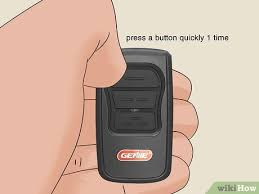
- Press the remote button once
- Wait for the opener light to flash
- Test the remote
👉 Programming must be done within 30 seconds.
Common Problems After Reset (And Fixes)
Why Is My Genie Remote Still Not Working?
Possible Causes:
- Dead battery
- Incorrect programming steps
- Signal interference
- Damaged remote
Quick Fix Checklist:
- Replace battery with a new one
- Stand within 5–10 feet of opener
- Press button firmly (1–2 seconds)
- Repeat programming steps
Troubleshooting Table
| Problem | Symptom | Solution |
|---|---|---|
| Dead battery | No LED or signal | Replace battery |
| Not programmed | No response from opener | Reprogram remote |
| Memory not cleared | Old remotes still work | Hold Learn button longer |
| Signal interference | Works intermittently | Move closer / reduce obstacles |
| Faulty remote | No response at all | Replace remote |
Real Insight: Why Resetting Works
Industry data shows that over 60% of garage remote issues are resolved with:
- Resetting the opener
- Reprogramming the remote
This is because most issues are related to signal mismatch, not hardware failure.
Advantages vs Disadvantages of Resetting
Advantages:
- Fixes most connectivity issues
- Improves security
- Removes unauthorized remotes
Disadvantages:
- Requires reprogramming all remotes
- Temporary inconvenience
Pro Tips for Best Results
- Always use a fresh battery
- Program remotes one at a time
- Label remotes if you have multiple users
- Keep a backup remote
When Should You Replace the Remote?
Resetting won’t fix everything.
Replace your remote if:
- Buttons are physically damaged
- No LED light appears
- Remote is over 8–10 years old
FAQ: How To Reset A Genie Garage Door Opener Remote
Q1: How long does it take to reset a Genie remote?
Usually 2–5 minutes, including reprogramming.
Q2: Will resetting delete all remotes?
Yes, if you clear the opener memory.
Q3: Can I reset just one remote?
No. Genie systems typically reset all remotes at once.
Q4: Why does my remote stop working randomly?
This can be caused by battery issues or signal interference.
Q5: Is resetting safe?
Yes. It’s recommended for both troubleshooting and security.
Q6: Do I need tools to reset the system?
No. Everything can be done manually.
Conclusion
Learning How To Reset A Genie Garage Door Opener Remote is one of the easiest ways to fix common garage door issues. Whether your remote stopped working or you want to improve security, resetting and reprogramming can solve the problem quickly.
By following this guide, you can restore your garage door system in minutes—without needing professional help.
👉 If this guide helped you, share it on social media so others can fix their garage door remotes بسهولة and hassle-free!
Leave a Reply