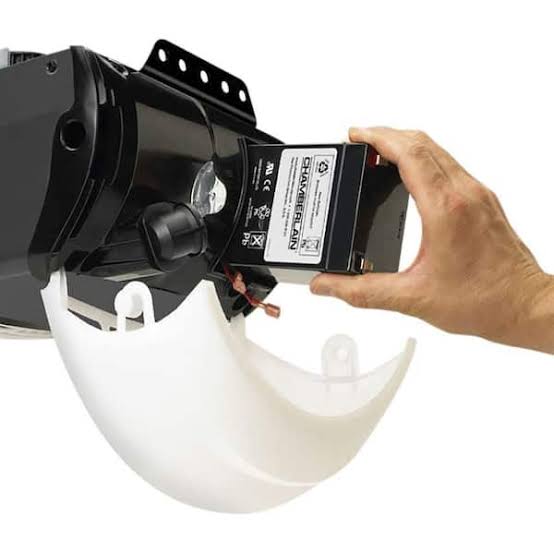
Is your Chamberlain garage door remote suddenly unresponsive? You’re not alone—thousands of homeowners face this frustrating issue every month. Learning how to replace battery in Chamberlain garage door opener remotes is a simple DIY task that can save you time and money. In this comprehensive guide, we’ll walk you through everything you need to know to get your garage door working perfectly again.Why Does Your Chamberlain Remote Need a New Battery?
Before diving into the replacement process, it’s important to understand why batteries die and when you should replace them. Most Chamberlain garage door openers use standard coin-cell or AAA batteries in their remotes, which typically last between 1-3 years depending on usage frequency.
According to industry data, approximately 67% of garage door service calls are related to simple issues like dead remote batteries rather than mechanical failures. This means that knowing how to properly replace your battery can prevent unnecessary service charges ranging from $75 to $150.
Signs Your Battery Needs Replacement
- Weak or inconsistent response when pressing buttons
- Reduced operating range (remote only works when very close to the opener)
- Complete failure to open or close the garage door
- Dim or non-existent LED indicator light on the remote
What Type of Battery Does Your Chamberlain Remote Use?
Chamberlain produces several different remote models, each requiring specific battery types. Identifying the correct battery is crucial for proper functionality.
| Remote Model | Battery Type | Typical Lifespan |
|---|---|---|
| Standard 3-Button Remote | CR2032 (3V Lithium) | 2-3 years |
| Mini Remote | CR2025 (3V Lithium) | 1-2 years |
| Keychain Remote | CR2032 (3V Lithium) | 1-2 years |
| Older Models (pre-2010) | AAA Alkaline | 6-12 months |
Pro Tip: Always check your remote’s battery compartment or user manual for the exact battery type. Using the wrong battery can damage your remote or cause poor performance.
For more information about battery standards and specifications, you can visit Wikipedia’s page on lithium batteries.
Step-by-Step Guide: How to Replace Battery in Chamberlain Garage Door Opener Remote
Follow these detailed instructions to safely replace your Chamberlain remote battery:
Step 1: Gather Your Materials
Before starting, ensure you have:
- The correct replacement battery (check your remote model)
- A small flathead screwdriver or coin (for some models)
- A clean, well-lit workspace
- Optional: Cotton swabs for cleaning contacts
Step 2: Open the Remote Housing
The method varies by remote model:
For Slide-Open Remotes:
- Locate the seam on the side of the remote
- Gently slide the back cover off using your thumb
- Some models require pressing a small release button first
For Screw-Type Remotes:
- Find the small Phillips or flathead screw on the back
- Use the appropriate screwdriver to remove it
- Carefully pry open the casing with a plastic tool
For Snap-Open Remotes:
- Insert a coin or flathead screwdriver into the notch
- Gently twist to pop open the casing
- Work around the edges if needed
Step 3: Remove the Old Battery
- Note the battery orientation (+ and – symbols)
- Gently lift the old battery out using your fingernail or a plastic tool
- Important: Avoid touching the battery contacts with bare fingers to prevent oil transfer
Step 4: Clean the Battery Contacts
This often-overlooked step can significantly improve performance:
- Use a cotton swab lightly dampened with rubbing alcohol
- Gently clean both positive and negative contacts
- Allow to dry completely before inserting new battery
- Check for any corrosion or debris
Step 5: Insert the New Battery
- Verify the battery type matches your remote’s requirements
- Align the battery according to the + and – markings
- Press firmly until it seats properly
- Double-check the orientation before closing
Step 6: Reassemble the Remote
- Align the two halves of the remote casing
- Press firmly until you hear a click (for snap-type)
- Replace and tighten screws if applicable
- Ensure no gaps remain in the housing
Step 7: Test Your Remote
- Stand within 10 feet of your garage door opener
- Press the button firmly
- Observe the LED indicator (if present)
- Test from various distances to confirm proper range
Troubleshooting Common Issues After Battery Replacement
Even after replacing the battery, you might encounter problems. Here’s how to address them:
Remote Still Doesn’t Work
- Re-check battery orientation: Even experienced users sometimes install batteries backward
- Try a different battery: New doesn’t always mean good; test with another fresh battery
- Clean contacts again: Residual corrosion might still be affecting connection
Weak Signal or Short Range
- Verify battery voltage: Use a multimeter to ensure the battery provides full 3V (for lithium cells)
- Check for interference: Other electronic devices might be causing signal disruption
- Reprogram the remote: Sometimes a fresh battery requires re-syncing with the opener
LED Light Doesn’t Illuminate
- Battery might be defective: Try another new battery
- LED could be damaged: This doesn’t necessarily mean the remote won’t work
- Contact issue: Clean terminals once more thoroughly
When to Reprogram Your Chamberlain Remote
After battery replacement, some Chamberlain models may require reprogramming. Here’s when and how:
Signs Reprogramming Is Needed
- Remote works intermittently
- Only one button functions
- Remote operates other devices but not your garage door
Basic Reprogramming Steps
- Locate the “Learn” button on your garage door opener motor unit
- Press and release the Learn button (LED will illuminate)
- Within 30 seconds, press and hold your remote button
- Release when the opener lights flash or clicks
- Test the remote from various distances
Note: Programming procedures vary by model year. Consult your specific opener’s manual for exact instructions.
Preventive Maintenance Tips
Extend your remote’s battery life and overall longevity with these practices:
- Store remotes properly: Avoid extreme temperatures and moisture
- Use quality batteries: Stick with reputable brands like Energizer, Duracell, or Panasonic
- Regular cleaning: Wipe down the remote monthly to prevent dirt buildup
- Avoid dropping: Physical damage can affect internal connections
- Check annually: Even if working, inspect battery condition yearly
FAQ Section
Q: How often should I replace my Chamberlain remote battery?
A: Most Chamberlain remote batteries last 1-3 years depending on usage. High-frequency users (multiple daily operations) may need replacement every 12-18 months, while occasional users might get 2-3 years. Replace immediately when you notice reduced range or weak response.
Q: Can I use rechargeable batteries in my Chamberlain remote?
A: It’s not recommended. Rechargeable batteries typically provide 1.2V versus the 3V required by most Chamberlain remotes. This lower voltage can cause unreliable operation and may damage the remote’s electronics over time. Stick with disposable lithium coin cells for optimal performance.
Q: My remote works after battery replacement but only at very close range. What’s wrong?
A: This usually indicates either a weak battery, dirty contacts, or the need for reprogramming. First, verify you installed a fresh, high-quality battery correctly. Clean the contacts thoroughly, then try reprogramming the remote to your opener. If problems persist, the remote’s internal antenna might be damaged.
Q: Is it safe to replace the battery myself, or should I call a professional?
A: Battery replacement is completely safe and designed for DIY completion. No special tools or electrical knowledge are required. However, if you’re uncomfortable opening the remote or if it’s under warranty, contacting Chamberlain support is always an option. Professional service is only necessary for opener mechanical issues, not remote battery changes.
Q: What should I do with the old battery?
A: Never throw lithium batteries in regular trash. Take them to designated recycling centers, many hardware stores, or battery collection points. Improper disposal can cause environmental harm and even fire hazards. Many communities offer free battery recycling programs.
Q: Will replacing the battery erase my remote’s programming?
A: No, battery replacement does not affect your remote’s programming. The memory chip retains its code even without power. However, if the battery was dead for an extended period or if you experience issues after replacement, you may need to reprogram as a troubleshooting step.
Conclusion
Learning how to replace battery in Chamberlain garage door opener remotes is an essential skill every homeowner should master. With just a few minutes and the right battery, you can restore full functionality to your garage door system without expensive service calls.
Remember to always use the correct battery type, handle components carefully, and test thoroughly after replacement. Regular maintenance and proper storage will extend both your battery life and remote longevity.
Did you find this guide helpful? Share it with friends and family who might be struggling with their garage door remotes! Follow us on social media for more home maintenance tips and DIY tutorials.
Have questions or experiences to share? Leave a comment below—we’d love to hear from you!
Leave a Reply