Introduction
There are few things more frustrating than standing in your driveway with a new universal remote that refuses to sync with your Craftsman garage door opener. You just want secure, convenient access to your home, but conflicting frequencies and outdated manuals can make the process feel overwhelming. If you are searching for how to program universal remote for Craftsman garage door opener, you have come to the right place. This comprehensive guide breaks down the exact steps, compatibility checks, and troubleshooting tactics you need to get your system working safely and reliably today.
Understanding Craftsman Opener Compatibility Before Programming
Before you press a single button, it is critical to verify that your universal remote is actually compatible with your specific Craftsman unit. Craftsman has been manufacturing garage door openers for decades, and the technology has shifted significantly over time. According to industry data, nearly 30% of failed programming attempts stem from frequency mismatches rather than user error.
Frequency and Technology Check
Craftsman openers generally fall into three categories:
- Dip Switch Models (Pre-1993): These use physical switches inside the remote and motor head. Most modern universal remotes do not support these without a specialized converter.
- Security+ Rolling Code (1993–2014): Uses a purple, orange, or red learn button. This is the most common type supported by universal remotes like Chamberlain, Genie, and LiftMaster.
- Security+ 2.0 / MyQ (2015–Present): Uses a yellow learn button and encrypted rolling codes. Requires newer universal remotes specifically labeled “Security+ 2.0 Compatible.”
Expert Insight: Always check the color of the “Learn” button on your Craftsman motor head first. This color is the fastest indicator of which generation technology your opener uses and dictates which universal remote will work.
For a deeper understanding of how rolling code encryption works to prevent signal theft, you can reference the technical overview on Wikipedia, which explains why older fixed-code remotes cannot simply be cloned onto newer systems.
Step-by-Step: How To Program Universal Remote For Craftsman Garage Door Opener
Once compatibility is confirmed, follow this precise tutorial. Note that while universal remotes vary slightly by brand, the core logic remains consistent across Craftsman-compatible devices.
Step 1: Locate and Clear the Learn Button
Find the learn button on the back or side of your Craftsman motor unit. It is typically colored purple, orange, red, or yellow. Press and hold this button for approximately 6 seconds until the LED indicator light turns off. This clears old codes and prevents memory conflicts. Release the button and wait 3 seconds.
Step 2: Enter Programming Mode on the Universal Remote
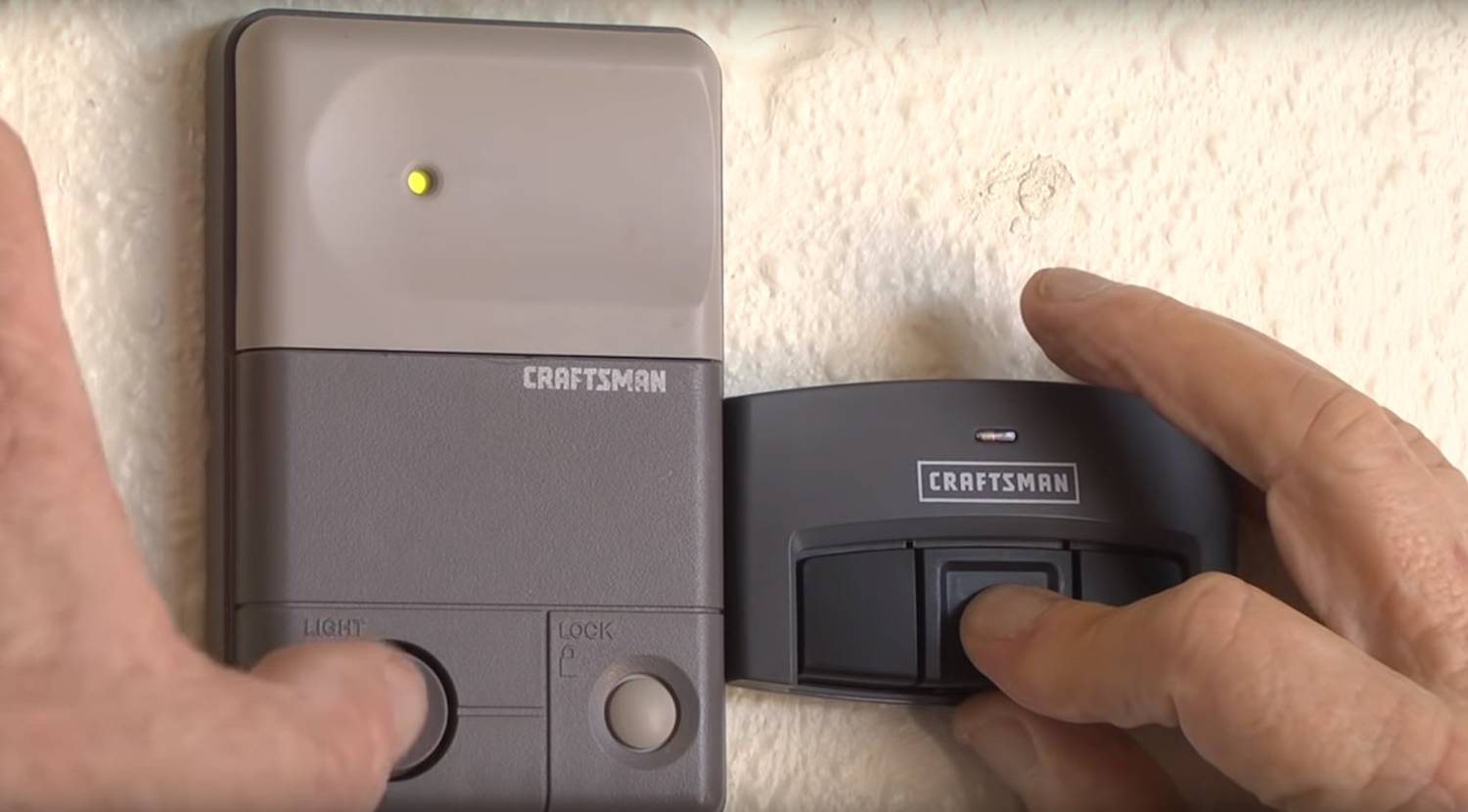
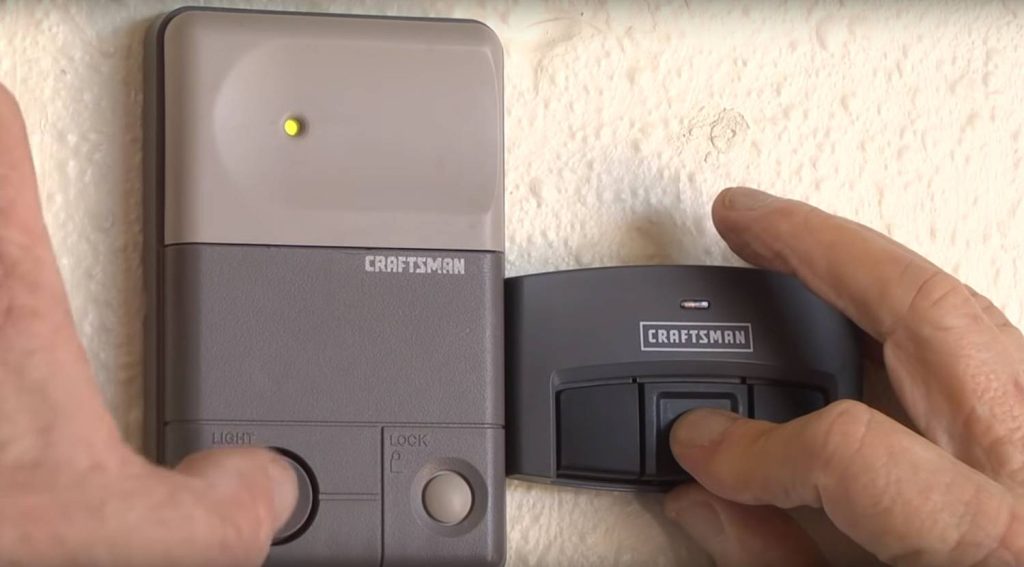
On your universal remote, locate the programming button (often labeled “SET,” “PROG,” or hidden behind a battery compartment slide). Press and hold for 3–5 seconds until the remote’s LED begins flashing slowly. This indicates the remote is ready to receive the opener’s signal.
Step 3: Sync the Remote to the Opener
Within 30 seconds of activating the remote’s programming mode:
- Press the learn button on the Craftsman motor head once (do not hold). The LED should illuminate or blink.
- Immediately press and hold the desired button on your universal remote for 2–3 seconds.
- Release the button when the Craftsman motor unit’s lights flash or you hear two distinct clicks.
This confirms successful pairing. Test the remote immediately from at least 5 feet away to ensure proper range.
Step 4: Program Additional Buttons (If Applicable)
Most universal remotes support multiple doors. Repeat Steps 2–3 for each additional button, ensuring you select a different button on the remote for each door. Do not reuse the same button unless reprogramming the same door.
Troubleshooting Common Programming Failures
Even with perfect execution, issues arise. Here are the top problems and verified solutions:
| Symptom | Likely Cause | Solution |
|---|---|---|
| Remote LED flashes but door doesn’t respond | Frequency mismatch or incompatible tech generation | Verify learn button color matches remote specs; replace remote if needed |
| Door opens/closes intermittently | Weak battery or signal interference | Replace remote battery with fresh CR2032; remove nearby LED bulbs or Wi-Fi routers temporarily |
| Learn button light won’t turn on | Motor unit power issue or burnt-out LED | Check circuit breaker; test wall console functionality; inspect wiring |
| Remote works only within 2 feet | Antenna damage or obstruction | Ensure antenna wire hangs vertically and isn’t touching metal; extend antenna if frayed |
| Previously programmed remotes stop working | Memory cleared during reset | Reprogram all remotes after clearing learn button; limit to 8 total devices per opener |
Safety Note: Never bypass safety sensors to force programming. If your Craftsman opener’s safety beams are misaligned, the door will reverse regardless of remote programming success. Always realign sensors before assuming remote failure.
Maximizing Range and Battery Life After Programming
Successful programming is only half the battle. To ensure long-term reliability:
- Use Lithium Batteries: Alkaline batteries degrade faster in cold garages. Lithium CR2032 cells maintain voltage stability from -20°F to 140°F.
- Avoid Signal Blockers: Metal shelving, HVAC ducts, and fluorescent lights within 3 feet of the motor head can reduce range by up to 50%. Relocate obstructions or add an external antenna extension kit.
- Update Firmware (MyQ Models): If your Craftsman opener supports MyQ, connect it to Wi-Fi and check for firmware updates via the app. Outdated firmware can cause intermittent sync failures with newer universal remotes.
- Test Monthly: Press the remote button once monthly even if unused. This prevents battery corrosion and confirms ongoing functionality before you’re stranded outside.
Frequently Asked Questions (FAQ)
Can I use any universal remote with my Craftsman garage door opener?
No. Universal remotes must match your Craftsman opener’s technology generation (dip switch, Security+, or Security+ 2.0). Check the learn button color and manufacturing date to confirm compatibility before purchasing. Using an incompatible remote will result in permanent programming failure.
Why does my Craftsman opener accept the remote but the door won’t move?
This usually indicates a mechanical or safety sensor issue, not a programming problem. Inspect the photo-eye sensors near the floor for alignment, dirt, or obstruction. Also check for broken springs, damaged rollers, or disconnected trolley chains. The remote may be correctly programmed, but the opener cannot physically operate the door.
How many universal remotes can one Craftsman opener store?
Most Craftsman Security+ and Security+ 2.0 openers support up to 8 remote controls plus 1 wireless keypad. Exceeding this limit causes older devices to be erased from memory. If you need more access points, consider adding a MyQ smart hub for unlimited virtual remotes via smartphone.
Do I need to reprogram my universal remote after changing the opener’s battery?
No. Changing the opener’s backup battery does not affect remote programming. However, replacing the remote’s battery also does not require reprogramming. Reprogramming is only necessary after clearing the learn button, replacing the motor unit, or experiencing signal loss due to interference.
Is it safe to program a universal remote myself, or should I hire a professional?
Programming is safe for DIY if you follow manufacturer instructions and respect safety protocols. However, if your opener lacks functioning safety sensors, shows signs of mechanical wear, or is over 20 years old, consult a certified technician. Attempting to program an unsafe system risks property damage or personal injury.
What if my Craftsman opener has no visible learn button?
Openers manufactured before 1993 typically use dip switches instead of a learn button. Universal remotes designed for rolling code systems will not work. You must either purchase a vintage-compatible dip switch remote or upgrade to a modern Craftsman opener with current safety standards. Upgrading is strongly recommended for security and insurance compliance.
Conclusion
Learning how to program universal remote for Craftsman garage door opener doesn’t require advanced technical skills—just patience, the right tools, and accurate information. By verifying compatibility, following precise synchronization steps, and addressing common pitfalls proactively, you can restore seamless access to your garage in under 15 minutes. Remember, safety always comes before convenience; never compromise on sensor alignment or mechanical integrity to achieve remote functionality.
If this guide helped you solve your programming challenge, please share it with friends, family, or neighbors who might be struggling with their own Craftsman systems. A quick social media share could save someone hours of frustration and keep their home secure. Have questions not covered here? Drop them in the comments below—we read every message and update our guides based on real user feedback. Happy programming!
Leave a Reply