Have you ever worried that someone might have access to your garage because an old remote wasn’t properly deactivated? Or perhaps you just moved into a new home and want to ensure complete privacy and security? Learning how to change the code on Craftsman garage door opener is one of the most effective ways to protect your family and belongings. This guide will walk you through the process clearly and safely, regardless of your technical experience.
Why Changing Your Garage Door Code Matters
Before we dive into the technical steps, it is essential to understand why this task is critical. Your garage door is often the largest entry point to your home. According to security experts, nearly 9% of burglars enter homes through the garage. By regularly updating your access codes, you significantly reduce the risk of unauthorized entry.
Whether you have lost a remote, sold a previous vehicle, or simply want to upgrade your security posture, changing the code is a simple yet powerful step. Modern Craftsman openers use rolling code technology, which changes the access code every time you use the remote. However, the initial programming code (often called the PIN) still needs to be managed by you.
Identifying Your Craftsman Garage Door Opener Model
Not all Craftsman garage door openers are programmed in the same way. The method depends largely on the age and model of your unit. Before starting, locate the motor unit mounted on your garage ceiling. Look for a label that includes the model number and serial number.
Common Craftsman series include:
- Legacy Models (Pre-2011): Often use DIP switches or simple learn buttons.
- Modern Models (2011–Present): Typically feature a “Learn” button located on the back or side of the motor unit. These buttons are usually yellow, red/orange, purple, or green.
Identifying the color of your Learn button is crucial because it determines the specific programming sequence you must follow. If you cannot find the label, consult your original owner’s manual or visit the Craftsman support page for assistance.
Step-by-Step: How to Change the Code on Craftsman Garage Door Opener
For most modern Craftsman openers equipped with a Learn button, follow these precise steps. Ensure you have a ladder safe and stable before attempting to reach the motor unit.
Step 1: Locate the Learn Button
Climb your ladder and find the Learn button on the motor unit. It is typically located near the hanging antenna wire. Note the color of the button, as this may affect timing in later steps.
Step 2: Clear Existing Codes (Optional but Recommended)
If you want to erase all previously programmed remotes and keypads (for example, if you lost a remote), press and hold the Learn button for approximately 6–10 seconds. The indicator light next to the button will turn off. Once it goes out, release the button. All previous codes are now deleted.
Note: If you only want to add a new remote without deleting others, skip this step.
Step 3: Program the New Code
- Press and release the Learn button. The indicator light will illuminate or blink, signaling that the unit is in programming mode. You typically have 30 seconds to complete the next step.
- Within 30 seconds, go to your wireless keypad or remote control.
- Enter your desired new PIN (usually 4 digits) on the keypad. If using a remote, press and hold the main button you wish to program.
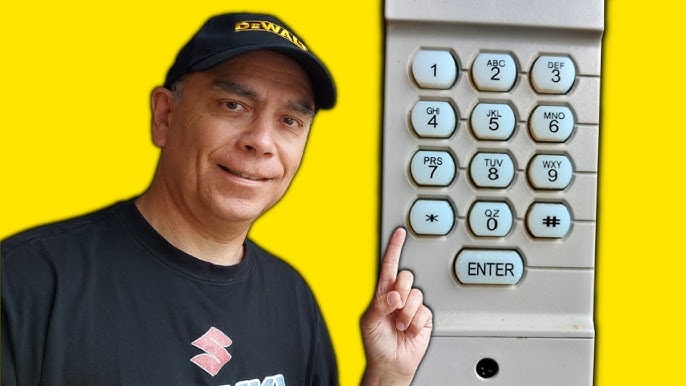
- For keypads: After entering the PIN, press and hold the “Enter” or “Send” button. Release it when the motor unit lights blink or you hear a click.
- For remotes: Hold the button until the motor unit light blinks or clicks.
Step 4: Test the New Code
Wait for the indicator light on the motor unit to stop blinking. Then, test your new code by entering the PIN on the keypad or pressing the remote button. The garage door should activate. If it does not, repeat Steps 3 and 4, ensuring you are within range and acting within the 30-second window.
Troubleshooting Common Programming Issues
Even with careful following of instructions, issues can arise. Here are common problems and their solutions:
| Issue | Possible Cause | Solution |
|---|---|---|
| Door does not respond | Out of range or dead battery | Replace remote batteries; stand closer to the motor unit. |
| Light blinks but door doesn’t move | Safety sensors misaligned | Check the photo-eye sensors near the floor; ensure nothing blocks them. |
| Code not accepted | Wrong procedure for model | Verify if your model uses DIP switches instead of a Learn button. |
| Remote works intermittently | Signal interference | Move away from large metal objects or LED lights that may cause interference. |
If your Craftsman opener uses DIP switches (older models), you must manually match the tiny switches inside the remote to the identical pattern on the motor unit. Use a small screwdriver to adjust them. There are no digital codes to enter in this case; the physical switch position is the code.
Enhancing Security Beyond Code Changes
Changing your code is a great first step, but comprehensive security involves more. Consider these additional measures:
- Disable Wireless Keypad When Not in Use: If you have an external keypad, some models allow you to disable it temporarily during long vacations.
- Use Smart Garage Controllers: Devices like MyQ allow you to monitor and control your garage door via smartphone, providing alerts if the door is left open.
- Regular Maintenance: Lubricate moving parts and inspect cables annually. A well-maintained door is less likely to malfunction and compromise security.
According to the National Crime Prevention Council, simple habits like locking interior garage doors and keeping remotes out of sight in vehicles can deter opportunistic theft.
FAQ Section
1. How often should I change my Craftsman garage door code?
It is recommended to change your code at least once a year, or immediately if you lose a remote, move into a new home, or suspect unauthorized access. Regular updates minimize security risks.
2. Can I change the code without accessing the motor unit?
No. For security reasons, you must physically press the Learn button on the motor unit to initiate programming. This prevents someone from reprogramming your opener remotely from outside your home.
3. What if I don’t know my current PIN?
If you are using a wireless keypad and do not know the existing PIN, you cannot retrieve it. You must clear the memory by holding the Learn button on the motor unit (as described in Step 2) and then program a new PIN from scratch.
4. Does changing the code affect my smartphone app (MyQ)?
If you use a MyQ smart controller, changing the remote code on the motor unit generally does not disconnect the app. However, if you clear all codes (Step 2), you may need to re-sync your smart device by following the MyQ app setup instructions.
5. Why is my Learn button not lighting up?
If the Learn button does not illuminate when pressed, check if the unit has power. Ensure the circuit breaker is on. If power is present, the logic board may be faulty, requiring professional repair or replacement.
6. Can I program multiple remotes with different codes?
Most Craftsman openers allow multiple remotes and keypads to be programmed, but they typically share the same rolling code encryption key. Each device is uniquely recognized by the opener, but you cannot assign distinct PINs to different remotes for the same door unless you have separate opener units.
Conclusion
Learning how to change the code on Craftsman garage door opener is a straightforward process that significantly enhances your home’s security. By following the steps outlined above, you can ensure that only authorized individuals have access to your garage. Remember to identify your model type, use the Learn button correctly, and test your new code thoroughly.
Don’t wait for a security breach to take action. Take five minutes today to update your code and enjoy peace of mind. If you found this guide helpful, please share it with friends and family on social media to help them secure their homes too. Stay safe and keep your garage secure!
Leave a Reply