Introduction
Losing or breaking your garage door remote can be incredibly frustrating, especially when you just want to get your vehicle parked safely. If you are searching for how to program Hyundai Palisade garage door opener without remote, you are likely dealing with a missing transmitter or a new home setup. The good news is that your Palisade’s built-in HomeLink system can often be programmed directly using the motor unit’s learn button, bypassing the need for a handheld remote entirely. This guide will walk you through the process safely and effectively so you can regain seamless access to your garage.
Understanding HomeLink in the Hyundai Palisade
Before diving into the steps, it is crucial to understand what you are working with. The Hyundai Palisade comes equipped with HomeLink, a universal transceiver system integrated into the overhead console or rearview mirror. Unlike traditional remotes that send a signal from a handheld device, HomeLink communicates directly with your garage door opener’s logic board.
According to automotive technology standards, HomeLink is compatible with over 95% of garage door openers sold in the United States. However, the programming method differs significantly depending on whether your opener uses fixed-code (older models) or rolling-code (newer security models) technology. Since you do not have a remote to act as a “bridge,” you must rely on the direct programming method via the garage door motor itself.
Note: Always verify your Palisade’s specific trim level and year, as HomeLink button placement can vary between the 2020–2026 model years. Consult your owner’s manual for the exact location of your HomeLink buttons.
Can You Program HomeLink Without an Existing Remote?
Yes, but with specific conditions. Many users ask this question because they assume a remote is mandatory for the initial handshake. In reality, modern rolling-code openers allow for direct controller programming.
When Direct Programming Works
- Your garage door opener has a functional “Learn” or “Smart” button on the motor head.
- The motor unit is accessible and powered.
- Your HomeLink system is version 4.0 or higher (standard in all Palisade models).
When You Might Still Need a Remote
- Your opener is a legacy fixed-code model manufactured before 1995.
- The “Learn” button on the motor is broken or inaccessible.
- You are programming a gate operator or commercial system with proprietary security protocols.
If your system falls into the latter category, you may need to purchase a generic replacement remote solely for the initial programming step, then discard it. For the vast majority of Palisade owners, however, the direct method below will suffice.
Step-by-Step: How to Program Hyundai Palisade Garage Door Opener Without Remote
Follow these instructions precisely. Safety is paramount—ensure no people, pets, or objects are in the path of the garage door during programming.
Step 1: Clear Previous HomeLink Settings
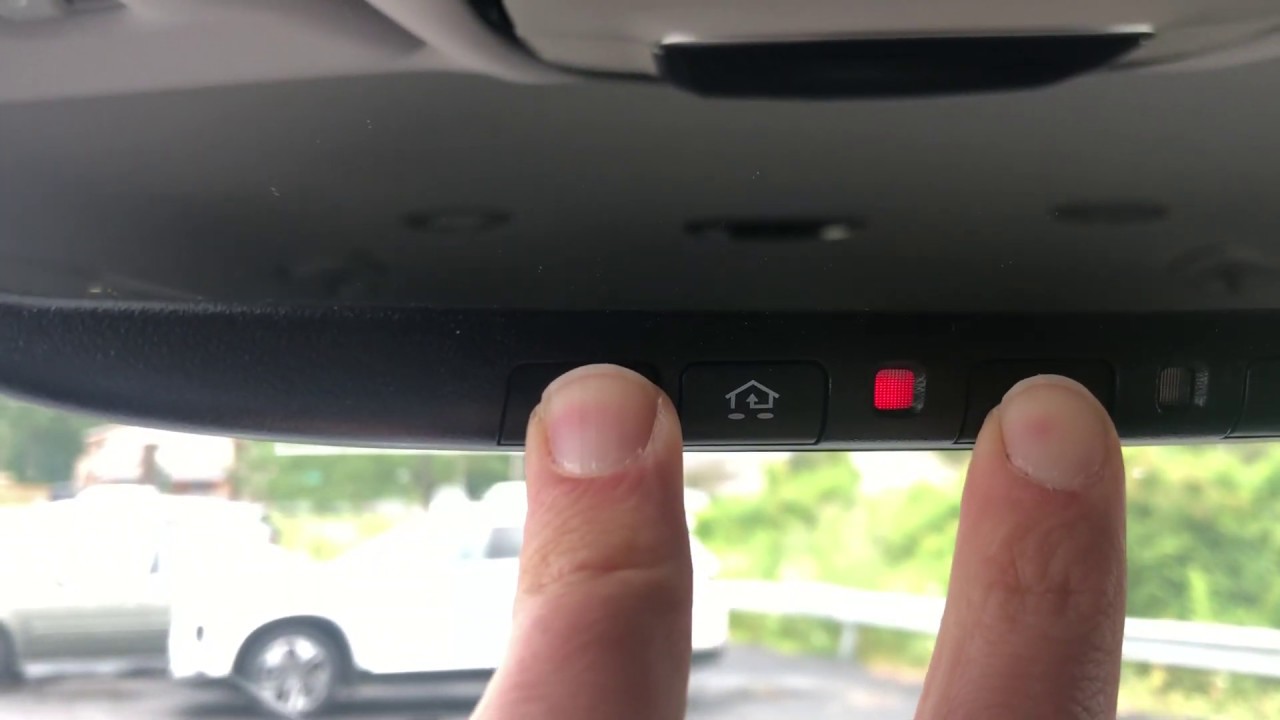
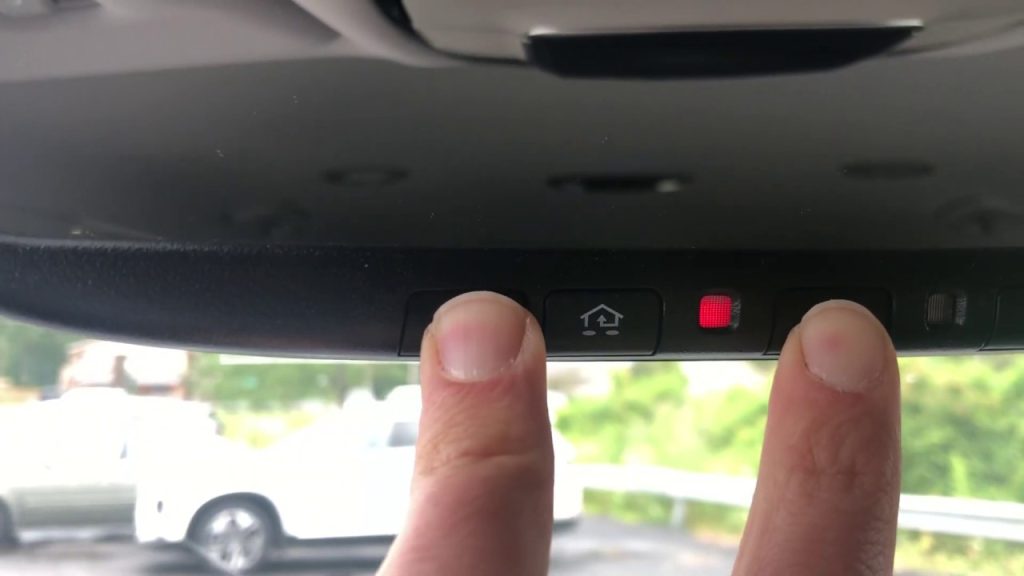
If your Palisade is pre-owned or you have previously attempted programming, start fresh. Press and hold the two outer HomeLink buttons simultaneously for 10–20 seconds until the indicator light flashes rapidly. Release the buttons. This erases all stored codes and prevents signal conflicts.
Step 2: Locate the Learn Button on Your Garage Door Motor
You will need a stepladder to safely reach the garage door opener motor mounted on the ceiling. Look for a button labeled “Learn,” “Smart,” “Program,” or indicated by an LED light. Common colors include yellow, purple, red, orange, or green. The color often indicates the brand and frequency:
| Learn Button Color | Typical Brand Compatibility | Frequency |
|---|---|---|
| Yellow | Chamberlain/LiftMaster (Post-2011) | 315 MHz |
| Purple | Chamberlain/LiftMaster (2006–2014) | 315 MHz |
| Red/Orange | Chamberlain/LiftMaster (1997–2005) | 390 MHz |
| Green | Genie Intellicode | 315/390 MHz |
Step 3: Initiate Learning Mode on the Motor
Press and release the Learn button on the garage door motor. Do not hold it. An LED light near the button should illuminate or begin blinking, indicating the unit is in pairing mode. You typically have 30 seconds to complete the next step before the window closes.
Step 4: Program the HomeLink Button
Return to your Palisade immediately. Choose which of the three HomeLink buttons you wish to assign. Press and hold that button firmly. Watch the indicator light above the button:
- It will flash slowly at first (searching).
- After 2–5 seconds, it will flash rapidly or turn solid (signal received).
- Release the button once the rapid flashing begins.
If the light does not change after 20 seconds, repeat Steps 3 and 4. Timing is critical.
Step 5: Test and Verify Operation
Press the newly programmed HomeLink button once. The garage door should activate. Test it from various distances (10 feet, 25 feet, and outside the garage) to ensure reliable range. If the door operates inconsistently, reprogram following the steps above, ensuring you are within 3 feet of the motor during Step 4.
For additional technical background on how radio-frequency transceivers like HomeLink communicate with garage door systems, refer to the Wikipedia article on Garage Door Openers, which explains the evolution of rolling-code security and frequency standards.
Troubleshooting Common Programming Failures
Even experienced DIYers encounter hiccups. Here are solutions to the most frequent issues:
- Light Flashes But Door Doesn’t Move: The code was received but not fully synced. Repeat Step 3 and 4, holding the HomeLink button for 2 full seconds after the rapid flash begins.
- No Light Response At All: Your HomeLink may require a compatibility bridge (sold separately for certain Canadian/European openers). Check your opener’s manual for HomeLink compatibility listings.
- Works Only When Very Close: Signal interference from LED bulbs in the garage door opener housing is a known issue. Replace any LED bulbs near the motor with RF-shielded garage-door-specific LEDs.
- Previously Worked, Now Fails: Power-cycle the garage door opener by unplugging it for 60 seconds. Electrical surges can corrupt the learned code table.
Frequently Asked Questions (FAQ)
1. Do I need to reprogram HomeLink after changing my car battery?
No. HomeLink memory is stored in non-volatile flash memory and persists through battery disconnection or replacement. You only need to reprogram if you manually clear the settings or replace the garage door opener motor.
2. Can I program multiple garage doors to my Palisade’s HomeLink?
Absolutely. The Hyundai Palisade’s HomeLink system supports up to three separate devices. Each of the three buttons can be independently programmed to different garages, gates, or lighting systems using the same direct-method process described above.
3. Is it safe to program HomeLink without professional help?
Yes, provided you follow safety precautions. Never stand under a moving garage door during testing. Ensure your door’s auto-reverse sensors are functioning correctly before relying on HomeLink. If your opener lacks photo-eye sensors (pre-1993 models), upgrade the opener before programming any universal transmitter.
4. Why does my Palisade HomeLink work intermittently?
Intermittent operation is usually caused by RF interference or weak signal alignment. First, replace LED bulbs in the opener housing with shielded alternatives. Second, adjust the angle of your rearview mirror slightly during programming, as HomeLink antennas are directional. Third, ensure your garage door opener’s antenna wire is hanging vertically and not coiled or touching metal surfaces.
5. What if my garage door opener doesn’t have a Learn button?
Openers without a Learn button typically use DIP switches (fixed-code). These cannot be programmed via the direct method without a remote. You will need to purchase a compatible replacement remote to serve as a programming intermediary, or consider upgrading to a modern rolling-code opener for improved security and HomeLink compatibility.
6. Does programming HomeLink void my Hyundai warranty?
No. HomeLink is an OEM-installed feature designed for user programming. Following the manufacturer’s instructions does not affect your vehicle’s warranty coverage. However, damage caused by improper installation of aftermarket accessories or electrical modifications unrelated to HomeLink would not be covered.
Conclusion
Learning how to program Hyundai Palisade garage door opener without remote empowers you to maintain convenient, secure access to your home without dependency on easily lost handheld transmitters. By leveraging the direct Learn-button method, clearing old codes properly, and understanding your opener’s technology type, you can achieve reliable HomeLink integration in under 10 minutes. Remember to prioritize safety, test thoroughly, and address interference issues proactively for consistent performance.
Found this guide helpful? Share it with fellow Palisade owners on Facebook, Reddit, or Hyundai forums who might be struggling with the same issue. Your share could save someone hours of frustration! Have questions or unique troubleshooting tips? Drop them in the comments below—we’d love to hear from our community of DIY enthusiasts.
Leave a Reply