There is nothing quite as frustrating as standing in your driveway, pressing the remote button, and watching your garage door remain stubbornly closed. Whether you have lost a remote, bought a used home, or simply experienced a signal glitch, knowing how do I reprogram my Genie garage door opener is an essential skill for any homeowner. The good news is that you do not need to be a technical expert to fix this. With a few minutes and this straightforward guide, you can restore seamless access to your garage and peace of mind to your daily routine.
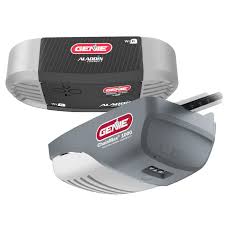
Understanding Your Genie Model: Why It Matters
Before diving into the buttons, it is crucial to identify which type of Genie opener you own. Genie has produced several generations of openers, and the programming method varies significantly between them. The two most common technologies are Intellicode (rolling code technology) and older Dip Switch systems.
Most modern Genie openers manufactured after 1997 use Intellicode technology. This system changes the access code every time you use the remote, providing enhanced security against code grabbing. If your remote has a “Learn” button on the motor head unit, you likely have an Intellicode model. Older models may rely on physical switches inside the remote and the motor unit that must match perfectly.
Identifying your model ensures you follow the correct procedure, saving you time and preventing frustration. Check the label on the back of your remote or the side of the motor unit for model numbers like GICTD-1, GITR-3, or ISD990.
Step-by-Step: How to Reprogram Genie Intellicode Remotes
For the majority of US homeowners, the Intellicode system is the standard. Here is the precise method to sync your remote with the opener.
Step 1: Locate the Learn Button
Climb a sturdy ladder to access the motor unit mounted on your garage ceiling. Look for a small button labeled “Learn” or “Program.” It is typically located near the antenna wire hanging from the unit. The button is often round and may be purple, red, orange, or green, depending on the model year.
Step 2: Clear the Memory (Optional but Recommended)
If you are reprogramming due to security concerns or persistent glitches, it is wise to clear the old codes first.
- Press and hold the Learn button for approximately 10 seconds.
- Release the button when the indicator light next to it turns off.
- This action erases all previously programmed remotes and keypads. You will need to reprogram all devices afterward.
Step 3: Initiate Programming Mode
Press the Learn button once briefly. The indicator light will illuminate or begin to blink, signaling that the opener is ready to receive a new code. You typically have 30 seconds to complete the next step.
Step 4: Sync the Remote
Within 30 seconds of pressing the Learn button:
- Take your handheld remote.
- Press and release the main button you wish to program (usually the large button).
- The indicator light on the motor unit should flash or turn off, confirming the code has been accepted.
Step 5: Test the Connection
Stand clear of the door and press the remote button again. The door should activate immediately. If it does not, repeat the process, ensuring you are within range and the remote batteries are fresh.
Programming a Wireless Keypad
Many homeowners also use a wireless keypad for entry without a remote. The process is similar but requires an additional PIN setup.
- Press the Learn button on the motor unit. The light will activate.
- Within 30 seconds, enter your desired 4-digit PIN on the keypad.
- Immediately press the Enter or Send button on the keypad.
- The motor unit light will flash, confirming the sync.
- Test the PIN by entering it again and pressing Enter.
Pro Tip: Choose a PIN that is easy for you to remember but difficult for others to guess. Avoid using your house number or birth year.
Troubleshooting Common Issues
Even with careful following of instructions, things can go wrong. Here are the most common hurdles and how to overcome them.
| Issue | Possible Cause | Solution |
|---|---|---|
| Remote Not Responding | Dead Batteries | Replace with fresh alkaline batteries. Ensure polarity is correct. |
| Light Flashes But Door Doesn’t Move | Safety Sensor Misalignment | Check the sensors near the floor. Ensure the LED lights are solid, not blinking. |
| Learn Button Light Won’t Turn On | Power Issue | Check if the opener is plugged in and the circuit breaker hasn’t tripped. |
| Code Not Accepted | Interference | Unplug nearby electronics that may cause signal interference. Try again. |
If you continue to experience issues, consult the Genie Company official support page for model-specific manuals. For broader technical definitions of radio frequency interference in garage systems, you can refer to general engineering resources on Wikipedia.
Old School: Reprogramming Dip Switch Models
If your Genie opener is an older model (pre-1997), it likely uses dip switches. These are tiny switches inside the remote and the motor unit that must be set to the exact same pattern.
- Open the Remote: Use a small screwdriver to open the battery compartment of your remote. You will see a row of 8–12 tiny switches.
- Match the Pattern: Open the cover on the motor unit where the dip switches are located.
- Align Switches: Ensure every switch in the remote is in the exact same position (Up or Down) as the corresponding switch in the motor unit.
- Close and Test: Close both covers securely and test the remote. No “Learn” button is required for these models; the physical alignment is the code.
Maintaining Your Genie Opener for Longevity
Reprogramming is often a symptom of underlying maintenance needs. To prevent future connectivity issues, consider these best practices:
- Battery Health: Replace remote batteries annually, even if they seem to work. Weak batteries can cause intermittent signal failures.
- Sensor Cleaning: Wipe the safety eye sensors with a soft cloth monthly. Dust and spider webs can block the beam, preventing operation.
- Lubrication: Apply a silicone-based lubricant to the chain or screw drive twice a year. Avoid WD-40, as it can attract dirt and gum up the mechanism.
- Antenna Check: Ensure the hanging antenna wire on the motor unit is not tangled or broken. It acts as the receiver for your remote signals.
FAQ Section
1. How do I know if my Genie remote is Intellicode or Dip Switch?
Check the remote casing. If it has a smooth exterior with no visible switches inside the battery compartment, it is likely Intellicode. If you see tiny toggle switches inside, it is a Dip Switch model. Additionally, Intellicode remotes usually have a “Learn” button on the motor unit, while Dip Switch models do not.
2. Can I reprogram a used Genie remote I bought online?
Yes, but only if it is compatible with your model. Intellicode remotes can be cleared and reprogrammed to any Genie Intellicode opener. However, ensure the frequency matches (usually 315 MHz or 390 MHz). Dip switch remotes must physically match the number of switches on your motor unit.
3. Why does my garage door reverse immediately after closing?
This is rarely a programming issue. It is usually caused by misaligned safety sensors. Check the sensors near the floor on both sides of the door. If the LED light is blinking or off, realign them so they face each other directly. Obstructions in the door’s path can also trigger this safety feature.
4. How many remotes can I program to one Genie opener?
Most modern Genie Intellicode openers can store up to 7–10 different remote controls and keypads. However, check your specific model’s manual for the exact limit. If you reach the limit, you must clear the memory and reprogram all devices.
5. What should I do if the Learn button is not working?
If the Learn button does not light up, the motor unit may not be receiving power. Check the outlet and circuit breaker. If the power is on but the button is unresponsive, the logic board inside the opener may be faulty, requiring professional repair or replacement.
6. Is it safe to reprogram the opener myself?
Yes, reprogramming is a safe, low-voltage task that does not involve handling the high-tension springs or heavy mechanical parts of the door. As long as you use a stable ladder and follow the instructions, there is minimal risk involved.
Conclusion
Learning how do I reprogram my Genie garage door opener empowers you to handle common access issues without waiting for a technician. Whether you have a modern Intellicode system or an older dip-switch model, the process is straightforward when you follow the correct steps. By keeping your batteries fresh, sensors clean, and understanding your specific model, you ensure reliable operation for years to come.
Don’t let a malfunctioning remote disrupt your day. Take control of your home security and convenience. If you found this guide helpful, please share it with friends or family who might be struggling with their garage doors. A quick share on social media could save someone else from standing out in the rain!
Leave a Reply