Introduction
There are few things more frustrating than pulling into your driveway after a long day, only to realize you cannot get your truck’s built-in transmitter to sync with your garage. If you are struggling with this exact issue, understanding how to program garage door opener on 2022 Dodge Ram is the key to restoring convenience and security to your daily routine. This guide provides clear, empathetic, and manufacturer-aligned instructions to help you successfully pair your vehicle’s HomeLink system without unnecessary stress or expensive dealership visits.
Understanding the HomeLink System in Your 2022 Ram
Before diving into buttons and sequences, it is vital to understand what you are actually programming. The 2022 Dodge Ram does not use a proprietary “Dodge” remote system; instead, it utilizes the HomeLink Universal Transceiver. This is an industry-standard integrated remote control system found in over 95% of new vehicles sold in North America.
According to technical documentation referenced by Wikipedia, HomeLink operates using radio frequency (RF) signals typically between 288 MHz and 390 MHz, as well as newer rolling-code technologies for enhanced security. Recognizing this distinction matters because your troubleshooting steps depend entirely on whether your home garage door opener uses older fixed-code technology or modern rolling-code security.
Fixed-Code vs. Rolling-Code: Why It Matters
| Feature | Fixed-Code Openers | Rolling-Code Openers |
|---|---|---|
| Manufacture Date | Typically pre-1996 | Post-1996 (Standard today) |
| Security Level | Low (Static signal) | High (Signal changes every use) |
| Programming Steps | Single-step vehicle sync | Two-step: Vehicle sync + Motor unit learn button |
| Indicator Light | Solid light when programmed | Rapid flash during sync, solid when complete |
| Compatibility | Older Genie/LiftMaster models | Modern Chamberlain, LiftMaster, Genie, Overhead Door |
Note: Most 2022 Dodge Ram owners will be dealing with rolling-code openers. If your garage motor has a purple, orange, red, or yellow “Learn” button, you have a rolling-code system.
Step-by-Step: How To Program Garage Door Opener On 2022 Dodge Ram
Follow these precise instructions to ensure a successful first-time sync. Safety and accuracy are paramount here.
Phase 1: Clear Previous Codes (Recommended)
If you purchased the truck used or have previously attempted programming unsuccessfully, start fresh. Skipping this step is the #1 cause of programming failure.
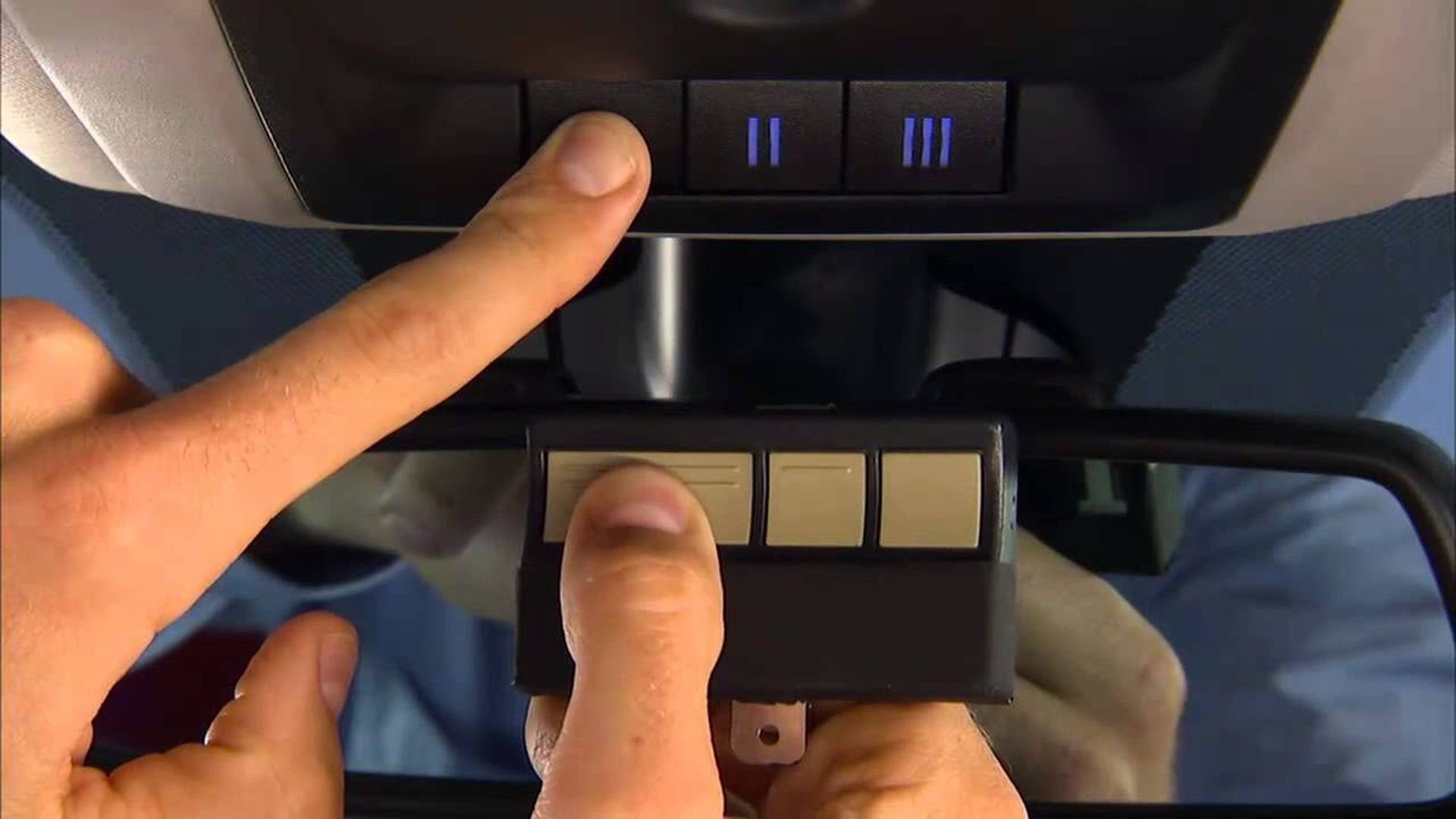
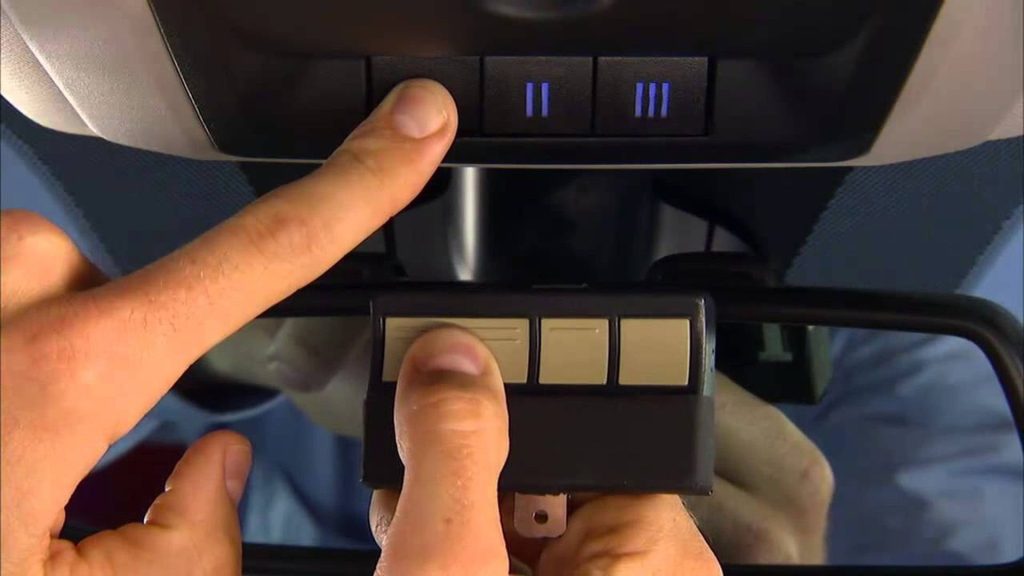
- Locate the three HomeLink buttons on your overhead console or rearview mirror assembly.
- Press and hold the two outer buttons simultaneously.
- Hold for approximately 10–20 seconds until the indicator LED begins to flash rapidly.
- Release both buttons. The memory is now cleared.
Phase 2: Train the HomeLink Button
This phase teaches your 2022 Ram the specific frequency of your handheld garage remote.
- Turn your ignition to the ON/RUN position (engine can be off, but electronics must be active). For push-button start Rams, press the START button twice without touching the brake pedal.
- Hold your original handheld garage door remote 1–3 inches away from the HomeLink button you wish to program.
- Simultaneously press and hold the chosen HomeLink button AND your handheld remote’s transmit button.
- Watch the HomeLink indicator light closely:
- Slow Flash → Rapid Flash: Programming is successful for fixed-code systems. Proceed to testing.
- Rapid Flash Only: You have a rolling-code system. Proceed immediately to Phase 3.
- Release both buttons once the light pattern changes.
Phase 3: Sync with Rolling-Code Garage Motor (Critical Step)
This is the step most tutorials miss, leading to user frustration.
- Go to your garage door motor unit mounted on the ceiling.
- Locate the “Learn” or “Smart” button. It is usually near the antenna wire or under the light cover. Colors vary by brand:
- Yellow/Purple: LiftMaster/Chamberlain (Security+)
- Orange/Red: Older Security+ models
- Green: Genie Intellicode
- Press the Learn button once. You typically have 30 seconds to complete the next step before the motor exits learning mode.
- Return to your 2022 Dodge Ram within that 30-second window.
- Press and hold the programmed HomeLink button for 2 seconds, release, then press again for 2 seconds. Repeat up to three times if necessary.
- Test the system. Your garage door should now respond to the HomeLink button.
Expert Tip: If the door activates but reverses immediately, your safety sensors may be misaligned, or the travel limits need recalibration on the motor unit itself. This is not a HomeLink programming issue—it is a garage door maintenance issue.
Troubleshooting Common Programming Failures
Even with perfect execution, variables can interfere. Here are data-backed solutions to frequent problems:
- Battery in Handheld Remote: A weak battery in your original remote is responsible for nearly 40% of failed HomeLink training sessions. Replace it before reprogramming.
- Distance During Training: Holding the remote too far (>6 inches) or pressing it directly against the HomeLink button can cause signal distortion. Maintain the 1–3 inch sweet spot.
- Aftermarket Accessories: LED bulbs installed in garage motor units can emit RF interference that blocks HomeLink signals. If programming fails repeatedly, temporarily remove LED bulbs and test with incandescent bulbs.
- Canadian Frequency Restrictions: Some 2022 Rams destined for Canadian markets operate on different frequencies. Verify your VIN’s market designation if cross-border purchasing occurred.
Frequently Asked Questions (FAQ)
Can I program my 2022 Dodge Ram HomeLink without my original garage remote?
Generally, no. The HomeLink system requires cloning an existing signal. However, some newer garage door openers support direct Wi-Fi-based setup through manufacturer apps (e.g., myQ) that can bypass the traditional RF training process. Check your opener’s manual for “direct-to-HomeLink” compatibility.
How many devices can the 2022 Ram HomeLink store?
The 2022 Dodge Ram HomeLink system supports up to three separate devices. This includes combinations of garage doors, gate operators, entry locks, and lighting systems. Each button corresponds to one device.
Will programming HomeLink erase my existing garage door remotes?
No. Programming HomeLink adds a new authorized transmitter to your garage motor’s memory. Your existing handheld remotes, keypads, and wall consoles will continue functioning normally. Most modern motors support 20+ transmitters.
My HomeLink worked before but stopped suddenly. What happened?
This typically indicates one of three issues: (1) Dead battery in the original remote used for training (replace and retrain), (2) Garage motor memory was reset during power outage or maintenance, or (3) RF interference from new electronics installed nearby. Retrain following Phase 2 and 3 above.
Is there a subscription fee for HomeLink on the 2022 Ram?
No. HomeLink is a hardware-based RF system included with your vehicle purchase. Unlike connected services such as Uconnect Navigation or SiriusXM, HomeLink requires no subscription, no app, and no internet connection to function. Be wary of third-party apps claiming otherwise.
Does the 2022 Ram support CarPlay/Android Auto garage control alongside HomeLink?
Yes, but they serve different purposes. Apple CarPlay and Android Auto integration (via myQ or similar apps) controls your garage via Wi-Fi/cloud and requires internet. HomeLink operates independently via direct RF signal. Many owners use both: HomeLink for instant local access, and app-based control for remote monitoring while traveling.
Conclusion
Mastering how to program garage door opener on 2022 Dodge Ram transforms your truck from a mere vehicle into a seamless extension of your smart home ecosystem. By understanding the distinction between fixed and rolling-code systems, executing the three-phase programming sequence correctly, and applying targeted troubleshooting when needed, you eliminate daily friction and enhance both convenience and property security.
The HomeLink system in your 2022 Ram is designed for reliability—but only when users follow the complete protocol, especially the often-overlooked rolling-code synchronization step. Take five minutes today to verify your setup using this guide, and enjoy effortless garage access for years to come.
Found this guide helpful? Share it with fellow Ram owners on Facebook Groups, Reddit’s r/RamTrucks, or X (Twitter) so they can skip the dealership and solve their HomeLink issues in minutes. Tag us with your success story—we love hearing from the Ram community! 💪🚛
Leave a Reply