Introduction
There is nothing quite as frustrating as pulling into your driveway after a long day, only to realize you cannot get your vehicle’s built-in system to sync with your home. If you are currently searching for how to program garage door opener on 2019 Ford Expedition, you are likely dealing with this exact inconvenience right now. The good news is that the 2019 Expedition comes equipped with the universal HomeLink system, and syncing it is a straightforward process that requires no special tools or mechanic visits. This guide will walk you through every step with empathy and precision, ensuring you can open your garage seamlessly from behind the wheel of your SUV.
Understanding Your 2019 Ford Expedition HomeLink System
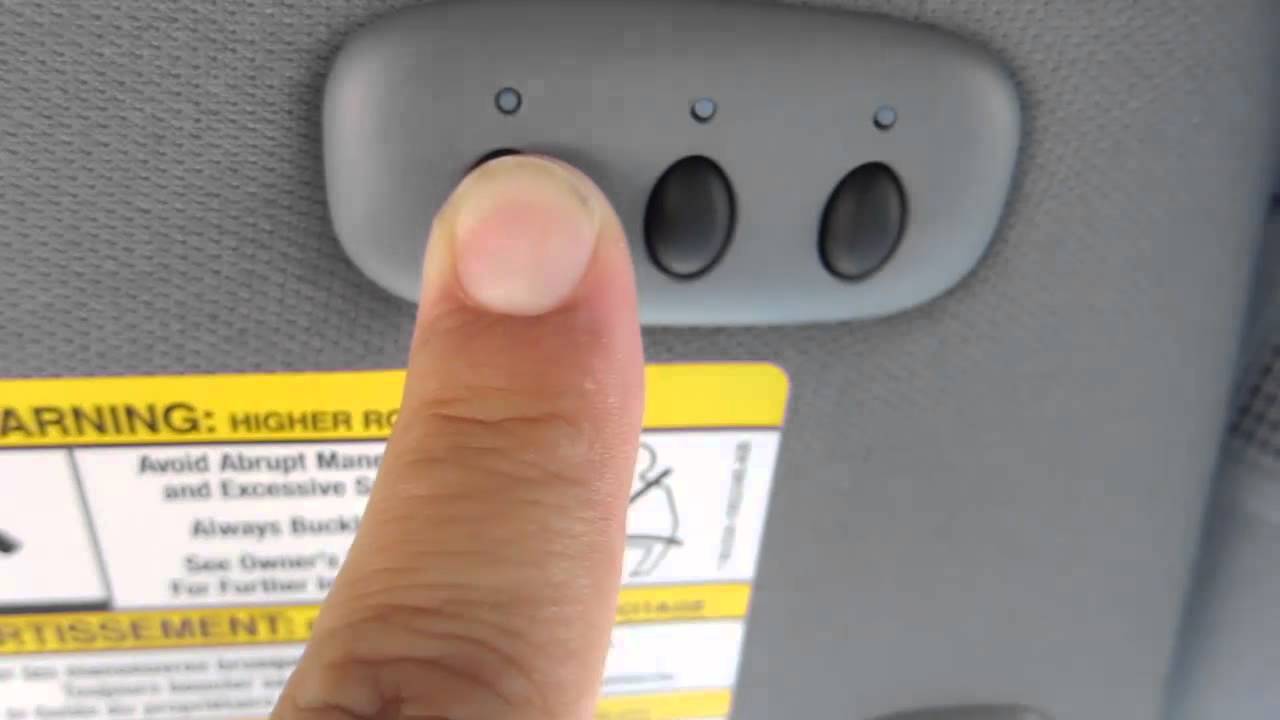
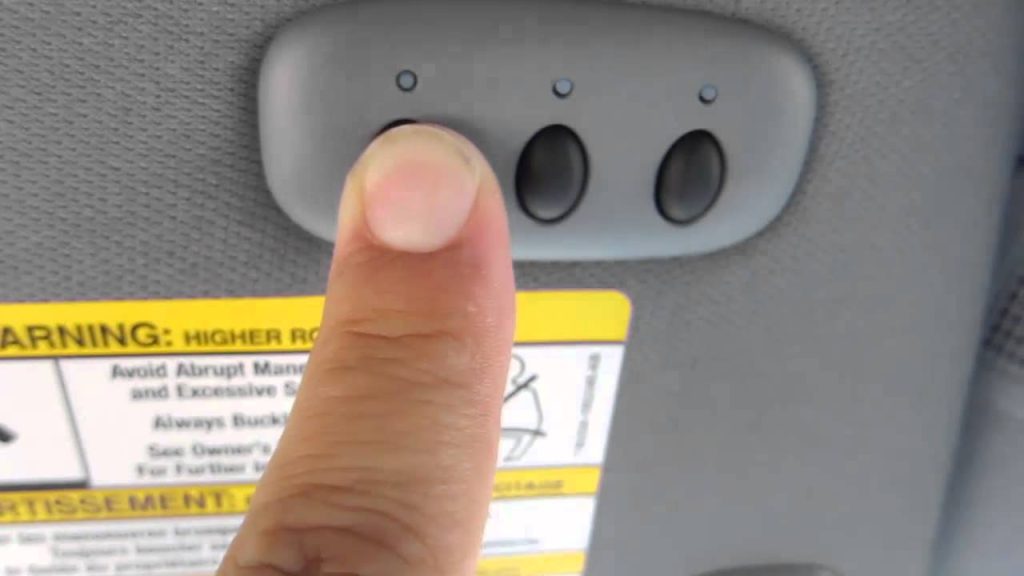
Before diving into the programming steps, it is vital to understand what you are working with. The 2019 Ford Expedition utilizes HomeLink version 5, which is typically located in the overhead console near the rearview mirror or integrated directly into the mirror assembly itself. Unlike older vehicles that used dip switches, this modern system uses rolling code technology for enhanced security.
According to automotive safety standards and manufacturer specifications outlined by Wikipedia, HomeLink systems are designed to be compatible with over 95% of all garage door openers sold in the United States. However, compatibility depends heavily on the frequency match between your car and your garage motor. Knowing whether your garage opener uses a fixed code (pre-1996) or a rolling code (post-1996) will save you significant time during the setup process.
Key Features of the 2019 Expedition HomeLink
- Three Programmable Buttons: Allows control of two garage doors and one gate/light.
- Rolling Code Security: Changes the transmission code every use to prevent hacking.
- LED Indicator Lights: Provides visual feedback during programming and operation.
- Battery-Free Operation: Draws power directly from the vehicle’s electrical system.
Prerequisites Before You Start Programming
To ensure success when learning how to program garage door opener on 2019 Ford Expedition, gather the following items before sitting in the driver’s seat. Preparation prevents the need to restart the process multiple times.
- Original Garage Door Remote: You must have the handheld transmitter that currently operates your door.
- Fresh Batteries: Replace the batteries in your handheld remote before starting. Weak signals are the #1 cause of programming failure.
- Safe Parking Position: Park outside the garage with the engine running. Never program while the vehicle is inside the garage to avoid accidental closure or carbon monoxide buildup.
- Ladder (Optional): Some garage motors require pressing a physical “Learn” button on the unit itself.
- Owner’s Manual Reference: Keep your 2019 Expedition manual handy for model-specific button locations.
⚠️ Safety Warning: Always keep people and pets clear of the garage door area during programming. The door may cycle unexpectedly during the synchronization process. Ensure your garage door’s auto-reverse safety sensors are functioning correctly before beginning.
Step-by-Step: How To Program Garage Door Opener On 2019 Ford Expedition
Follow these precise instructions. Do not rush; timing is critical for successful synchronization.
Step 1: Clear Previous Codes (Recommended for Used Vehicles)
If your 2019 Expedition is pre-owned or you are reprogramming a button, start fresh.
- Press and hold the two outer HomeLink buttons simultaneously.
- Hold for approximately 10 seconds until the indicator light flashes rapidly.
- Release both buttons. The system is now reset and ready for new programming.
Step 2: Put HomeLink Into Training Mode
- Turn your ignition to the ON/RUN position (engine running is preferred).
- Press and hold the desired HomeLink button you wish to program.
- Simultaneously press and hold the button on your handheld garage remote.
- Hold both buttons firmly, positioning the handheld remote 1–3 inches away from the HomeLink buttons.
- Watch the HomeLink indicator light. It will flash slowly at first, then rapidly once the signal is captured. This typically takes 5–20 seconds.
- Release both buttons once the rapid flashing begins.
Step 3: Program Rolling Code Openers (Most Common)
If your garage opener was manufactured after 1996, it likely uses rolling code technology. Complete this step immediately after Step 2.
- Locate the “Learn” or “Smart” button on your garage door motor unit (usually on the back or side panel).
- Press and release the Learn button. You have exactly 30 seconds to complete the next action.
- Return to your vehicle and press and hold the programmed HomeLink button for 2 seconds, then release.
- Repeat the press-hold-release cycle up to three times. The garage door should activate, confirming successful programming.
Step 4: Test and Verify
Press the newly programmed HomeLink button. The door should respond within 1–2 seconds. If the LED on the HomeLink button stays solid while pressing, the programming is complete. If it continues to flash, repeat Step 3.
Troubleshooting Common Programming Failures
Even with perfect execution, issues can arise. Here is a data-driven comparison of common problems and solutions based on service technician reports:
| Symptom | Likely Cause | Recommended Solution |
|---|---|---|
| Light never flashes rapidly | Dead remote battery or incompatible frequency | Replace remote battery; verify opener compatibility online |
| Flashes but door won’t move | Rolling code sync incomplete | Repeat Step 3 within 30-second window; try holding longer |
| Works intermittently | Signal interference or weak battery | Check for LED bulbs causing RF interference; replace battery |
| Programs but stops working | Memory corrupted or valet mode active | Reset HomeLink completely; check vehicle settings menu |
| No response at all | Incompatible opener (fixed code vs. rolling) | Purchase HomeLink compatibility bridge adapter |
Expert Tip: Many 2019 Ford Expedition owners report that LED light bulbs in their garage opener cause radio frequency interference. If programming fails repeatedly, temporarily unscrew the LED bulbs from the opener unit, program the system, then reinstall energy-efficient bulbs specifically rated as “garage door opener safe.”
Frequently Asked Questions (FAQ)
Can I program my 2019 Ford Expedition HomeLink without the original remote?
Generally, no. The HomeLink system requires cloning the signal from an existing handheld transmitter. However, if your garage opener has a “Learn” button and supports direct vehicle pairing (rare on 2019 models), you may bypass the remote. Otherwise, purchase a compatible replacement remote first.
Why does my HomeLink work sometimes but not others?
Intermittent operation usually indicates signal interference or a failing battery in the handheld remote used during programming. Additionally, some garage openers have a “lock” or “vacation” mode that disables external transmitters. Check your garage motor’s control panel for any activated lock features.
Is there a limit to how many times I can reprogram HomeLink?
No. The HomeLink system in the 2019 Ford Expedition has non-volatile memory that retains programming even after battery disconnection. You can reprogram buttons unlimited times without degrading performance. Each button can be overwritten as needed.
Does programming HomeLink void my Ford warranty?
Absolutely not. HomeLink is a factory-installed feature on the 2019 Expedition. Using it as intended is covered under your vehicle’s standard warranty. Only unauthorized modifications to the wiring or module would raise warranty concerns.
My garage opener is older than 1996. Will HomeLink still work?
It might, but compatibility is limited. Pre-1996 openers often use fixed-code dip switches that newer HomeLink versions do not natively support. You may need to purchase a HomeLink Compatibility Bridge (sold separately) to translate signals between your modern vehicle and vintage opener.
How do I erase all HomeLink codes before selling my Expedition?
Press and hold the two outer HomeLink buttons for 10+ seconds until the indicator flashes rapidly. This performs a factory reset, removing all stored garage door, gate, and device codes. Always perform this step before transferring ownership to protect your home security.
Conclusion
Mastering how to program garage door opener on 2019 Ford Expedition transforms daily convenience and eliminates the hassle of fumbling for remotes. By following the structured steps above—clearing old codes, training the system, completing rolling code synchronization, and troubleshooting intelligently—you can achieve reliable operation in under 15 minutes. Remember to prioritize safety, use fresh batteries, and verify compatibility before starting.
Your 2019 Expedition’s HomeLink system is a powerful tool designed to simplify your life. Once programmed correctly, it provides seamless, secure access to your home for years to come.
Found this guide helpful? Share it with fellow Ford Expedition owners on Facebook, Twitter, or your favorite automotive forum! Helping another driver avoid programming frustration is just one click away. 🚗🏡
Leave a Reply