Introduction
There are few things more frustrating than pulling into your driveway after a long day, only to realize you cannot get your new truck’s built-in system to communicate with your home’s gate or garage. If you are struggling to sync your vehicle, understanding how to program garage door opener in 2020 Chevy Silverado is the essential first step toward seamless daily convenience. This guide provides empathetic, expert-backed instructions to help you bypass the confusion and get your HomeLink system working perfectly on the very first try.
Understanding the HomeLink System in Your 2020 Silverado
Before diving into buttons and sequences, it is vital to understand what you are actually programming. The 2020 Chevrolet Silverado does not use a proprietary “Chevy” remote system; instead, it utilizes the HomeLink Universal Transceiver. This is an industry-standard integrated remote control system found in over 85% of new vehicles sold in North America.
According to technical documentation referenced on Wikipedia, HomeLink operates using radio frequency (RF) signals typically between 288 MHz and 390 MHz, as well as rolling-code technology for security. Understanding this distinction is crucial because your 2020 Silverado is essentially learning the signal of your existing handheld remote, rather than being programmed directly to the garage door motor itself.
Why Compatibility Matters
Not all garage door openers are created equal. Before starting, verify your opener’s age:
- Openers manufactured after 1996: Typically use rolling-code technology and are fully compatible with the 2020 Silverado’s HomeLink.
- Openers manufactured before 1996: May require a separate compatibility bridge or receiver upgrade.
- Canadian Owners: Note that some older Canadian models may have different frequency regulations requiring specific adapters.
Step-by-Step: How to Program Garage Door Opener in 2020 Chevy Silverado
This tutorial assumes you have a functioning handheld transmitter for your garage door. Ensure your vehicle is parked outside the garage during programming to prevent accidental door movement.
Phase 1: Clearing Previous Codes (Recommended)
Even if your Silverado is new to you, previous owners or dealership demos may have stored codes. Starting fresh prevents signal conflicts.
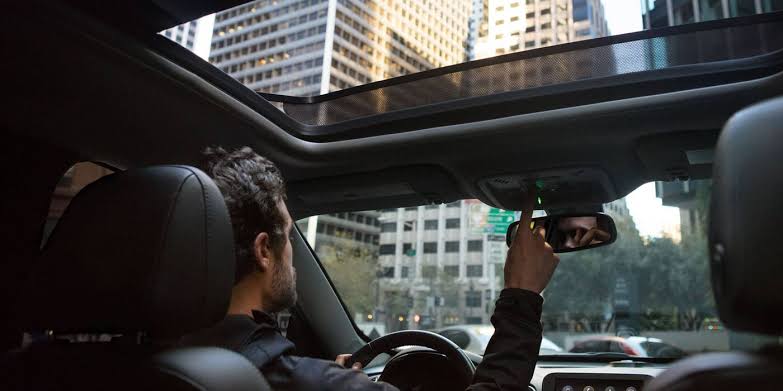
- Locate the HomeLink buttons in your overhead console or rearview mirror assembly.
- Press and hold the two outer HomeLink buttons simultaneously.
- Hold for approximately 10 seconds until the indicator light changes from solid amber to flashing green.
- Release both buttons. Your system is now factory-reset and ready for new programming.
Phase 2: Training the HomeLink Button
This is the core process for syncing your 2020 Silverado.
- Turn your ignition to ACC/ACCESSORY mode (engine off, electronics on). Do not start the engine to avoid exhaust buildup.
- Hold your original handheld garage door remote 1–3 inches away from the HomeLink button you wish to program.
- Simultaneously press and hold both the handheld remote button AND the chosen HomeLink button.
- Watch the HomeLink indicator light closely:
- Slow Flash: Still learning the signal. Keep holding.
- Rapid Flash/Green Solid: Signal successfully captured. This typically takes 5–20 seconds.
- Release both buttons once the rapid flash appears.
Phase 3: Testing and Rolling Code Synchronization
For modern openers (post-1996), the initial capture often requires a secondary “handshake” at the garage door motor unit.
- Go to your garage door opener motor head.
- Locate the “Learn” or “Smart” button (usually near the antenna wire or light lens). Colors vary: yellow, purple, orange, or red.
- Press the Learn button briefly. You usually have 30 seconds to complete the next step.
- Return to your Silverado and press the newly programmed HomeLink button three times, holding each press for 2 seconds.
- Test the system. The door should activate reliably.
Expert Tip: If the indicator light flashes rapidly but the door does not respond, your opener likely uses rolling-code encryption. Repeat Phase 3 precisely within the 30-second window after pressing the motor’s Learn button. Timing is everything here.
Troubleshooting Common Programming Failures
Even professionals encounter hiccups. Use this diagnostic table before assuming hardware failure.
| Symptom | Likely Cause | Recommended Solution |
|---|---|---|
| Light never flashes rapidly | Weak battery in handheld remote | Replace CR2032/coin cell battery before retrying |
| Programs but won’t open door | Rolling code not synced | Re-do Phase 3; ensure Learn button press is firm |
| Works intermittently | RF interference or range issue | Reposition handheld remote during training; check for LED bulb interference |
| Indicator stays solid amber | Memory full or system error | Perform full factory reset (Phase 1) and restart |
| No response at all | Frequency incompatibility | Verify opener frequency matches HomeLink specs |
The LED Bulb Interference Factor
A frequently overlooked issue in 2020-era trucks involves LED garage lighting. Cheap or non-shielded LED bulbs can emit RF noise that drowns out HomeLink signals. If programming succeeds but operation is unreliable, temporarily unscrew LED bulbs and test with incandescent bulbs. If performance improves, replace LEDs with FCC-compliant, garage-door-opener-safe models.
Safety Considerations and Best Practices
Programming convenience should never compromise safety. The National Association of Home Builders emphasizes regular safety sensor verification alongside any remote programming.
- Never program inside a closed garage. Carbon monoxide accumulation occurs faster than most drivers realize.
- Verify auto-reverse function monthly. Place a 2×4 board flat on the floor under the door path. The door must reverse upon contact.
- Keep handheld remotes secure. Even after programming HomeLink, your original remote remains a functional access point. Treat it like a house key.
- Update firmware when applicable. Some 2020 Silverados received OTA updates improving HomeLink compatibility. Check your MyChevrolet app or dealer service bulletins.
Frequently Asked Questions (FAQ)
Can I program my 2020 Silverado HomeLink without an original remote?
Generally, no. HomeLink is a learning transceiver, meaning it must clone an existing signal. However, if your garage door opener has a Wi-Fi-enabled smart hub (like MyQ or Aladdin Connect), some newer HomeLink versions support cloud-based setup via smartphone app without a physical remote. Check your specific HomeLink generation number printed inside the button housing.
How many devices can my 2020 Chevy Silverado HomeLink store?
The 2020 Silverado HomeLink system stores up to three distinct frequencies. This means you can program three separate devices—for example, your primary garage door, a detached workshop gate, and community entrance barrier. Each device occupies one button position.
Why does my HomeLink work sometimes but not others?
Intermittent operation typically stems from three causes: (1) dying battery in the original handheld remote used during programming (replace it even if unused), (2) RF interference from nearby electronics or LED bulbs, or (3) partial rolling-code desynchronization. Retrain the button with a fresh remote battery and re-sync at the motor head.
Is HomeLink compatible with all 2020 Silverado trim levels?
Yes, HomeLink was standard equipment across virtually all 2020 Silverado trims including LT, RST, Z71, and High Country. However, base Work Truck (WT) models with the basic audio package may lack the overhead console integration. Verify by checking for the three-button cluster in your overhead console or rearview mirror assembly.
Do I need to reprogram HomeLink after disconnecting my truck battery?
No. HomeLink memory is stored in non-volatile flash memory that persists through battery disconnection, jump starts, and even module replacements. You will only need to reprogram if you perform a manual factory reset or if the HomeLink module itself is replaced.
What if my garage door opener is older than 1996?
Pre-1996 openers use fixed-code DIP switches rather than rolling codes. While HomeLink can technically learn these signals, many municipalities have banned fixed-code openers due to security vulnerabilities. We strongly recommend upgrading to a modern rolling-code opener rather than attempting to bridge obsolete technology. Most 2020-compatible openers cost $200–$350 installed and include enhanced safety features.
Conclusion
Mastering how to program garage door opener in 2020 Chevy Silverado transforms your truck from mere transportation into a truly integrated extension of your home. By following the systematic clearing, training, and rolling-code synchronization steps outlined above, you eliminate guesswork and achieve reliable performance. Remember to prioritize safety checks, address LED interference proactively, and maintain your original remote as backup.
Your 2020 Silverado’s HomeLink system is designed for longevity and convenience—when set up correctly, it should serve you flawlessly for years. Found this guide helpful? Share it on Facebook, X (Twitter), or Reddit to help fellow Silverado owners skip the frustration and enjoy seamless garage access. Have questions or unique troubleshooting wins? Drop them in the comments below—we read every single one. Happy programming!
Leave a Reply