Introduction
There are few things more frustrating than standing in your driveway, pressing a button repeatedly, and watching your garage door refuse to budge. Whether you have lost an old remote, moved into a new home, or simply upgraded your system, knowing how to program clicker remote to Genie garage door opener is an essential homeowner skill that saves both time and service fees. This comprehensive guide will walk you through the exact steps to sync your remote safely and correctly, ensuring reliable access to your garage without the need for expensive professional help.
Understanding Your Genie System Before Programming
Before you begin pressing buttons, it is critical to identify which generation of Genie opener you own. Genie has utilized two primary rolling code technologies over the last three decades: Intellicode (the modern standard) and CodeDodger (legacy). Programming methods differ significantly between these systems.
According to industry data, over 85% of Genie openers manufactured after 1995 utilize Intellicode technology, which changes the access code with every use to prevent signal theft. You can typically identify your system by looking at the motor head unit:
- Intellicode Units: Usually feature a square “Learn” button (often purple, orange, or red) and an LED indicator light.
- Legacy/Dip Switch Units: Feature a bank of tiny sliding switches inside the motor housing and lack a dedicated learn button.
⚠️ Safety First: Always ensure the garage door area is clear of people, pets, and objects before testing. Never bypass safety sensors during programming. For detailed technical specifications on rolling code security protocols, refer to Wikipedia’s entry on Rolling Code to understand why proper synchronization matters for home security.
Step-by-Step: How to Program Clicker Remote to Genie Garage Door Opener (Intellicode)
This is the most common method for Genie openers manufactured from 1995 to present. Follow these precise steps to ensure successful pairing.
1. Locate the Learn Button on the Motor Head
Grab a sturdy ladder and locate the learn button on your Genie motor unit. It is typically found near the antenna wire or under the light lens cover. The button may be labeled “LEARN,” “SET,” or “PROGRAM.” Note the color, as this sometimes indicates frequency type (315 MHz vs. 390 MHz), though most modern universal clickers are dual-band compatible.
2. Initiate Programming Mode
Press and release the Learn Button once. Do not hold it down. You should see an LED light illuminate or begin blinking steadily. This indicates the opener is now in “receptive mode” and waiting for a remote signal. You typically have 30 seconds to complete the next step before the unit times out.
3. Transmit the Signal from Your Clicker Remote
Within the 30-second window, press and hold the button on your clicker remote that you wish to program. Hold it for approximately 2–3 seconds, then release. Watch the LED on the motor head closely.
4. Confirm Successful Synchronization
If programmed correctly, the LED on the motor head will either:
- Flash rapidly and then turn off, OR
- Change color (e.g., from blue to purple), OR
- Emit an audible click/beep
Test the remote immediately by pressing the button again. The door should activate. If nothing happens, repeat steps 2–4, ensuring you are within 3 feet of the motor during programming to avoid signal interference.
Programming Legacy Genie Openers (Dip Switch Models)
If your opener lacks a learn button, you likely have a pre-1995 dip switch model. Here is how to program clicker remote to Genie garage door opener for these older units:
- Open the remote’s battery compartment to reveal the row of tiny dip switches.
- Open the motor head cover to find the matching dip switch bank.
- Use a small screwdriver or pen tip to set the remote switches to the exact same pattern as the motor unit (Up = ON, Down = OFF).
- Test the remote. If it doesn’t work, verify each switch position matches perfectly. Even one mismatched switch will prevent operation.
Troubleshooting: When Your Remote Won’t Program
Even when following instructions precisely, issues can arise. Below is a comparison table of common problems and verified solutions based on field technician data:
| Symptom | Likely Cause | Recommended Solution |
|---|---|---|
| LED never lights up when Learn is pressed | Faulty logic board or power issue | Check GFCI outlet; test wall console functionality |
| LED flashes but door doesn’t respond | Remote frequency mismatch | Verify remote compatibility; check FCC ID match |
| Works intermittently | Weak battery or interference | Replace CR2032/AAA battery; relocate LED bulbs |
| Programs successfully but stops working after 24hrs | Memory capacitor failure | Professional logic board diagnosis required |
| All remotes stopped working simultaneously | Antenna damage or receiver fault | Inspect antenna wire for breaks; consider external receiver |
Pro Tip: LED light bulbs are notorious for causing RF interference with garage door openers. If your remote only works when standing directly under the motor, try temporarily unscrewing all LED bulbs in the opener fixture and retesting. Many homeowners resolve persistent range issues simply by switching to Genie-approved low-interference bulbs.
Why Universal Clickers Are Different From OEM Remotes
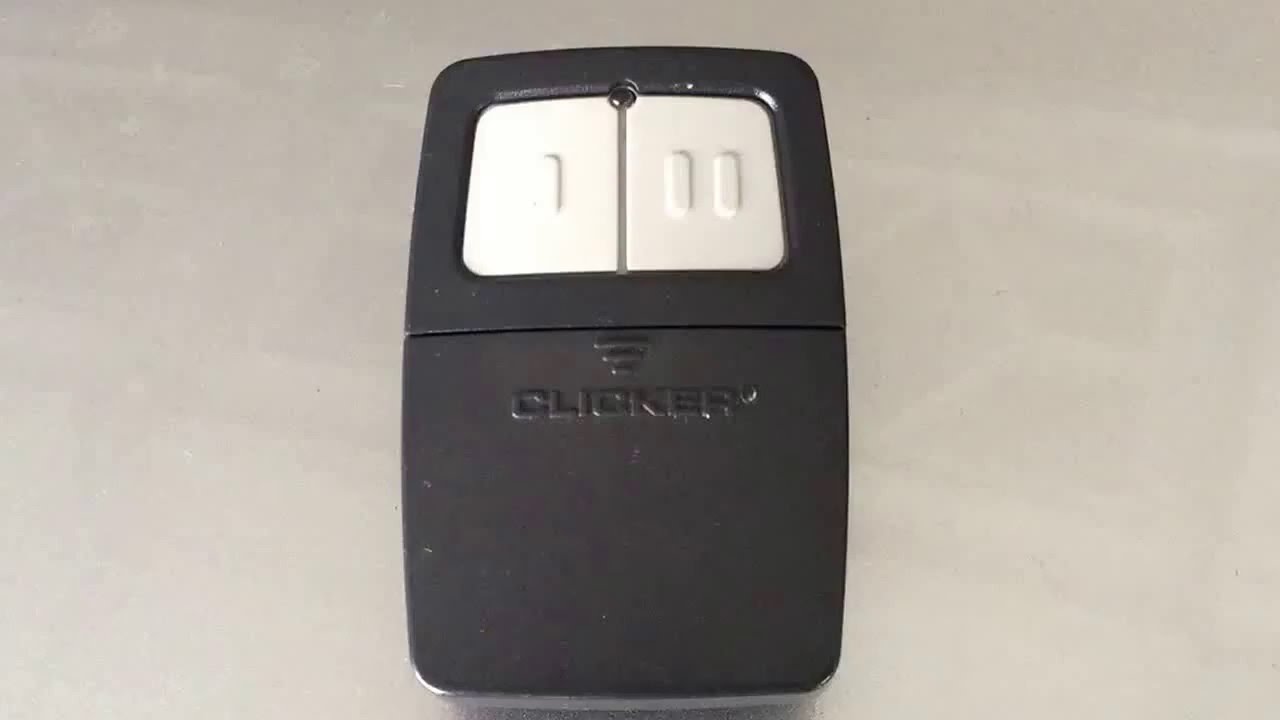
Many users purchase universal “clicker” style remotes (like Chamberlain KLIK1U or Genie G3T-R) because they’re affordable and compact. However, universal remotes require an additional compatibility verification step. Always check the manufacturer’s compatibility chart before purchasing. Universal clickers often require holding the program button for a longer duration (5–7 seconds) compared to OEM remotes, and some require cycling through multiple frequency bands manually. Reading the specific insert card included with your universal clicker is non-negotiable—generic online instructions may not account for firmware variations.
Frequently Asked Questions (FAQ)
Q1: How many remotes can I program to my Genie garage door opener?
Most modern Genie Intellicode openers support up to 7 individual remotes plus one wireless keypad. Older dip-switch models theoretically support unlimited remotes (since they share identical codes), but practical reliability decreases beyond 4–5 devices due to signal collision. Always consult your specific model’s manual for exact capacity limits.
Q2: Will programming a new remote erase my existing remotes?
No. Pressing the Learn button briefly (as described above) adds a new remote to memory without deleting others. However, if you hold the Learn button for 10+ seconds until the LED goes dark, this performs a factory reset and erases ALL programmed devices. Only do this intentionally when moving out or troubleshooting severe corruption.
Q3: My clicker remote programs but has very short range. What’s wrong?
Short range is almost always caused by one of three factors: (1) dying battery—even new batteries can be defective; (2) LED bulb interference in the opener fixture; or (3) damaged antenna wire. Start by replacing the battery with a fresh name-brand cell. Next, remove all light bulbs temporarily and test. Finally, inspect the thin antenna wire hanging from the motor for kinks, cuts, or poor connections. Extending the antenna vertically can also improve reception.
Q4: Can I program a Genie remote to a non-Genie opener?
Generally, no. Genie remotes use proprietary Intellicode encryption that is incompatible with LiftMaster, Craftsman, or Overhead Door systems. However, universal clicker remotes sold under the Genie brand (like the G3T-R) are specifically designed to work across multiple brands. Always verify cross-compatibility on the packaging before assuming interchangeability.
Q5: How often should I replace my remote batteries?
For average daily use (2–3 cycles per day), expect to replace CR2032 coin cells every 12–18 months and AAA batteries every 18–24 months. If you notice decreased range or delayed response, replace batteries proactively. Cold climates accelerate battery drain; consider lithium batteries for garages that drop below freezing.
Q6: Is there a way to program my remote without accessing the motor head?
Unfortunately, no. Security protocols require physical access to the Learn button on the motor unit to prevent unauthorized remote addition. Some newer Genie models offer Wi-Fi connectivity via the Aladdin Connect app, allowing remote management through smartphones, but initial hardware pairing still requires ladder access. There is no legitimate bypass for this security feature.
Conclusion
Mastering how to program clicker remote to Genie garage door opener empowers you to maintain secure, convenient access to your home without relying on costly service calls. By identifying your system type, following the correct programming sequence, and applying targeted troubleshooting when needed, you can resolve virtually any remote synchronization issue in under 10 minutes. Remember to prioritize safety, use fresh batteries, and never skip the compatibility verification step when using universal remotes.
Found this guide helpful? Share it with friends, family, or neighbors who might be struggling with their garage door remote! Tag us on social media or leave a comment below with your Genie model number—we love helping fellow homeowners solve real-world problems. Your next smooth garage entry starts right here. 🏡✨
Leave a Reply