Introduction
Are you tired of fumbling for a separate remote every time you pull into your driveway? Integrating your garage door with your vehicle’s built-in system offers unparalleled convenience and security. If you are looking for how to program 2022 Hyundai Palisade garage door opener, you have come to the right place. This guide simplifies the process, ensuring you can sync your HomeLink system in minutes without frustration.
The 2022 Hyundai Palisade comes equipped with the HomeLink universal transceiver, a feature that allows your car to communicate with most garage door openers, gate operators, and even home lighting systems. However, the pairing process can vary depending on the age and brand of your garage door motor. Whether you have a newer rolling-code system or an older fixed-code unit, we will walk you through every scenario.
By following this guide, you will not only save time but also enhance the security of your home by eliminating the need to keep loose remotes in your car. Let’s dive into the specifics of getting your Palisade connected seamlessly.
Understanding the HomeLink System in Your Palisade
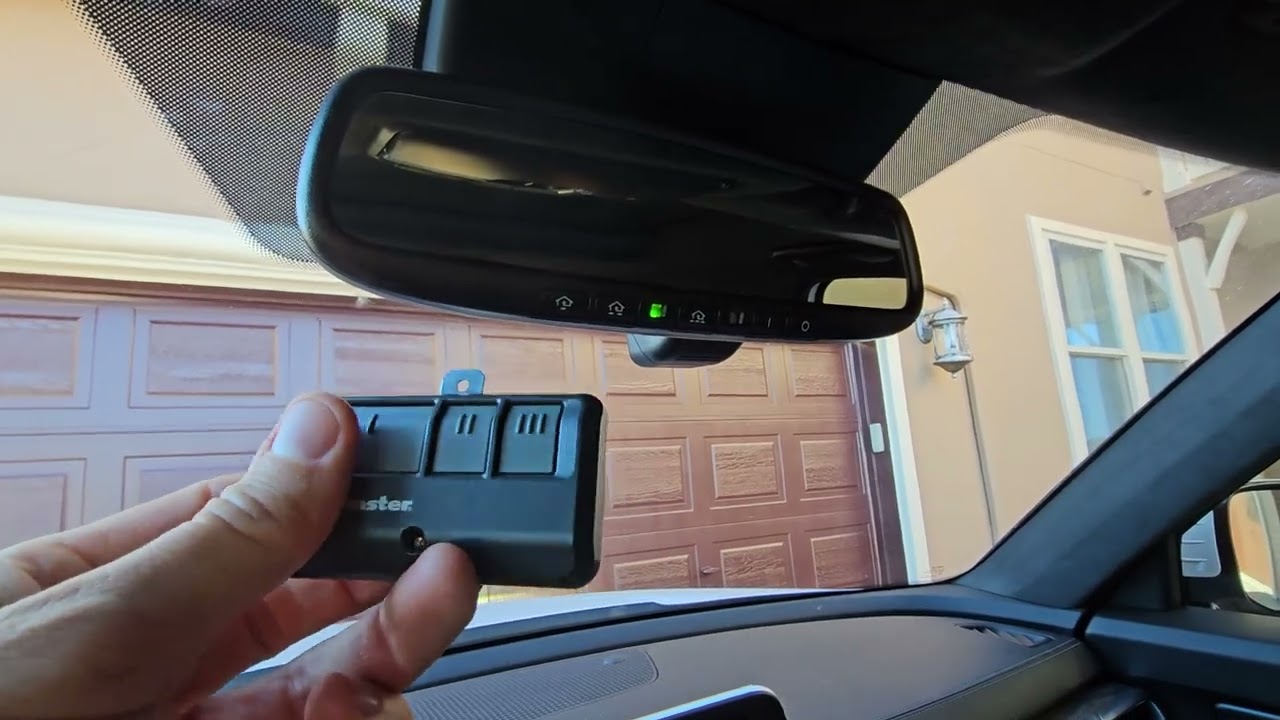
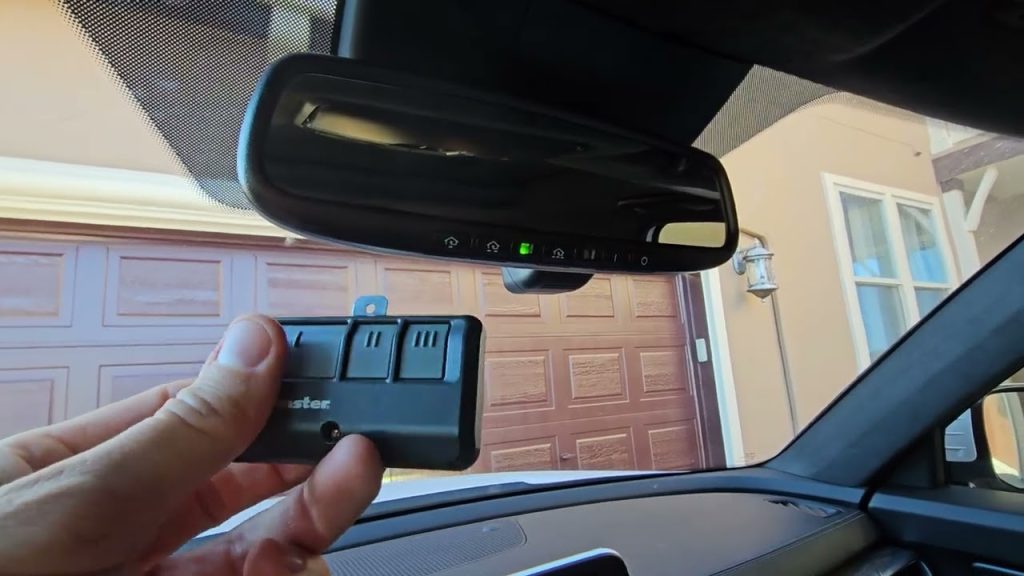
Before pressing buttons, it is crucial to understand what you are working with. The HomeLink system in the 2022 Palisade is located on the overhead console, near the rearview mirror. It typically features three programmable buttons.
HomeLink is compatible with approximately 95% of garage door openers manufactured since 1982. This high compatibility rate makes it one of the most reliable systems in the automotive industry. However, “universal” does not mean “automatic.” You must manually teach your car the signal frequency of your garage door opener.
Why Use HomeLink?
- Convenience: No more digging through bags for remotes.
- Security: Reduces the risk of losing your physical remote.
- Aesthetics: Keeps your vehicle interior clutter-free.
For more detailed technical specifications on universal transceivers, you can refer to the general overview on Wikipedia.
Step-by-Step Guide: Standard Programming Method
This method works for most standard garage door openers that do not require additional security steps. If your garage door was installed after 1995, it likely uses a rolling code, which may require the “Training Button” method described in the next section.
Preparation
- Ensure your garage door is closed.
- Have your original garage door remote handy.
- Sit in your 2022 Palisade with the ignition in the “ON” position (engine running or accessory mode).
The Programming Process
Step 1: Clear Existing Codes (If Necessary) If you are reprogramming a button that was previously used, you must clear it first.
- Press and hold the two outer HomeLink buttons simultaneously.
- Keep holding them for about 20 seconds until the indicator light begins to flash rapidly.
- Release the buttons. The memory is now cleared.
Step 2: Initiate Learning Mode
- Choose the HomeLink button you wish to program (Button 1, 2, or 3).
- Press and hold this chosen button.
- While holding the HomeLink button, bring your original garage door remote within 1–3 inches of the HomeLink buttons.
- Press and hold the button on your handheld remote.
Step 3: Sync the Signals
- Keep both buttons pressed. Watch the HomeLink indicator light.
- Initially, the light may glow steadily. Continue holding until the light flashes slowly, then rapidly.
- Once the light flashes rapidly, release both buttons. This indicates the frequency has been learned.
Step 4: Test the Connection
- Press the programmed HomeLink button in your Palisade.
- Observe your garage door. If it moves, you are done!
- If it does not move, proceed to the Rolling Code section below.
Handling Rolling Code Openers (Security+ Systems)
Most modern garage door openers (brands like LiftMaster, Chamberlain, and Craftsman) use rolling code technology for enhanced security. This means the code changes every time you use the remote. If the standard method above did not work, your opener likely has a “Learn” or “Smart” button on the motor unit itself.
Locating the Learn Button
You will need a ladder to access your garage door motor unit mounted on the ceiling. Look for a small button, usually colored yellow, purple, orange, or red, labeled “Learn,” “Smart,” or “Program.”
The Training Procedure
- Complete Steps 1–3 from the Standard Method above. Ensure the HomeLink light is flashing rapidly.
- Go to the Garage Door Motor. Locate the “Learn” button on the back or side of the motor unit.
- Press the Learn Button. Press and release it quickly. You typically have 30 seconds to complete the next step. An LED light on the motor will usually blink or stay solid to indicate it is ready.
- Return to Your Palisade. Within the 30-second window, press and hold the programmed HomeLink button for two seconds, then release it.
- Repeat if Necessary. Press and hold the same HomeLink button again for two seconds and release. Repeat this cycle up to three times.
- Final Test. Press the HomeLink button once. The garage door should activate.
Expert Tip: If you have a MyQ-enabled garage door opener, ensure your internet connection is stable, as some smart hubs may interfere with direct radio frequency programming. In such cases, consult your opener’s manual to temporarily disable smart features during pairing.
Troubleshooting Common Issues
Even with careful following, issues can arise. Here are common problems and solutions.
| Issue | Possible Cause | Solution |
|---|---|---|
| Light Flashes Slowly Only | Signal not fully learned | Ensure remote is within 1-3 inches. Replace remote battery. |
| Door Moves Partially | Interference or Weak Signal | Reprogram closer to the garage door motor. |
| Nothing Happens | Wrong Frequency | Verify your opener is compatible (most are). Try clearing memory again. |
| Remote Stops Working | Conflict with HomeLink | Some older remotes lose sync when paired with HomeLink. Reprogram the handheld remote to the motor. |
Battery Check
A weak battery in your handheld remote is the most common cause of failure. Even if the remote works from a distance, its signal might be too weak to transmit to the car’s receiver during programming. Replace the battery with a fresh CR2032 or similar type before starting.
Tips for Optimal Performance
To ensure your 2022 Hyundai Palisade garage door opener functions reliably for years, consider these best practices:
- Label Your Buttons: Use a small piece of tape or a marker to note which button corresponds to which door if you have multiple garages.
- Avoid Metal Interference: When programming, ensure no large metal objects are between the remote and the HomeLink console.
- Regular Testing: Test the system once a month to ensure the battery in your car isn’t affecting the transmitter power.
- Consult Your Manual: Always keep your 2022 Palisade owner’s manual accessible. Hyundai occasionally updates firmware that might change slight operational nuances.
FAQ Section
1. Can I program more than one garage door to my 2022 Palisade?
Yes, the HomeLink system in the 2022 Palisade has three independent buttons. You can program up to three different devices, such as two garage doors and a gate, or three different garage doors.
2. What if I don’t have my original garage door remote?
Programming without the original remote is difficult. You may need to contact the manufacturer of your garage door opener to purchase a compatible universal remote. Alternatively, some motor units allow programming via dip switches, but this is rare in modern systems.
3. Does programming HomeLink drain my car battery?
No, the HomeLink system draws negligible power. It only activates when you press the button. It will not impact your 2022 Palisade’s battery life, even if the car is parked for extended periods.
4. Why does my garage door reverse immediately after closing via HomeLink?
This is usually a safety sensor issue, not a programming error. Check the photo-eye sensors at the bottom of your garage door tracks. Ensure they are aligned and clean. If the beam is blocked, the door will reverse for safety.
5. Is HomeLink secure against hacking?
Yes, especially with rolling code systems. Each time you press the button, a new code is generated. This makes it extremely difficult for thieves to intercept and replicate the signal compared to older fixed-code remotes.
6. Can I reset HomeLink if I sell my car?
Absolutely. It is highly recommended to clear all codes before selling or trading in your vehicle. Follow the “Clear Existing Codes” step in the standard programming section to wipe all memory from the three buttons.
Conclusion
Learning how to program 2022 Hyundai Palisade garage door opener is a straightforward task that significantly enhances your daily driving experience. By understanding whether you have a standard or rolling code system, you can avoid common pitfalls and get connected quickly. Remember to keep your handheld remote handy, check batteries, and follow the step-by-step instructions carefully.
Now that your garage door is synced, enjoy the seamless entry and exit from your home. If you found this guide helpful, please share it with fellow Hyundai owners on social media or leave a comment below if you encountered any unique challenges during your setup. Safe driving!
Leave a Reply