Introduction
Struggling to sync your new 2022 BMW X5 with your garage door? You’re not alone. Many BMW owners find the programming process confusing, especially when dealing with modern rolling-code security systems. If you’ve been searching for how to program 2022 BMW X5 garage door opener, this comprehensive guide will walk you through every step clearly and confidently. Whether you’re a first-time BMW owner or upgrading from an older model, we’ll ensure your garage door responds perfectly to your vehicle’s built-in HomeLink system.
Understanding Your 2022 BMW X5’s HomeLink System
Before diving into the programming steps, it’s essential to understand what you’re working with. The 2022 BMW X5 comes equipped with HomeLink, a universal transceiver system that allows your vehicle to communicate with garage doors, gate operators, and even home lighting systems.
What Is HomeLink?
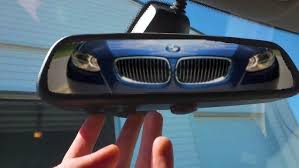
HomeLink is a radio frequency (RF) transmitter integrated into your BMW’s rearview mirror or overhead console. According to Wikipedia, HomeLink technology has been licensed by over 60 automakers worldwide and works with approximately 95% of all garage door openers manufactured since 1995.
Key Features of BMW’s HomeLink System:
- Supports up to three different devices
- Compatible with most major garage door brands
- Uses encrypted rolling codes for enhanced security
- No additional hardware required
Step-by-Step Guide: How to Program 2022 BMW X5 Garage Door Opener
Programming your garage door opener involves two main phases: clearing existing memory and learning your specific garage door signal. Follow these detailed instructions carefully.
Step 1: Prepare Your Equipment
Before starting, gather the following:
- Your 2022 BMW X5 (parked outside your garage)
- A ladder (if needed to reach your garage door opener motor)
- Your original garage door remote control
- Approximately 15–20 minutes of uninterrupted time
Important Safety Note: Ensure your garage door area is clear of people and objects before beginning the programming process.
Step 2: Clear Existing HomeLink Memory
If your HomeLink system has been previously programmed, you must clear it first:
- Turn your BMW’s ignition to the “ON” position (do not start the engine)
- Press and hold the two outer HomeLink buttons simultaneously
- Continue holding for approximately 20 seconds until the indicator light begins flashing rapidly
- Release both buttons once the rapid flashing starts
This process erases all previously stored codes and prepares the system for new programming.
Step 3: Position Your Vehicle Correctly
Proper positioning is crucial for successful programming:
- Park your BMW X5 outside your garage, facing the garage door
- Maintain a distance of 5–15 feet from the garage door opener motor
- Ensure no large metal objects or vehicles are between your BMW and the garage
- Keep your engine running during the programming process
Step 4: Initiate Programming Mode
- Press and hold your desired HomeLink button (Button 1, 2, or 3)
- While holding the HomeLink button, bring your original garage door remote within 1–3 inches of the HomeLink buttons on your rearview mirror
- Press and hold the button on your original remote that operates the garage door
- Continue holding both buttons until the HomeLink indicator light changes from slow blinking to rapid flashing (this may take 10–30 seconds)
- Release both buttons once rapid flashing occurs
Step 5: Test the Connection
After programming:
- Press the programmed HomeLink button in your BMW
- Observe whether your garage door activates
- If the door doesn’t respond immediately, repeat Steps 4–5 up to three times
Pro Tip: Some garage door openers require multiple training cycles. Don’t be discouraged if it doesn’t work on the first attempt.
Troubleshooting Common Programming Issues
Even with careful following of instructions, problems can arise. Here are solutions to the most frequent issues:
| Problem | Possible Cause | Solution |
|---|---|---|
| HomeLink light doesn’t flash | Weak battery in original remote | Replace remote battery |
| Door doesn’t respond after programming | Rolling code system not synced | Locate “Learn” button on garage motor and press it |
| Intermittent operation | Signal interference | Reposition vehicle closer to garage |
| Rapid flashing never occurs | Wrong button combination | Ensure both buttons held simultaneously |
Dealing with Rolling Code Systems
Modern garage door openers use rolling code technology for enhanced security. If your opener uses this system (most units manufactured after 1995 do), you’ll need to complete an additional synchronization step:
- Locate the “Learn” or “Smart” button on your garage door opener motor unit (usually found on the back or side)
- Press and release this button (the indicator light will illuminate)
- Within 30 seconds, return to your BMW and press the programmed HomeLink button
- The garage door should activate, confirming successful synchronization
People Also Ask: Common Questions About BMW X5 Garage Door Programming
H2: FAQ Section
Q1: Can I program multiple garage doors to my 2022 BMW X5?
Yes! The HomeLink system supports up to three different devices. Simply repeat the programming process for each additional garage door or gate operator, using a different HomeLink button for each device.
Q2: Why won’t my garage door respond after programming?
The most common reason is that your garage door opener uses a rolling code system requiring the additional “Learn” button synchronization. Additionally, check that:
- Your vehicle is positioned correctly (5–15 feet away)
- The original remote has fresh batteries
- You completed all programming steps without interruption
Q3: Will programming my BMW erase my original garage remote?
No, programming your BMW’s HomeLink system does not affect your original garage door remote. Both will continue to work independently. However, if you experience issues with your original remote after programming, simply reprogram it using the manufacturer’s instructions.
Q4: How long does the programming process take?
Typically, the entire process takes 15–20 minutes from start to finish. This includes clearing previous memory, positioning your vehicle, programming the signal, and testing the connection. Allow extra time if you need to synchronize with a rolling code system.
Q5: Can I program my BMW X5 garage door opener without the original remote?
Unfortunately, no. The original garage door remote is essential for transmitting the correct signal to your BMW’s HomeLink system. If you’ve lost your original remote, contact your garage door opener manufacturer to purchase a replacement before attempting programming.
Q6: Is it safe to leave my car running during programming?
Yes, it’s actually recommended. Keeping your BMW’s engine running ensures consistent electrical power to the HomeLink system throughout the programming process. Just ensure your vehicle is in park with the parking brake engaged.
Advanced Tips for Optimal Performance
To ensure your 2022 BMW X5 garage door opener works flawlessly long-term, consider these expert recommendations:
Regular Maintenance Checks
- Test your HomeLink system monthly to ensure continued functionality
- Replace your original garage remote batteries annually
- Keep your BMW’s software updated through scheduled dealer visits
Signal Optimization
- Avoid parking directly under power lines or near large metal structures
- If you experience intermittent operation, try reprogramming with your vehicle positioned slightly differently
- Consider installing a signal repeater if your garage is particularly deep or has thick walls
Security Best Practices
- Never share your HomeLink programming sequence with unauthorized individuals
- If you sell your BMW, clear all HomeLink memory before transferring ownership
- Update your garage door opener’s security codes periodically according to manufacturer guidelines
Conclusion
Learning how to program 2022 BMW X5 garage door opener doesn’t have to be complicated. By following this step-by-step guide, you can successfully integrate your garage door with your BMW’s HomeLink system in under 20 minutes. Remember to position your vehicle correctly, use your original remote, and complete the rolling code synchronization if necessary.
Now that your garage door responds seamlessly to your BMW X5, enjoy the convenience of hands-free access every time you arrive home. If this guide helped you, please share it with fellow BMW owners who might be struggling with the same issue. Happy driving!
Did you successfully program your 2022 BMW X5 garage door opener? Share your experience in the comments below or spread the word on social media to help other BMW enthusiasts!
Leave a Reply