Introduction
Struggling to sync your garage door with your luxury SUV? You’re not alone. Many 2022 Audi Q5 owners face confusion when attempting to program their garage door opener for the first time. Whether you’ve just purchased your vehicle or recently changed garage door systems, getting this feature working correctly is essential for convenience and security. This comprehensive guide will walk you through every step needed to successfully integrate your garage door with your Audi’s HomeLink system, ensuring smooth operation every time you arrive home.
Understanding Your 2022 Audi Q5 HomeLink System
Before diving into the programming process, it’s crucial to understand what you’re working with. The 2022 Audi Q5 comes equipped with HomeLink, a universal transceiver system that can control up to three different garage doors, gates, or other compatible devices.
What Is HomeLink?
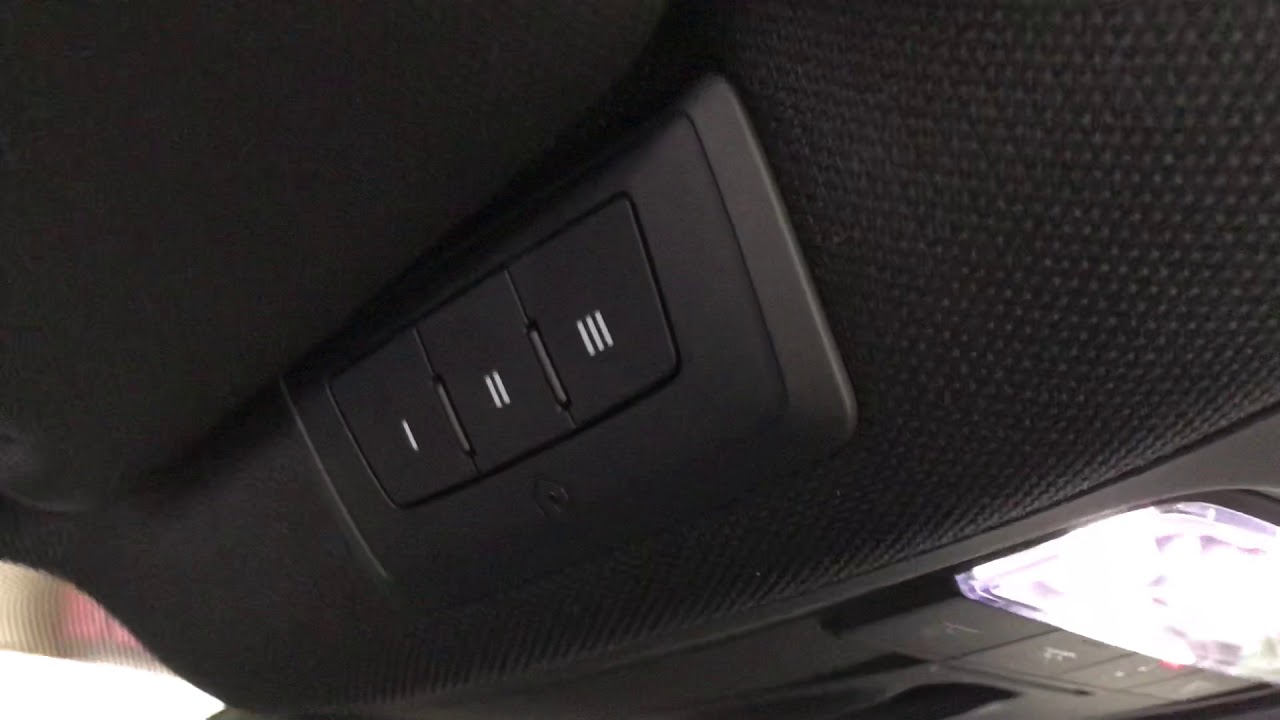
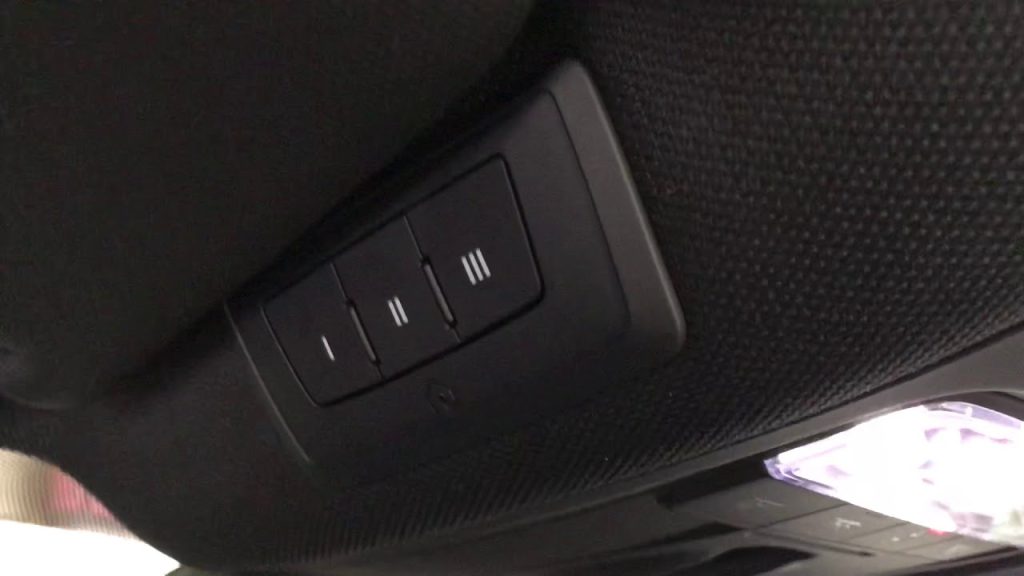
HomeLink is a built-in radio frequency transmitter located in your Audi Q5’s overhead console. According to Wikipedia, this technology has been integrated into vehicles since 1992 and now appears in over 60 million cars worldwide. The system operates on multiple frequencies (300-400 MHz) to ensure compatibility with most garage door openers manufactured after 1982.
Key Features of the 2022 Audi Q5 HomeLink
- Three programmable buttons for multiple devices
- Rolling code technology support for enhanced security
- LED indicator lights for status feedback
- Memory retention even when vehicle battery is disconnected
- Compatible with 95% of garage door openers in North America
Preparing for Programming: Essential Steps
Successful programming begins with proper preparation. Follow these preliminary steps before attempting to program your garage door opener.
Gather Required Information
Before starting, locate your garage door opener’s manual and identify:
- Brand and model number
- Frequency type (fixed code or rolling code)
- Remote control availability
- Manufacturer’s programming instructions
Position Your Vehicle Correctly
Proper positioning ensures optimal signal transmission:
- Park your 2022 Audi Q5 outside the garage, facing the door
- Maintain a distance of 5-10 feet from the garage door opener motor
- Ensure your vehicle’s engine is running throughout the process
- Keep all garage doors closed during programming
Check Battery Status
A weak vehicle battery can interrupt the programming process. Verify that your Audi Q5’s battery is fully charged, as the procedure may take 15-20 minutes to complete successfully.
Step-by-Step Programming Instructions
Now let’s dive into the actual programming process. Follow these detailed steps carefully for best results.
Step 1: Clear Existing Memory (If Necessary)
If your HomeLink buttons were previously programmed, clear them first:
- Press and hold the two outer buttons simultaneously
- Continue holding for 20 seconds until the LED indicator flashes rapidly
- Release both buttons when the light changes from slow to rapid flashing
- Wait for the LED to turn off completely
Note: This step erases all previously programmed devices. Only perform if reprogramming existing buttons.
Step 2: Initiate Programming Mode
- Choose which button (1, 2, or 3) you want to program
- Press and hold your chosen HomeLink button
- While holding the button, bring your original garage door remote within 1-3 inches of the HomeLink buttons
- Continue holding both devices until the LED indicator changes behavior
Step 3: Train the HomeLink System
The training process varies depending on your garage door opener type:
For Fixed Code Systems:
- Hold the HomeLink button and garage remote together
- Wait for the LED to flash slowly, then rapidly
- Once rapid flashing occurs, release both buttons
- Test the connection by pressing the programmed HomeLink button
For Rolling Code Systems (Most Modern Openers):
- After initial pairing, locate the “Learn” or “Smart” button on your garage door motor unit
- Press and release this button (you have 30 seconds to complete next step)
- Return to your Audi Q5 and press the programmed HomeLink button three times
- Wait for the garage door to respond
Step 4: Test and Verify Operation
After programming completion:
- Press the programmed HomeLink button once
- Observe if the garage door responds appropriately
- Test opening and closing functions multiple times
- Verify consistent operation from various distances
Troubleshooting Tip: If the door doesn’t respond, repeat Step 3, ensuring you press the Learn button within the 30-second window.
Common Programming Challenges and Solutions
Even with careful following of instructions, issues may arise. Here are solutions to frequent problems.
Problem: LED Doesn’t Flash During Programming
Possible Causes:
- Weak remote control battery
- Incorrect positioning of devices
- Interference from other electronic devices
Solutions:
- Replace remote control batteries with fresh ones
- Move closer to the HomeLink console (within 1 inch)
- Turn off nearby wireless devices temporarily
Problem: Garage Door Responds Inconsistently
Possible Causes:
- Signal interference
- Incomplete rolling code synchronization
- Distance limitations
Solutions:
- Reprogram using the rolling code method
- Ensure no large metal objects block signal path
- Test from different positions around your vehicle
Problem: Programming Won’t Save
Possible Causes:
- Vehicle battery interruption
- Premature button release
- System timeout
Solutions:
- Keep engine running throughout entire process
- Hold buttons firmly until LED confirms completion
- Restart the process if more than 30 seconds elapse between steps
Advanced Tips for Optimal Performance
Maximize your HomeLink system’s effectiveness with these professional recommendations.
Optimize Signal Strength
- Clean the HomeLink area regularly to prevent dust accumulation
- Avoid parking near large metal structures that may interfere with signals
- Update garage door opener firmware if available from manufacturer
Security Best Practices
- Reprogram immediately if you lose your original garage remote
- Use unique codes for each programmed device
- Test security features monthly to ensure proper operation
- Consider upgrading to newer garage door openers with enhanced encryption
Maintenance Schedule
| Task | Frequency | Purpose |
|---|---|---|
| Test all buttons | Monthly | Ensure continued functionality |
| Clean HomeLink area | Quarterly | Prevent signal interference |
| Check remote batteries | Every 6 months | Maintain strong signal transmission |
| Full system reset | Annually | Clear potential memory errors |
Frequently Asked Questions
Q: Can I program multiple garage doors to my 2022 Audi Q5?
A: Yes, your Audi Q5’s HomeLink system supports up to three different devices. Each button (1, 2, and 3) can be programmed independently to control separate garage doors, gates, or compatible home automation devices. Simply follow the programming steps for each button individually.
Q: What should I do if my garage door opener uses rolling codes?
A: Most garage door openers manufactured after 1993 use rolling code technology for enhanced security. After the initial HomeLink pairing, you must press the “Learn” or “Smart” button on your garage door motor unit within 30 seconds, then press the programmed HomeLink button three times to complete synchronization. Consult your garage door manual for the exact location of this button.
Q: Why won’t my HomeLink system retain programming after battery disconnection?
A: The 2022 Audi Q5 HomeLink system should retain memory even during battery disconnection. If programming is lost, check for loose connections in the overhead console or consult your Audi dealer. Sometimes, a complete system reset followed by reprogramming resolves this issue.
Q: Can I program non-garage door devices to my Audi Q5 HomeLink?
A: Absolutely! HomeLink is compatible with various radio-controlled devices including gate operators, lighting systems, security alarms, and home automation controls. The programming process remains identical regardless of device type. Ensure your device operates within the 300-400 MHz frequency range for compatibility.
Q: How long does the programming process typically take?
A: The complete programming process usually takes 10-20 minutes per device, depending on your garage door opener type and any troubleshooting required. Rolling code systems may require additional time for the synchronization step. Plan accordingly and ensure your vehicle remains running throughout the entire process.
Q: Is professional installation necessary for HomeLink programming?
A: No, HomeLink programming is designed for DIY installation and typically requires no professional assistance. However, if you encounter persistent issues after multiple attempts, contact your Audi dealership or a certified HomeLink installer. Some complex garage door systems may require specialized knowledge for proper integration.
Conclusion
Programming your 2022 Audi Q5 garage door opener doesn’t have to be complicated. With patience and careful attention to detail, you can successfully integrate your garage door system with your vehicle’s HomeLink technology. Remember to prepare properly, follow each step methodically, and test thoroughly before considering the job complete.
The convenience of controlling your garage door directly from your Audi Q5 enhances both security and daily comfort. Take advantage of this premium feature by ensuring proper setup and regular maintenance.
Found this guide helpful? Share it with fellow Audi owners on social media! Your experience might help someone else struggling with their HomeLink setup. Don’t forget to bookmark this page for future reference when programming additional devices.
Have questions or success stories? Leave a comment below—we’d love to hear about your HomeLink programming experience!
Leave a Reply