Have you ever pulled into your driveway, pressed the button on your new 2021 GMC Sierra’s overhead console, and watched nothing happen? It’s frustrating when technology doesn’t work as expected. Learning how to program 2021 GMC Sierra garage door opener correctly can save you time and eliminate that daily annoyance of manually opening your garage door.
The integrated HomeLink system in your GMC Sierra is designed for convenience, but the programming process isn’t always intuitive. Whether you’re a first-time truck owner or upgrading from an older model, this comprehensive guide will walk you through every step needed to sync your vehicle with your garage door opener successfully.
Understanding Your 2021 GMC Sierra’s HomeLink System
Before diving into the programming steps, it’s essential to understand what you’re working with. The 2021 GMC Sierra comes equipped with a HomeLink wireless control system that can operate up to three different garage doors, gates, or home automation devices.
What Is HomeLink?
HomeLink is a universal transceiver built into your vehicle’s overhead console. According to Wikipedia, HomeLink was first introduced in 1992 and has since become the most widely installed universal garage door opener system in vehicles worldwide. The system uses radio frequency signals compatible with most garage door openers manufactured after 1982.
Your 2021 GMC Sierra’s HomeLink system operates on multiple frequencies, typically between 288-433 MHz, allowing it to communicate with various brands including Chamberlain, LiftMaster, Genie, Craftsman, and many others.
Locating the HomeLink Buttons
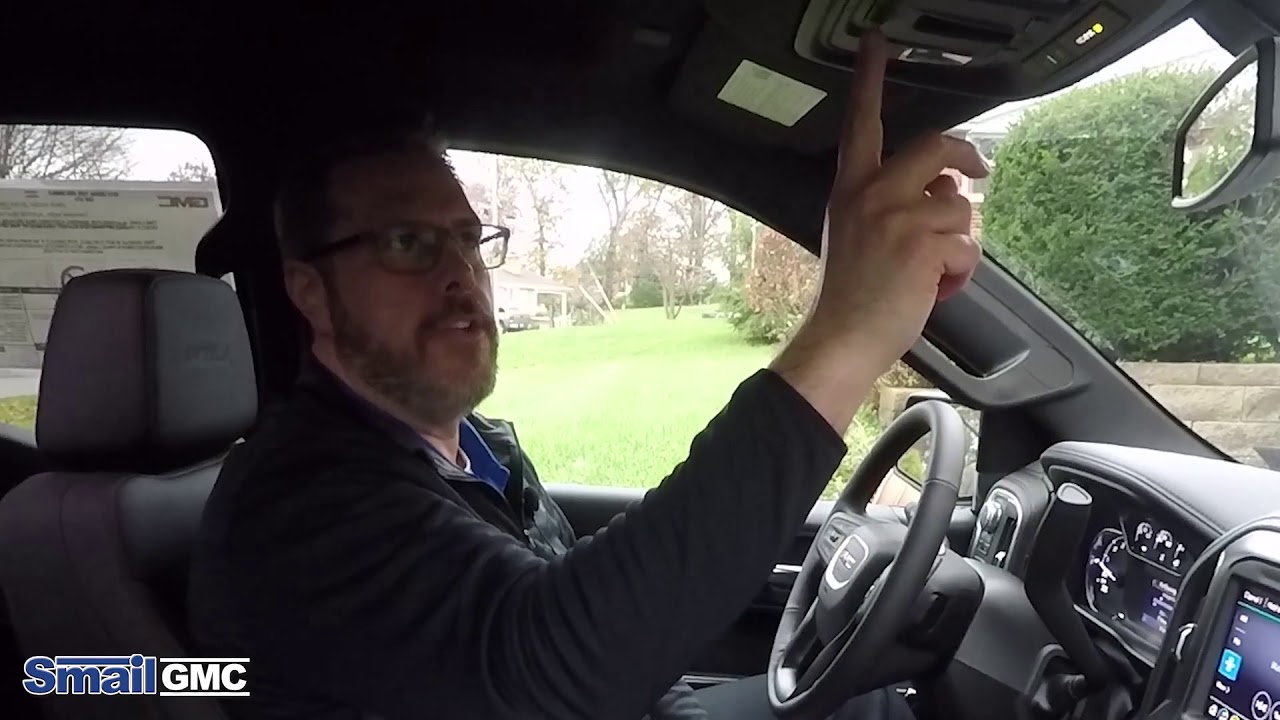
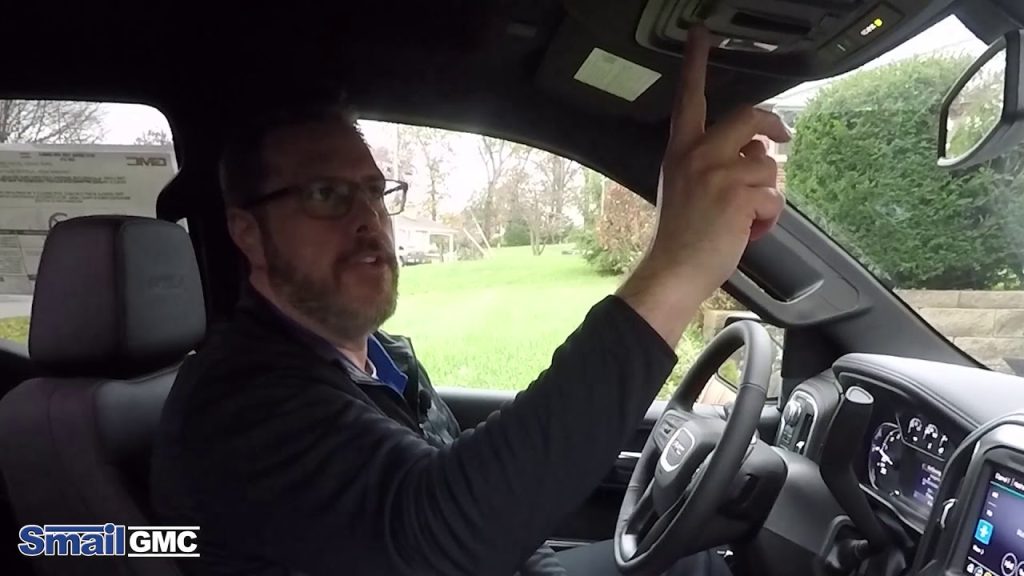
In your 2021 GMC Sierra, you’ll find three HomeLink buttons on the overhead console near the rearview mirror. Each button can be programmed independently to control different devices:
- Button 1: Primary garage door
- Button 2: Secondary garage door or gate
- Button 3: Third device (garage door, light, or home automation)
The LED indicator next to each button provides visual feedback during programming and operation. A solid light indicates successful programming, while a blinking light means the system is in learning mode.
Step-by-Step Guide: How to Program 2021 GMC Sierra Garage Door Opener
Programming your HomeLink system requires patience and precision. Follow these detailed instructions carefully for best results.
Preparation Before Programming
Before starting, gather these items:
- Your garage door opener remote control
- A ladder (if needed to reach the garage door opener motor unit)
- Approximately 15-20 minutes of uninterrupted time
Important safety note: Ensure no one is standing under the garage door during programming, and keep children and pets away from the area.
Method 1: Standard Programming Procedure
This method works for most rolling code and fixed code garage door openers.
Step 1: Clear Existing Programming Press and hold the two outer HomeLink buttons simultaneously for 20 seconds until the indicator light begins to flash rapidly. Release both buttons. This clears any previous programming.
Step 2: Position Your Vehicle Park your 2021 GMC Sierra outside your garage, approximately 1-3 feet from the garage door. Keep the engine running or in accessory mode to maintain power to the HomeLink system.
Step 3: Initiate Learning Mode Press and hold the desired HomeLink button (1, 2, or 3) for 20 seconds. Do not release the button yet.
Step 4: Train the Remote While continuing to hold the HomeLink button, bring your handheld garage door remote within 1-3 inches of the HomeLink buttons. Press and hold the button on your handheld remote that operates the garage door.
Step 5: Watch the Indicator Light Continue holding both buttons. The HomeLink indicator light will change from slow blinking to rapid flashing. Once it flashes rapidly, release both buttons. This process may take up to 30 seconds.
Step 6: Test the Programming Press the programmed HomeLink button firmly. Your garage door should activate. If it doesn’t respond, repeat Steps 3-5, ensuring you hold the buttons long enough.
Method 2: Programming Rolling Code Openers
Many modern garage door openers use rolling code technology for enhanced security. If Method 1 doesn’t work, try this approach.
Step 1: Locate the Learn Button Find the “Learn” or “Smart” button on your garage door opener motor unit. This is typically located on the back or side of the unit and may be colored yellow, purple, orange, or red.
Step 2: Clear HomeLink Memory As in Method 1, clear existing programming by holding the two outer buttons for 20 seconds.
Step 3: Program HomeLink Hold the desired HomeLink button until the light changes from slow to rapid flashing (approximately 20 seconds).
Step 4: Activate the Learn Button Within 30 seconds of releasing the HomeLink button, press and release the Learn button on your garage door opener motor unit. The motor unit’s indicator light should illuminate or blink.
Step 5: Complete the Sync Return to your vehicle within 30 seconds and press the programmed HomeLink button three times, waiting 2 seconds between each press. This completes the rolling code synchronization.
Step 6: Verify Operation Test the HomeLink button to ensure your garage door responds correctly.
Troubleshooting Common Programming Issues
Even with careful following of instructions, problems can arise. Here are solutions to common issues:
| Problem | Possible Cause | Solution |
|---|---|---|
| HomeLink won’t enter learning mode | Insufficient button hold time | Hold buttons for full 20 seconds |
| Garage door doesn’t respond | Wrong frequency compatibility | Check opener manual for frequency |
| LED blinks but door won’t move | Rolling code not synced | Use Method 2 with Learn button |
| Only works intermittently | Weak signal or interference | Reposition vehicle closer to garage |
| Programming clears automatically | Battery issues in remote | Replace remote batteries |
Additional Troubleshooting Tips
Interference Issues: Other electronic devices operating on similar frequencies can interfere with HomeLink signals. Try programming at different times of day or temporarily disconnect nearby wireless devices.
Distance Problems: If your vehicle is too far from the garage door opener motor unit, the signal may be too weak. Move closer during programming, then test from your normal parking position.
Battery Power: Ensure your handheld remote has fresh batteries. Weak batteries can prevent successful programming even if the remote still operates the door from close range.
Advanced Features and Multiple Device Programming
Your 2021 GMC Sierra’s HomeLink system offers more than basic garage door operation.
Programming Multiple Devices
You can program up to three separate devices:
- First device: Follow the standard programming procedure for Button 1
- Second device: Repeat the process using Button 2
- Third device: Use Button 3 following the same steps
Each button operates independently, so programming one doesn’t affect the others.
Home Automation Integration
Modern HomeLink systems can control:
- Gate operators
- Outdoor lighting systems
- Security alarms
- Smart home devices with compatible receivers
Check your home automation system’s manual for specific HomeLink compatibility information.
Erasing Individual Buttons
To erase a single programmed button without clearing all three:
- Press and hold the specific button you want to erase
- Continue holding until the LED indicator turns off (approximately 10 seconds)
- Release the button
Maintenance and Best Practices
To ensure long-term reliability of your HomeLink system:
Regular Testing: Test your programmed buttons monthly to ensure they remain functional. Re-program if you notice decreased reliability.
Battery Replacement: Replace your handheld remote batteries annually, even if they appear to work. Fresh batteries ensure strong signal transmission during reprogramming if needed.
Software Updates: While the HomeLink system itself doesn’t require software updates, ensure your vehicle’s overall electrical system receives regular maintenance during scheduled service appointments.
Professional Assistance: If you’ve attempted programming multiple times without success, contact a GMC dealership or certified HomeLink installer. Some garage door opener models require specialized programming procedures.
Frequently Asked Questions
How long does it take to program a 2021 GMC Sierra garage door opener?
The programming process typically takes 5-15 minutes per device, depending on your garage door opener type and whether you encounter any issues. Rolling code openers may require additional steps, extending the process slightly. Allow 20-30 minutes total if programming multiple devices.
Can I program my 2021 GMC Sierra HomeLink without the original remote?
Unfortunately, you generally need access to your original handheld garage door remote for initial programming. However, if you’ve lost your remote, you can purchase a universal replacement remote compatible with your garage door opener brand. Some garage door opener manufacturers also offer smartphone apps that can assist with programming.
Why won’t my HomeLink program to my newer garage door opener?
Newer garage door openers often use advanced rolling code encryption for security. If standard programming fails, ensure you’re using Method 2, which involves pressing the Learn button on the motor unit. Additionally, verify that your garage door opener is compatible with HomeLink systems by checking the manufacturer’s website or manual.
How do I know if my garage door opener is compatible with HomeLink?
Most garage door openers manufactured after 1982 are compatible with HomeLink systems. Check your opener’s manual for HomeLink compatibility mentions, or visit the HomeLink compatibility database online. Major brands like Chamberlain, LiftMaster, Genie, Craftsman, and Sommer are typically compatible. If uncertain, consult your garage door opener manufacturer directly.
Will programming HomeLink void my garage door opener warranty?
No, programming your HomeLink system will not void your garage door opener warranty. HomeLink is an officially licensed technology, and programming it follows manufacturer-approved procedures. However, improper installation or modification of the garage door opener itself could affect warranty coverage, so follow instructions carefully.
Can someone else accidentally program their HomeLink to my garage door?
The rolling code technology used in modern systems makes accidental programming extremely difficult. Each transmission uses a unique code that changes with every use. Additionally, the programming process requires physical proximity and specific button sequences, making unauthorized programming practically impossible under normal circumstances.
Conclusion
Learning how to program 2021 GMC Sierra garage door opener transforms your daily routine, eliminating the hassle of searching for remotes or manually opening your garage. With the HomeLink system properly configured, you’ll enjoy seamless convenience every time you pull into your driveway.
Remember that patience is key during the programming process. Take your time, follow each step carefully, and don’t hesitate to repeat the procedure if needed. Most programming issues stem from rushing through the steps or not holding buttons long enough.
If you found this guide helpful, share it with fellow GMC Sierra owners who might be struggling with their HomeLink setup. Bookmark this page for future reference, and feel free to return if you need to program additional devices or troubleshoot any issues. Your 2021 GMC Sierra deserves to work at its full potential—happy programming!
Leave a Reply