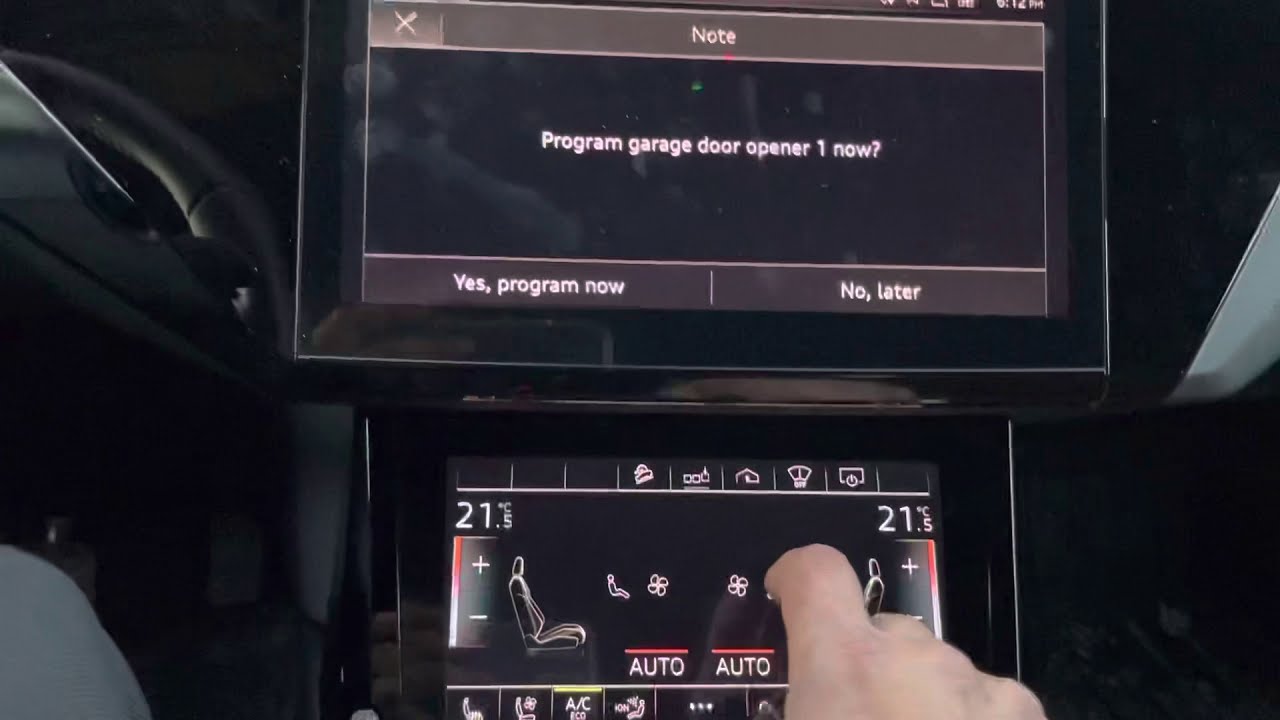
Have you ever pulled into your driveway, pressed the button in your car, and watched your garage door stay stubbornly closed? It is a frustrating experience that disrupts the seamless luxury expected from your vehicle. If you are wondering how to program 2020 Audi Q5 garage door opener functions correctly, you are not alone. Many owners face this hurdle after purchasing a new home or replacing their garage motor. This guide will walk you through the process with clarity and precision, ensuring you regain control of your convenience features without needing a trip to the dealership.
Understanding the HomeLink System in Your Audi
Before diving into the buttons, it is essential to understand what you are working with. The 2020 Audi Q5 utilizes the HomeLink system, a universal transceiver built into the rearview mirror or overhead console. Unlike older systems that required specific frequency matching, modern HomeLink units use rolling code technology for enhanced security.
This technology changes the access code every time you use the remote, preventing thieves from intercepting and reusing the signal. According to Wikipedia, HomeLink is compatible with over 95% of garage door openers manufactured since 1982. However, compatibility does not always equal automatic synchronization. You must manually teach your Audi’s system to communicate with your specific garage door motor.
Why Programming Might Fail
If you have tried pressing buttons randomly without success, it is likely due to one of these reasons:
- Rolling Code Conflict: The garage opener requires a “learn” button press to accept the new signal.
- Interference: Other electronic devices nearby may disrupt the frequency during pairing.
- Incorrect Mode: The HomeLink system might be set to a different mode (e.g., gate vs. garage door).
Step-by-Step Guide: How to Program 2020 Audi Q5 Garage Door Opener
Programming your garage door involves two main phases: clearing old memory (if necessary) and training the new signal. Follow these steps carefully. Note that you will need a ladder to reach your garage door motor unit safely.
Phase 1: Clear Existing Memory (Optional but Recommended)
If you are reprogramming a button that previously worked for a different door, or if the system is behaving erratically, clear the memory first.
- Turn on your Audi’s ignition (press the start button without starting the engine, or drive to “Ignition On”).
- Locate the two outer buttons on the HomeLink panel (usually labeled I and III, or left and right).
- Press and hold both outer buttons simultaneously for about 20 seconds.
- Watch the indicator light. It will begin to flash slowly, then rapidly. Once it flashes rapidly, release the buttons.
- The memory is now cleared. You can proceed to programming.
Phase 2: Training the HomeLink Button
This is the core process where your car learns the signal from your existing garage remote.
- Position Your Vehicle: Park your Audi Q5 outside the garage, facing the door. Ensure you are within range (usually 10–15 feet) but not so close that the door hits your car if it opens unexpectedly. Keep the engine running or ignition on.
- Prepare Your Handheld Remote: Have your original garage door remote handy. Ensure it has fresh batteries.
- Select the Button: Choose which HomeLink button in your car you want to use (Button I, II, or III).
- Initiate Learning Mode:
- Press and hold the chosen HomeLink button in your Audi.
- While holding it, bring your handheld garage remote close to the HomeLink buttons (about 1–3 inches away).
- Press and hold the button on your handheld remote that operates the door.
- Wait for the Signal: Keep both buttons held down. Watch the HomeLink indicator light in your car.
- Initially, it may flash slowly.
- After 10 to 30 seconds, the light should change from slow flashing to rapid flashing.
- Release Buttons: Once the light flashes rapidly, release both the car button and the handheld remote button. The basic training is complete.
Phase 3: Syncing with Rolling Code Openers
Most garage doors installed after 1995 use rolling codes. If your door did not open after Phase 2, you must complete this critical step.
- Locate the Learn Button: Use your ladder to access the garage door motor unit hanging from the ceiling. Look for a small button labeled “Learn,” “Smart,” or “Program.” It is often colored yellow, purple, or red.
- Press the Learn Button: Press and release the “Learn” button on the motor unit. You typically have 30 seconds to complete the next step. An LED light on the motor may blink to confirm it is in learning mode.
- Return to Your Car: Go back to your Audi Q5.
- Confirm the Signal: Press and hold the programmed HomeLink button for two seconds, release it, and repeat this cycle (press-hold-release) up to three times.
- Test the Door: Press the HomeLink button again. The garage door should now activate. If it moves, the programming is successful.
| Step | Action | Indicator |
|---|---|---|
| 1 | Hold Car + Remote Buttons | Light flashes slowly |
| 2 | Wait for Sync | Light flashes rapidly |
| 3 | Press Motor “Learn” Button | Motor LED blinks |
| 4 | Press Car Button 3x | Door activates |
Troubleshooting Common Issues
Even with careful execution, things can go wrong. Here is how to handle common pitfalls when figuring out how to program 2020 Audi Q5 garage door opener systems.
The Light Flashes But the Door Doesn’t Move
If the HomeLink light flashes rapidly but the door remains static, the issue is likely the rolling code sync.
- Solution: Repeat Phase 3. Ensure you are pressing the “Learn” button on the motor unit firmly. Some older motors require you to hold the learn button for 5 seconds until the light turns off, then release. Check your motor’s manual for specific timing.
The Indicator Light Does Not Flash Rapidly
If the light stays solid or continues slow flashing after 30 seconds, the initial training failed.
- Solution: Change the batteries in your handheld remote. Weak signals often fail to train the HomeLink system. Also, try moving the remote closer to the HomeLink buttons, angling it differently to find the optimal transmission spot.
Interference from LED Bulbs
Modern LED garage door opener bulbs can emit radio frequency interference that blocks the HomeLink signal.
- Solution: If programming fails repeatedly, temporarily replace the LED bulb in your garage opener with an incandescent bulb during the setup process. Once programmed, you can switch back, though you may need to adjust the antenna position on the motor unit.
Compatibility Check
Not all garage openers are created equal. If you have a very old opener (pre-1982) or a specialized security system, it might not be compatible.
- Solution: Visit the official HomeLink compatibility checker online. If your opener is incompatible, you may need to purchase a HomeLink Compatibility Bridge (also known as a repeater) that installs near the motor unit to translate the signal.
Frequently Asked Questions (FAQ)
1. Can I program multiple garage doors to my 2020 Audi Q5?
Yes, the HomeLink system in the 2020 Audi Q5 typically has three independent buttons. You can program each button to a different device, such as two separate garage doors and a gate, or a garage door and a home lighting system. Each button must be programmed individually using the steps above.
2. What if I don’t have the original handheld remote?
Programming without the original remote is difficult but possible. You will need to access the motor unit directly. Some modern motors allow you to pair via a keypad on the wall or a smartphone app linked to the opener. If neither is available, you may need to contact the garage door manufacturer to purchase a compatible universal remote to act as the “trainer” for your Audi.
3. Does programming the garage door affect my Audi’s warranty?
No, programming the HomeLink system is a standard user feature and does not void your vehicle’s warranty. It is designed to be performed by the owner. However, damaging the garage door motor by improper climbing or electrical mishaps is not covered by Audi. Always exercise caution when using ladders.
4. Why does my garage door reverse immediately after opening via HomeLink?
This usually indicates a safety sensor issue or a force setting problem, not a programming error. Check the photo-eye sensors at the bottom of your garage door tracks to ensure they are aligned and clean. If the sensors are blocked, the door will reverse for safety. Reprogramming the HomeLink will not fix this mechanical/safety issue.
5. How do I know if my 2020 Audi Q5 has HomeLink?
Look at your rearview mirror or the overhead console near the sunroof controls. If you see three small buttons with an icon resembling a garage door or house, you have HomeLink. If you only see SOS or assistance buttons, your specific trim level may not include this feature. Consult your owner’s manual for confirmation.
6. Can I use my smartphone to program the Audi instead of a remote?
Currently, the HomeLink system requires a radio frequency (RF) signal to train. Most smartphone apps use Wi-Fi or Bluetooth to talk to the garage opener, which the car cannot directly “learn.” You must use an RF remote (handheld or keypad) to bridge the connection. However, once programmed, you can still use your phone app independently.
Conclusion
Mastering how to program 2020 Audi Q5 garage door opener functions transforms your daily commute from a chore into a seamless experience. By understanding the rolling code technology and following the precise steps of clearing memory, training the signal, and syncing with the motor unit, you can resolve most connectivity issues without professional help. Remember, patience is key—especially when dealing with the “Learn” button on your garage motor.
Now that your garage door responds instantly to your touch, enjoy the added convenience and security. If this guide helped you get back on track, please share it with fellow Audi owners on social media who might be struggling with their HomeLink setup. Drive safely and stay connected!
Leave a Reply