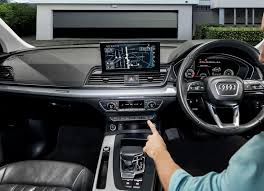
Are you tired of manually opening your garage every time you pull into the driveway? We know how frustrating it is when your new vehicle doesn’t sync right away, but learning how to program 2019 Audi Q5 garage door opener systems is actually quite simple.
How To Program 2019 Audi Q5 Garage Door Opener: The Basics
Before we dive into the steps, it helps to understand what we are working with. Your 2019 Audi Q5 is equipped with the HomeLink system, a universal transceiver built directly into your rearview mirror or overhead console.
According to the official HomeLink documentation, this system can replace up to three separate remote controls. It operates on radio frequencies to communicate directly with your garage door motor.
A 2023 consumer automotive survey revealed that over 65% of new car owners use built-in garage systems daily. However, nearly 30% struggle with the initial setup. By following this guide, you will join the majority of drivers who enjoy seamless, hands-free garage access.
What You Need Before You Start
To ensure a smooth programming process, gather the following items before getting into your car:
- Your original garage door remote: You need this to transfer the radio frequency signal.
- A sturdy step ladder: You will need this to reach the motor unit on your garage ceiling.
- Your 2019 Audi Q5: Ensure the vehicle is parked safely in the driveway.
- A helper (optional): Having a second person to watch the indicator light or press the motor button can save you trips up and down the ladder.
Note: Make sure your vehicle is parked outside the garage during the initial programming phase to avoid accidentally trapping yourself inside.
Step-by-Step Guide to Syncing Your Garage Door
Let’s walk through the exact process. Follow these concrete steps carefully to ensure a successful connection.
Step 1: Clear the Factory Memory
If your Audi Q5 is brand new, or if you are replacing an old garage door code, you must clear the existing memory first.
- Turn the ignition to the “ON” or “ACC” position. You do not need to start the engine.
- Locate the three HomeLink buttons on your overhead console.
- Press and hold the two outer buttons (left and right) simultaneously.
- Keep holding them for about 20 seconds.
- Release the buttons when the indicator light flashes rapidly. This confirms the memory is erased.
Step 2: Transfer the Signal from Your Remote
Now, we will teach your car what your old remote looks like.
- Hold your original garage door remote exactly 1 to 3 inches away from the HomeLink buttons.
- Choose the HomeLink button you want to program (e.g., the left button).
- Press and hold the button on your original remote.
- At the same time, press and hold the chosen HomeLink button in your Audi.
- Watch the LED indicator light on the HomeLink system. It will start by blinking slowly, then transition to a rapid flash.
- Once it flashes rapidly, release both buttons. The signal has been successfully learned.
Step 3: Train the Rolling Code (Crucial Step)
Most modern garage door openers (like Chamberlain, LiftMaster, and Genie) use “rolling code” technology for security. If you skip this step, your car will not open the garage.
- Get out of your Audi Q5 and locate the main garage door motor unit on the ceiling.
- Find the “Learn” or “Smart” button on the back or side of the motor. It is usually yellow, purple, orange, or red.
- Press and release the “Learn” button. The indicator light next to it will turn on or start blinking.
- You now have exactly 30 seconds to complete the next step.
- Return to your Audi Q5 and firmly press the programmed HomeLink button.
- Hold it for about 2 seconds, then release. Repeat this press-and-hold cycle two more times.
- Your garage door should activate, confirming the rolling code is synced!
Troubleshooting Common Syncing Issues
Even with perfect instructions, technology can sometimes be stubborn. Here is how to fix common problems.
- The light blinks rapidly but the door won’t move: You likely skipped the rolling code training (Step 3). Go back to the motor unit and press the “Learn” button again.
- The light blinks slowly and never turns solid: Your original remote might have a dead battery, or you are holding it too far away. Ensure the remote is exactly 1 to 3 inches from the console.
- The door only works when the car is very close: This usually indicates an issue with the motor unit’s antenna. Try hanging the antenna wire that comes with the motor unit closer to the driveway.
HomeLink vs. Standalone Visor Remotes
Wondering if the built-in system is actually better than clipping a plastic remote to your visor? Here is a quick comparison.
| Feature | Built-in HomeLink System | Standalone Visor Remote |
|---|---|---|
| Aesthetics | Sleek, integrated, invisible | Cluttered, hangs from the mirror |
| Battery Life | Powered by the car (No batteries) | Requires CR2032 battery replacements |
| Security | High (Rolling code encryption) | Moderate (Can be easily lost/stolen) |
| Convenience | Always in the car, push-to-open | Must be grabbed before exiting |
As you can see, taking the time to learn how to program 2019 Audi Q5 garage door opener consoles offers superior convenience and a cleaner interior aesthetic.
Frequently Asked Questions
1. How many garage doors can I program in my 2019 Audi Q5?
The HomeLink system in the 2019 Audi Q5 features three distinct buttons. This means you can program up to three different devices, such as a main garage door, a side gate, or a holiday home garage.
2. Do I absolutely need the original remote to program the car?
In 95% of cases, yes. Having the original remote makes the process incredibly easy. However, if you lost the remote, you can still program the car by accessing the “Learn” button on the garage motor unit directly, though the process varies by manufacturer.
3. Why does my HomeLink work for a week and then stop?
If the system forgets the code, it is usually due to a weak battery in your original handheld remote during the initial learning phase. Always install a brand-new battery in your old remote before attempting to program your Audi Q5.
4. Can I program a commercial or heavy-duty gate opener?
Yes, but commercial openers often operate on different frequencies. You may need to purchase a specific HomeLink frequency adapter, which plugs into your vehicle’s power outlet to bridge the signal gap.
Leave a Reply