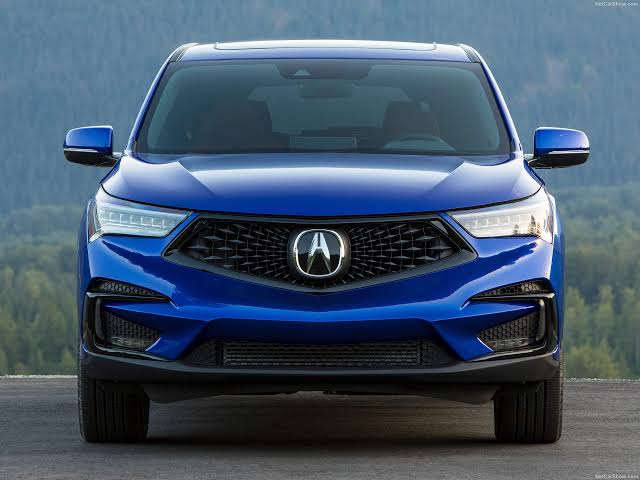
Struggling to sync your car’s built-in system with your home? Learning how to program 2019 Acura RDX garage door opener is easier than you think. We understand how frustrating it can be to juggle multiple remotes, especially in a luxury vehicle designed for seamless convenience. Our simple, empathetic guide will walk you through the exact process to get your HomeLink system set up in just a few minutes.
What Do You Need Before You Start Programming?
Before diving into the process, you must gather the right tools and ensure a safe environment. Preparation is the key to a smooth programming experience without any hiccups.
- Your 2019 Acura RDX: Ensure the vehicle is parked directly outside the garage. Never park inside a closed garage with the engine running to avoid dangerous carbon monoxide buildup.
- The Original Remote: You need the working garage door remote you currently use. Ensure it has a fresh battery, as a weak signal will cause the programming to fail.
- A Stepladder: You will likely need to reach the motor head unit on your garage ceiling to press the “Learn” button.
- A Helper: Having a second person to watch the garage door movement and confirm the motor lights flash can be incredibly helpful.
- Clear Observation: Make sure the garage door path is completely clear of people, pets, and objects before testing.
How To Program 2019 Acura RDX Garage Door Opener: What Are the Steps?
Now that you are fully prepared, let us walk through the exact process. The 2019 Acura RDX uses the integrated HomeLink system, which is conveniently located in your overhead console near the rearview mirror.
Step 1: Clear the Previous HomeLink Settings
If you bought the car used, or if you are reprogramming a button that previously controlled a different house, you must clear the old memory first.
- Turn the ignition to the “ON” position. You do not need to start the engine, but the electrical system must be active.
- Locate the three rectangular HomeLink buttons in your overhead console.
- Press and hold the two outer buttons simultaneously. Do not press the middle button.
- Keep holding them for about 10 to 20 seconds.
- Watch the small LED indicator light. Release the buttons only when the LED flashes rapidly. This confirms the factory reset is complete and the memory is erased.
Step 2: Prepare the Original Garage Door Remote
Next, you will sync your handheld remote to the car’s internal system.
- Sit comfortably in the driver’s seat of your Acura RDX.
- Hold your original garage door remote exactly 1 to 3 inches away from the HomeLink buttons you wish to program.
- You can place the remote directly against the HomeLink plastic housing if it helps you maintain a steady distance.
Step 3: Sync the Remote to the HomeLink Button
This is where the actual cloning of the radio frequency happens.
- Choose one of the three HomeLink buttons you want to assign to your garage door.
- Press and hold the main open/close button on your original handheld remote.
- Simultaneously, press and hold the chosen HomeLink button in your Acura.
- Keep your eyes on the LED indicator on the HomeLink system.
- It will start by blinking slowly. After about 20 seconds, it will transition to a rapid flash.
- Once it flashes rapidly, release both buttons. The initial programming is now successful!
Step 4: Train the Rolling Code (If Applicable)
Most modern garage doors use a security feature called rolling code technology. This means the access code changes every single time you use the remote to prevent hacking.
- Go to your garage and locate the “Learn” or “Smart” button on the motor head. It is usually located near the antenna wire and is often yellow, red, orange, green, or purple.
- Press and release the “Learn” button. The indicator light next to it will illuminate or start blinking.
- You have exactly 30 seconds to complete the next step before the motor times out.
- Return to your Acura RDX immediately.
- Press and hold the newly programmed HomeLink button.
- Hold it for 2 to 3 seconds, then release it.
- Repeat this press-and-hold cycle a second time, and if necessary, a third time.
- Stop when the garage door activates, or when you see the motor lights flash. This confirms the rolling code is synchronized.
What Are the Pros and Cons of Using the HomeLink System?
To help you understand the value of this built-in feature, we have created a quick comparison table detailing the advantages and minor drawbacks.
| Feature | Pros | Cons |
|---|---|---|
| Convenience | No need to carry, lose, or replace extra remotes. | Requires initial setup time and a ladder. |
| Compatibility | Works with over 99% of major garage door brands in the US. | Older fixed-code models (pre-1996) might need a repeater. |
| Security | Uses advanced rolling code encryption for maximum safety. | Training the rolling code requires reaching the ceiling motor. |
| Aesthetics | Keeps your car interior clean, modern, and clutter-free. | Overhead buttons can be slightly hard to see at night. |
How Do You Troubleshoot Common Programming Issues?
Sometimes, technology does not cooperate on the first try. Here is how to fix the most common errors users face.
- The LED Blinks But the Door Does Not Move: This usually means the rolling code was not successfully trained. Go back to Step 4, press the motor’s “Learn” button again, and repeat the 2-second press cycle in the car.
- The LED Does Not Light Up At All: Check the fuse for the HomeLink system in your vehicle’s fuse box. Also, ensure your ignition is in the “ON” or “ACC” position, as the system will not draw power if the car is completely off.
- The Remote Works, But HomeLink Does Not: Your original remote’s battery might be weak. Even if it still opens the door from a distance, a weak battery will not transmit a strong enough signal to the car. Replace the battery in your handheld remote and try Step 3 again.
- The Door Only Works When Parked Very Close to the Garage: This indicates a weak signal transmission. Make sure you are not holding the remote too far away during the initial sync. Also, ensure your car’s windshield tint does not contain metallic particles that block radio frequencies.
What Do Experts Say About HomeLink Compatibility?
According to industry statistics, the HomeLink system is compatible with virtually every major garage door opener brand sold in the United States today. “Over 60 million vehicles on the road today feature HomeLink technology,” notes a recent automotive convenience and security report. This massive adoption rate means that if you drive a 2019 Acura RDX, your built-in system will almost certainly communicate seamlessly with your home’s opener.
However, if you have a very old opener manufactured before 1996, it might use a fixed-code “dip switch” system. In such rare cases, you may need to purchase a universal HomeLink compatibility bridge. This small plug-in device translates the signals between your car and the older motor, ensuring safe and reliable operation.
Frequently Asked Questions
1. How many garage door openers can I program in my 2019 Acura RDX? Your 2019 Acura RDX features three independent HomeLink buttons. This means you can program up to three different devices simultaneously. You could use one button for the main garage door, one for a side gate, and one for your home’s security lights or entry door.
2. Do I need the original remote to program the 2019 Acura RDX garage door opener? Yes, for the initial setup, you absolutely need the original handheld remote. The car needs to “read” the specific radio frequency signal from your existing remote to clone it. Once programmed successfully, you can throw the original remote in a kitchen drawer as a backup.
3. Why is my HomeLink light blinking rapidly during programming? A rapid blinking light is actually a good thing during the initial sync (Step 3). It indicates that the vehicle has successfully learned the frequency of your handheld remote. However, if it blinks rapidly after you have completed all steps and it still does not work, it means the rolling code training failed.
4. Can I program a 2019 Acura RDX HomeLink to a Chamberlain or LiftMaster opener? Absolutely. Chamberlain, LiftMaster, and Craftsman are the most common garage door opener brands in the US. The 2019 Acura RDX HomeLink system is fully compatible with all of their modern rolling code models. Just ensure you follow the “Learn” button training step carefully within the 30-second window.
5. How do I erase the programmed garage door settings in my Acura RDX? If you sell your car or buy a new house, you should erase the memory for security purposes. Simply turn the ignition to “ON”, press and hold the two outer HomeLink buttons for 10 to 20 seconds, and wait for the LED to flash rapidly. This completely clears all three buttons.
6. What if my garage door opener does not have a “Learn” button? If your motor unit lacks a “Learn” or “Smart” button, it is likely an older fixed-code model. You will not need to perform Step 4. Simply complete Steps 1 through 3, and the system should work immediately. If it does not, you will need a universal compatibility bridge to bridge the signal gap.
Leave a Reply