Introduction
There are few things more frustrating than pulling into your driveway in the rain, only to realize you cannot remember how to pair my garage door opener with my car. You want the convenience of seamless entry, but confusing manuals and blinking lights often turn a simple task into a headache. Fortunately, syncing your vehicle’s built-in system or universal remote is usually a straightforward process that takes less than ten minutes when you have the right guidance.
This guide will walk you through every method safely and efficiently, ensuring you get back to enjoying hands-free access to your home. Whether you drive a newer model with integrated tech or an older vehicle requiring a visor clip-on, we have simplified the technical jargon into actionable steps. Let’s get your car and garage communicating perfectly.
Understanding Your System Type Before Pairing
Before attempting any programming, it is vital to identify which technology your vehicle uses. Misidentifying the system is the most common reason users fail when figuring out how to pair my garage door opener with my car. Generally, systems fall into three categories:
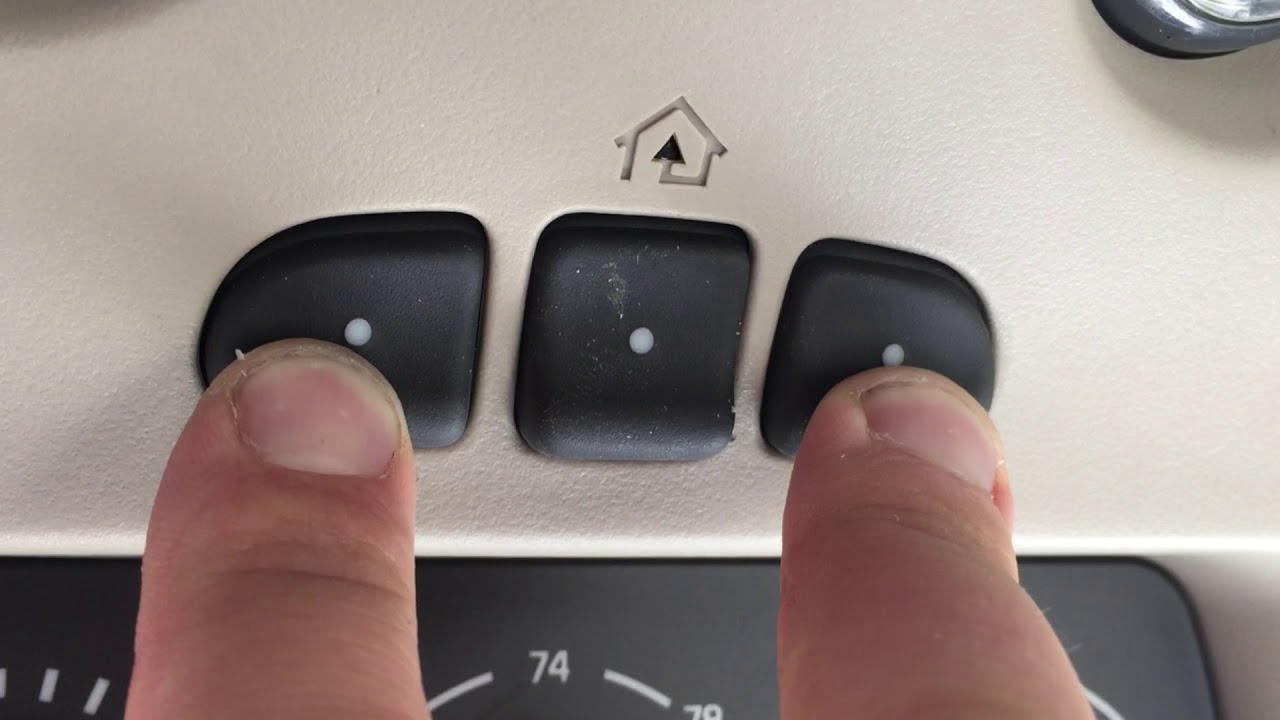
- HomeLink: The industry standard integrated into over 90% of new vehicles sold in North America. Buttons are typically located on the rearview mirror, overhead console, or center stack.
- Car2U / XpressKit: An older integrated system found primarily in vehicles manufactured between 2005 and 2015. These often require a different “repeater” kit for modern rolling-code openers.
- Universal Visor Remotes: Aftermarket devices (like Genie Universal or Chamberlain Clicker) that clip onto your sun visor and function independently of the car’s wiring.
Expert Insight: According to automotive technicians, approximately 70% of pairing failures occur because the user attempts to program a rolling-code opener using a fixed-code sequence. Always check your garage motor’s manufacture date; units made after 1996 almost exclusively use rolling-code security technology.
For a deeper understanding of the underlying radio frequency technologies that make this communication possible, you can refer to the Wikipedia article on Garage Door Openers, which details the evolution from dip switches to modern encrypted signals.
How to Program HomeLink: Step-by-Step Tutorial
If your vehicle features HomeLink buttons, follow this precise tutorial. This method applies to most major brands including LiftMaster, Chamberlain, Craftsman, and Genie.
Step 1: Clear Previous Codes (Crucial for Used Cars)
Never skip this step if the vehicle is pre-owned or if previous programming failed.
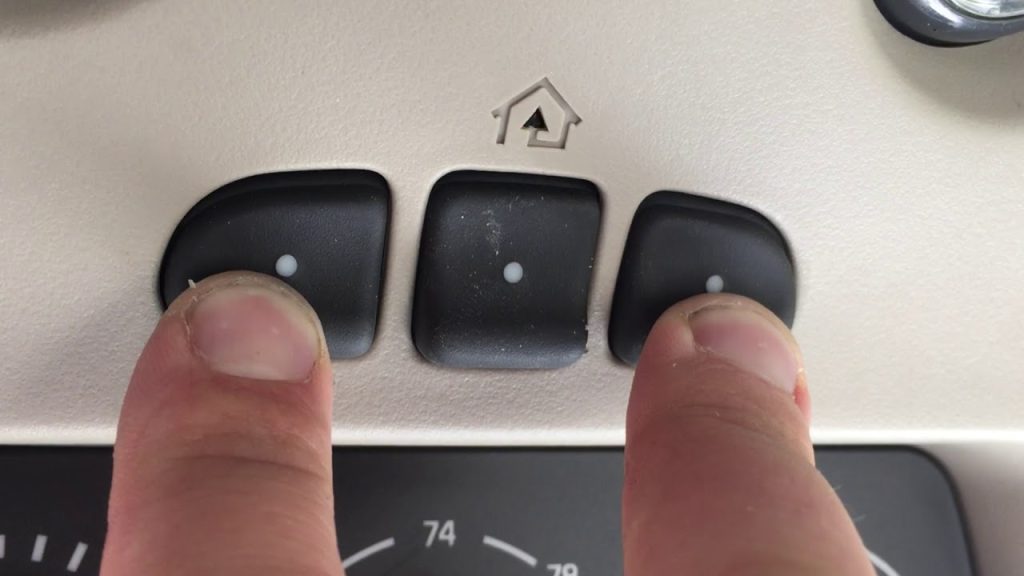
- Press and hold the two outer HomeLink buttons simultaneously.
- Hold for 10–20 seconds until the indicator LED changes from solid to rapidly flashing amber.
- Release both buttons. The memory is now wiped.
Step 2: Program the Vehicle Button
- Turn your ignition to the ON/RUN position (engine does not need to be running, but power must be active).
- Hold your handheld garage remote 1–3 inches away from the HomeLink button you wish to program.
- Simultaneously press and hold the handheld remote button AND the target HomeLink button.
- Watch the HomeLink LED. It will flash slowly at first, then rapidly flash green/amber. This rapid flash confirms the signal has been captured.
- Release both buttons immediately upon seeing the rapid flash.
Step 3: Sync the Garage Motor (Rolling Code Only)
Most modern openers require this final handshake.
- Locate the “Learn” or “Smart” button on your garage ceiling motor unit. It is usually yellow, purple, orange, or red.
- Press and release the Learn button. You typically have 30 seconds to complete the next step.
- Return to your car and press the newly programmed HomeLink button firmly for 2 seconds, then release. Repeat this press-hold-release cycle up to 3 times within the 30-second window.
- Test the door. If it activates, pairing is complete.
Programming Universal Visor Remotes
Not everyone has integrated buttons. If you are using an aftermarket universal remote, the process differs slightly.
| Feature | Integrated HomeLink | Universal Visor Remote |
|---|---|---|
| Power Source | Vehicle Wiring | 9V Battery / Coin Cell |
| Programming Location | Inside Car + Ceiling Unit | Usually Just Ceiling Unit |
| Compatibility | Rolling & Fixed Code | Varies by Model |
| Aesthetics | Seamless/OEM Look | Visible Clip-On Device |
| Cost | Included with Vehicle | $25 – $45 Retail |
Quick Setup for Universal Remotes:
- Press the “Learn” button on your garage motor.
- Within 30 seconds, press the button on your universal remote twice.
- Wait for the motor light to flash or click, confirming acceptance.
- Test operation from inside the vehicle.
Note: Some universal remotes require you to match DIP switch patterns manually. If your remote has tiny sliding switches inside the battery compartment, these must physically match the pattern inside your old handheld remote.
Troubleshooting: Why Won’t My Garage Door Sync?
Even when following instructions on how to pair my garage door opener with my car, issues arise. Here are data-backed solutions for the most frequent problems:
- LED Flashes But Door Doesn’t Move: This usually indicates a frequency mismatch. Your car may transmit at 315 MHz while your opener expects 390 MHz. Solution: Purchase a HomeLink Compatibility Bridge or frequency converter specific to your opener brand.
- Signal Works Only When Very Close: Weak batteries in your handheld remote during programming can corrupt the learned signal. Replace the handheld remote battery before reprogramming. Also, ensure your car battery is healthy; low voltage can weaken transmitter output.
- Programmed Successfully But Stops Working After Days: This suggests interference or a failing capacitor in the garage motor. Check for nearby LED bulbs; cheap LED garage lights can emit RF noise that blocks opener signals. Swap to RF-shielded LED bulbs rated for garage door openers.
- Car2U Systems Not Responding: Many Car2U systems cannot natively communicate with Security+ 2.0 (yellow learn button) openers. You likely need the Car2U Repeater Kit installed at the motor head to bridge the protocol gap.
Frequently Asked Questions (FAQ)
Can I pair my garage door opener without the original remote?
Yes, but it depends on your system. For HomeLink, you can sometimes use the “Learn” button on the motor directly without a handheld remote, though having one makes the process significantly easier. For universal remotes, the original remote is rarely needed as they program directly via the motor’s Learn button. However, if your opener lacks a Learn button (pre-1993), you absolutely need the original remote to read the DIP switch configuration.
Is it safe to program my garage door opener myself?
Absolutely. Programming involves only radio signal transmission and button presses; there is no electrical work involved. The primary safety concern is physical: use a sturdy ladder when accessing the ceiling motor unit, and never attempt to adjust spring tension or mechanical components during pairing. If your door is mechanically malfunctioning, hire a professional before attempting electronic synchronization.
Why does my HomeLink work intermittently?
Intermittent operation is frequently caused by RF interference rather than programming errors. Common culprits include unshielded LED light bulbs, wireless weather stations, baby monitors, or neighboring garage openers operating on similar frequencies. Try turning off all electronics in the garage except the opener and retest. If reliability improves, systematically reintroduce devices to identify the interferer. Additionally, verify your vehicle’s antenna is undamaged and that the HomeLink module hasn’t suffered water intrusion.
How many cars can I pair to one garage door opener?
Most modern garage door openers support between 8 and 20 individual remote codes in memory, depending on the brand and model. LiftMaster Security+ 2.0 units typically store up to 20 entries, while older models may cap at 8. Each car’s HomeLink counts as one entry. If you reach capacity, you must clear unused codes before adding new vehicles. Consult your opener’s manual for the exact limit and clearing procedure.
Does pairing drain my car battery?
No. HomeLink draws negligible power—typically less than 5 milliamps when idle—which is insignificant compared to other parasitic draws like alarm systems or telematics modules. Even if parked for weeks, HomeLink alone will not deplete a healthy car battery. Universal visor remotes use their own independent batteries and draw zero power from the vehicle. If you experience battery drain after installation, the issue lies elsewhere in your electrical system.
What if my car doesn’t have HomeLink or a universal remote?
You have several excellent options. First, consider purchasing a smart garage controller (like myQ or Tailwind) that adds Wi-Fi connectivity to your existing opener, allowing phone-based control regardless of vehicle type. Second, install an aftermarket HomeLink retrofit kit, available for many vehicles lacking factory integration. Third, simply use a quality universal visor remote as discussed above. Smart controllers offer the added benefit of remote monitoring and guest access sharing, making them increasingly popular among homeowners without built-in vehicle transmitters.
Conclusion
Mastering how to pair my garage door opener with my car transforms daily convenience and eliminates unnecessary frustration. By correctly identifying your system type, following precise programming sequences, and applying targeted troubleshooting when needed, you can achieve reliable hands-free access in under fifteen minutes. Remember that patience during the learning phase prevents repeated failures, and always prioritize safety when working near ceiling-mounted equipment.
Your garage should welcome you home effortlessly—not test your patience. Now that you have the knowledge, take action today and enjoy the seamless entry you deserve.
Found this guide helpful? Share it with friends, family, or neighbors who are still struggling with garage door syncing! Post it on Facebook, tweet it, or send it via text to someone who needs this solution. Helping others reclaim their convenience is just one click away. 🚗🏠
Leave a Reply