Introduction
There are few things more frustrating than fumbling for a bulky remote or getting soaked in the rain because you cannot get into your garage quickly. If you have ever wondered how to connect your car to your garage door opener, you are not alone; millions of drivers seek this seamless integration every year to improve safety and convenience. This guide will walk you through the exact process, ensuring you can open your garage with a simple button press on your visor, regardless of your vehicle’s make or model.
Understanding Your System Compatibility
Before diving into buttons and programming modes, it is vital to understand that not all systems speak the same language. The method for connecting your car depends entirely on whether your vehicle uses HomeLink, Car2U, or a proprietary manufacturer system, and whether your garage opener uses rolling code or fixed code technology.
According to industry standards, over 80% of vehicles manufactured after 2015 come equipped with HomeLink as the primary universal transceiver. However, older vehicles or specific European models may utilize different frequencies. Identifying your system prevents wasted time and ensures you follow the correct safety protocols.
Rolling Code vs. Fixed Code Technology
Understanding this distinction is critical for successful programming:
- Fixed Code (Older): Uses a static signal. Easier to program but less secure. Common in openers manufactured before 1996.
- Rolling Code (Newer): Changes the access code every time the remote is used. Requires an extra “Learn” button step at the garage motor unit. This is the standard for modern security.
Expert Note: Always check the manufacturing date on your garage door motor. If it was made after 1996, assume it uses rolling code technology and prepare to access the motor unit during programming.
Step-by-Step: How To Connect Your Car To Your Garage Door Opener (HomeLink)
This tutorial focuses on HomeLink, the most prevalent system in US vehicles. Please ensure your car is parked outside the garage during initial programming to prevent accidental door movement or injury.
Phase 1: Clear Previous Settings (If Applicable)
If you bought a used car or previously programmed the buttons, start fresh.
- Locate the three HomeLink buttons on your rearview mirror or overhead console.
- Press and hold the two outer buttons simultaneously.
- Hold for approximately 10–20 seconds until the indicator light flashes rapidly (usually amber or red).
- Release both buttons. The system is now erased and ready for new programming.
Phase 2: Program the Vehicle Button
- Turn your vehicle’s ignition to the ON/ACC position. Some newer EVs require the car to be fully powered on.
- Hold your existing handheld garage remote 1–3 inches away from the HomeLink buttons.
- Simultaneously press and hold the desired HomeLink button AND the button on your handheld remote.
- Watch the HomeLink indicator light. It will flash slowly at first, then rapidly when programming is complete. This typically takes 5–30 seconds.
- Release both buttons once the rapid flashing begins.
Phase 3: Sync With Rolling Code Openers
Skip this section only if you have confirmed your opener uses fixed code technology.
- Go to your garage door motor unit. Locate the “Learn” or “Smart” button (usually yellow, purple, orange, or red).
- Press and release the Learn button. You typically have 30 seconds to complete the next step.
- Return to your vehicle and press the newly programmed HomeLink button three times, holding each press for 2 seconds.
- The garage door should activate, confirming the sync is complete.
Alternative Methods for Non-HomeLink Vehicles
Not every car has HomeLink. Here is how to handle other scenarios:
| System Type | Identification | Programming Method |
|---|---|---|
| Car2U | Buttons labeled “Car2U” or no brand logo | Hold outer buttons for 10 sec; press handheld remote button repeatedly while holding Car2U button |
| Tesla / Rivian | Integrated touchscreen menu | Navigate to Controls > Garage > Add Opener; follow on-screen prompts |
| Aftermarket Module | Separate device clipped to visor | Follow manufacturer-specific pairing instructions; often requires OBD-II connection |
| Smart Hub Bridge | myQ, Tailwind, or Meross hub | Pair via smartphone app; bridge translates WiFi signal to garage frequency |
For comprehensive technical specifications regarding radio frequencies and transmitter protocols, refer to the Garage Door Opener entry on Wikipedia.org, which provides detailed historical and engineering context for these systems.
Troubleshooting Common Connection Issues
Even professionals encounter hiccups. Here are solutions to the most frequent problems:
- Light Flashes But Door Won’t Open: The frequency may be incompatible. Try reprogramming while holding the handheld remote at different angles or distances (try 6 inches instead of 1).
- Programming Times Out: Replace the battery in your handheld remote before attempting again. A weak battery is the #1 cause of failed syncing.
- Works Outside But Not Inside Garage: Signal interference from LED bulbs. Swap garage light bulbs to incandescent or RF-shielded LEDs specifically rated for garage openers.
- Only Works When Ignition Is On: This is normal for many vehicles. HomeLink draws power from the accessory circuit; some cars disable it when the engine is off to preserve battery life.
Safety Considerations You Must Know
Connecting your car to your garage door opener is convenient, but safety must remain paramount.
- Never Program While Door Is Moving: Always ensure the door is fully stationary before initiating any programming sequence.
- Test Auto-Reverse Monthly: After successful connection, place a 2×4 board under the door and test closure. The door must reverse upon contact. This is a federal safety requirement.
- Secure Your Handheld Remote: Once synced, store your original remote securely. Having two active transmitters increases vulnerability if one is lost or stolen.
- Update Firmware: Smart garage systems receive security patches. Check your manufacturer’s app quarterly for updates that protect against signal replay attacks.
Frequently Asked Questions (FAQ)
Q1: Can I connect multiple cars to the same garage door opener?
Yes. Most modern garage door openers support 8–15 remote devices simultaneously. Each vehicle is treated as an independent transmitter. Simply repeat the programming process for each car. There is no need to delete previous connections unless you have reached the maximum capacity.
Q2: Why does my HomeLink work intermittently?
Intermittent operation usually stems from three causes: weak handheld remote battery during initial programming, LED bulb interference in the garage fixture, or antenna positioning on the motor unit. Ensure the antenna wire hangs vertically and is not coiled or touching metal surfaces. Replacing the handheld remote battery resolves approximately 60% of intermittent issues.
Q3: Do I need a special adapter for older garage doors?
Possibly. If your opener was manufactured before 1996 and uses fixed code, but your car uses newer rolling code HomeLink, you may need a compatibility bridge (such as the HomeLink Compatibility Bridge). This device translates between the two technologies. Check your vehicle owner’s manual or the HomeLink website for your specific year/make/model compatibility chart.
Q4: Can I use my phone instead of my car’s built-in system?
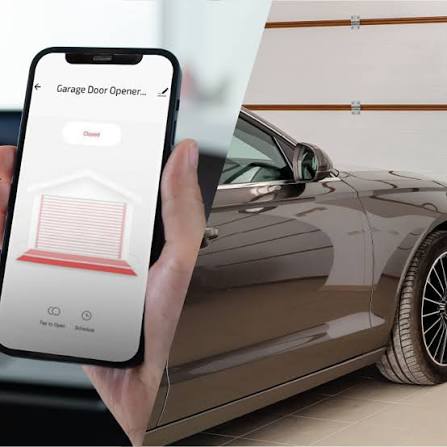
Absolutely. Smart garage controllers like myQ, Tailwind, or Meross offer smartphone control independent of your vehicle’s built-in system. These are excellent alternatives if your car lacks HomeLink or if you want features like auto-close timers, guest access sharing, and real-time status notifications. Many integrate directly with Apple CarPlay and Android Auto.
Q5: Is it safe to leave my garage door opener connected when selling my car?
No. Always erase all HomeLink/Car2U memory before selling or trading in your vehicle. Holding the two outer buttons for 20 seconds clears all stored codes. Failing to do so gives the next owner unrestricted access to your home. Treat this step with the same importance as removing personal items from the glove box.
Q6: What if my car has no visible HomeLink buttons?
Check your overhead console, center stack, touchscreen menu, or owner’s manual. Some manufacturers integrate the function digitally without physical buttons. Tesla, Rivian, and newer BMW models often place garage control within the infotainment system. Search “[Your Car Year Make Model] garage door programming” for model-specific guidance.
Conclusion
Learning how to connect your car to your garage door opener transforms a daily annoyance into effortless convenience. Whether you drive a brand-new SUV with integrated smart controls or a reliable older sedan with classic HomeLink buttons, the process is straightforward when you follow the correct steps for your specific technology. Remember to prioritize safety testing, keep your handheld remote batteries fresh, and always clear memory before transferring vehicle ownership.
The freedom of pressing a single button and watching your garage door welcome you home—rain or shine—is worth the 10-minute setup investment. You have now gained the knowledge to achieve this seamlessly.
Found this guide helpful? Share it with friends, family, or neighbors who are still struggling with bulky remotes! Tag us on social media or send this article to someone who just bought a new car. Together, we can make everyone’s arrival home smoother, safer, and drier. 🏠🚗
Leave a Reply