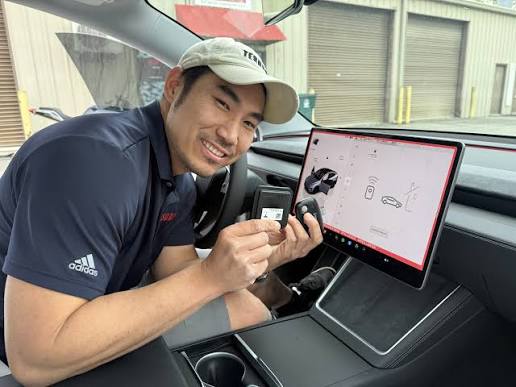
Introduction
There is nothing quite as frustrating as pulling into your driveway in the rain, only to realize you still have to fumble for a remote or use a clunky phone app to get inside. If you are searching for how to connect Tesla Model Y to garage door opener, you are looking to reclaim that seamless entry experience and integrate your vehicle into your smart home ecosystem. This guide will walk you through the exact steps to program your Model Y’s built-in HomeLink system safely and effectively, turning your car into a universal remote.
Understanding HomeLink Technology in Tesla Model Y
Before diving into the buttons, it is vital to understand what makes this integration possible. The Tesla Model Y does not use proprietary radio frequencies unique to Elon Musk’s engineering; instead, it utilizes HomeLink, a universal transceiver system found in millions of vehicles worldwide.
According to Wikipedia, HomeLink is an integrated wireless control system that allows drivers to operate garage doors, gates, lights, and security systems directly from their vehicle’s visor or touchscreen. In the Model Y, this hardware is typically located in the rearview mirror assembly or integrated into the overhead console, depending on the model year and region.
Why Use Built-In HomeLink Over Third-Party Apps?
Many new owners wonder if they should use third-party integrations like IFTTT or specialized Tesla apps. While those have their place, the native HomeLink offers distinct advantages:
- Reliability: No dependency on Wi-Fi connectivity or cloud server latency.
- Speed: Instant signal transmission via direct RF (Radio Frequency).
- Security: Uses rolling code technology to prevent signal cloning.
- Simplicity: Zero subscription fees or complex API configurations.
Prerequisites: Check Before You Program
To ensure a smooth setup when learning how to connect Tesla Model Y to garage door opener, verify the following items first. Skipping these checks is the #1 reason for failed programming attempts.
| Requirement | Details |
|---|---|
| Opener Compatibility | Must support 300–400 MHz frequency range. Most openers made after 1996 work. |
| Battery Status | Ensure your garage door remote has fresh batteries. Weak signals cause sync failures. |
| Vehicle Position | Park outside the garage, at least 5 feet away, with clear line-of-sight to the motor. |
| Safety Clearance | Ensure no people, pets, or objects are in the door’s path during testing. |
| Software Version | Update your Model Y to the latest firmware via Controls > Software. |
⚠️ Safety Warning: Never program HomeLink while the garage door is moving or obstructed. Always maintain visual contact with the door during the entire process to prevent injury or property damage.
Step-by-Step: How to Connect Tesla Model Y to Garage Door Opener
Follow these precise instructions. The process generally takes 2–5 minutes. Note that Tesla frequently updates its UI; these steps reflect the current interface as of 2026.
Step 1: Access the HomeLink Menu
Sit in the driver’s seat with the vehicle powered on. On your central touchscreen, tap Controls (car icon) > Locks > HomeLink. Alternatively, some software versions place this under Controls > Accessories > HomeLink. Tap “Create New HomeLink Device.”
Step 2: Name Your Device
Enter a descriptive name such as “Main Garage,” “Side Entry,” or “Community Gate.” This helps if you plan to program multiple devices later. Tap Create.
Step 3: Initiate Learning Mode on the Car
The screen will prompt you to press and hold the button on your original garage door remote. Hold it 1–2 inches away from the HomeLink receiver area (usually marked near the rearview mirror or overhead console). Keep holding until the Tesla screen confirms signal detection. This typically takes 10–30 seconds.
Step 4: Complete the Handshake
Once the car detects the signal, it may ask you to press the learn/smart button on your actual garage door motor unit. This step is required for rolling-code openers (most modern units). Locate the learn button on the motor housing (often yellow, purple, orange, or red), press it briefly, then return to your car and tap Continue on the screen within 30 seconds.
Step 5: Test and Verify
Press the newly created HomeLink icon on your touchscreen. The garage door should activate. Test it 2–3 times to confirm consistency. If it works, tap Save. Congratulations—you’ve successfully learned how to connect Tesla Model Y to garage door opener!
Troubleshooting Common HomeLink Issues
Even with perfect execution, hiccups happen. Here are expert-backed solutions for the most frequent problems.
Signal Not Detected After 60 Seconds
- Try a different remote battery. Even if the remote still opens the door normally, its signal strength may be insufficient for programming.
- Reposition the remote. Move it to different spots around the mirror/console. The receiver antenna has directional sensitivity.
- Check frequency compatibility. Some European or Asian-market openers operate outside the US HomeLink range.
Door Opens But Won’t Close (or Vice Versa)
This usually indicates an incomplete rolling-code handshake. Delete the device from HomeLink, reset your garage door opener’s learn memory (hold the learn button for 10+ seconds until the LED blinks), and restart the programming from Step 1.
Intermittent Operation
If the connection works sometimes but not others, interference may be the culprit. LED bulbs installed in the garage door opener light fixture can emit RF noise that disrupts HomeLink signals. Try removing the bulb temporarily to test. If operation improves, replace it with an RF-shielded LED bulb specifically rated for garage door openers.
Advanced Feature: Auto-Open and Auto-Close
One of the greatest benefits of connecting your Model Y is enabling location-based automation. Once programmed:
- Go to Controls > Locks > HomeLink.
- Select your garage device.
- Toggle “Auto-Open when Arriving” and/or “Auto-Close when Leaving.”
- Adjust the trigger distance slider (typically 10–50 feet).
💡 Pro Tip: Set auto-close to trigger only when shifting into Drive and moving away from home. This prevents accidental closure if you’re simply parked in the driveway washing the car.
FAQ: Connecting Tesla Model Y to Garage Door Opener
Can I connect my Tesla Model Y to two different garage doors?
Yes. The Model Y HomeLink system supports up to three separate devices. Simply repeat the programming steps for each additional door or gate. Each device gets its own named icon on the touchscreen.
Does HomeLink work with older garage door openers?
Generally, yes—if the opener was manufactured after 1996 and operates in the 300–400 MHz band. For pre-1996 fixed-code openers, you may need a HomeLink Compatibility Bridge (sold separately by Chamberlain/LiftMaster) to translate between old and new protocols.
Will disconnecting the 12V battery erase my HomeLink settings?
No. HomeLink device data is stored in non-volatile memory and persists through battery replacements, software updates, and even factory resets (unless you manually choose to wipe personal data). However, always back up your settings by noting device names and configurations before major service.
Is there a way to open my garage without using the touchscreen?
Absolutely. You can add the HomeLink widget to your Tesla mobile app home screen for one-tap access. Additionally, if you’ve enabled Auto-Open, the door activates automatically based on GPS geofencing—no interaction needed. Voice commands via “Open garage” also work in supported regions.
My Tesla says “Signal Learned” but the door doesn’t respond. What now?
This almost always means the rolling-code synchronization failed. Press the learn button on your garage motor again, then immediately tap “Continue” on the Tesla screen within the 30-second window. Timing is critical. If it still fails, consult your opener’s manual for brand-specific HomeLink instructions.
Can renters or apartment dwellers use HomeLink?
Yes, but with caveats. You’ll need permission from the property manager to access the garage motor’s learn button. Many commercial/community garages use encrypted commercial-grade systems incompatible with consumer HomeLink. Always verify compatibility before attempting programming.
Conclusion
Mastering how to connect Tesla Model Y to garage door opener transforms daily convenience from a luxury into a standard expectation. With just five minutes and your existing remote, you unlock seamless, secure, and automated garage access that integrates perfectly with your EV lifestyle. Beyond the immediate satisfaction of never hunting for a remote again, you gain peace of mind knowing your vehicle communicates reliably with your home infrastructure.
Did this guide help you get connected? Share it with fellow Tesla owners on X (Twitter), Reddit’s r/TeslaMotors, or your local EV Facebook group! Helping others avoid common pitfalls strengthens our community and makes the ownership experience better for everyone. Safe driving and happy parking! 🚗⚡
Leave a Reply