If you’re struggling with remote controls or want more convenience, learning How To Connect Genie Garage Door Opener To Car can make daily life much easier. Instead of carrying a separate remote, you can open your garage directly from your vehicle.
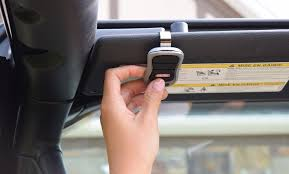
Many modern cars come with built-in systems like HomeLink that allow seamless garage door integration. The setup process is simple, but it must be done correctly to ensure smooth operation.
Read too: How Do You Change Code On Garage Door Keypad Fast?
What Does It Mean to Connect a Garage Door Opener to a Car?
Connecting your Genie garage door opener to your car means syncing the vehicle’s built-in remote system with your garage motor unit.
Most cars use HomeLink, a universal in-vehicle remote system that can store multiple garage door codes.
This system improves:
- Convenience (no extra remotes needed)
- Safety (encrypted signal transmission)
- Accessibility (control from inside your car)
What You Need Before You Start
Before learning How To Connect Genie Garage Door Opener To Car, make sure you have:
- A Genie garage door opener installed
- A compatible car with HomeLink system
- Working garage remote (very important for programming)
- Fresh batteries in the remote
- Garage door within range (usually 10–15 feet)
According to the National Highway Traffic Safety Administration, in-vehicle automation systems like HomeLink reduce driver distraction by eliminating the need for handheld devices. National Highway Traffic Safety Administration
How To Connect Genie Garage Door Opener To Car (Step-by-Step)
Follow this simple process carefully:
Step 1: Clear Existing HomeLink Memory (If Needed)
Before starting:
- Turn ignition ON
- Hold the two outer HomeLink buttons for 10–20 seconds
- Wait until the indicator light flashes
This resets previous programming.
Step 2: Program HomeLink in Your Car
Now begin pairing:
- Press and hold the desired HomeLink button
- While holding, press your Genie remote close to the button
- Keep both pressed until the light flashes rapidly
This step transfers the signal from remote to car system.
Step 3: Locate the Learn Button on Genie Opener
Go to your garage motor unit:
- Find the “Learn” button
- Press it once (do not hold)
- You will see a small LED light turn on
You now have about 30 seconds to complete the next step.
Step 4: Final Sync From Car
Inside your vehicle:
- Press the programmed HomeLink button
- Hold for 2–5 seconds
- Wait for garage door movement
If successful, the door will open or close.
Understanding Genie Rolling Code Technology
Modern Genie systems use rolling code encryption, which changes the signal each time the remote is used.
This improves security by preventing unauthorized access. Learn more about it here: Rolling code
Troubleshooting Common Issues
If your system doesn’t connect properly, check these:
1. Distance Problem
Car should be within 10–15 feet of garage door.
2. Weak Remote Battery
Even slightly weak batteries can interrupt programming.
3. Incorrect Timing
The Learn button only stays active for 30 seconds.
4. Compatibility Issue
Some older Genie models may require additional steps.
Connection Methods Comparison
| Method | Ease | Reliability |
|---|---|---|
| HomeLink system | Easy | High |
| Manual remote sync | Medium | Medium |
| Universal adapters | Hard | High |
Benefits of Connecting Genie Opener to Your Car
- No need to carry a separate remote
- Faster access when arriving home
- Increased safety and convenience
- Works with multiple garage doors
- Clean, built-in dashboard control
How Long Does Setup Take?
Most users complete the process in:
- Initial pairing: 5–10 minutes
- Troubleshooting (if needed): 10–15 minutes
- Full setup: under 20 minutes total
Safety Tips During Setup
According to garage safety recommendations from Consumer Product Safety Commission:
- Never test while standing under a moving garage door
- Keep children away during programming
- Avoid repeated rapid testing
- Ensure door area is clear before activation
When Should You Reprogram the Connection?
You may need to repeat How To Connect Genie Garage Door Opener To Car if:
- You replace your garage motor
- You change your vehicle
- Remote stops responding
- Battery or system reset occurs
FAQ: How To Connect Genie Garage Door Opener To Car
1. Can all cars connect to Genie garage door openers?
No, only vehicles with HomeLink or compatible universal systems can connect.
2. Why won’t my car connect to my Genie opener?
It may be due to timing issues, weak remote batteries, or incompatibility.
3. Do I need internet or Wi-Fi for setup?
No, the connection works using radio frequency signals, not Wi-Fi.
4. How many garage doors can I connect to my car?
Most HomeLink systems support up to 3 different garage doors.
5. Do I need the original remote to program it?
Yes, in most cases the original working remote is required.
Conclusion
Learning How To Connect Genie Garage Door Opener To Car is a simple upgrade that significantly improves convenience and security. With just a few steps—programming HomeLink, syncing the remote, and activating the Learn button—you can control your garage directly from your vehicle.
This setup eliminates the need for extra remotes and makes daily entry and exit smoother and safer.
If this guide helped you, consider sharing it with others who want a faster and smarter way to access their garage.
Leave a Reply