Introduction
There is nothing quite as frustrating as sitting in your driveway, fumbling through a cluttered center console for a plastic remote while the rain pours down outside. If you are searching for how to connect garage door opener to Subaru Forester 2015, you are likely ready to ditch the visor clip and embrace the seamless convenience of your vehicle’s built-in system. We understand that automotive technology can sometimes feel intimidating, but rest assured that programming your HomeLink system is a straightforward process designed for everyday drivers. This guide will walk you through every button press and indicator light so you can enjoy keyless entry to your home with total confidence.
Understanding Your 2015 Forester’s HomeLink System
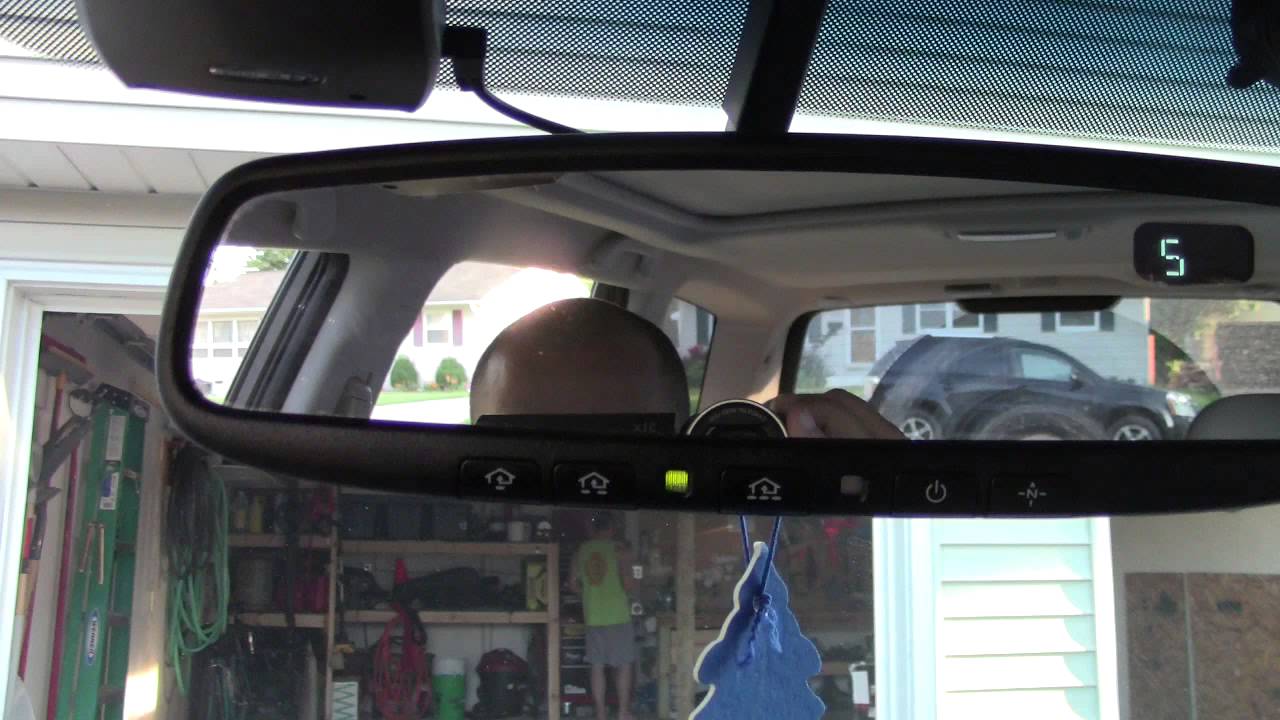
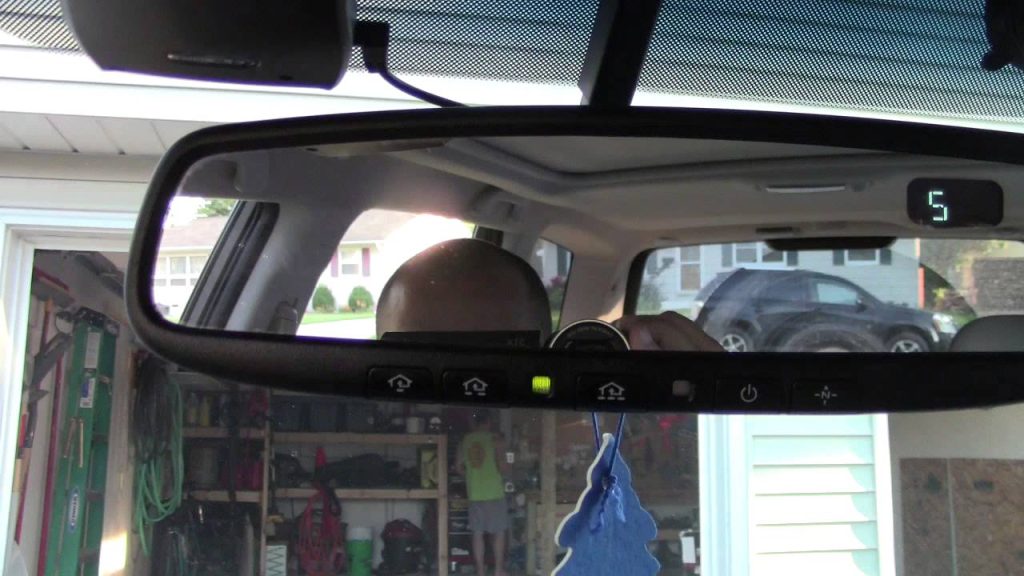
Before diving into the programming sequence, it is vital to understand what makes the 2015 model year unique. The 2015 Subaru Forester comes equipped with the HomeLink Universal Transceiver, typically located in the overhead console near the rearview mirror or integrated directly into the mirror assembly itself. Unlike older aftermarket systems, this factory-installed unit uses radio frequency (RF) signals to communicate directly with your garage door motor.
According to technical documentation referenced on Wikipedia, HomeLink systems operate on specific RF bands (300–400 MHz) and utilize either fixed-code or rolling-code security protocols. For the 2015 Forester, the system supports both, making it compatible with the vast majority of garage door openers manufactured after 1996. Understanding this compatibility ensures you won’t waste time attempting to pair an incompatible device.
Fixed-Code vs. Rolling-Code: What You Need to Know
- Fixed-Code Openers (Pre-1996): These use a single, static frequency. Programming is usually instantaneous.
- Rolling-Code Openers (Post-1996): These change the access code every time the remote is used for enhanced security. Most modern US homes use this type.
- Security+ 2.0 / Yellow Learn Button: Newer LiftMaster/Chamberlain units may require a specific “repeater” kit if your 2015 Forester’s firmware predates the latest protocol update.
Step-by-Step: How To Connect Garage Door Opener To Subaru Forester 2015
Follow these precise instructions to program your first HomeLink button. Ensure your vehicle is parked outside the garage during this process to prevent accidental door movement or carbon monoxide buildup.
Phase 1: Clearing Previous Codes (Recommended)
Even if you believe the buttons are empty, clearing them prevents signal conflicts.
- Locate the two outer HomeLink buttons on your overhead console.
- Press and hold both outer buttons simultaneously for approximately 20 seconds.
- Watch the indicator LED. It will flash slowly at first, then rapidly.
- Release both buttons once the rapid flashing begins. The system is now reset.
Phase 2: Training the HomeLink Button
This is the core answer to how to connect garage door opener to Subaru Forester 2015. Precision matters here.
- Hold your original handheld garage remote 1–3 inches away from the HomeLink button you wish to program.
- Simultaneously press and hold the handheld remote button AND the target HomeLink button.
- Observe the HomeLink indicator light. It will flash slowly, then transition to a rapid, solid flash.
- Release both buttons immediately upon seeing the rapid flash.
- Test the newly programmed HomeLink button by pressing it once. The garage door should activate.
Pro Tip: If the light flashes rapidly but the door doesn’t move, your opener likely uses rolling-code technology. Proceed immediately to Phase 3.
Phase 3: Synchronizing Rolling-Code Openers
If Phase 2 didn’t fully activate your door, complete this synchronization step within 30 seconds.
- Go to your garage door motor unit mounted on the ceiling.
- Locate the “Learn” or “Smart” button (usually yellow, purple, orange, or red).
- Press and release the Learn button. The indicator light on the motor will illuminate or blink.
- Return to your Forester within 30 seconds.
- Firmly press and hold the programmed HomeLink button for 2 seconds, then release. Repeat this press-hold-release cycle up to three times until the door moves.
Troubleshooting Common Programming Issues
Even experienced DIYers encounter hiccups. Use this table to diagnose problems quickly without visiting a dealership.
| Symptom | Likely Cause | Solution |
|---|---|---|
| Light never flashes rapidly | Weak battery in handheld remote | Replace CR2032/AA batteries before retrying |
| Rapid flash but no door movement | Rolling-code sync incomplete | Complete Phase 3 within 30-second window |
| Works intermittently | Signal interference or range issue | Reprogram holding remote at different angles/distances |
| LED stays solid, no response | Incompatible Security+ 2.0 opener | Check for required HomeLink Compatibility Bridge |
| All buttons unresponsive | System fuse blown or module failure | Check Fuse #15 (consult owner’s manual) or visit dealer |
When to Seek Professional Help
If you have attempted all troubleshooting steps and still cannot establish a connection, your 2015 Forester may require a firmware update at an authorized Subaru service center. Some early-production 2015 models received TSB (Technical Service Bulletin) updates specifically addressing HomeLink compatibility with newer Chamberlain/LiftMaster openers. A quick call to your local dealer’s service department can confirm whether your VIN qualifies for this free update.
Safety Considerations Every Owner Must Know
Programming convenience should never compromise safety. Always adhere to these non-negotiable guidelines:
- Never program inside a closed garage. Exhaust fumes contain carbon monoxide, which is odorless and deadly.
- Keep hands clear of moving parts. Garage doors exert significant force; maintain visual contact throughout testing.
- Verify auto-reverse sensors. After successful programming, test the safety reversal system by placing a 2×4 board under the door. The door must reverse upon contact.
- Secure your vehicle. HomeLink provides direct home access; always lock your Forester when parked in public spaces.
Frequently Asked Questions (FAQ)
Can I program multiple garage doors to my 2015 Forester?
Yes. The 2015 Subaru Forester HomeLink system offers three programmable buttons. Each button can control a separate garage door, gate, or even smart home lighting. Simply repeat the programming phases for each additional device using a different button.
Does the 2015 Forester HomeLink work with smart garage openers like MyQ?
Directly, no. HomeLink communicates via RF signals, not Wi-Fi. However, many smart openers (including MyQ-enabled units) retain traditional RF receivers specifically for HomeLink compatibility. Check your smart opener’s specifications for “HomeLink Compatible” labeling. If absent, a universal bridge adapter may be required.
Why did my programmed button stop working after changing my car battery?
HomeLink memory is non-volatile, meaning it should survive battery disconnection. If programming was lost, the module may have experienced a voltage spike during reconnection. Simply reprogram following Phases 1–3. Persistent loss indicates a failing HomeLink module requiring diagnostic evaluation.
Is there a weight or age limit for compatible garage doors?
Compatibility depends entirely on the opener’s transmitter, not the door’s physical characteristics. Any garage door opener manufactured after 1996 using standard RF protocols should work regardless of door material, weight, or spring type. Pre-1996 openers may function but lack modern security features.
Can I use HomeLink for community gates or apartment garages?
Absolutely. Community access systems often use fixed-code transmitters that program identically to residential openers. Follow Phase 2 instructions. Note that some commercial systems use encrypted frequencies incompatible with consumer HomeLink; consult your property manager if programming fails repeatedly.
How do I erase a single button without resetting all three?
Unfortunately, the 2015 Forester HomeLink system does not support individual button deletion. You must clear all three buttons (Phase 1) and reprogram any devices you wish to retain. Plan accordingly before performing a full reset.
Conclusion
Mastering how to connect garage door opener to Subaru Forester 2015 transforms your daily routine from minor frustration to effortless convenience. By understanding your system’s capabilities, following precise programming steps, and respecting safety protocols, you’ve unlocked a feature that enhances both security and quality of life. No more digging for remotes, no more weather exposure—just seamless access to the comfort of home.
Now that your HomeLink is perfectly synced, why keep this knowledge to yourself? Share this guide on Facebook, X (Twitter), or Reddit to help fellow Subaru owners reclaim their driveways. Tag a friend who’s still fumbling with that old plastic remote—they’ll thank you next time it rains. Safe driving and happy programming!
Leave a Reply