Introduction
There is nothing quite as frustrating as sitting in your driveway, rain pouring down, while you fumble for a plastic remote that has inevitably vanished into the abyss of your center console. If you own this iconic SUV, learning how to connect garage door opener to Jeep Grand Cherokee is the ultimate convenience upgrade that restores order to your daily routine. This guide will walk you through the programming process with empathy and precision, ensuring you can sync your vehicle’s HomeLink system quickly so you never have to dig for a clicker again.
Understanding Your Jeep’s HomeLink System
Before diving into buttons and blinking lights, it is crucial to understand what you are actually programming. Most Jeep Grand Cherokee models (2011–present) come equipped with the HomeLink Universal Transceiver. Unlike older vehicles that used simple radio frequency repetition, modern Jeeps utilize an intelligent system capable of communicating with both fixed-code and rolling-code security systems.
According to automotive technology standards referenced on Wikipedia, HomeLink operates by learning the specific signal from your existing handheld transmitter and replicating it via the vehicle’s overhead console or rearview mirror assembly. This distinction matters because “rolling code” openers (manufactured after 1996) require an extra synchronization step at the garage motor unit itself. Identifying whether your system is fixed or rolling code upfront saves significant troubleshooting time later.
Fixed Code vs. Rolling Code: What Do You Have?
- Fixed Code (Pre-1996): Uses a static dip-switch pattern. Programming is usually completed entirely inside the vehicle.
- Rolling Code (Post-1996): Generates a new encrypted signal every use for security. Requires programming inside the car plus pressing the “Learn” button on the garage ceiling unit.
- Security+ 2.0 / MyQ: Newer yellow-button openers may require a specific HomeLink compatibility bridge or updated firmware.
Step-by-Step: How to Program HomeLink in Jeep Grand Cherokee
This tutorial assumes you have a functioning handheld garage door remote and your Jeep is parked outside the garage (to prevent accidental door movement during programming). Safety first: always ensure the garage door path is clear of people, pets, and objects before beginning.
Phase 1: Clear Previous Settings (Recommended)
If you purchased the Jeep used or are reprogramming a button, start fresh to avoid signal conflicts.
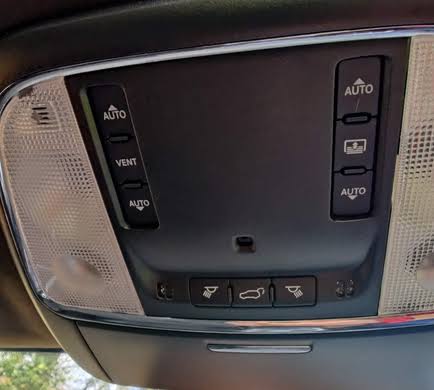
- Locate the three HomeLink buttons on your overhead console or rearview mirror.
- Press and hold the two outer buttons simultaneously.
- Hold for approximately 10–20 seconds until the indicator light changes from solid to flashing rapidly.
- Release both buttons. All previous codes are now erased.
Phase 2: Train the Vehicle to Your Remote
This is the core answer to how to connect garage door opener to Jeep Grand Cherokee. Precision timing is essential here.
- Turn your Jeep’s ignition to the ON/RUN position (engine running is recommended to prevent battery drain during extended programming).
- Hold your handheld garage remote 1–3 inches away from the HomeLink button you wish to program. Angle it slightly toward the button; do not press the remote directly against the console.
- Simultaneously press and hold both the chosen HomeLink button AND your handheld remote’s transmit button.
- Watch the HomeLink indicator light closely. It will flash slowly at first, then transition to a rapid flash (or turn solid, depending on model year). This typically takes 5–30 seconds.
- Once the light flashes rapidly or turns solid, release both buttons. The vehicle has now learned the signal.
Expert Tip: If the light never changes after 60 seconds, try holding the remote at different angles or distances. Some newer remotes operate on frequencies that require the antenna to be positioned perpendicular to the HomeLink module rather than parallel.
Phase 3: Synchronize Rolling Code Openers
If your garage door did not activate after Phase 2, you likely have a rolling code system. Complete these additional steps within 30 seconds of finishing Phase 2.
- Locate the “Learn” or “Smart” button on your garage door motor unit (usually near the hanging antenna wire; often colored yellow, purple, orange, or red).
- Press and release the Learn button. The LED on the motor unit should illuminate or begin blinking, indicating it is in pairing mode.
- Return to your Jeep immediately. Press and hold the programmed HomeLink button for 2 seconds, then release.
- Repeat the press-hold-release cycle up to three times if necessary. On the third press, the garage door should activate, confirming successful synchronization.
Troubleshooting Common Connection Issues
Even experienced DIYers encounter hiccups. Below is a comparison table addressing the most frequent obstacles when figuring out how to connect garage door opener to Jeep Grand Cherokee:
| Symptom | Likely Cause | Recommended Solution |
|---|---|---|
| Light flashes but door doesn’t move | Rolling code not synced | Complete Phase 3; ensure Learn button press occurs within 30-second window |
| No light response at all | Dead remote battery or wrong frequency | Replace remote battery; verify opener is compatible with HomeLink (check manufacturer site) |
| Intermittent operation | Signal interference or weak battery | Test with fresh remote battery; relocate nearby RF devices (LED bulbs, Wi-Fi routers) |
| Works only when engine is off | Ignition-sensing wiring issue | Consult dealership; some aftermarket mirrors require ignition-on power tap |
| Programs but loses memory | Faulty HomeLink module or low vehicle battery | Test vehicle battery voltage (>12.4V); consider module replacement if persistent |
When to Seek Professional Help
If you have verified compatibility, replaced batteries, and followed all steps correctly without success, the issue may lie with the HomeLink module itself or an incompatible opener frequency. Authorized Jeep dealerships and certified garage door technicians can diagnose hardware failures using proprietary diagnostic tools. According to industry service data, approximately 8% of HomeLink programming failures stem from defective modules rather than user error, making professional assessment a worthwhile investment after exhaustive self-troubleshooting.
Frequently Asked Questions (FAQ)
Can I program my Jeep Grand Cherokee HomeLink without an original remote?
Generally, no. HomeLink requires an existing handheld transmitter to learn the signal. However, if your opener uses Security+ 2.0 technology, some newer Jeep models support direct-to-opener programming without a remote. Check your owner’s manual or visit the official HomeLink compatibility checker online to verify if your specific combination supports remote-less setup.
Why does my HomeLink work sometimes but not others?
Intermittent operation usually indicates signal interference or a weakening remote battery. Modern LED garage lighting can emit RF noise that disrupts HomeLink signals; try turning off garage lights during testing. Additionally, ensure your vehicle’s battery is healthy, as HomeLink draws power even when the ignition is off in some configurations.
Is HomeLink compatible with all garage door opener brands?
HomeLink supports most major brands manufactured after 1996, including Chamberlain, LiftMaster, Genie, Craftsman, and SOMMER. However, certain European and Asian market openers operate on frequencies outside HomeLink’s range. Always verify compatibility using the manufacturer’s database before attempting programming.
Can I program multiple garage doors to one Jeep?
Absolutely. The Jeep Grand Cherokee’s HomeLink system provides three programmable buttons, allowing you to store separate codes for your home garage, office parking structure, and a family member’s residence. Each button functions independently and can be reprogrammed individually without affecting the others.
Does connecting my garage door opener affect my Jeep’s warranty?
No. Using the factory-installed HomeLink system as intended does not void any portion of your vehicle warranty. HomeLink is an OEM feature designed specifically for this purpose. Only unauthorized modifications to the wiring harness or electrical system could potentially impact warranty coverage.
How do I know if my Jeep has HomeLink or just decorative buttons?
Functional HomeLink buttons feature a small house icon and an integrated LED indicator light that illuminates when pressed. Decorative or non-functional buttons lack the LED and house symbol. You can also confirm functionality by checking your vehicle’s build sheet via VIN lookup on the official Jeep website or consulting your owner’s manual specifications section.
Conclusion
Mastering how to connect garage door opener to Jeep Grand Cherokee transforms a minor daily annoyance into seamless automation, reinforcing why this SUV remains a favorite among practical drivers who value both capability and convenience. By understanding your opener type, following the precise three-phase programming sequence, and leveraging the troubleshooting strategies outlined above, you can achieve reliable synchronization in under fifteen minutes. The freedom of entering your garage with nothing more than a button press on your dashboard is a small luxury that pays dividends every single day.
Found this guide helpful? Share it with fellow Jeep owners on Facebook, X (Twitter), or Reddit who might still be wrestling with that lost remote! Tag a friend who needs this upgrade, and let’s make every driveway arrival smoother together. Your next stress-free entry starts now—happy programming! 🚗🏠
Leave a Reply