Introduction
There is nothing quite as unsettling as realizing your garage door code might be compromised or simply forgotten during a busy morning rush. If you are searching for how to change the code on Clicker garage door opener, you are taking a vital step toward securing your home and regaining peace of mind. This guide provides clear, empathetic, and expert-backed instructions to help you reprogram your keypad safely and efficiently, regardless of your technical experience level.
Why You Should Regularly Update Your Garage Door Code
Before diving into the technical steps, it is crucial to understand why this maintenance matters. According to crime prevention experts, garage doors are one of the most common entry points for burglars because homeowners rarely update default or old access codes. Changing your code is not just about memory; it is about proactive security.
Security Risks of Old Codes
- Previous Owners/Tenants: If you recently moved in, old codes may still be active.
- Service Personnel: Contractors or delivery drivers may have retained access.
- Wear Patterns: Physical wear on specific keypad buttons can reveal your code to observant intruders.
- Lost Remotes: A lost remote paired with an unchanged code is a significant vulnerability.
Expert Insight: “Regularly rotating access codes is the digital equivalent of changing your physical locks. It is the single most effective zero-cost security upgrade for modern homes.” — Home Security Industry Best Practices
Identifying Your Clicker Model Before Programming
Not all Clicker openers operate identically. Clicker (often associated with Chamberlain/LiftMaster) has produced various keypad models over the last two decades. Identifying your specific unit prevents frustration and ensures you follow the correct protocol.
| Model Series | Typical Features | Programming Method |
|---|---|---|
| KLIK1U / KLIK2U | Universal Wireless Keypad | Learn Button + PIN Entry |
| 940EV / 941EV | Security+ 2.0 Encryption | Smart Panel Sync |
| Older Legacy Models | DIP Switches or Fixed Code | Manual Switch Adjustment |
| myQ Smart Keypad | Wi-Fi Enabled | App-Based Configuration |
Note: Always check the sticker inside the battery compartment or the back of the unit for the exact model number.
Step-by-Step: How To Change The Code On Clicker Garage Door Opener
This section covers the most common method for modern wireless Clicker keypads (Security+ and Security+ 2.0). Please read all steps before beginning.
Step 1: Locate the Learn Button on the Motor Unit
The “Learn” button is the master control for your opener’s memory. It is typically located on the back or side of the garage door opener motor head, near the antenna wire.
- Color Coding: The button may be yellow, red/orange, purple, or green. This color indicates the frequency and encryption type.
- Safety First: Use a sturdy ladder. Do not stand on boxes or chairs. Ensure the area around the door is clear of people and pets.
Step 2: Clear the Old Code (Optional but Recommended)
If you suspect unauthorized access, clear the memory first.
- Press and hold the Learn button on the motor unit for approximately 6–10 seconds.
- Release when the LED indicator light turns off.
- This erases all remotes and keypads. You will need to reprogram every device afterward.
Step 3: Enter Programming Mode on the Keypad
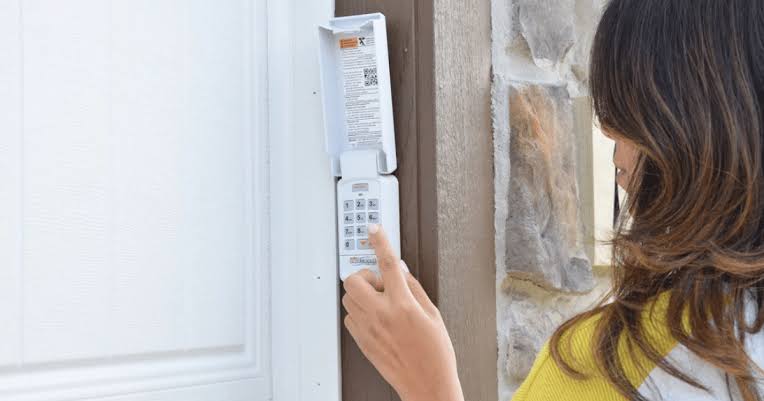
- Go to your exterior Clicker keypad.
- Press and release the PROGRAM button (or press the existing PIN followed by the PROGRAM button, depending on the model).
- The keypad light should begin flashing, indicating it is ready to receive a new code.
Step 4: Set Your New PIN
- Enter your desired 4-digit PIN. Avoid obvious combinations like 1234, 0000, or birth years.
- Press the ENTER button firmly.
- Wait for the keypad light to flash or beep, confirming acceptance.
Step 5: Sync with the Motor Unit
- Within 30 seconds of setting the keypad PIN, return to the motor unit.
- Press and release the Learn button once. The LED will illuminate or blink.
- Return to the keypad and press ENTER again (or enter your new PIN + ENTER, per model instructions).
- The motor unit lights should flash, and you may hear a click. This confirms successful synchronization.
Step 6: Test the New Code Thoroughly
Never assume success without verification.
- Close the garage door completely.
- Wait 30 seconds to ensure the system isn’t in a lockout period.
- Enter your new PIN and press ENTER.
- Observe the door opening smoothly. Repeat the test for closing.
Important Safety Note: Garage door openers utilize radio frequencies regulated by federal agencies. For comprehensive background on how these rolling-code technologies prevent signal interception, refer to the Garage Door Opener entry on Wikipedia.org, which details the evolution from fixed-code to Security+ encryption standards.
Troubleshooting Common Programming Issues
Even professionals encounter hiccups. Here are solutions to the most frequent problems when learning how to change the code on Clicker garage door opener:
Keypad Light Flashes But Door Doesn’t Respond
- Cause: Frequency mismatch or dead batteries.
- Fix: Replace batteries with fresh alkaline cells (not rechargeable). Verify your keypad is compatible with your opener’s Learn button color.
Code Works Intermittently
- Cause: Signal interference or weak battery.
- Fix: Check for nearby LED bulbs (some emit RF interference). Replace with garage-door-safe LED bulbs. Ensure the keypad is mounted at least 3 feet from metal conduits.
Learn Button Doesn’t Activate
- Cause: Logic board issue or power surge damage.
- Fix: Unplug the opener for 60 seconds to reset. If the Learn button remains unresponsive, consult a certified technician.
New Code Resets After 24 Hours
- Cause: Failing capacitor or corrupted memory chip.
- Fix: This typically indicates hardware failure requiring professional service.
FAQ: Everything About Changing Clicker Garage Door Codes
1. How often should I change my garage door opener code?
Security experts recommend changing your code every 6–12 months, or immediately after moving into a new home, losing a remote, or ending a service contract with contractors. Regular rotation minimizes the window of opportunity for unauthorized access.
2. Can I use the same PIN for multiple Clicker keypads?
Yes, most Clicker systems allow the same PIN across multiple keypads for convenience. However, from a security standpoint, using unique codes per entry point allows you to identify which code was used if a breach occurs and enables selective deactivation.
3. Will changing the keypad code erase my car remotes?
Only if you perform a full memory clear (holding the Learn button for 6+ seconds). Simply reprogramming the keypad using the standard sync method does not affect existing remotes. Always distinguish between “adding a device” and “clearing memory.”
4. What makes a strong garage door PIN?
Avoid sequential numbers, repeated digits, birthdays, or address numbers. Choose a random 4-digit combination that you can remember but others cannot guess. Consider using a mnemonic device tied to a non-obvious personal reference.
5. My Clicker keypad doesn’t have a PROGRAM button. What do I do?
Older legacy models may require entering the current PIN, pressing ENTER, then entering the new PIN and pressing ENTER again. Consult your specific model’s manual or the manufacturer’s support site for legacy programming sequences.
6. Is it safe to program the keypad myself, or should I hire a pro?
Programming is designed for DIY users and is generally safe. However, if you are uncomfortable working on ladders, dealing with electrical components, or if troubleshooting fails after two attempts, hiring a certified garage door technician ensures safety and proper configuration. Professional service typically costs $75–$150.
Advanced Tips for Maximizing Garage Door Security
Changing your code is foundational, but true security is layered. Consider these enhancements:
- Enable Rolling Code Technology: If your opener is pre-1996, it likely uses fixed codes that are easily cloned. Upgrading to a Security+ 2.0 system generates billions of unique code combinations, making interception virtually impossible.
- Install a Smart Monitor: Devices like myQ provide real-time alerts when your door opens or closes, giving you instant awareness regardless of your location.
- Physical Reinforcement: Add a garage door defender or slide lock for times when extended absence makes electronic security insufficient.
- Lighting Integration: Motion-activated lighting near the keypad deters nighttime tampering and improves visibility during programming.
Conclusion
Learning how to change the code on Clicker garage door opener is one of the most impactful yet simplest home security tasks you can accomplish today. By following this step-by-step guide, you have not only updated your access credentials but also taken ownership of your household’s safety infrastructure. Remember: security is not a one-time event but an ongoing practice of awareness and maintenance.
Found this guide helpful? Share it with friends, family, or neighbors who might be struggling with their own garage door security. A quick social media share could prevent a break-in and give someone else the confidence to secure their home. Stay safe, stay informed, and keep those codes fresh!
Leave a Reply