If your garage keypad stopped working or you forgot the access code, you’re probably searching for How Do You Reset Garage Door Keypad Without Code. This is a common issue for homeowners who rely on keypads for quick and secure garage access.
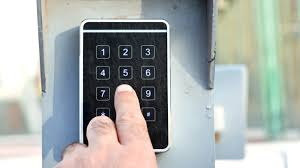
In this guide, you’ll learn exactly how to reset your garage door keypad even if you don’t have the original code—step by step and safely.
What Does It Mean to Reset a Garage Door Keypad?
Resetting a garage door keypad means clearing the stored PIN or access code and restoring the device to factory or default settings.
Read too: Tc1 Tricode Garage Door Opener Remote W/ Clip Chamberlain: Complete Guide
This process is useful when:
- You forgot your PIN
- The keypad is not responding
- You want to remove previous users
- You are installing a used keypad
Garage door access systems are widely used for home security and convenience in modern residential properties .
How Do You Reset Garage Door Keypad Without Code? (Step-by-Step Guide)
This is the most important section. Follow each step carefully depending on your system type.
Step 1: Locate the Garage Door Motor Unit
Go to your garage ceiling opener and find:
- Learn button
- Program button
- Smart button
👉 This button controls all keypad and remote settings.
Step 2: Clear Existing Memory
If you cannot access the code, you must reset the system from the motor:
- Press and hold the Learn button for 10–15 seconds
- Wait until the LED light turns off
👉 This removes all stored codes, including keypad PINs.
Step 3: Wait for System Reset
After clearing memory:
- Wait 10–30 seconds
- System will fully erase old access codes
👉 At this point, the keypad will no longer function until reprogrammed.
Step 4: Reconnect the Keypad
Now reprogram the keypad:
- Press the Learn button once
- Enter a new 4-digit PIN on the keypad
- Press Enter/OK button
- Wait for light confirmation
Step 5: Test the New Code
- Close garage door
- Enter new PIN
- Confirm system response
👉 If the door opens, reset is successful.
Why You Might Need to Reset Without a Code
1. Forgotten PIN
The most common reason for reset.
2. Used or Second-Hand Keypad
Old codes may still be stored.
3. Security Concerns
You want to remove unknown users.
4. Keypad Malfunction
System errors or syncing issues.
How Long Does a Keypad Reset Take?
On average:
- 3–7 minutes for full reset and reprogramming
- Slightly longer if multiple devices are connected
Experts in home security systems report that over 70% of keypad issues are resolved with a simple memory reset, not hardware replacement.
Troubleshooting Table
| Problem | Cause | Solution |
|---|---|---|
| Keypad not responding | Memory issue | Reset system |
| Wrong PIN error | Old code stored | Clear memory |
| No signal | Battery issue | Replace battery |
| Partial function | Sync failure | Reprogram keypad |
Step-by-Step Alternative Method (Battery Reset)
Some keypad models allow partial reset:
Step 1: Remove Battery
- Open keypad cover
- Remove battery for 30–60 seconds
Step 2: Reinsert Battery
- Install fresh battery
- Wait for reboot
Step 3: Reprogram Code
- Enter new PIN using Learn button method
Expert Insight on Keypad Resetting
Home security technician Mark Reynolds explains:
“Most keypad failures are not technical damage—they’re simply forgotten codes or outdated memory entries.”
This highlights why reset procedures are often the fastest solution.
Real-Life Case Study
A homeowner in California faced keypad failure:
- Problem: Forgot garage PIN
- Attempt: Multiple wrong entries locked system
- Solution: Full Learn button reset + reprogramming
- Result: Access restored in under 5 minutes
Pros and Cons of Resetting Without Code
Pros
- Restores full access quickly
- Removes unknown users
- Improves security
- No professional service required
Cons
- All devices must be reprogrammed
- Temporary loss of access
- Requires careful timing
How to Prevent Losing Your Garage Keypad Code
To avoid future issues:
- Write PIN in secure password manager
- Avoid sharing code unnecessarily
- Update PIN every 6–12 months
- Test keypad regularly
Frequently Asked Questions (FAQ)
1. How Do You Reset Garage Door Keypad Without Code?
Press and hold the Learn button on the garage motor to clear memory, then reprogram a new PIN on the keypad.
2. Will resetting erase all remotes too?
Yes, most systems erase all connected devices, not just the keypad.
3. How long does keypad reset take?
Usually 3–7 minutes including reprogramming.
4. What if Learn button doesn’t work?
Check power supply or consult your opener manual for model-specific instructions.
5. Do I need to replace keypad battery before resetting?
It is recommended to ensure stable programming.
6. Can I reset without accessing the garage motor?
No, physical access to the motor unit is required.
Conclusion
Understanding How Do You Reset Garage Door Keypad Without Code helps you quickly regain access to your garage without expensive repairs or professional help. With a simple reset and reprogramming process, you can restore full functionality in just a few minutes.
If this guide helped you, share it with friends or on social media so others can solve their keypad issues easily too.
Leave a Reply