Introduction
There are few things more frustrating than standing in your driveway, pressing the remote repeatedly, and watching your garage door refuse to budge. If you are currently dealing with this synchronization failure, understanding how do you reset a Genie Intellicode garage door opener is the first step toward restoring security and convenience to your home. Whether you have lost a remote, experienced a power surge, or simply need to clear old codes, this comprehensive guide will walk you through the process safely and effectively.
Understanding Genie Intellicode Technology
Before diving into the reset procedures, it is vital to understand what makes these openers unique. Unlike older fixed-code systems, Genie Intellicode uses rolling code technology. This means the access code changes every time you use the remote, preventing thieves from capturing and replaying your signal.
According to industry standards referenced in Wikipedia, rolling code systems were widely adopted in the mid-1990s to combat code grabbing. Because the transmitter and receiver must stay in perfect cryptographic sync, a “reset” is often required when that synchronization is broken due to battery changes, electrical interference, or system upgrades.
When Should You Reset Your Genie Opener?
Resetting is not always the answer. Before performing a full reset, identify if your issue matches these common scenarios:
- New Remote Installation: You purchased a replacement remote and need to pair it.
- Lost or Stolen Remote: You need to erase all existing codes to prevent unauthorized access.
- System Glitches: The door opens partially, reverses unexpectedly, or the LED light flashes error codes.
- Keypad Malfunction: The wireless keypad no longer responds despite fresh batteries.
- Moving Into a New Home: You want to ensure previous owners or tenants cannot access your garage.
Expert Tip: If your garage door opener is making grinding noises or the chain/belt is loose, a reset will not fix the problem. These are mechanical issues requiring physical repair, not electronic reprogramming.
Safety First: Critical Precautions
Working with garage door openers involves electricity and heavy moving parts. Always adhere to these safety protocols:
- Disconnect Power: Unplug the opener or turn off the circuit breaker before touching internal components.
- Clear the Area: Ensure no people, pets, or objects are under the door during testing.
- Use Proper Tools: Only use insulated screwdrivers and non-conductive ladders.
- Check Sensors: Verify the Safe-T-Beam sensors are aligned and clean before resetting; safety features should never be bypassed.
Step-by-Step: How to Reset Genie Intellicode Remotes
This is the most common procedure users search for when asking how do you reset a Genie Intellicode garage door opener. Follow these precise steps to resync your handheld remote.
1. Locate the Learn Button
Find the “Learn” or “Program” button on the motor head unit. On most Intellicode models, this is located near the antenna wire or behind the light lens cover. The button is typically black with a white label or a distinct color like purple or orange depending on the generation.
2. Initiate Programming Mode
Press and release the Learn button. An LED indicator will illuminate or begin blinking, signaling the unit is ready to receive a new code. You typically have 30 seconds to complete the next step before the system times out.
3. Program the Remote
Within the 30-second window:
- Press and hold the button on your remote that you wish to program.
- Hold until the motor unit’s LED stops blinking or turns solid (usually 3–5 seconds).
- Release the remote button.
- Press the same remote button again to confirm. The LED should flash or turn off, indicating successful pairing.
4. Test the System
Stand at least 5 feet away and press the programmed button. The door should activate smoothly. If it does not, repeat the process, ensuring you are within range and the batteries are fresh.
Resetting the Wireless Keypad
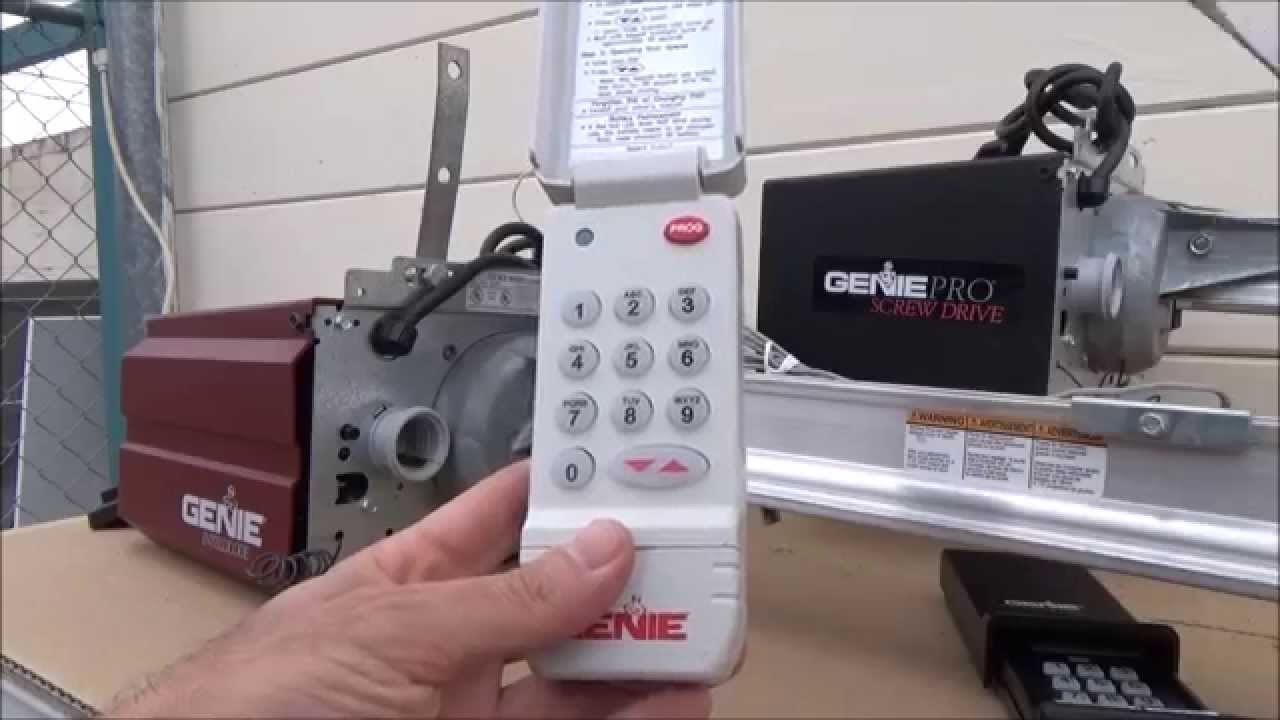
The keypad reset process differs slightly from the remote. Precision is key here.
| Step | Action | Expected Indicator |
|---|---|---|
| 1 | Open keypad cover and locate program button | Cover open, buttons visible |
| 2 | Press “Program” then enter current PIN (if known) | LED blinks green |
| 3 | Enter new 4-digit PIN | LED remains steady |
| 4 | Press “Send” or “Enter” button | LED flashes confirmation |
| 5 | Close cover and test new PIN | Door activates |
Note: If you do not know the current PIN, you must perform a factory reset on the keypad itself, usually by holding the Program button while inserting a fresh battery.
Factory Reset: Clearing All Codes
If you are selling your home or suspect a security breach, a partial reset is insufficient. You need a complete memory wipe.
- Locate the Learn Button on the motor unit.
- Press and Hold the Learn button for approximately 10–15 seconds.
- Watch the LED: It will blink rapidly and then turn off completely. This indicates all remotes, keypads, and vehicle transmitters have been erased.
- Reprogram Everything: Since the memory is now empty, you must re-sync every device you intend to use.
Warning: Performing a factory reset will also disable any integrated smart home connections (like Aladdin Connect). You will need to reconnect these devices through their respective apps after the reset is complete.
Troubleshooting Common Reset Failures
Even when following instructions perfectly, issues can arise. Here is how to diagnose persistent problems:
LED Flashes Red After Programming
This usually indicates the remote is incompatible or the code limit has been reached. Genie Intellicode units typically support up to 7 remotes. If full, perform a factory reset and re-add only active devices.
Remote Works Only When Very Close
This is rarely a programming issue. It typically points to:
- Weak remote battery (replace with high-quality alkaline)
- Damaged antenna wire on the motor unit
- Radio frequency interference from nearby LED bulbs or transformers
Door Reverses Immediately After Closing
This is a safety sensor issue, not a code issue. Check the Safe-T-Beam alignment. The sending sensor should show a steady red light, and the receiving sensor should show a steady green light. Clean the lenses with a soft cloth and realign if necessary.
Maintaining Your Intellicode System Post-Reset
A successful reset is just the beginning. Regular maintenance ensures long-term reliability:
- Battery Schedule: Replace remote batteries annually, even if they still work. Weak signals cause sync drift.
- Sensor Cleaning: Wipe Safe-T-Beam lenses monthly to prevent dust buildup.
- Lubrication: Apply garage-door-specific lubricant to rollers, hinges, and springs every 6 months. Never use WD-40.
- Balance Test: Disconnect the opener manually and lift the door halfway. It should stay in place. If it falls or rises, the springs need professional adjustment.
- Firmware Updates: For newer Wi-Fi-enabled models, check the Genie app periodically for security patches.
Frequently Asked Questions (FAQ)
Q1: How do I know which Genie Intellicode model I have?
Check the label on the back or side of the motor unit. The model number typically starts with “G,” “ISD,” or “CM.” You can also identify the generation by the Learn button color: black/white (older), purple (mid-generation), or orange/red (newer). Matching the correct generation is crucial for remote compatibility.
Q2: Can I reset my Genie opener without the original remote?
Yes. You can program a new remote directly using the Learn button on the motor unit. However, if you want to remove the lost remote’s access, you must perform a full factory reset to erase all stored codes, then reprogram your remaining devices.
Q3: Why does my Genie opener keep losing its programming?
Frequent code loss usually indicates failing capacitors on the logic board, voltage fluctuations, or radio interference. Start by installing a surge protector dedicated to the garage door opener. If the problem persists, the logic board may need replacement by a certified technician.
Q4: Is there a difference between “resetting” and “reprogramming”?
Yes. Reprogramming adds a new device to existing memory without affecting other devices. Resetting (especially factory reset) clears the entire memory bank. Use reprogramming for adding remotes; use resetting for security breaches or major malfunctions.
Q5: How long does a Genie Intellicode reset take?
A single remote reprogramming takes less than 2 minutes. A full factory reset takes about 30 seconds to execute, but reprogramming all devices afterward may take 15–20 minutes depending on how many accessories you have.
Q6: Will resetting affect my garage door’s travel limits?
Generally, no. Travel limit settings are stored separately from access codes on most Intellicode models. However, some older units may require limit readjustment after a hard reset. Always test the door’s open and close positions carefully after any reset procedure.
Conclusion
Understanding how do you reset a Genie Intellicode garage door opener empowers you to maintain both the security and functionality of one of your home’s most-used entry points. Whether you are syncing a new remote, clearing old access codes, or troubleshooting a glitch, the steps outlined above provide a safe and effective roadmap. Remember that regular maintenance and timely battery replacements prevent most synchronization issues before they start.
If this guide helped you get your garage door working again, share it on social media to help fellow homeowners avoid the same frustration. Tag a friend who has been battling their garage door opener—they will thank you later! Safe lifting, and happy programming!
Leave a Reply