Introduction
There is nothing quite as frustrating as fumbling for a plastic remote while sitting in your driveway during a rainstorm or rushing to work in the morning. If you are wondering how to connect the garage door opener to your car, you are taking the first step toward a seamless, modern entry experience that eliminates clutter and enhances daily convenience. This guide will walk you through the exact process of syncing your vehicle’s built-in system with your garage motor safely and correctly, ensuring you never have to dig through your center console again.
Understanding Your Vehicle’s Transmitter System
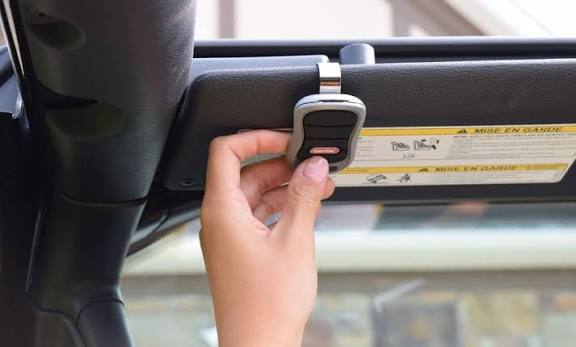
Before pressing any buttons, it is vital to identify which technology your vehicle uses. Most modern vehicles manufactured after 2005 utilize HomeLink, a universal transmitter integrated into the rearview mirror, overhead console, or sun visor. Older vehicles or specific aftermarket setups may use Car2U or proprietary visor-clip systems.
According to automotive safety standards, these systems communicate via radio frequency (RF) signals typically ranging between 300 MHz and 400 MHz. Understanding this distinction matters because programming steps differ significantly between rolling-code security systems and older fixed-code openers. For a deeper technical understanding of how these radio frequencies operate within residential automation, you can refer to the Wikipedia entry on Garage Door Openers, which outlines the evolution of RF safety protocols.
Key Differences at a Glance
| Feature | HomeLink (Standard) | Car2U / Aftermarket | Fixed-Code (Pre-1996) | Rolling-Code (Post-1996) |
|---|---|---|---|---|
| Location | Mirror/Visor/Console | Visor Clip/Dash | Dip Switches | Learn Button on Motor |
| Security | High (Encryption) | Medium | Low | High (Changing Signal) |
| Programming Time | 2–5 Minutes | 3–7 Minutes | Instant | 2–5 Minutes + Sync Step |
| Compatibility | Universal | Limited Brands | Legacy Only | Modern Standard |
Step-by-Step: How to Program HomeLink Systems
This is the most common scenario for US drivers. Follow these precise steps to ensure a successful sync. Note: Always keep your original handheld remote nearby during this process.
Step 1: Clear Previous Memory
If your car is used or previously programmed, clear the old codes first. Press and hold the two outer HomeLink buttons simultaneously for approximately 10 seconds until the indicator light flashes rapidly. Release immediately once flashing begins. Do not skip this step, as residual data causes synchronization failures.
Step 2: Train the Vehicle Receiver
Hold your original handheld remote 1–3 inches away from the HomeLink button you wish to program. Simultaneously press and hold both the handheld remote button and the chosen HomeLink button. Watch the indicator light closely:
- Slow Flash: Still learning.
- Rapid Flash/Solid Light: Successfully trained.
This typically takes 5 to 30 seconds. If the light does not change after 60 seconds, release and reposition the remote at a different angle.
Step 3: Synchronize with the Garage Motor (Rolling Code Only)
For openers manufactured after 1996, training the car is only half the battle. You must also introduce the car to the motor unit:
- Locate the “Learn” or “Smart” button on your garage door opener motor head (usually near the antenna wire).
- Press and release the Learn button. The LED will illuminate or blink, indicating a 30-second programming window.
- Return to your vehicle within those 30 seconds and press the newly programmed HomeLink button firmly three times, holding each press for 2 seconds.
Your garage door should activate, confirming the connection is complete.
Troubleshooting Common Connection Failures
Even professionals encounter hiccups. If your system isn’t responding, check these specific variables before calling a technician.
Frequency Mismatch Issues
Some newer garage openers operate on dual-band frequencies or Wi-Fi-based protocols that older HomeLink versions cannot detect. Check your opener’s manual for “HomeLink Compatibility.” If incompatible, you may need a HomeLink Compatibility Bridge, a small device that translates modern signals for older vehicle transmitters.
Battery and Power Verification
A weak battery in your handheld remote can prevent the initial training signal from reaching the car receiver. Replace the CR2032 or AA batteries in your original remote before attempting reprogramming. Additionally, ensure your vehicle’s ignition is in the “ON” or “ACC” position; many systems disable programming when the engine is completely off to prevent battery drain.
Antenna Obstruction
The antenna wire hanging from your garage motor must be fully extended and unobstructed. A coiled or tucked antenna reduces effective range by up to 70%. Straighten the wire vertically and ensure no metal shelving or LED bulbs are within 6 inches of the receiver, as certain LED drivers emit RF interference that blocks programming signals.
Safety Protocols You Must Follow
Programming requires proximity to moving mechanical parts. Adhere to these non-negotiable safety measures:
- Never program while the door is in motion. Wait for full open or closed position.
- Keep hands and tools clear of rollers, springs, and tracks during the Learn button step. Torsion springs store lethal energy.
- Test the auto-reverse feature after programming. Place a 2×4 board flat on the floor under the door path. Close the door using your new car button. The door must reverse upon contact. If it doesn’t, disconnect immediately and adjust the force settings per manufacturer specifications.
- Avoid programming in extreme temperatures. Below 32°F or above 100°F can affect electronic component responsiveness and battery performance during the critical sync window.
Frequently Asked Questions
Can I program my car without the original garage remote?
In most cases, no. The original remote serves as the authentication key to transfer the encrypted code to your vehicle. However, if you have direct access to the motor unit and it features a “Learn” button, some newer HomeLink versions allow direct programming without a handheld remote by cycling the Learn button and pressing the car transmitter simultaneously. Consult your specific vehicle owner’s manual for this advanced method.
Why does my HomeLink work intermittently?
Intermittent operation usually stems from one of three causes: low vehicle battery voltage, RF interference from nearby electronics (LED bulbs, routers, baby monitors), or a failing capacitor in the garage opener itself. Start by replacing the garage opener’s backup battery and testing with all nearby electronics unplugged. If issues persist beyond 48 hours, the opener’s logic board may require professional diagnosis.
Is there a limit to how many cars I can program?
Yes. Most garage door opener motors store between 5 and 8 unique transmitter codes. Each HomeLink button in each vehicle counts as one code. If you exceed the limit, the oldest code is typically overwritten automatically. To manage this, perform a factory reset on the motor unit annually and reprogram only active vehicles, removing codes from sold or totaled cars to maintain security integrity.
Will connecting my car void my garage door warranty?
No. Programming a vehicle’s built-in transmitter is considered normal user operation and does not alter the mechanical or electrical components of the opener. Warranties are only voided by unauthorized modifications, improper installation, or neglect of maintenance. Keep your programming documentation as proof of standard use should a warranty claim arise.
My car has HomeLink but it won’t learn my new opener. What now?
Newer openers sometimes use Security+ 2.0 or MyQ technology that requires a compatibility bridge. Purchase the official HomeLink Compatibility Bridge (model HRGBRIDGE or equivalent). Install it between the opener’s terminal screws and your existing wiring, then repeat the standard programming steps. This bridge acts as a translator, enabling communication between legacy vehicle systems and modern encrypted protocols.
How often should I reprogram my system?
Under normal conditions, reprogramming is unnecessary unless you replace the opener, change vehicle batteries, or experience signal loss. However, security experts recommend performing a full system reset and reprogramming every 2–3 years to purge unused codes from former owners, tenants, or service providers. This proactive measure prevents unauthorized access and ensures optimal signal strength.
Conclusion
Mastering how to connect the garage door opener to your car transforms a daily annoyance into effortless automation. By following the precise steps outlined above—clearing memory, training the receiver, synchronizing rolling codes, and verifying safety features—you gain reliable, secure access that works every time. Remember to prioritize safety over speed, test auto-reverse functionality religiously, and consult compatibility resources when encountering newer technology.
Your garage entry should serve you, not frustrate you. Now that you’ve unlocked this convenience, share this guide on social media to help friends and family ditch their bulky remotes forever. Tag us with your success story or drop your troubleshooting questions below—we’re here to ensure every homeowner experiences seamless, stress-free access. Happy programming!
Leave a Reply